
1. Introducció
The Xetron DMG-10X is a state-of-the-art digital refrigerant manifold gauge designed for HVAC and refrigeration professionals. This device offers precise pressure and temperature measurements, smart app connectivity, and advanced features for efficient system analysis and maintenance. Its robust design ensures reliability in demanding work environments.
2. Característiques clau
- Funcionament eficient: Supports over 80 types of refrigerants (updatable via app) and allows customization of 18 refrigerant types. Utilizes MEMS digital pressure sensors for accurate readings and automatic superheat/subcooling calculations.
- Connectivitat intel·ligent d'aplicacions: Simple Bluetooth operation with a mobile app for data logging, real-time data display, analysis, and export of clear reports.
- Robust and Reliable: Features a reinforced aluminum valve body (IP54 rated) for comprehensive protection. Maintains accuracy even after multiple drops from 1 meter, offering superior durability compared to mechanical gauges.
- Capacitats multifuncionals: Bluetooth connection enables remote firmware updates (OTA), temperature compensation, system leak testing, vacuum measurement, and offline data logging. (Note: Some advanced functions may require in-app purchase.)
- Fàcil d'utilitzar: Compact and portable design with a 2-way valve block and automatic probe connection, facilitating convenient operation in hard-to-reach areas.
3. Contingut del paquet
Upon unboxing your Xetron DMG-10X, please verify that all items listed below are present and in good condition:

Image: Contents of the Xetron DMG-10X package, including the digital manifold, packaging box, manual, and carrying bag.
- 1x Xetron DMG-10X Digital Manifold Gauge
- 1x Caixa d'embalatge
- 1 x manual d'usuari
- 1x bossa de transport
- 2x Temperature Clamps
- 2x Adapters (1/4" to 5/16")
4. Producte acabatview
The Xetron DMG-10X combines a robust hardware unit with an intuitive mobile application to provide comprehensive HVAC/R system diagnostics.

Image: The Xetron DMG-10X digital manifold gauge alongside a smartphone displaying its connected app interface, showing real-time pressure and temperature readings.
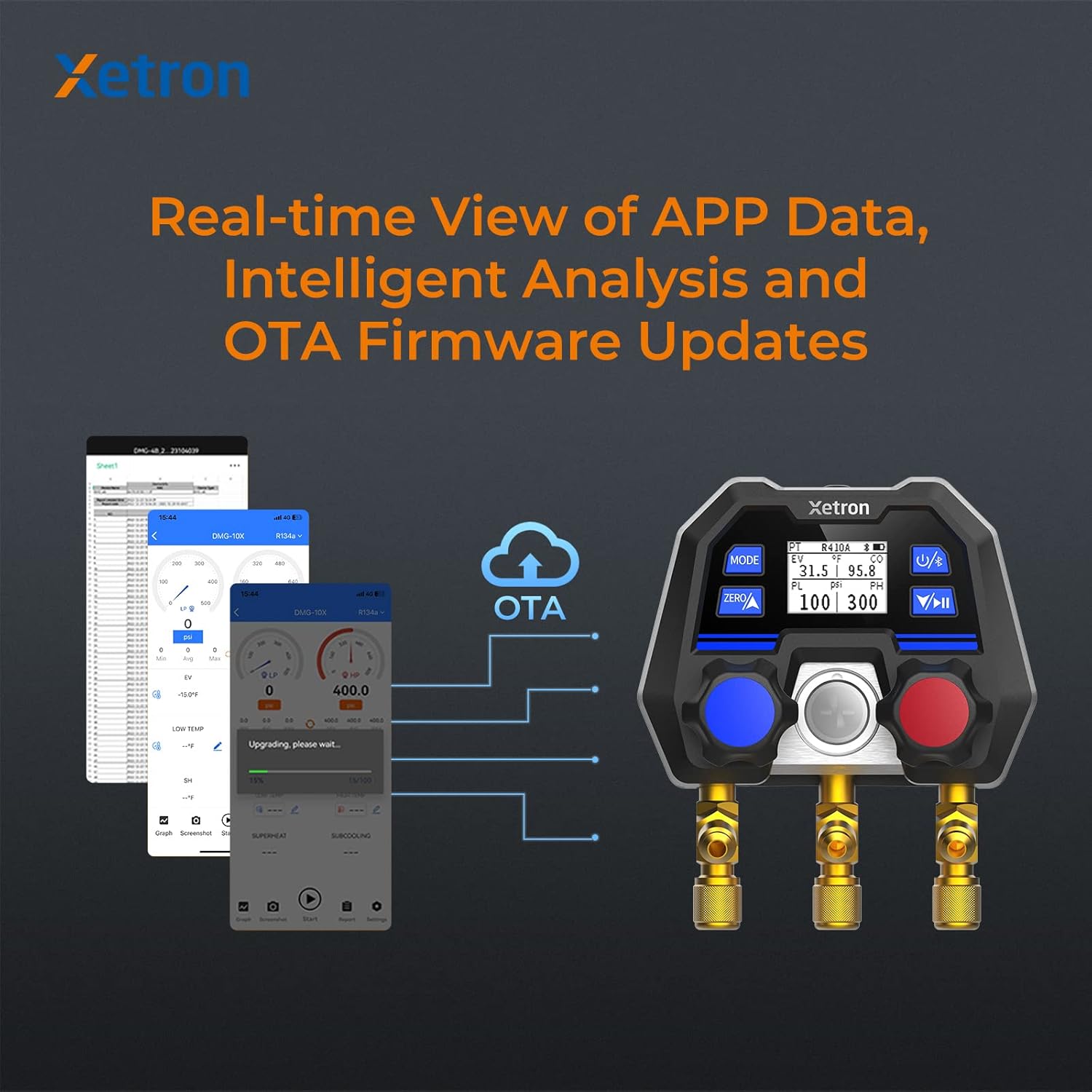
Image: Illustration of the Xetron app's real-time data view, intelligent analysis capabilities, and Over-The-Air (OTA) firmware update functionality for the DMG-10X.

Image: The Xetron DMG-10X allows users to customize and manage up to 18 types of refrigerants from a list of over 141, offering greater flexibility than traditional mechanical manifolds.
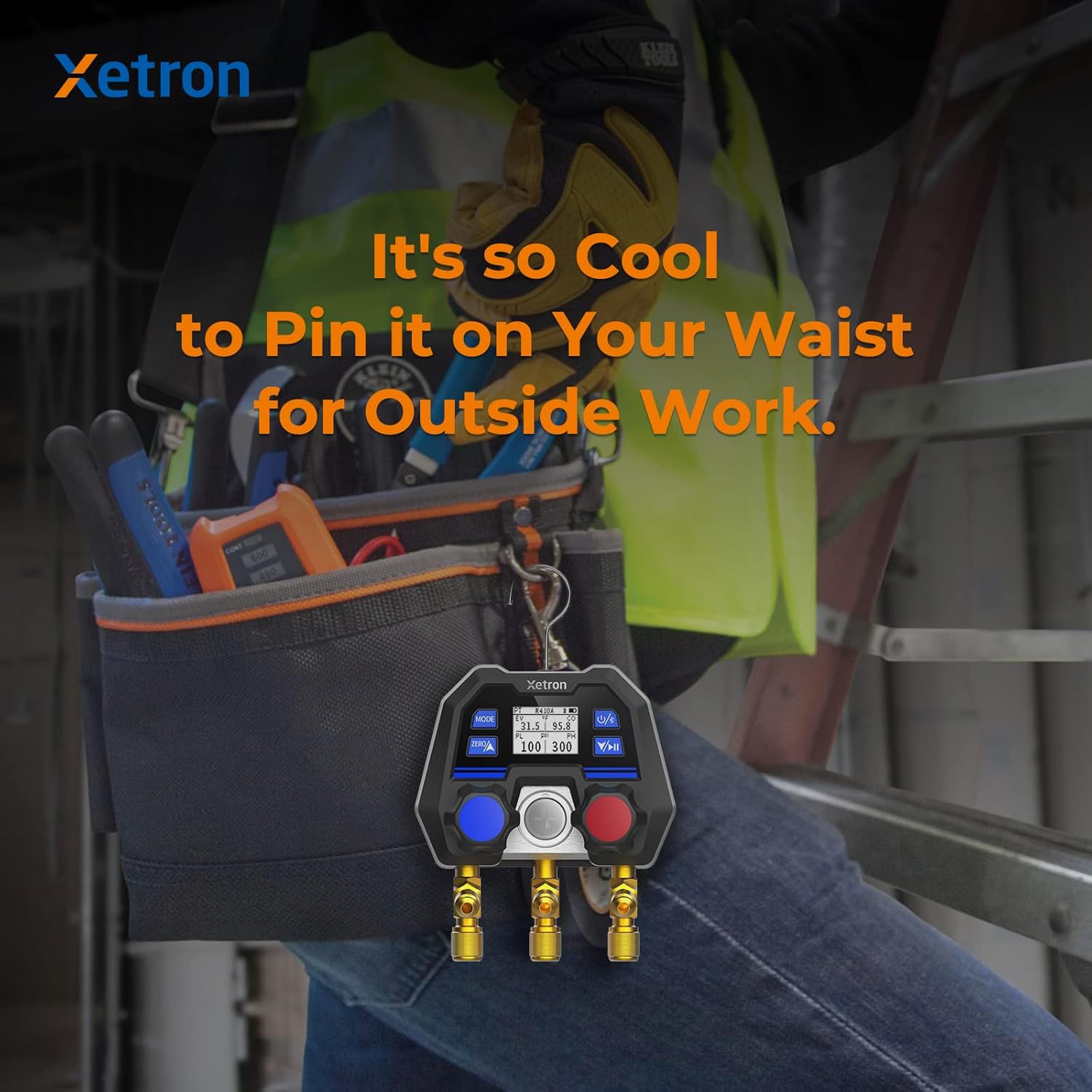
Image: The compact design of the Xetron DMG-10X allows it to be conveniently clipped to a technician's belt, enhancing portability for outdoor work.

Image: The Xetron DMG-10X app provides refrigerant safety information based on ASHRAE 34 standards, classifying refrigerants by toxicity and flammability to ensure user safety.

Image: Comparison highlighting the Xetron DMG-10X's reliable Thick Film Ceramics MEMS Sensor, contrasting it with the easily damaged mechanical shrapnel structure found in traditional gauges.
5. Configuració
- Instal·lació de la bateria: Open the battery compartment on the back of the device and insert the required batteries (refer to specifications for battery type). Ensure correct polarity.
- Encès: Premeu i manteniu premut el botó d'engegada fins que la pantalla s'il·lumini.
- Descarrega de l'aplicació: Download the official Xetron app from your smartphone's app store (iOS/Android).
- Emparellament Bluetooth: Enable Bluetooth on your smartphone. Open the Xetron app and follow the on-screen instructions to pair with your DMG-10X device. The device name will typically appear as "DMG-10X" followed by a unique identifier.
- Initial Calibration (Zeroing): Before connecting to a system, ensure the manifold is at atmospheric pressure. Press the 'ZERO' button on the device to zero the pressure sensors. This ensures accurate readings.
6. Instruccions de funcionament
- Connexió al sistema: Connect the appropriate hoses to the manifold ports and then to the HVAC/R system's service ports. Ensure all connections are secure.
- Refrigerant Selection: Use the 'MODE' button on the device or select the desired refrigerant type within the Xetron app. The app allows for a wider selection and customization.
- Prendre mesures: Once connected and refrigerant selected, the device will display real-time pressure and temperature readings. The app provides a more detailed view, including superheat, subcooling, and other calculated values.
- Registre de dades: Activate the data logging function via the app to record measurements over time. This data can be viewed in real-time graphs or exported for later analysis.
- Vacuum Measurement: For vacuum testing, ensure the system is isolated and connect the manifold to the vacuum pump. Select the vacuum function in the app to monitor vacuum levels and progress.
- Prova de fuites: Utilize the leak test function in the app to monitor pressure changes over a set period, helping to identify potential system leaks.
- Actualitzacions de firmware (OTA): Regularly check the app for available firmware updates. Over-The-Air (OTA) updates ensure your device has the latest features and performance improvements.
7. Manteniment
- Neteja: Netegeu el dispositiu amb un suau, damp cloth. Do not use abrasive cleaners or solvents. Ensure the ports are free of debris.
- Emmagatzematge: Store the manifold gauge in its protective carrying bag in a cool, dry place when not in use. Avoid extreme temperatures and direct sunlight.
- Cura de la bateria: Traieu les piles si no heu d'utilitzar el dispositiu durant un període prolongat per evitar fuites.
- Hose and Adapter Inspection: Regularly inspect hoses and adapters for wear, cracks, or damage. Replace them if necessary to ensure accurate readings and prevent refrigerant leaks.
8. Solució De Problemes
| Problema | Causa possible | Solució |
|---|---|---|
| El dispositiu no s'encén | Piles baixes o gastades; instal·lació incorrecta de la bateria | Canvieu les piles; comproveu la polaritat de la pila |
| Cannot connect to app via Bluetooth | Bluetooth off on phone/device; Device out of range; App not updated | Ensure Bluetooth is on; Move device closer to phone; Update app to latest version |
| Lectures de pressió inexactes | Not zeroed before use; Leaky connections; Sensor issue | Perform zeroing; Check all hose connections; Contact support if issue persists |
| App features (e.g., data logging) not working | Feature requires in-app purchase; App glitch | Verify if feature is unlocked/purchased; Restart app/device |
9. Especificacions
| Característica | Detall |
|---|---|
| Número de model de l'article | XT-DMG10X-EU |
| Dimensions del producte | 11 x 7.5 x 13.5 cm |
| Pes del producte | 700 grams |
| Fabricant | Xetron |
| Suport de refrigerant | 80+ types (updatable), 18 customizable |
| Tipus de sensor | MEMS Digital Pressure Sensors |
| Classificació de protecció | IP54 |
| Connectivitat | Bluetooth |
10. Garantia i Suport
Xetron products are designed for reliability and performance. For warranty information, technical support, or service inquiries, please refer to the official Xetron weblloc web o contacteu directament amb el servei d'atenció al client. Conserveu el rebut de compra com a comprovant de compra per a reclamacions de garantia.