
1. Producte acabatview
The KOORUI E2721H is a 27-inch WQHD (2560x1440) IPS monitor designed for both productivity and gaming. It features a 120Hz refresh rate and 1ms (MPRT) response time for smooth visuals. The monitor supports Adaptive Sync (compatible with FreeSync and G-Sync) to eliminate screen tearing and stuttering. It also incorporates eye-care technologies such as blue light reduction and flicker-free operation, certified by TÜV Rheinland, to minimize eye strain during extended use. With 95% DCI-P3 color gamut coverage and HDR10 support, it delivers vibrant and accurate colors.

Image: The KOORUI E2721H monitor showcasing its display capabilities with a high-resolution image, emphasizing WQHD resolution, wide color gamut, and HDR support.
2. Configuració
2.1 Contingut del paquet
Marqueu la casella per als elements següents:
- KOORUI E2721H Monitor
- Suport de monitor (base i coll)
- Adaptador d'alimentació
- Cable d'alimentació
- Cable HDMI
- Cable DisplayPort
- Manual d'usuari
2.2 Muntatge i instal·lació
- Traieu amb cura el monitor de l'embalatge.
- Fixeu el coll del suport al panell del monitor. Assegureu-vos que encaixi correctament al seu lloc amb un clic.
- Attach the stand base to the stand neck. Tighten any screws if necessary.
- Col·loqueu el monitor muntat sobre una superfície plana i estable.
- The monitor supports VESA mount (100x100mm) for alternative mounting solutions (e.g., wall mount, monitor arm). Ensure the VESA mount is compatible and securely installed.

Image: The KOORUI E2721H monitor demonstrating VESA mount compatibility and tilt adjustment.
2.3 Connexions
Connecteu el monitor a l'ordinador o a altres dispositius mitjançant els ports disponibles:
- Potència: Connecteu l'adaptador de corrent a l'entrada de CC del monitor i després a una presa de corrent.
- Entrada de vídeo: Use either an HDMI cable (HDMI 2.0 x 2 ports) or a DisplayPort cable (DP 1.4 x 1 port) to connect the monitor to your device.
- Sortida d'àudio: Connecteu uns auriculars o uns altaveus externs al connector d'àudio de 3.5 mm.

Imatge: Detallada view of the monitor's rear ports, including HDMI, DisplayPort, audio jack, and power input.
3. Instruccions de funcionament
3.1 Encès/Apagat
Premeu el botó d'engegada que es troba a la part posterior del monitor per encendre'l o apagar-lo.
3.2 Menú de visualització en pantalla (OSD)
Use the control buttons on the back of the monitor to navigate the OSD menu. The OSD allows you to adjust various display settings:
- Brillantor/Contrast: Ajusta la luminància i el contrast generals de la pantalla.
- Configuració de color: Modifiqueu la temperatura de color, el gamma i els valors RGB individuals.
- Font d'entrada: Manually select between HDMI 1, HDMI 2, or DisplayPort inputs.
- Mode d'imatge: Choose from preset modes (e.g., Standard, Game, Movie, Text) or customize your own.
- Configuració del joc: Enable/disable Adaptive Sync, adjust response time, and activate game-specific modes (FPS/RTS).
- Cura dels ulls: Toggle blue light reduction and flicker-free settings.
3.3 Característiques de visualització
The E2721H monitor offers several features to enhance your viewExperiència:
- Resolució WQHD (2560 x 1440): Provides a sharp and detailed image, offering more screen real estate compared to Full HD.
- Freqüència d'actualització de 120 Hz i MPRT d'1 ms: Garanteix un moviment suau i una reducció del ghosting, ideal per a contingut i jocs de ritme ràpid.
- Panell IPS: Delivers wide 178° viewing angles and consistent color reproduction from various perspectives.
- Sincronització adaptativa: Synchronizes the monitor's refresh rate with your graphics card's frame rate to eliminate screen tearing and minimize stuttering.
- Suport HDR10: Enhances contrast and color depth for compatible content, providing a more immersive visual experience.
- 95% de la gamma de colors DCI-P3: Offers a broad range of colors, making it suitable for creative work and media consumption.

Image: Visual comparison illustrating the difference in detail between WQHD and FHD resolutions.
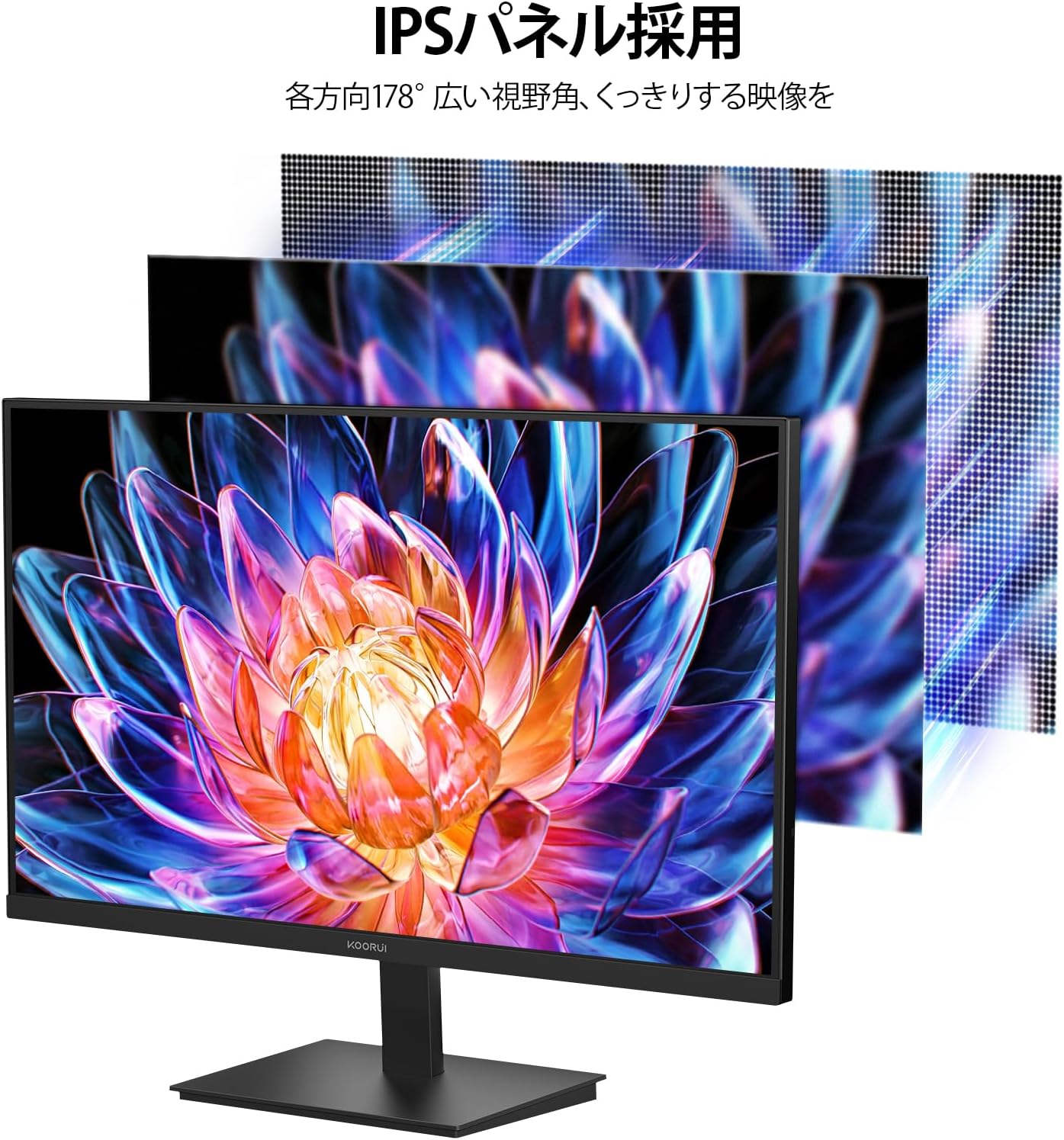
Image: Representation of IPS panel technology, highlighting wide viewangles d'ajust i precisió del color.
4. Manteniment
4.1 Neteja del monitor
- Apagueu sempre el monitor i desendolleu el cable d'alimentació abans de netejar-lo.
- Utilitzeu un drap suau i sense pelusa dampesbandida amb aigua o un netejador de pantalles suau i no abrasiu.
- No ruixeu el netejador directament sobre la pantalla.
- Eviteu utilitzar alcohol, amoníac o productes de neteja abrasius, ja que poden danyar la superfície de la pantalla.
4.2 Atenció general
- Mantingueu el monitor allunyat de la llum solar directa, de fonts de calor i de l'excés de pols.
- Assegureu-vos que hi hagi una ventilació adequada al voltant del monitor per evitar el sobreescalfament.
- Eviteu col·locar objectes pesats sobre el monitor o els seus cables.
5. Solució De Problemes
Si teniu problemes amb el monitor, consulteu les solucions habituals següents:
| Problema | Possible solució |
|---|---|
| No hi ha imatge a la pantalla | Check power connections. Ensure video cable is securely connected to both monitor and source. Select correct input source via OSD. |
| La imatge és borrosa o distorsionada | Adjust resolution to native WQHD (2560x1440). Check video cable for damage. |
| Imatge parpellejant o inestable | Ensure Adaptive Sync is enabled (if supported by your graphics card). Check refresh rate settings. Enable Flicker-Free mode in OSD. |
| No hi ha so a la presa d'auriculars | Check audio settings on your computer. Ensure headphones are fully plugged in. |
| Els botons no responen | Unplug the monitor, wait 30 seconds, then plug it back in. |
If the problem persists after trying these solutions, please contact KOORUI technical support.
6. Especificacions
| Característica | Detall |
|---|---|
| Model | E2721H |
| Mida de la pantalla | 27 polzades |
| Tipus de panell | IPS |
| Resolució | WQHD (2560 x 1440) |
| Freqüència d'actualització | 120 Hz |
| Temps de resposta | 1 ms (MPRT) |
| Relació d'aspecte | 16:9 |
| Relació de contrast | 1000:1 |
| Brillantor | 300 cd/m² |
| Gamma de colors | 95% DCI-P3 |
| Suport HDR | HDR10 |
| Viewangle ing | 178° (H/V) |
| Connectivitat | 2 x HDMI 2.0, 1 x DisplayPort 1.4, 1 x 3.5mm Audio Out |
| Muntatge VESA | 100 x 100 mm |
| Ajust d'inclinació | -5° a 20° |
| Dimensions (A x A x P) | 61.3 x 46 x 18.5 cm |
| Pes | 3.6 kg |
| Característiques de la cura dels ulls | TÜV Rheinland Certified Blue Light Reduction, Flicker-Free |
7. Garantia i Suport
7.1 Informació de la garantia
The KOORUI E2721H monitor comes with a 3-year manufacturer's warranty for the main unit and a 1-year warranty for the LCD panel. Accessories are covered by a 3-year warranty. This warranty covers defects in materials and workmanship under normal use.
If a display defect occurs within 30 days of purchase, please contact Amazon for a free return. After 30 days, please contact KOORUI technical support directly.
If the product malfunctions under normal use and environment, and KOORUI technical support determines it is a defect, service will be provided by a local repair center in Japan.
Note: Shipping costs to the repair center are the customer's responsibility. KOORUI will cover the return shipping cost after repair.
7.2 Suport tècnic
For technical assistance or inquiries regarding your product, please contact KOORUI support:
- Correu electrònic: JP.support@Koorui.net (Resposta en 24 hores)
- Telèfon: 6633868555 (Available: 10:00-13:00; 14:30-19:00, Monday-Friday)
When contacting support, please have your product model (E2721H) and purchase information ready.
7.3 PC Recycling
KOORUI monitors are eligible for free collection and recycling through the PC 3R program. Please apply via the PC 3R website for this service.