
Introducció
The Havit Gamenote KB885L mechanical keyboard is engineered for precision, durability, and customization. It features a gasket structure design, providing a soft and stable typing experience while minimizing noise. The full key rollover with multi-key response ensures fast and accurate input, crucial for gaming. With customizable RGB backlighting, you can personalize your keyboard with various lighting modes and effects. The detachable USB-C cable enhances portability and simplifies cable management. This keyboard is built with mechanical switches rated for 50 million key presses, making it suitable for gamers, typists, and professionals who require long-lasting performance.
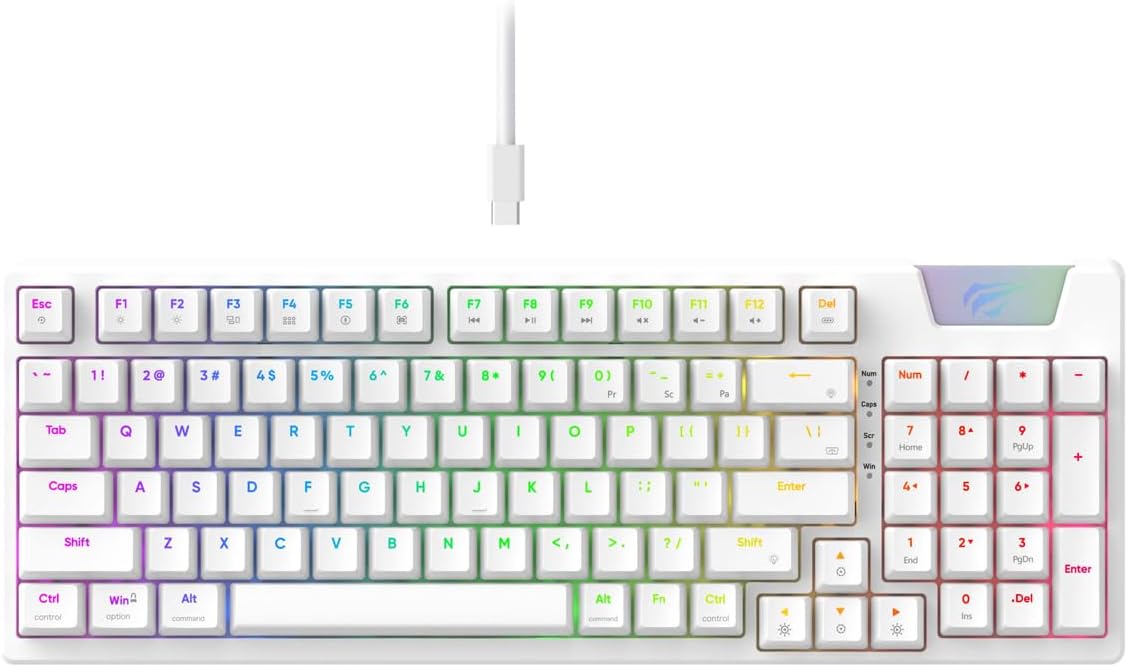
Image: The Havit Gamenote KB885L mechanical keyboard in white, showcasing its full layout and detachable USB-C cable.
Guia de configuració
Follow these steps to set up your Havit Gamenote KB885L mechanical keyboard:
- Descomprimir el teclat: Traieu amb cura el teclat i els seus accessoris de l'embalatge.
- Connecteu el cable USB-C: Insert the detachable USB Type-C cable into the port on the keyboard.
- Connexió a l'ordinador: Connecteu l'altre extrem del cable USB a un port USB disponible de l'ordinador.
- Instal·lació del controlador: El teclat és plug-and-play i normalment no requereix controladors addicionals. El sistema operatiu hauria de detectar i instal·lar automàticament els controladors necessaris.
- Funcionalitat de prova: Open a text editor or browser to test key presses and ensure all functions are working correctly.

Image: A close-up of the Havit Gamenote KB885L keyboard highlighting its portable design and detachable cable for easy setup and transport.
Instruccions de funcionament
The Havit Gamenote KB885L keyboard offers various features for an enhanced user experience:
Control de retroil·luminació RGB
El teclat té retroil·luminació RGB personalitzable. Feu servir les combinacions de tecles següents per ajustar els efectes d'il·luminació:
- Fn + [Tecla]: Cycle through different RGB lighting modes. (Specific key combinations may vary, refer to on-keyboard legends if available).
- Fn + Tecles de fletxa: Adjust brightness and speed of lighting effects.

Image: The Havit Gamenote KB885L keyboard displaying its vibrant RGB backlighting, illustrating customizable lighting effects.
Full Key Rollover (NKRO)
This keyboard supports Full Key Rollover, meaning every key press is registered independently, regardless of how many keys are pressed simultaneously. This feature is essential for fast-paced gaming and typing, preventing ghosting or missed inputs.
Disseny ergonòmic
The keyboard is designed with ergonomics in mind to provide comfort during extended use. Its layout and keycap profile aim to reduce strain on your wrists and fingers.

Imatge: A view of the Havit Gamenote KB885L keyboard highlighting its ergonomic design for comfortable use.
Manteniment
Un manteniment adequat garanteix la longevitat i el rendiment òptim del teclat:
- Neteja: Netegeu el teclat regularment amb un drap suau i sec. Per a una neteja més profunda, utilitzeu aire comprimit per eliminar la pols i les restes d'entre les tecles. Per a la brutícia persistent, utilitzeu un drap lleugerament sec.amp Es pot fer servir un drap amb sabó suau, assegurant-se que no entri líquid al teclat.
- Eviteu els vessaments: Keep liquids away from the keyboard to prevent damage to the internal components. In case of a spill, immediately disconnect the keyboard and allow it to dry completely before reconnecting.
- Cura del cable: Handle the detachable USB-C cable with care. Avoid sharp bends or excessive pulling to prevent damage to the cable or connectors.
- Emmagatzematge: Quan no l'utilitzeu, guardeu el teclat en un lloc net i sec, allunyat de temperatures extremes.
Resolució de problemes
If you encounter issues with your Havit Gamenote KB885L keyboard, try the following solutions:
- El teclat no respon:
- Assegureu-vos que el cable USB-C estigui connectat correctament tant al teclat com a l'ordinador.
- Prova de connectar el teclat a un port USB diferent de l'ordinador.
- Prova el teclat en un altre ordinador per determinar si el problema és del teclat o del sistema.
- Les llums RGB no funcionen:
- Check if the lighting is turned off using the Fn key combinations.
- Assegureu-vos que el teclat estigui correctament alimentat mitjançant la connexió USB.
- Claus que no es registren / ghosting:
- Due to full key rollover, this is unlikely. However, ensure no debris is lodged under the keycap.
- If a specific key is consistently failing, it might indicate a switch issue. Contact support if the problem persists.
Especificacions
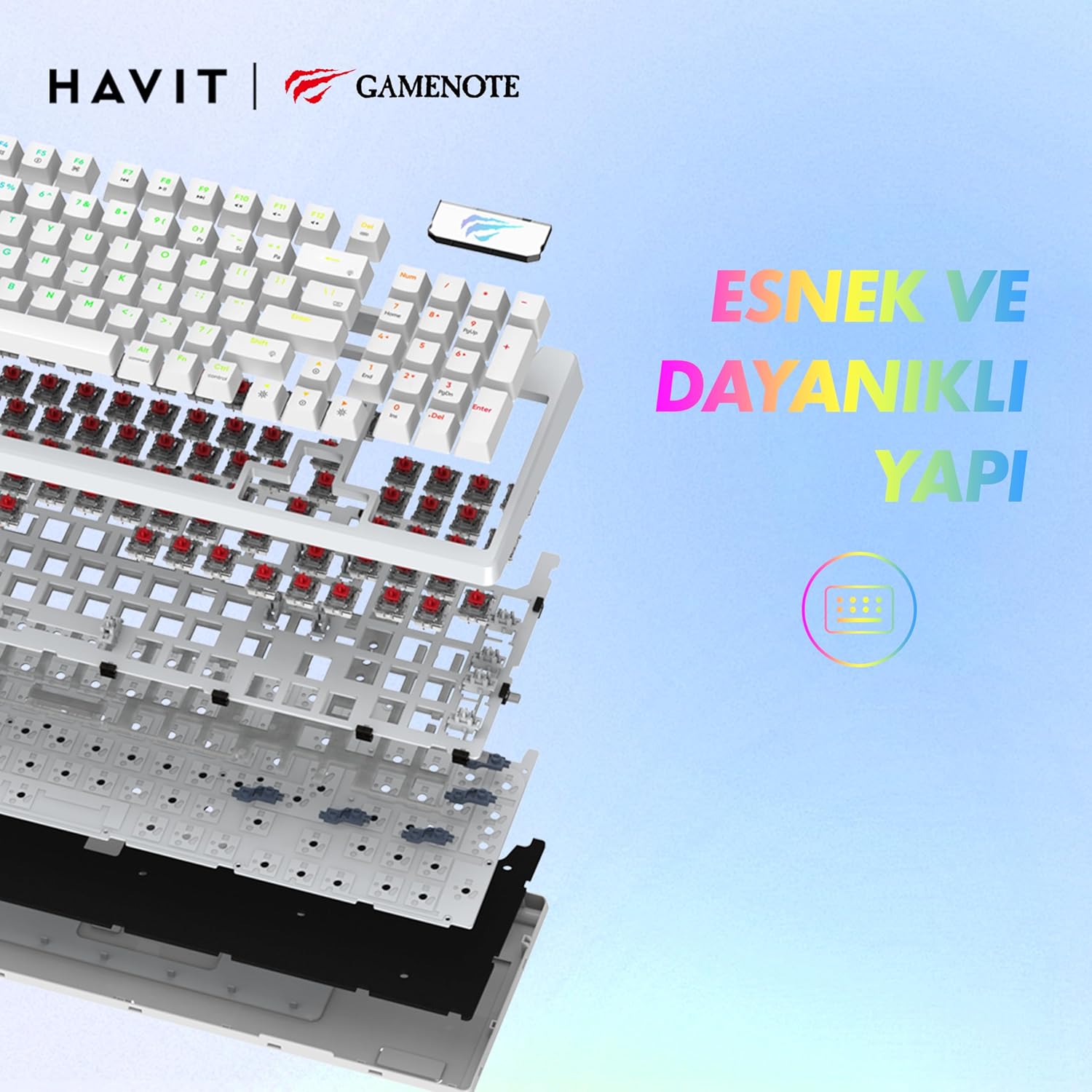
Imatge: Una explosió view of the Havit Gamenote KB885L keyboard, illustrating its internal gasket structure for enhanced stability and typing feel.
| Característica | Detall |
|---|---|
| Marca | Havit |
| Número de model | KB885L |
| Dispositius compatibles | Ordinador |
| Tecnologia de connectivitat | USB |
| Descripció del teclat | Jocs |
| Usos recomanats | Jocs |
| Característica especial | Portàtil |
| Color | Blanc |
| Backlight Color Support | RGB (Red, Green, Blue model) |
| Estil | Modern |
| Dimensions del producte (L x A x A) | 38.7 x 14 x 4.5 cm |
| Llengua | Anglès |
| Font d'alimentació | Alimentació USB |
| Tipus de canvi | Tàctil |
| Disposició del teclat | QWERTY |
| Orientació de la mà | Ambidextre |
| Nombre de claus | 95 |
| Quantitat de botons | 104 |
| Components inclosos | Cable USB |
| Material | Plàstic |
| Key Press Lifespan | 50 Million (from description) |

Image: An illustration highlighting the Havit Gamenote KB885L's durable mechanical switches, rated for a 50 million key press lifespan.
Informació de la garantia
El teclat mecànic Havit Gamenote KB885L inclou un garantia d'un any from the date of purchase. This warranty covers manufacturing defects and issues arising from normal use. It does not cover damage caused by misuse, accidents, unauthorized modifications, or improper maintenance. Please retain your proof of purchase for warranty claims.
Atenció al client
For further assistance, technical support, or warranty inquiries, please contact Havit customer service through their official website or the retailer where you purchased the product. Have your model number (KB885L) and proof of purchase ready when contacting support.