
1. Producte acabatview
The Atomos Ninja 5.2" 4K HDMI Recording Monitor is a versatile on-camera monitor and recorder designed for professional filmmakers and content creators. It features a high-resolution Full HD touchscreen display, 4K HDMI recording capabilities, and support for ProRes RAW up to 6K with compatible cameras. This bundle includes essential accessories to enhance your workflow.
Contingut del paquet:
- Atomos Ninja 5.2" 4K HDMI Recording Monitor
- Waith Power NP-F750 Battery
- Waith Power Battery Charger (NP-F750 compatible)
- Swivel and Tilt Adjustable Monitor Mount with Cold Shoe Mount
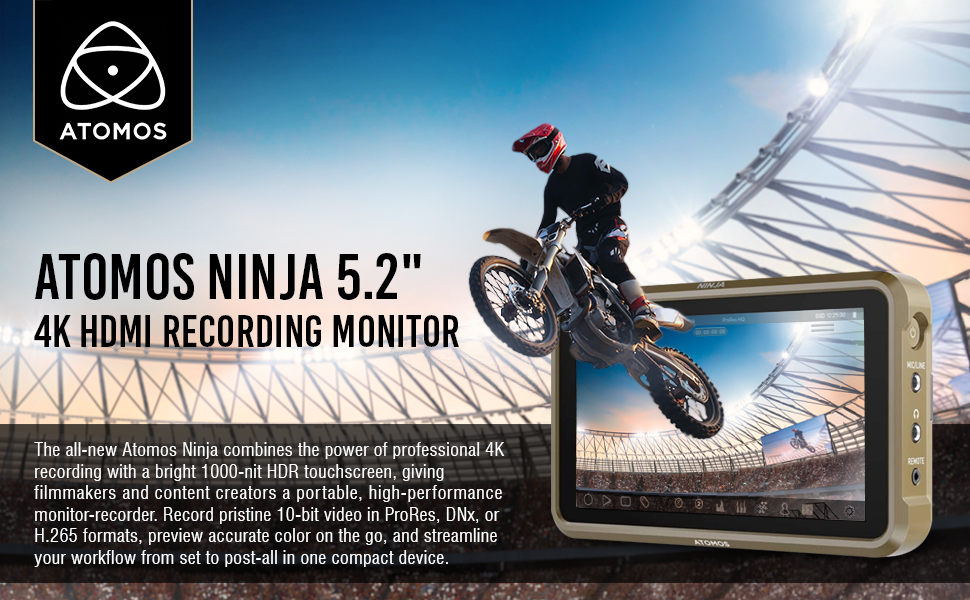
Image: Atomos Ninja 5.2" 4K HDMI Recording Monitor shown with included accessories: Waith Power NP-F750 Battery, Waith Power Battery Charger, and SmallRig Swivel & Tilt Adjustable Monitor Mount.
2. Configuració
2.1 Càrrega de la bateria
- Connect the Waith Power Battery Charger to a power outlet using the provided power brick.
- Insert the NP-F750 battery into the charger. The charger features automatic constant current control to prevent overcharging.
- Una càrrega completa sol trigar aproximadament entre 60 i 90 minuts.

Image: The Waith Power NP-F750 battery and its dedicated charger. The charger is designed for quick and safe charging.
2.2 Muntatge del monitor
The included Swivel and Tilt Adjustable Monitor Mount allows for flexible positioning of your Atomos Ninja monitor.
- Attach the cold shoe base of the monitor mount to your camera's hot shoe, cage, or handle.
- Secure the Atomos Ninja monitor to the 1/4"-20 screw on the top of the mount.
- Adjust the tilt (180°) and swivel (360°) to your desired viewing angle. The tilt axis can be tightened via a knob to secure the monitor.

Image: The SmallRig Swivel and Tilt Adjustable Monitor Mount is shown attached to a camera, holding the Atomos Ninja monitor. This setup allows for flexible viewangles d'ajust.
2.3 Connecting to Camera
- Connexió HDMI: Connect your camera's HDMI output to the Atomos Ninja's HDMI input using an HDMI 2.0 compatible cable for 4K video input. The monitor also provides HDMI output for loop-through functionality.
- Connexió d'alimentació: Insert the charged NP-F750 battery into the L-series battery plate on the back of the Ninja. Alternatively, the monitor supports USB-C PD input for power.
- Audio/Remote: Utilize the 3.5mm mic/line input, headphone output, and remote port as needed for your setup.

Image: The side of the Atomos Ninja monitor, highlighting the HDMI input and output ports, essential for video signal transmission.
3. Instruccions de funcionament
3.1 Powering On and AtomOS 11
Press and hold the power button on the side of the monitor to turn it on. The AtomOS 11 operating system provides an intuitive icon interface for easy navigation and access to various features.
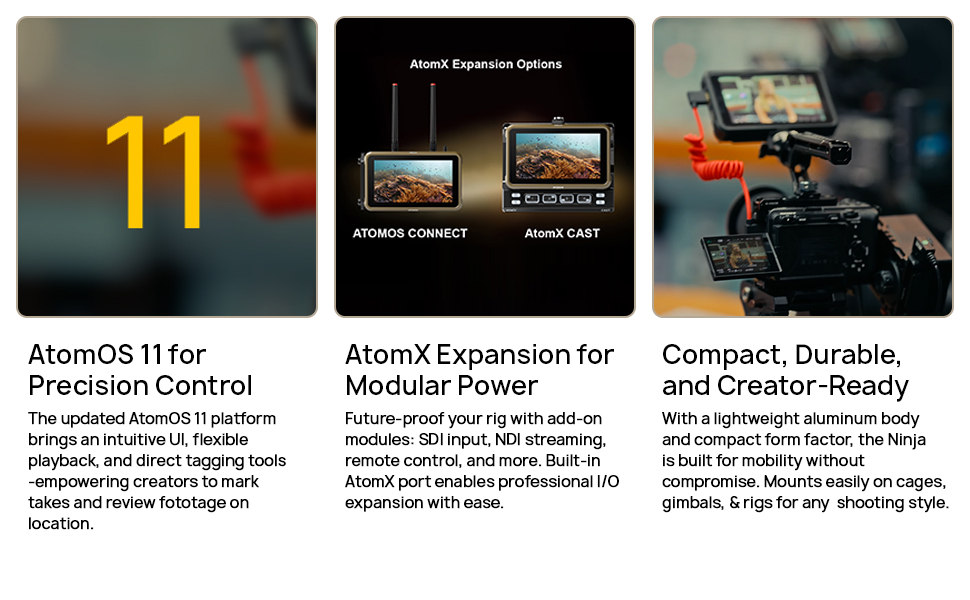
Image: The Atomos Ninja's touchscreen display showcasing the AtomOS 11 interface with various monitoring and recording options.
3.2 Recording and Codecs
- The Ninja monitor supports recording ProRes RAW footage at up to 6K resolution and 30 frames per second with select compatible cameras.
- It offers versatile recording options with support for popular codecs like ProRes and DNxHR/HD.
- Compatible with Master Caddy II and III hard drives for convenient storage.
3.3 Monitoring Tools
AtomOS 11 equips your monitor with advanced monitoring tools for precise exposure and focus control:
- Waveform & Vectorscope: For detailed analysis of video signals.
- Zebra & Peaking: To assist with exposure and focus accuracy.
- LUTs: Load and apply custom 3D LUTs for on-set color management.
- EL Zone & ARRI Standard: For enhanced exposure monitoring.
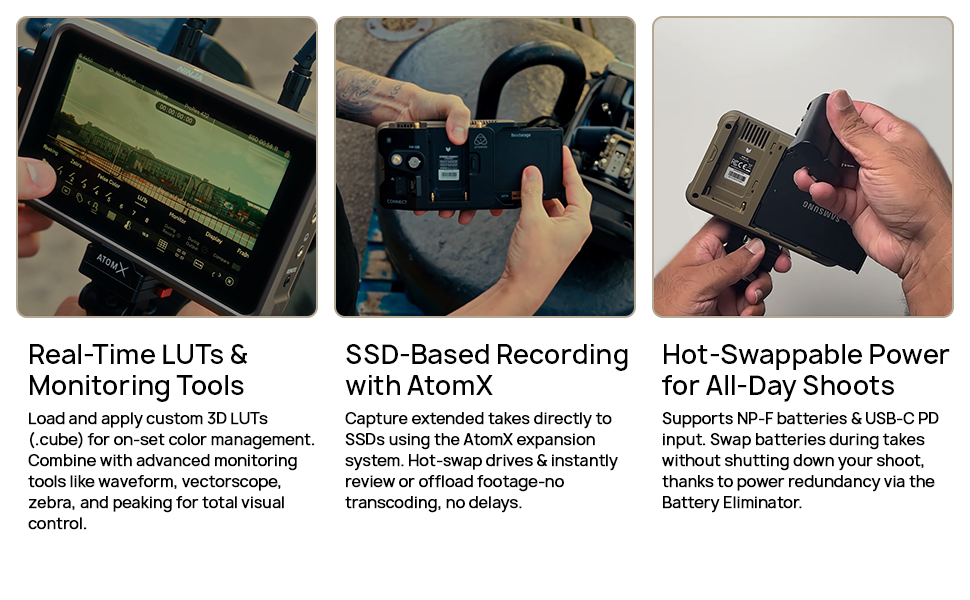
Image: The Atomos Ninja monitor screen showing advanced monitoring tools such as waveform, vectorscope, and false color for precise image analysis.
4. Manteniment
- Neteja: Use a soft, lint-free cloth to clean the touchscreen and body of the monitor. Avoid abrasive materials or harsh chemicals.
- Emmagatzematge: Store the monitor and accessories in a dry, cool place away from direct sunlight and extreme temperatures.
- Cura de la bateria: Follow the manufacturer's guidelines for battery charging and storage to maximize battery life.
5. Solució De Problemes
- "No Input" Message: Ensure your HDMI cable is securely connected to both the camera and the monitor. Verify the camera's HDMI output settings are correct and compatible with the monitor's input.
- Problemes d'alimentació: Check if the battery is fully charged and properly inserted. If using USB-C PD, ensure the power source is sufficient.
- Pantalla tàctil que no respon: Restart the monitor. If the issue persists, check for firmware updates.
- Sobreescalfament: While the monitor is designed for efficient cooling, prolonged use in direct sunlight or high ambient temperatures may cause it to warm up. Ensure adequate ventilation.
Video: A user demonstrates the Atomos Ninja monitor, showing its interface and how to navigate settings. This video can help users understand basic operation and troubleshoot input issues.
6. Especificacions
| Característica | Especificació |
|---|---|
| Marca | Àtoms |
| Número de model | ATOATOMNJA004-KIT2 |
| Mida de la pantalla | 5.2 polzades |
| Resolució | 1920 x 1080 píxels (FHD 1080p) |
| Brillantor | 1000 nits |
| Tipus de visualització | LCD |
| Freqüència d'actualització | 60 Hz |
| Relació de contrast | Greater than 1000:1 |
| Tecnologia de connectivitat | HDMI (1 Total HDMI Port) |
| Característiques addicionals | Touchscreen, 10-bit panel, ProRes RAW support, 4K/6K recording capabilities |
| Entrada de potència | L-series battery plate (5.8 to 7.2V), USB-C PD |
7. Suport
For further assistance, technical support, or warranty information, please visit the official Atomos weblloc web o poseu-vos en contacte amb el servei d'atenció al client. Conserveu el comprovant de compra per a qualsevol reclamació de garantia.
Visita el Atomos Store on Amazon per a més productes i informació.