
1. Introducció
Thank you for choosing the VEGER 5000mAh Portable Charger. This compact and versatile power bank is designed to provide convenient charging for your iPhone, Apple Watch, and other compatible devices on the go. Please read this manual carefully to ensure proper use and optimal performance of your device.

Image: The VEGER portable charger simultaneously charging an iPhone and an Apple Watch, highlighting its multi-device capability.
2. Producte acabatview
2.1 Característiques clau
- Integrated Charging Solutions: Features a built-in cable for iPhone models up to iPhone 14, a Type-C port for iPhone 15 series and Android devices, and a magnetic module for Apple Watch.
- Càrrega ràpida PD 20 W: The built-in cable supports Power Delivery (PD) 20W fast charging, capable of charging an iPhone to 60% in approximately 30 minutes.
- Compatibilitat universal: Compatible with iPhone 15/14/13/12/Pro Max series, Apple Watch 9/8/7/6/5/4/3/2/1/SE/Ultra, and various Type-C Android devices and tablets.
- Compacte i portàtil: With a 5000mAh capacity and slim dimensions (4.02 x 2.51 x 0.65 inches), it is designed for easy portability.
- Càrrega simultània: Capable of charging multiple devices concurrently.
2.2 Contingut del paquet
- 1 x VEGER 5000mAh Portable Charger with Built-in Cable
- 1 x Manual d'usuari
- 1 x cable USB-C
2.3 Disseny del dispositiu

Imatge: Un primer pla view of the VEGER portable charger, highlighting the built-in iPhone cable with PD 20W output and its woven design.
The portable charger features a built-in cable for Apple devices (Lightning connector), a USB-C input/output port, and a magnetic charging pad for Apple Watch.
3. Configuració
3.1 Càrrega inicial del banc d'energia extern
Before first use, fully charge the VEGER portable charger. Use the provided USB-C cable to connect the power bank's USB-C port to a power adapter (not included). The digital display will indicate the charging progress.
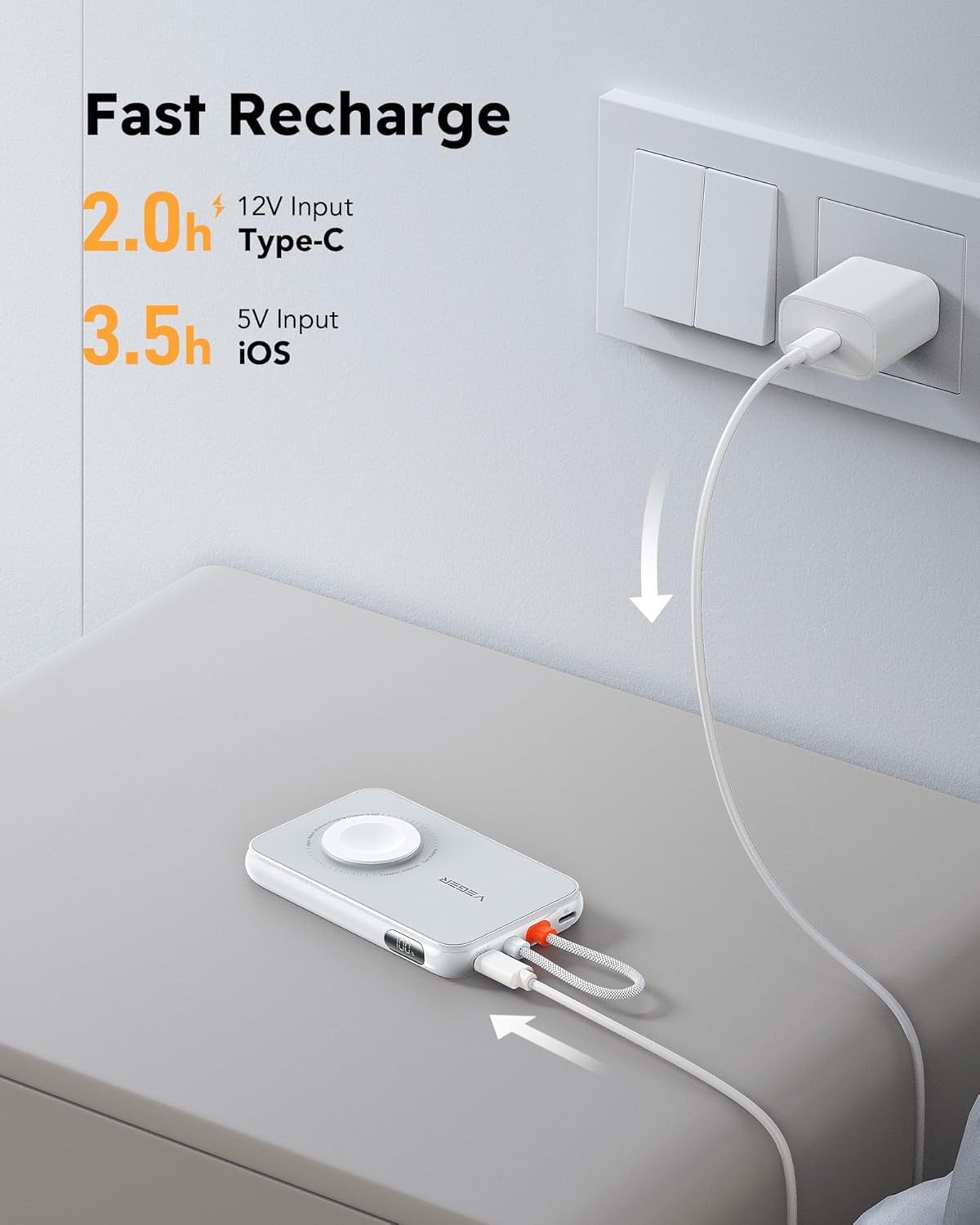
Image: The VEGER portable charger connected to a wall outlet via its USB-C port for recharging, showing estimated recharge times for different inputs.
- Type-C Input (12V): Approximately 2.0 hours for a full recharge.
- iOS Port Input (5V): Approximately 3.5 hours for a full recharge.
4. Instruccions de funcionament
4.1 Charging Mobile Devices
- Ús del cable integrat: For iPhone models up to iPhone 14, simply pull out the built-in Lightning cable and connect it to your device.
- Ús del port tipus C: For iPhone 15 series, Android devices, or other Type-C compatible devices, use your device's USB-C to USB-C cable (or the provided USB-C cable) to connect to the power bank's Type-C port.

Image: A visual comparison demonstrating the speed of PD 20W fast charging (60% in 30 minutes) versus standard 5V/1A charging (15% in 30 minutes) for an iPhone 14.
4.2 Charging Apple Watch
Place your Apple Watch onto the magnetic charging module on the power bank. Press the power button on the power bank and wait for 5-16 seconds for the wireless charging to activate. The Apple Watch display will show charging status.

Image: An Apple Watch being wirelessly charged on the magnetic pad of the VEGER portable charger, with a note about the activation delay.
4.3 Càrrega simultània
The VEGER portable charger can charge up to three devices simultaneously: one via the built-in cable, one via the Type-C port, and one Apple Watch wirelessly.

Image: The VEGER portable charger connected to an iPhone, an Apple Watch, and AirPods, demonstrating its ability to charge three devices at once.
4.4 Càrrega de pas a través
The power bank supports pass-through charging, allowing you to recharge the power bank itself while it simultaneously charges your connected devices.

Image: The VEGER portable charger plugged into a wall adapter for recharging, while simultaneously charging an iPhone and an Apple Watch, illustrating pass-through charging.
5. Compatibilitat
This portable charger is designed for broad compatibility with Apple and other devices:

Image: An infographic detailing the VEGER portable charger's universal compatibility with iPhone, Apple Watch, iPad mini, AirPods, and Samsung S23, along with estimated charge capacities.
- iPhones: iPhone 15, iPhone 14, iPhone 13, iPhone 12, and Pro Max series (using built-in cable or Type-C port).
- Apple Watch: All series including 9/8/7/6/5/4/3/2/1/SE/Ultra.
- Dispositius Android: Various Type-C compatible Android smartphones and tablets.
- Altres dispositius: AirPods, iPad mini 6, and similar small electronic devices.
6. Especificacions
| Característica | Detall |
|---|---|
| Dimensions del producte | 4.02 x 2.51 x 0.65 polzades |
| Pes de l'article | 4.8 unces |
| Número de model | V0567 |
| Tipus de bateria | Polímer de liti |
| Capacitat de la bateria | 5000 milionsamp Hores (mAh) |
| Tecnologies de connectivitat | USB, sense fil |
| Característiques especials | Built-in Cable, Wireless Charging (Apple Watch) |
| Tipus de connector | Lightning (built-in), USB-C |
| Fabricant | Dong guan Utopia-Originality Technology Co., Ltd |
7. Informació de seguretat
- No exposeu el banc d'energia a temperatures extremes, a la llum solar directa ni al foc.
- Eviteu deixar caure, desmuntar o intentar reparar el dispositiu vosaltres mateixos.
- Mantenir fora de l'abast dels nens.
- No l'utilitzeu si el dispositiu està danyat o inflat.
- Feu servir només cables i adaptadors de càrrega certificats.
- Eliminar el producte de manera responsable segons la normativa local.
8. Manteniment
- Netegeu el banc d'energia amb un drap suau i sec. No utilitzeu productes químics agressius ni materials abrasius.
- Guardeu el dispositiu en un lloc fresc i sec quan no l'utilitzeu.
- For optimal battery life, fully charge the power bank at least once every three months if stored for extended periods.
9. Solució De Problemes
9.1 Apple Watch Not Charging Immediately
Problema: Apple Watch does not begin charging immediately after being placed on the magnetic pad.
Solució: Press the power button on the portable charger. Wait for 5-16 seconds for the wireless charging function to activate. This delay is normal for the Apple Watch charging module.
9.2 El dispositiu no es carrega
Problema: Connected device is not charging.
Solució:
- Ensure the power bank is sufficiently charged. Check the digital display.
- Verify that the cable is securely connected to both the power bank and your device.
- Prova d'utilitzar un cable o port diferent al banc d'alimentació.
- Restart the power bank by pressing the power button.
9.3 Càrrega lenta
Problema: Devices are charging slowly.
Solució:
- Ensure you are using the built-in PD 20W cable or a compatible fast-charging cable with the Type-C port.
- Carregar diversos dispositius simultàniament pot reduir la velocitat de càrrega de dispositius individuals.
- Comprova si el teu dispositiu admet la càrrega ràpida.
10. Garantia i atenció al client
Your VEGER portable charger comes with a worry-free 12-month guarantee. If you encounter any problems or have questions, please do not hesitate to contact our friendly customer service team. We are available 7 days a week, 24 hours a day, and aim to resolve any issues within 12 hours.
For support, please visit the official VEGER store on Amazon: VEGER Store