
Introducció
Thank you for choosing CLEYVER Earbuds Pro. This user manual provides essential information for the proper setup, operation, maintenance, and troubleshooting of your new wireless headphones. Please read this manual thoroughly before using the product to ensure optimal performance and longevity.
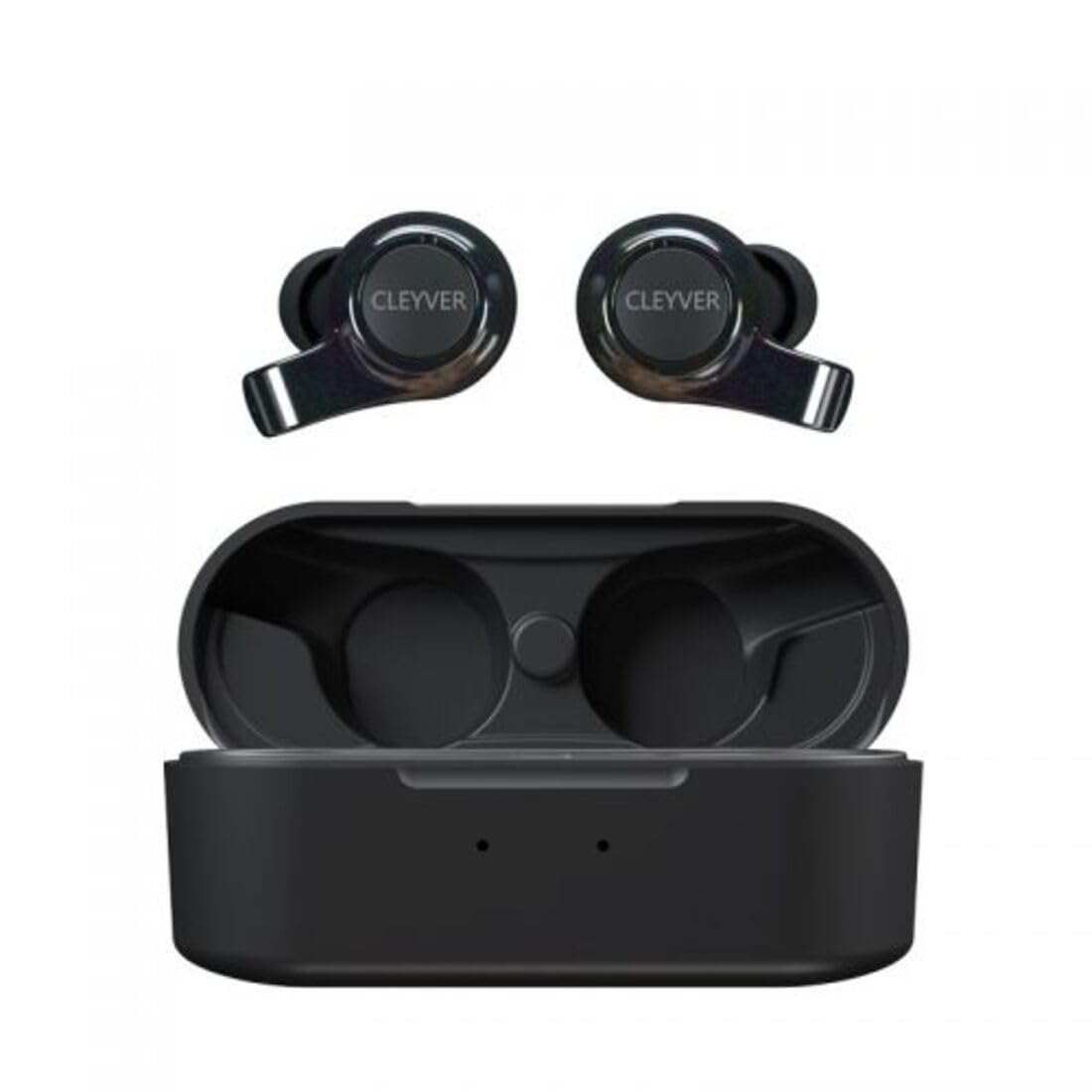
Image: The CLEYVER Earbuds Pro displayed with the CLEYVER brand logo.
Contingut del paquet
Assegureu-vos que tots els elements estiguin presents al vostre paquet:
- CLEYVER Earbuds Pro (Left and Right)
- Estoig de càrrega sense fil
- Cable de càrrega USB-C
- Eartips (Small, Medium, Large sizes)
- Manual d'usuari (aquest document)

Image: The CLEYVER Earbuds Pro and their accompanying charging case.
Producte acabatview
The CLEYVER Earbuds Pro are designed for a superior audio experience with advanced features. Each earbud is equipped with a dual microphone system for clear calls and Environmental Noise Cancellation (ENC) technology. The earbuds feature a hybrid Touch & Push-button control system for easy management of calls and media playback.
The compact charging case provides extended battery life and supports both wired (USB-C) and wireless charging.

Image: The CLEYVER Earbuds Pro securely placed within their charging case.
Configuració
1. Càrrega dels auriculars i l'estoig
Abans del primer ús, carregueu completament els auriculars i l'estoig de càrrega.
- Càrrega per cable: Connecteu el cable USB-C proporcionat al port de càrrega de la funda i a una font d'alimentació.
- Càrrega sense fils: Col·loca l'estoig de càrrega sobre una base de càrrega sense fil compatible.
The charging case has a 500 mAh battery, providing up to 40 hours of listening time or 7 hours of talk time. A quick 10-minute charge can provide up to 2 hours of autonomy.

Image: Visual representation highlighting the 40 hours of playtime for the CLEYVER Earbuds Pro.
2. Emparellament amb el dispositiu
- Obre la tapa de l'estoig de càrrega. Els auriculars entraran automàticament en mode d'emparellament.
- Al dispositiu (telèfon intel·ligent, tauleta, etc.), activeu el Bluetooth.
- Cerca available Bluetooth devices and select "CLEYVER Earbuds Pro" from the list.
- Un cop connectat, sonarà un so de confirmació i els auriculars estaran llestos per al seu ús.
The earbuds feature instant pairing when the case lid is opened, simplifying the connection process.

Image: A smartphone screen displaying the CLEYVER Earbuds Pro as a connected Bluetooth device, illustrating the simple setup process.
3. Posar-se els auriculars
Choose the eartip size (S, M, L) that provides the most comfortable and secure fit for optimal sound quality and noise isolation. Gently insert the earbuds into your ears and twist slightly to secure them.

Image: A person demonstrating how to properly insert a CLEYVER Earbud Pro into their ear.
Funcionament dels auriculars
Touch & Push-Button Controls
The CLEYVER Earbuds Pro feature a hybrid control system combining touch gestures with a physical push-button for precise command execution. Specific functions for playback, call management, and mode switching are detailed in the quick start guide included in the package.
Modes de so
- Cancel·lació de soroll ambiental (ENC): This technology actively reduces ambient noise, providing clearer audio during calls and an immersive listening experience.
- Mode de transparència: Allows you to hear your surroundings without removing the earbuds. You can choose between full or partial noise isolation to stay aware of your environment.

Image: A person wearing CLEYVER Earbuds Pro, with an overlay indicating 'Transparency Mode' and a phone screen showing options for different sound modes.
Mode de joc
Activate Gaming Mode for reduced audio latency, ensuring synchronized sound with on-screen action during gaming sessions.

Image: The CLEYVER Earbuds Pro positioned beside a smartphone screen showing a dynamic racing game, illustrating the 'Gaming Mode' feature.
Funcions de trucada
Benefit from HD audio and a dual microphone system per earbud, designed to deliver crystal-clear voice quality during calls while minimizing background noise.
Mono or Stereo Use
The earbuds can be used individually (mono mode) or together (stereo mode) according to your preference and situation.
Manteniment
Neteja
Netegeu regularment els auriculars i l'estoig de càrrega per mantenir un rendiment i una higiene òptims.
- Feu servir un drap suau, sec i sense borrissol per netejar els auriculars i la funda.
- For eartips, remove them from the earbuds and clean with a damp drap i assequeu-lo bé abans de tornar-lo a enganxar.
- Eviteu l'ús de materials abrasius, dissolvents o productes químics agressius.
Emmagatzematge
Quan no els utilitzeu, guardeu els auriculars a la seva funda de càrrega per protegir-los de la pols i els danys, i per mantenir-los carregats.
Resistència a l'aigua
The CLEYVER Earbuds Pro are IPX5 certified, meaning they are protected against low-pressure water jets from any direction. This makes them suitable for workouts and light rain, but they are not designed for submersion in water.
Resolució de problemes
If you encounter issues with your CLEYVER Earbuds Pro, refer to the following common solutions:
| Problema | Possible solució |
|---|---|
| Els auriculars no s'aparellen | Assegura't que els auriculars estiguin carregats. Desactiva i activa el Bluetooth del dispositiu. Torna a col·locar els auriculars a la funda, tanca'ls i torna'ls a obrir per tornar a entrar al mode d'emparellament. |
| No hi ha so d'un auricular | Check battery level of both earbuds. Re-pair the earbuds with your device. Ensure both earbuds are properly seated in the charging case for connection. |
| La funda de càrrega no es carrega | Verify the USB-C cable is securely connected to both the case and power source. If using wireless charging, ensure the case is correctly positioned on the charging pad. |
| Mala qualitat del so | Ensure earbuds are clean and eartips are correctly sized and sealed in your ear. Move closer to your connected device to avoid interference. |
Especificacions
| Característica | Detall |
|---|---|
| Marca | Cleyver |
| Nom del model | ODEWPRO |
| Color | Negre |
| Factor de forma | A l'orella |
| Tecnologia de connectivitat | Sense fil (Bluetooth 5.2) |
| Interval Bluetooth | Fins a 30 metres |
| Micròfons | 2 per earbud (with ENC Technology) |
| Control de soroll | Environmental Noise Cancellation (ENC), Transparency Mode |
| Resistència a l'aigua | IPX5 Standard (splash resistant) |
| Temps de reproducció de l'auricular | Fins a 40 hores (amb estoig de càrrega) |
| Earbud Talk Time | Fins a 7 hores |
| Temps d'espera | Fins a 200 hores |
| Caixa de càrrega de la bateria | 500 mAh |
| Tipus de càrrega | USB-C (wired) or Wireless Charging |
| Components inclosos | User Manual, USB-C Cable, Wireless Charging Case, Eartips |
Garantia i Suport
Informació de la garantia
The CLEYVER Earbuds Pro come with a 2 any de garantia des de la data de compra. Aquesta garantia cobreix els defectes de fabricació i garanteix que el producte funcioni tal com està previst en condicions d'ús normal. Conserveu el comprovant de compra per a reclamacions de garantia.
Atenció al client
For further assistance, technical support, or warranty inquiries, please visit the official Cleyver website or contact their customer service through the details provided on your purchase receipt or packaging.