
Introducció
Gràcies per la compraasing the KOCASO 61-Key Electronic Piano Keyboard, Model T2674. This manual provides essential information for the safe and effective use of your new instrument. Please read it thoroughly before operation and retain it for future reference.
This electronic keyboard is designed for beginners and features 61 keys, multiple tones, rhythms, percussion options, and learning functions. It includes a microphone, music stand, and keyboard stickers to enhance the learning experience.
Instruccions importants de seguretat
- Llegiu totes les instruccions abans d'utilitzar el producte.
- Do not expose the keyboard to rain or moisture to prevent fire or electric shock.
- Assegureu-vos que el vol de l'adaptador de correnttage coincideix amb la vostra font d'alimentació local.
- Keep the keyboard away from heat sources such as radiators, heat registers, stoves, or other apparatus (including amplificadors) que produeixen calor.
- Utilitzeu només accessoris/accessoris especificats pel fabricant.
- Desendolleu l'aparell durant les tempestes amb llamps o quan no s'utilitzi durant llargs períodes.
- Demaneu tot el servei a personal de servei qualificat.
- This product is made of non-toxic, environmentally-friendly ABS plastic with smooth edges for safety.
Contingut del paquet
Verifiqueu que tots els elements siguin presents al paquet:
- KOCASO 61-Key Electronic Piano Keyboard
- Micròfon
- Atril de música
- Keyboard Stickers
- Cable d'alimentació USB
- Adaptador de corrent de 110V
- Manual d'usuari (aquest document)

Image: The KOCASO 61-Key Electronic Piano Keyboard shown with its adjustable stand, included microphone, USB cable, and power adapter.
Configuració
1. Font d'alimentació
The keyboard offers multiple power supply methods:
- Adaptador de CA: Connect the provided 110V power adapter to the DC 9V input jack on the back of the keyboard and plug it into a standard wall outlet.
- Potència USB: Connect the provided USB cable to the USB port on the keyboard and to a compatible USB power source (e.g., computer, power bank).
- Bateries: For portable use, the keyboard can be powered by 4 AA batteries (not included). Open the battery compartment on the underside of the keyboard and insert the batteries, observing correct polarity.
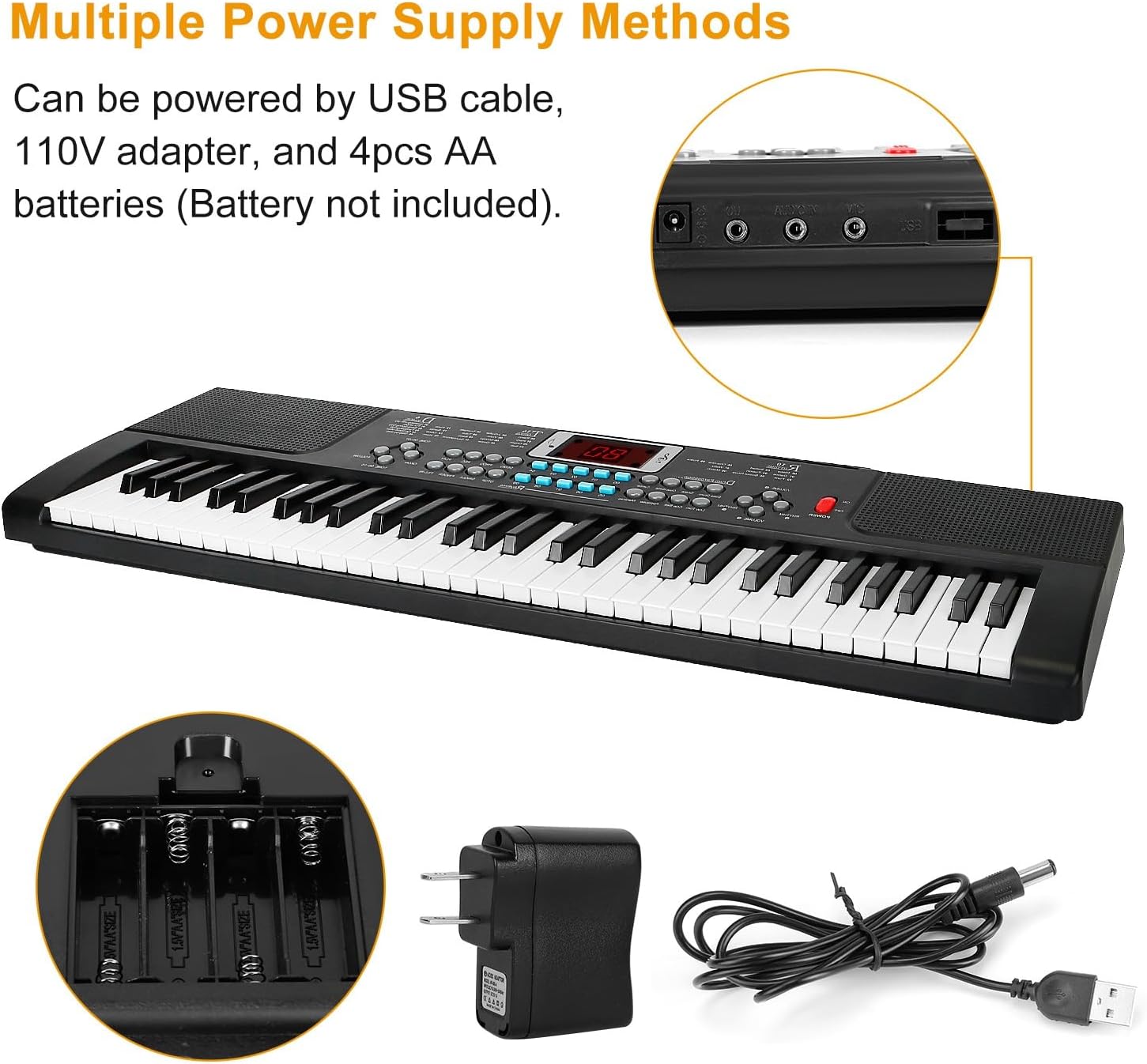
Image: The keyboard's power input options, including the DC 9V adapter port, USB port, and the battery compartment for 4 AA batteries.
2. Music Stand Installation
Insert the music stand into the designated slots on the top panel of the keyboard. This stand is used to hold sheet music or a tablet.
3. Connexió del micròfon
Plug the microphone into the 'MIC' input jack located on the back or side panel of the keyboard.
4. Keyboard Sticker Application
For beginners, the included keyboard stickers can be applied to the keys to help identify notes. Follow the instructions provided with the stickers for proper placement.
Instruccions de funcionament
Tauler de control acabatview
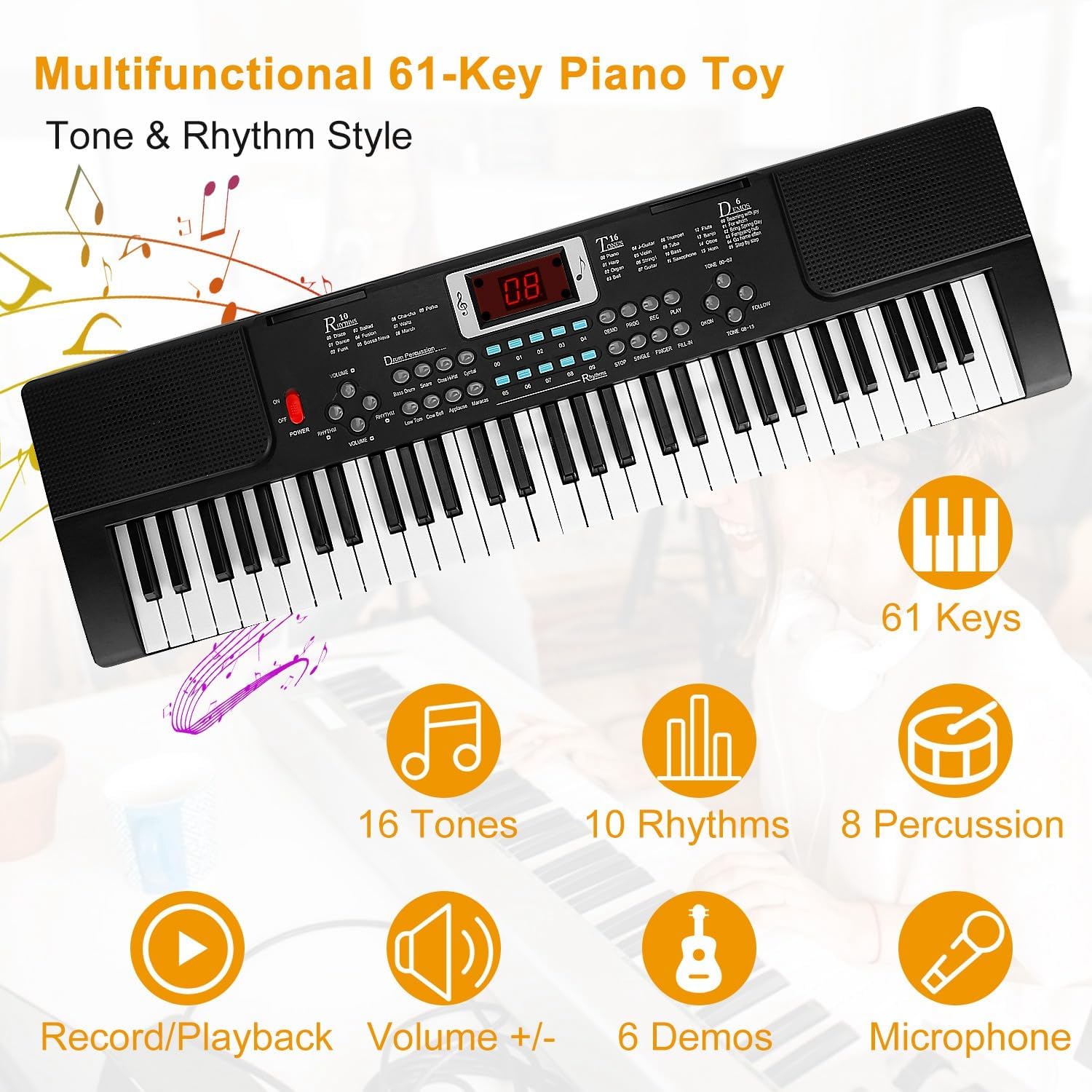
Image: A detailed diagram illustrating the various buttons and controls on the keyboard's main panel, including Power Switch, Volume, Tempo, Tones, Rhythms, Percussion, Demo, Record, Play, Program, Follow, One Key One Note, Insert, Finger, and Single.
Funcions bàsiques
- Encès/apagat: Premeu el botó PODER botó per encendre o apagar el teclat.
- Ajust de volum: Utilitza el VOLUM +/- buttons to increase or decrease the overall sound level.
- Ajust de tempo: Utilitza el TEMPO +/- buttons to adjust the speed of rhythms and demo songs.
Sound and Rhythm Selection
- Tones (16 options): Premeu el botó TO button and then use the number keys (00-15) to select from 16 different instrument sounds.
- Rhythms (10 options): Premeu el botó RITME button and then use the number keys (00-09) to select from 10 different rhythm patterns. Press STOP to end the rhythm.
- Percussion (8 options): Premeu el botó PERCUSSIÓ buttons to play 8 different drum sounds directly.
Learning and Performance Features
- Demo Songs (6 options): Premeu el botó DEMO button to cycle through 6 pre-recorded demonstration songs.
- Enregistrament i reproducció:
- Premeu REGISTRAR to begin recording your playing.
- Premeu JUGAR to listen to your recorded performance.
- Funcions d'aprenentatge:
- Seguiu: Engages a mode where the keyboard waits for you to play the correct note in a melody.
- One Key One Note: Allows you to play a melody by pressing any key, focusing on rhythm.
- Ús del micròfon: Once connected, the microphone allows you to sing along while playing. Adjust the microphone volume if available, or rely on the main volume control.
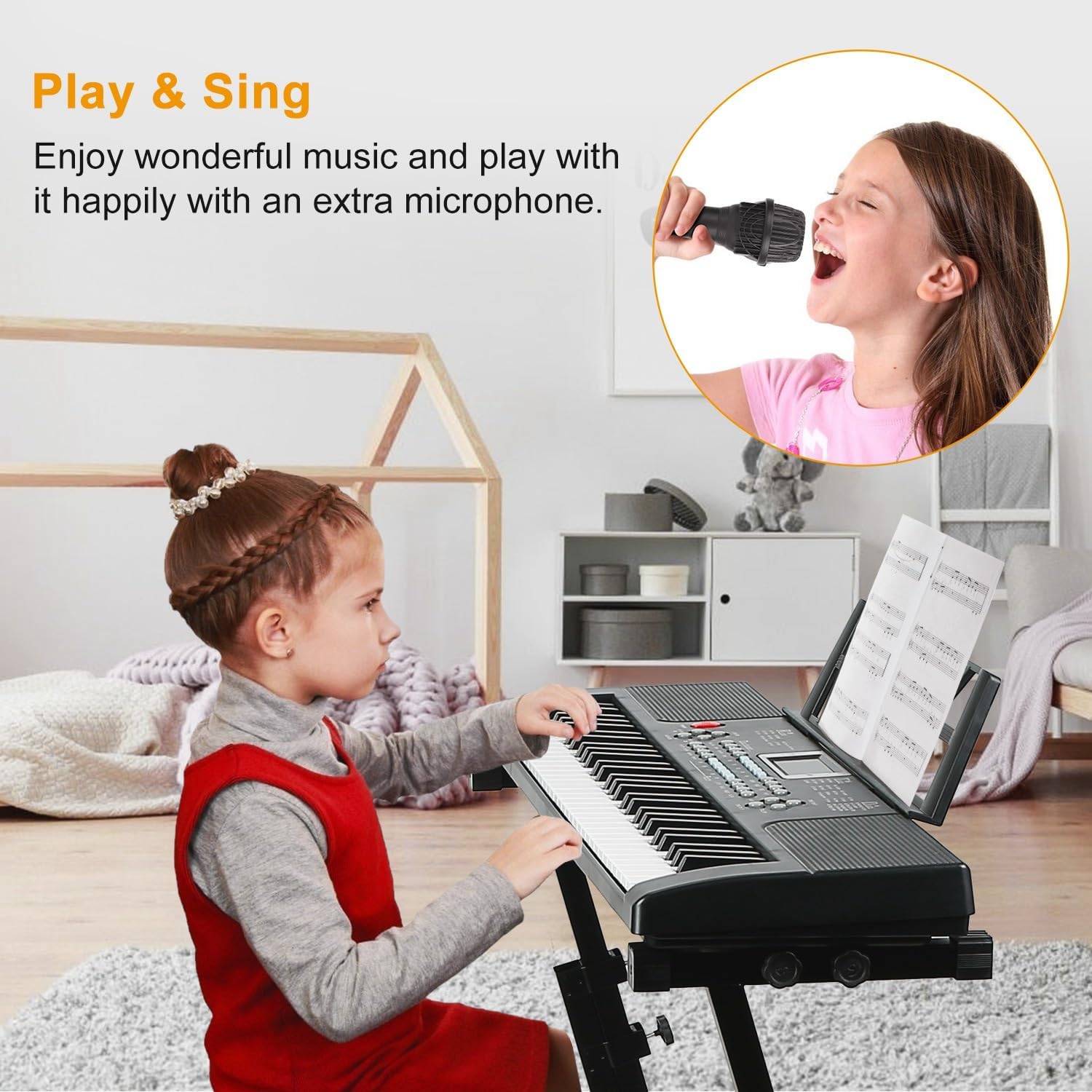
Image: A young user enjoying the 'Play & Sing' feature, demonstrating the use of the included microphone with the keyboard.
Manteniment
Neteja
- Netegeu la superfície del teclat amb un drap suau i sec.
- Per a la brutícia persistent, lleugerament dampen the cloth with water and a mild soap solution, then wipe dry immediately.
- No utilitzeu netejadors abrasius, ceres o dissolvents, ja que poden danyar l'acabat.
Emmagatzematge
- Guardeu el teclat en un lloc fresc i sec, allunyat de la llum solar directa i de temperatures extremes.
- Si l'emmagatzemeu durant un període prolongat, traieu les piles per evitar fuites.
- Keep the keyboard covered to protect it from dust.
Resolució de problemes
| Problema | Causa possible | Solució |
|---|---|---|
| Sense poder | Power adapter not connected or faulty; batteries depleted or incorrectly inserted. | Check power adapter connection and wall outlet. Replace batteries or ensure correct polarity. |
| Sense so | Volum massa baix; auriculars connectats; problema amb l'altaveu intern. | Augmenta el volum. Desconnecta els auriculars. Si el problema persisteix, contacta amb el servei d'assistència. |
| El micròfon no funciona | Microphone not properly connected; microphone faulty. | Ensure microphone is fully plugged into the 'MIC' jack. Test with another microphone if available. |
| Les claus no responen | Keyboard mode issue; internal malfunction. | Try turning the keyboard off and on again. If specific keys are affected, contact support. |
Especificacions
- Marca: KOCASO
- Nom del model: T2674
- Nombre de claus: 61
- Tons: 16
- Ritmes: 10
- Percussió: 8 Panel Percussions
- Cançons de demostració: 6
- Funcions d'aprenentatge: 2 (Follow, One Key One Note)
- Connectivitat: USB Type B, Auxiliary (Headphones Jack)
- Font d'alimentació: Battery Powered (4x AA, not included), Corded Electric (110V Adapter, USB)
- Característiques especials: Portable, Recording, Microphone Input
- Dimensions: Approximately 21.26 x 6.69 x 1.97 inches (Keyboard only)
- Pes de l'article: Approximately 1.27 lbs (Keyboard only)
- UPC: 737547626157
Garantia i Suport
For warranty information, please refer to the documentation included with your purchase or contact KOCASO customer service directly. Details regarding warranty periods and coverage are typically provided at the point of sale or on the manufacturer's official weblloc.
If you encounter any issues not covered in the troubleshooting section or require further assistance, please contact KOCASO customer support. Contact information can usually be found on the product packaging or the official KOCASO weblloc.