
1. Producte acabatview
The VENTION 15-in-1 USB-C MST Docking Station is a versatile and powerful solution designed to expand the connectivity of your USB-C enabled laptop or other compatible devices. It transforms a single USB-C port into a comprehensive workstation, offering multiple display outputs, high-speed data transfer ports, network connectivity, power delivery, and audio capabilities.
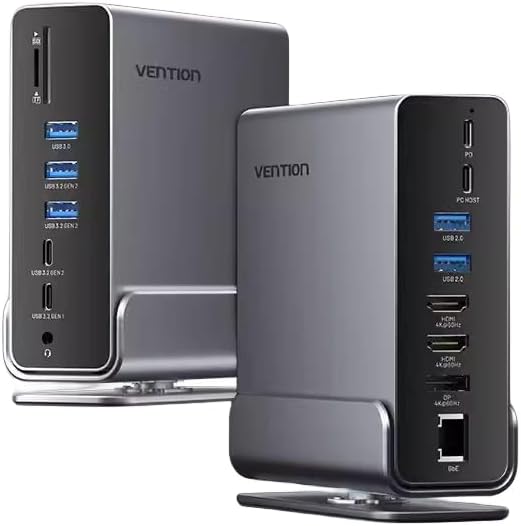
Imatge 1.1: Davant i darrere view of the Vention 15-in-1 USB-C MST Docking Station, showcasinel seu disseny compacte i els seus diversos ports.
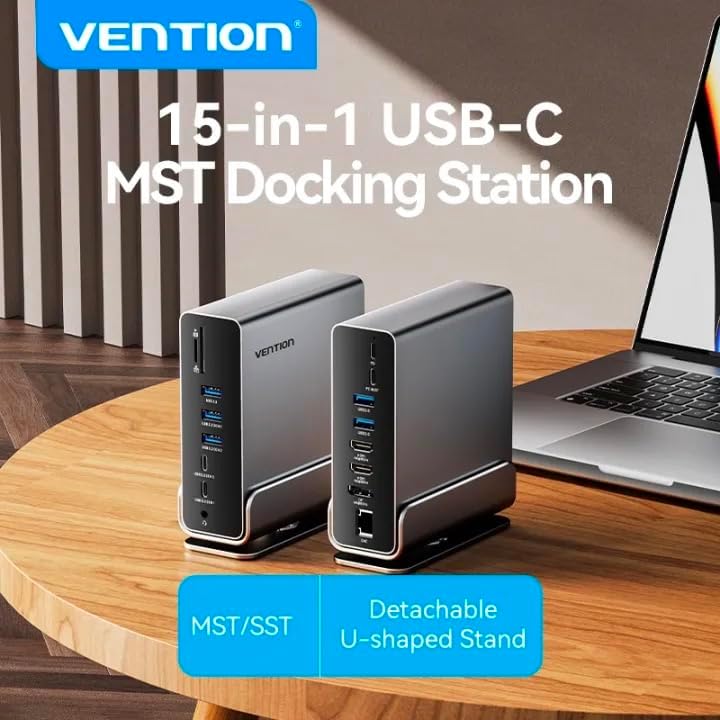
Image 1.2: The Vention 15-in-1 USB-C MST Docking Station connected to a laptop, illustrating its role as a central hub for multiple peripherals.
2. Característiques clau
- 15-in-1 Multi-Ports: Comprehensive connectivity including DP, HDMI, USB-A, USB-C, RJ45, SD/TF card slots, and 3.5mm audio jack.
- Transferència de dades d'alta velocitat: Up to 10Gbps via USB 3.2 Gen 2 ports, 5Gbps via USB 3.2 Gen 1 and USB 3.0, and 480Mbps via USB 2.0.
- 4K@60Hz HD Display: Supports high-resolution video output for single, dual, or triple monitor setups.
- MST/SST Modes: Enables extended or mirrored display configurations for Windows and macOS systems.
- Subministrament d'energia de 100 W: Provides pass-through charging for your host device.
- Gigabit Ethernet: Integrated RJ45 port for stable 1000Mbps wired network connection.
- Lector de targetes SD / TF: Simultaneously read and write from SD and TF cards.
- Detachable U-shaped Stand: Allows for vertical docking and efficient space utilization.

Image 2.1: Detailed diagram illustrating all 15 ports and their functions on the docking station, highlighting its comprehensive connectivity.
3. Contingut del paquet
Si us plau, comproveu que tots els articles estiguin presents i en bon estat en obrir el paquet:
- Vention 15-in-1 USB-C MST Docking Station
- Detachable U-shaped Stand
- Manual d'usuari (aquest document)
4. Guia de configuració
4.1 Attaching the U-shaped Stand
The docking station comes with a detachable U-shaped stand for vertical placement, optimizing desk space and improving heat dissipation.
- Align the grooves on the bottom of the docking station with the rails on the U-shaped stand.
- Gently slide the docking station onto the stand until it clicks securely into place.
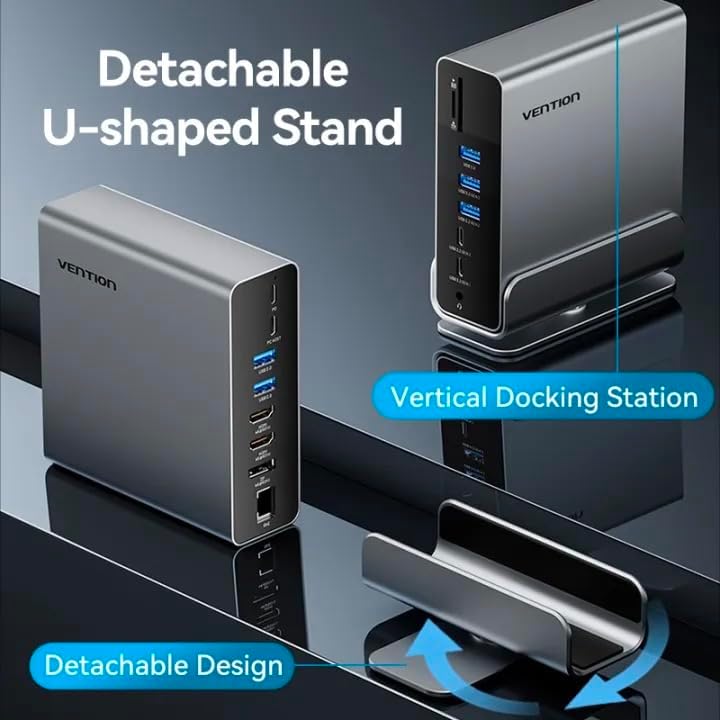
Image 4.1: Illustration of the detachable U-shaped stand and how it supports the docking station in a vertical orientation.
4.2 Connexió al dispositiu amfitrió
Ensure your host device (laptop, smartphone, etc.) has a full-featured USB-C port that supports video output (DisplayPort Alternate Mode), data transfer, and power delivery.
- Connect the USB-C cable from the docking station's Port amfitrió to the USB-C port on your laptop or compatible device.
- For power delivery to your host device, connect your laptop's original USB-C power adapter to the Subministrament d'energia (PD) port on the docking station. The docking station supports up to 100W power pass-through.
5. Instruccions de funcionament
5.1 Display Connections (HDMI & DisplayPort)
The docking station supports single, dual, and triple display setups with resolutions up to 4K@60Hz. It supports both MST (Multi-Stream Transport) and SST (Single-Stream Transport) modes.
- Connect your monitors to the HDMI i/o DP ports on the docking station using appropriate cables.
- MST Mode: Allows for extended desktop across multiple displays (Windows) or mirrored/extended displays (macOS, depending on specific model/chipset limitations).
- SST Mode: Mirrors the display across all connected monitors.
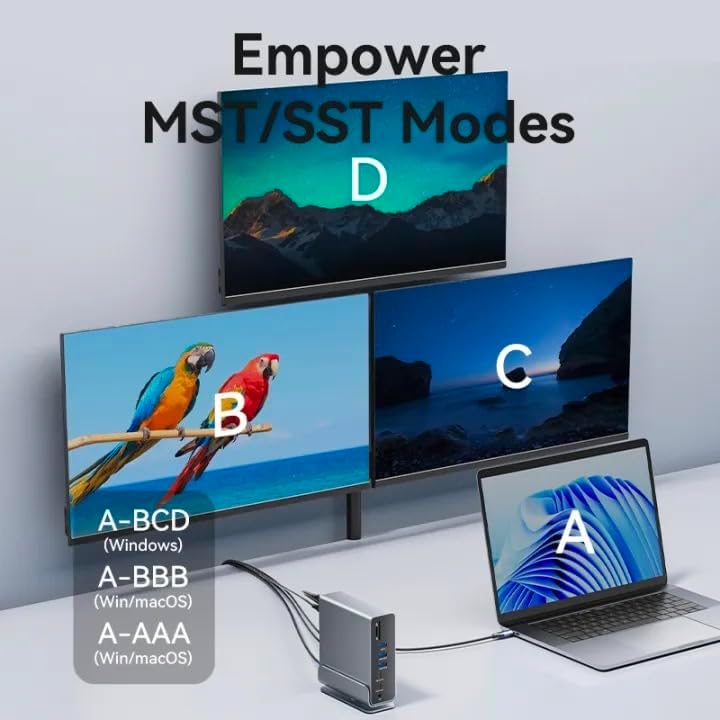
Image 5.1: Visual representation of MST (Multi-Stream Transport) and SST (Single-Stream Transport) display modes, demonstrating how the docking station can extend or mirror your desktop across multiple screens.

Imatge 5.2: Ex.amples of various display configurations (A-BCD, A-BBB, A-AAA) achievable on both Windows and macOS systems using the docking station.

Image 5.3: Table detailing the maximum resolution performance for single, dual, and triple display setups on Windows and macOS systems, including MST/SST support.
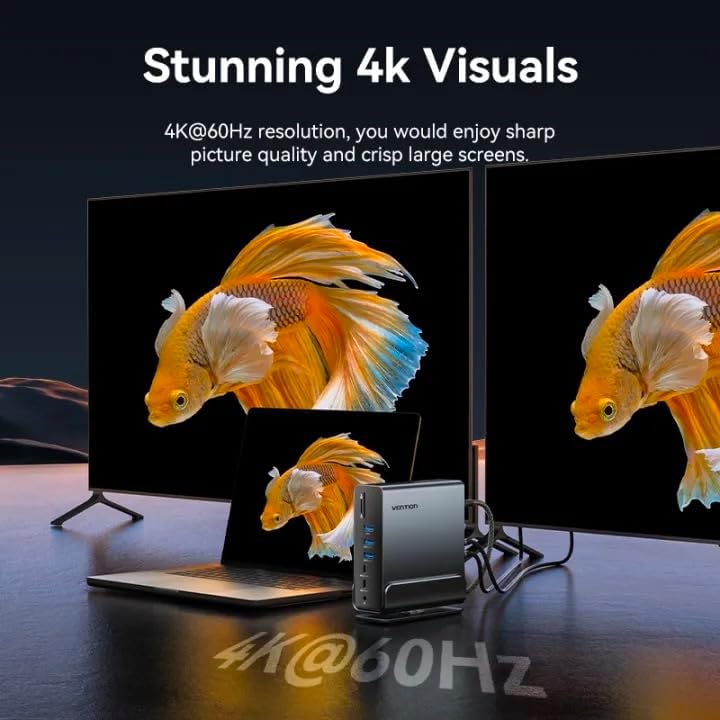
Image 5.4: A visual demonstrating the crisp 4K@60Hz resolution output achievable when connecting displays through the docking station.
5.2 Data Transfer Ports
Connect your USB devices (external hard drives, flash drives, keyboards, mice, etc.) to the available USB ports:
- USB 3.2 Gen 2-C (10Gbps): For high-speed USB-C peripherals.
- USB 3.2 Gen 2-A (10Gbps): For high-speed USB-A peripherals.
- USB 3.2 Gen 1-C (5Gbps): For standard USB-C peripherals.
- USB 3.0-A (5Gbps): For standard USB-A peripherals.
- USB 2.0-A (480Mbps): For peripherals like keyboards, mice, or printers.
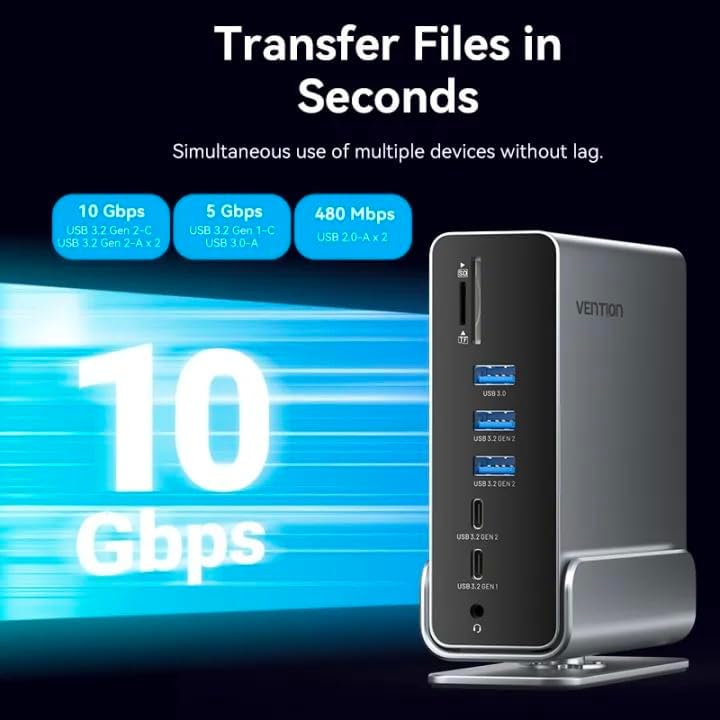
Image 5.5: Illustration highlighting the various data transfer speeds supported by the docking station's USB ports, including 10Gbps, 5Gbps, and 480Mbps.
5.3 Network Connection (RJ45)
For a stable and fast wired internet connection:
- Connecteu un cable Ethernet des del vostre encaminador o mòdem al RJ45 port on the docking station.
- The docking station supports Gigabit Ethernet (1000Mbps).
5.4 Audio Connection (3.5mm TRRS)
Connect your headphones, speakers, or microphone to the TRRS de 3.5 mm jack for audio input/output.
Lector de targetes SD/TF 5.5
Insert your SD or TF (microSD) cards into the respective slots. The docking station supports simultaneous reading and writing of two cards.
6. Solució De Problemes
- Sense sortida de pantalla:
- Assegureu-vos que el port USB-C del dispositiu amfitrió admeti el mode alternatiu de DisplayPort.
- Check all cable connections (USB-C to host, HDMI/DP to monitors).
- Try updating your graphics drivers on your host device.
- Restart your host device and reconnect the docking station.
- Sense subministrament d'energia:
- Ensure your power adapter is connected to the PD port on the docking station.
- Verify your power adapter meets the required wattage for your laptop (e.g., 65W, 100W).
- Dispositius USB no reconeguts:
- Prova de connectar el dispositiu USB a un port diferent de l'estació d'acoblament.
- Ensure the device drivers are installed on your host system.
- Desconnecteu i torneu a connectar l'estació d'acoblament del dispositiu amfitrió.
- Problemes de connexió de xarxa:
- Comproveu la connexió del cable Ethernet tant a l'estació d'acoblament com al vostre encaminador/mòdem.
- Verifiqueu la configuració de xarxa al dispositiu amfitrió.
7. Especificacions
| Característica | Descripció |
|---|---|
| Nom del model | 15-in-1 USB-C MST Docking Station |
| Marca | VENCIÓ |
| Connexió de l’amfitrió | USB-C (funcions completes) |
| Sortida de vídeo | 1x DisplayPort (DP), 2x HDMI (4K@60Hz Max) |
| Ports de dades USB | 1x USB 3.2 Gen 2 Tipus-C (10 Gbps) 2x USB 3.2 Gen 2 Tipus A (10 Gbps) 1x USB 3.2 Gen 1 Tipus-C (5 Gbps) 1x USB 3.0 Type-A (5Gbps) 2x USB 2.0 Type-A (480Mbps) |
| Ethernet | 1x RJ45 Gigabit Ethernet (1000Mbps) |
| Lector de targetes | 1x SD Card Slot, 1x TF (MicroSD) Card Slot (Simultaneous Read/Write) |
| Àudio | 1x 3.5mm TRRS Audio Jack (Microphone/Audio) |
| Lliurament d'energia | Up to 100W (Max) via USB-C PD port |
| Material | Carcassa d'aliatge d'alumini |
| Color | Gris |
| Dispositius compatibles | Laptops, Smartphones, Other Type-C Devices |
| País d'origen | Xina |
8. Cura i Manteniment
- Neteja: Feu servir un drap suau i sec per netejar la superfície de l'estació d'acoblament. Eviteu netejadors líquids o materials abrasius.
- Emmagatzematge: Guardeu el dispositiu en un lloc fresc i sec, allunyat de la llum solar directa i de temperatures extremes.
- Manipulació: Eviteu deixar caure el dispositiu ni sotmetre'l a impactes forts. No intenteu desmuntar la unitat.
- Ventilació: Ensure the ventilation openings are not blocked to prevent overheating, especially when using the vertical stand.
9. Garantia i Suport
Per obtenir informació sobre la garantia i assistència tècnica, consulteu la pàgina oficial de VENTION. weblloc web o poseu-vos en contacte amb el vostre distribuïdor local. Conserveu el rebut de compra per a reclamacions de garantia.
For further assistance, you may visit the VENTION Store online: Vention Official Store