
1. Configuració
1.1 Desembalatge i configuració inicial
Carefully remove the TouchWo 65-inch Smart Board from its packaging. Ensure all components listed below are present.
Què hi ha a la caixa:
- 1 x Smart Whiteboard
- 1 x Power Line
- 1 x Presenter pen
- 1 x suport portàtil
- 1 x Wifi Antenna
- 1 x Stylus for touchscreen operations
- 1 x Screen mirroring device

Image: The TouchWo 65-inch Smart Board with its various accessories laid out, including the power cable, stylus, screen mirroring device, and remote controls.
Video: A demonstration of unboxing the TouchWo Smart Interactive Whiteboard and identifying its components. This video provides simple instructions for initial setup.
1.2 Opcions de muntatge
The TouchWo Smart Board offers two primary mounting options: a mobile stand for portability and a wall mount bracket for fixed installations. Choose the option that best suits your environment.

Image: Visual representation of the two available mounting methods: a mobile stand with wheels for flexible placement and a wall mounting bracket for secure, permanent installation.
Video: A tutorial demonstrating the installation process for the Smart Whiteboard's mobile stand, providing step-by-step visual guidance.
2. Instruccions de funcionament
2.1 Funcionament bàsic
The TouchWo Smart Board features a highly responsive 20-point touch screen, allowing for intuitive interaction using multiple fingers or the included stylus. The response time is within 5ms, ensuring a smooth user experience.
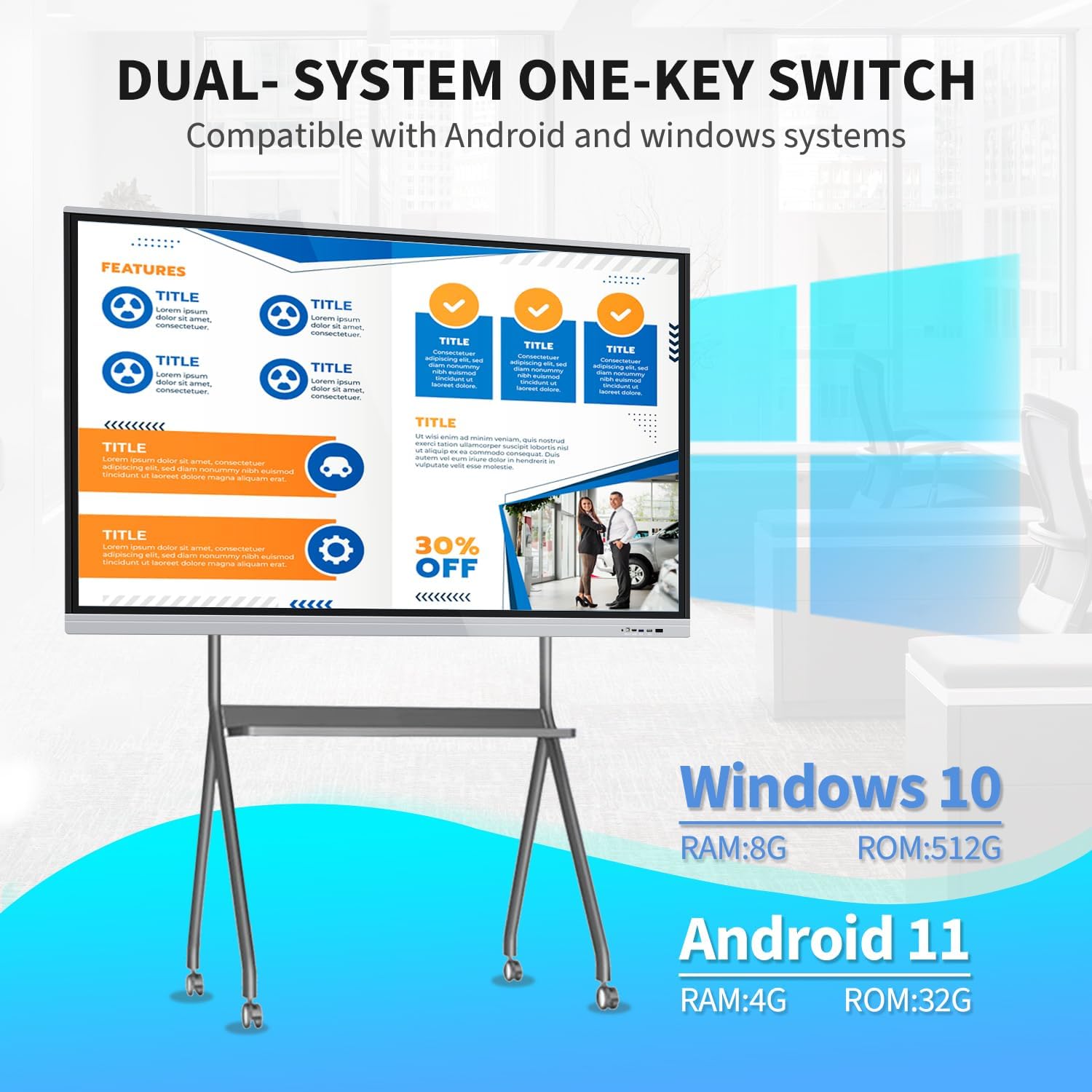
Image: This image illustrates the 20-point touch technology, demonstrating various gestures such as single tap, double tap, press and hold, two-finger tap, and two-finger press for interactive use.
2.2 Dual System Functionality
The smart board is equipped with both Android 13 and Windows 10 dual operating systems. You can switch between these systems as needed to access different applications and functionalities. The Android configuration includes RAM 4GB + ROM 32GB, while the Windows system features Core i7, RAM 8GB + SSD 512GB.
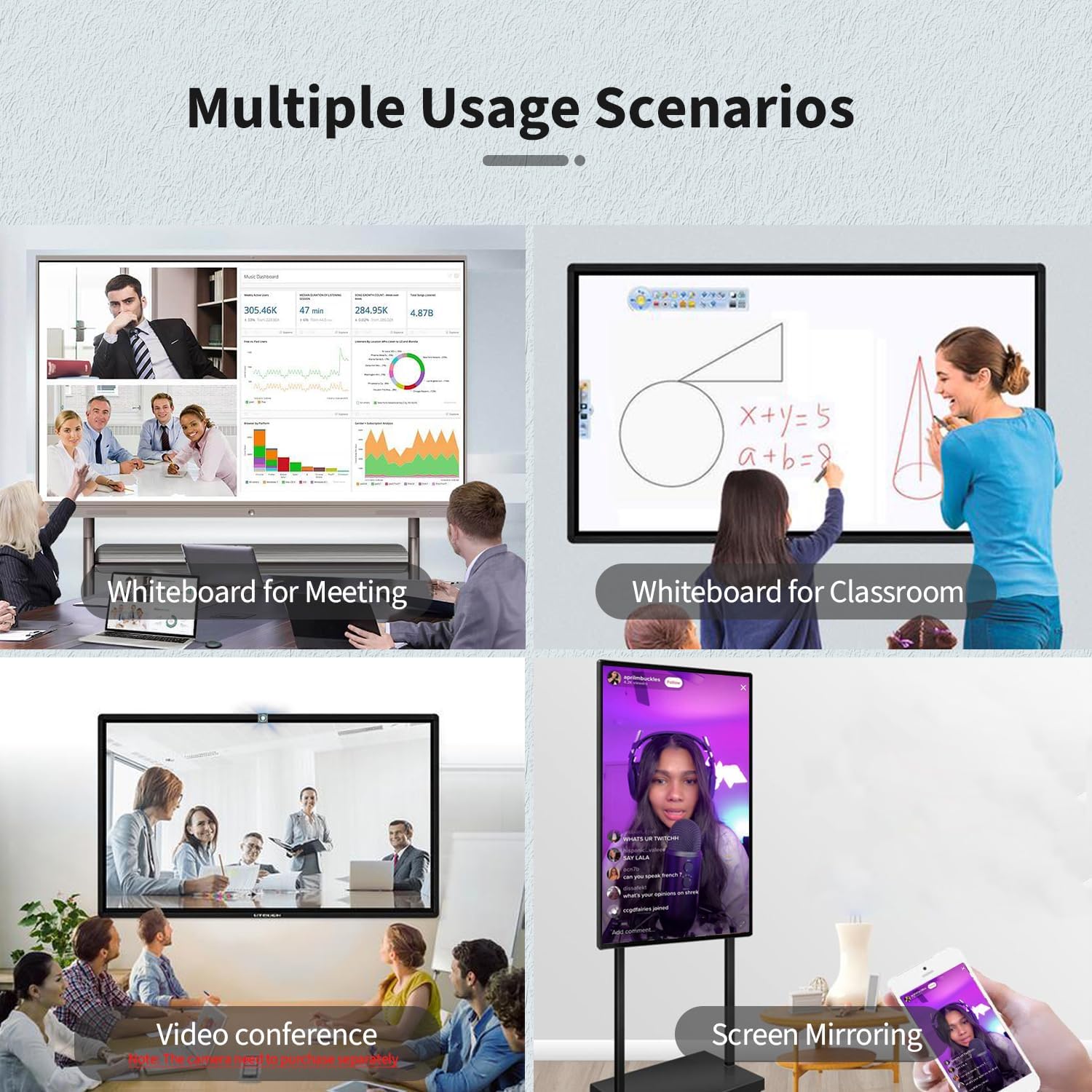
Image: A visual representation of the dual-system functionality, highlighting the one-key switch between Android and Windows operating systems, along with their respective RAM and ROM specifications.
2.3 Connectivity and Interfaces
The smart board supports a variety of interfaces for seamless integration with other devices. These include HD-MI, USB, VGA, RJ45, Wi-Fi, and BT5.0. Built-in speakers are also included. HD-MI IN and USB OTG ports allow for screen casting from external devices with touch functionality.
Imatge: Una imatge detallada view of the smart board's side panel, illustrating the available ports such as USB, HDMI, and a dedicated Touch port for external device connectivity.
2.4 Screen Mirroring and Digital Signage
The device supports screen mirroring from phones, laptops, or tablets, enabling content sharing and interactive presentations. It also functions as a digital signage display, supporting both horizontal and vertical placement for various applications. Connect an external camera and microphone for video conferencing capabilities.
Image: This image displays four different usage scenarios for the smart board: as a whiteboard for meetings, a whiteboard for classrooms, for video conferencing, and for screen mirroring from a mobile device.
Video: A demonstration of how to cast a smartphone screen to the TouchWo Windows/Android All-in-One Smart Board, showcasing seamless content sharing.
Video: This video illustrates the TouchWo Office Whiteboard's features for presentations, including portrait mode settings and screen mirroring capabilities.
Video: A comprehensive demonstration of the TouchWo 65-inch Smart Whiteboard's various functions and interactive capabilities.
3. Manteniment
3.1 Cura i neteja
- Per netejar la pantalla, feu servir un drap suau i sense borrissol. Per a marques difícils, fregueu lleugerament.ampNetegeu el drap amb aigua o una solució de neteja segura per a pantalles. Eviteu productes químics agressius o materials abrasius.
- Keep the device free from dust and debris. Regularly wipe down the frame and vents.
- Assegureu-vos una ventilació adequada al voltant del dispositiu per evitar el sobreescalfament.
3.2 Actualitzacions de programari
Periodically check for software updates for both Android and Windows operating systems to ensure optimal performance, security, and access to new features. Follow the on-screen prompts for installation.
4. Solució De Problemes
4.1 Problemes comuns
- Sense energia: Ensure the power cable is securely connected to both the smart board and a working power outlet. Check the power switch on the device.
- La pantalla tàctil no respon: Restart the device. Ensure no foreign objects are on the screen surface. If using a stylus, check its battery if applicable.
- Problemes de visualització: Verify all video cables (HDMI, VGA) are properly connected. Try switching input sources.
- Screen Mirroring Failure: Ensure both devices are connected to the same Wi-Fi network. Check the screen mirroring application settings on both devices.
- Problemes d'àudio: Check volume settings on the smart board and any connected external devices. Ensure external speakers are properly connected if used.
For persistent issues, refer to the detailed troubleshooting guide available on the manufacturer's weblloc o contacteu amb el servei d'atenció al client.
5. Especificacions
| Característica | Detall |
|---|---|
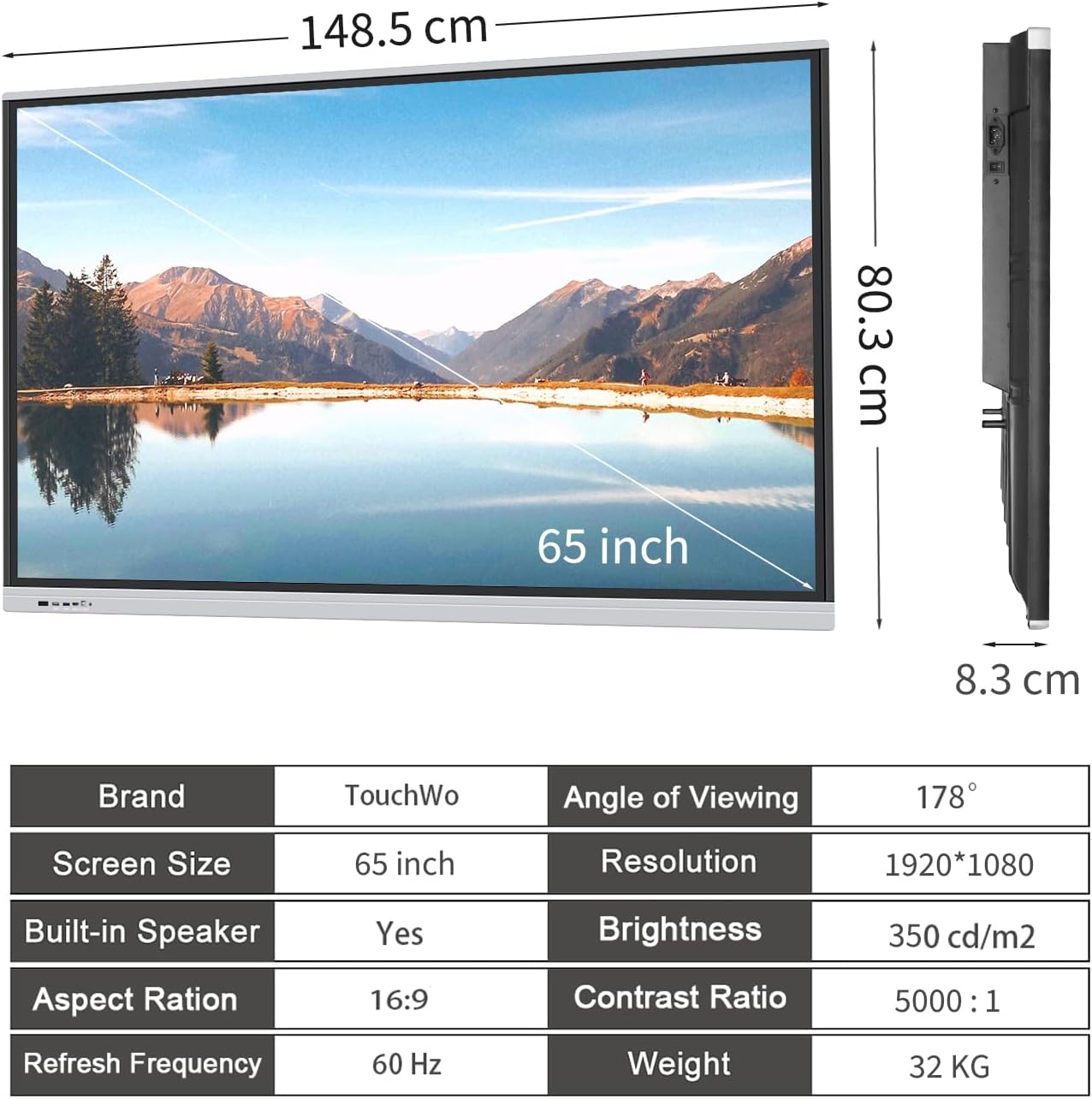
| Dimensions del producte | 58.5 x 35 x 3.2 polzades |
| Pes de l'article | 70.4 lliures |
| Mida de la pantalla | 65 polzades |
| Resolució | 4K UHD 2160p (3840 x 2160 Pixels) |
| Relació d'aspecte | 16:9 |
| Brillantor de la imatge | 350 lm |
| Voltage | 110 Volts |
| Ports USB totals | 6 |
| Operating System (Android) | Android 13 (RAM 4GB + ROM 32GB) |
| Operating System (Windows) | Windows 10 (Core i7, RAM 8GB + SSD 512GB) |
| Punts de contacte | 20 punts |
| Descripció de la superfície de la pantalla | Pis |
6. Garantia i Suport
6.1 Informació de la garantia
This product is covered by a manufacturer's warranty. Please refer to the warranty card included in your packaging for specific terms and conditions. Protection plans are also available for extended coverage.
6.2 Atenció al client
For any assistance, technical support, or inquiries regarding your TouchWo Smart Board, please contact our customer service team. You can reach us via the official email provided below or visit our Amazon store for more information.
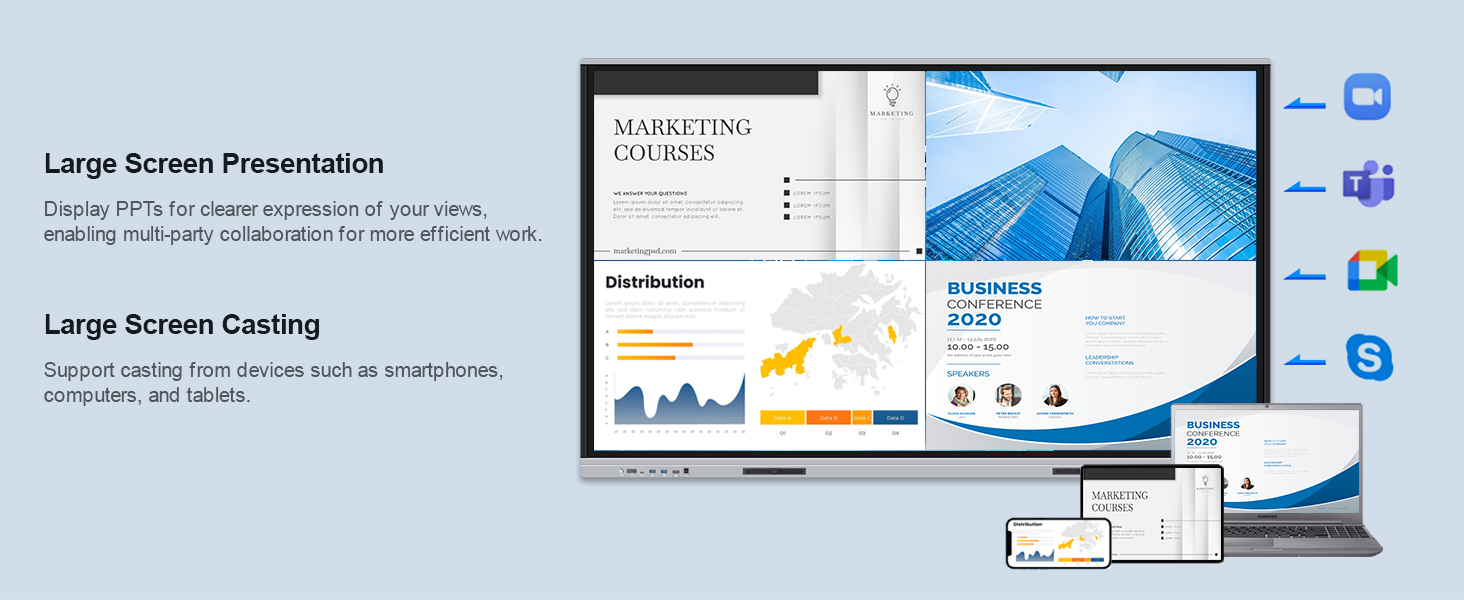
Image: Contact information for TouchWo customer support, including an official email address and a QR code for quick access to support resources.
- Correu electrònic oficial: touchwoamz@outlook.com
- Botiga Amazon: Visit TouchWo Store on Amazon