
DZiTech J8 Pro Wireless Earbuds User Manual
Model: J8 | Brand: Generic
1. Introducció
Thank you for choosing the DZiTech J8 Pro Wireless Earbuds. This manual provides essential information for setting up, operating, and maintaining your earbuds to ensure optimal performance and longevity. Please read this manual thoroughly before using the product.

Image 1.1: The DZiTech J8 Pro Wireless Earbuds, black and orange, resting in their open charging case, displaying a 100% charge on the LED screen.
2. Què hi ha a la caixa
Si us plau, comproveu el contingut del paquet per assegurar-vos que hi hagi tots els elements:
- DZiTech J8 Pro Wireless Earbuds (Left and Right)
- Estoig de càrrega
- Cable de càrrega USB
- 3 Sets of Gel Tips (S, M, L)
- Manual d'usuari (aquest document)
3. Característiques del producte
The DZiTech J8 Pro Earbuds are designed to provide a superior audio experience with advanced features:
- ANC (Cancel·lació activa del soroll): Redueix el soroll ambiental per a una escolta immersiva.
- ENC (Cancel·lació de Soroll Ambiental): Enhances call clarity by suppressing background noise during calls.
- Double Noise Cancelling: Combines ANC and ENC for comprehensive noise reduction.
- Bluetooth 5.3: Proporciona connectivitat sense fil estable, ràpida i eficient.
- Music / Game Dual Mode: Optimize audio performance for either music listening or gaming with low latency.
- Reducció de soroll profunda de 38 dB: Significant reduction in unwanted sounds.
- Up to 38 Hours Total Usage Time: Extended battery life with the charging case.
- LED Built-in Power Display: Conveniently shows battery levels of the case and earbuds.
- Resistent a l'aigua: Dissenyat per resistir esquitxades i suor.
- Control tàctil: Intuitive control over music, calls, and modes.

Image 3.1: The earbuds and charging case highlighting features like binaural noise reduction and intelligent automatic connection, with ANC+ENC capabilities.

Image 3.2: A close-up of the earbuds emphasizing enhanced in-ear bass, doubled sound quality, powerful bass, large metal diaphragm, and strong, transparent sound.
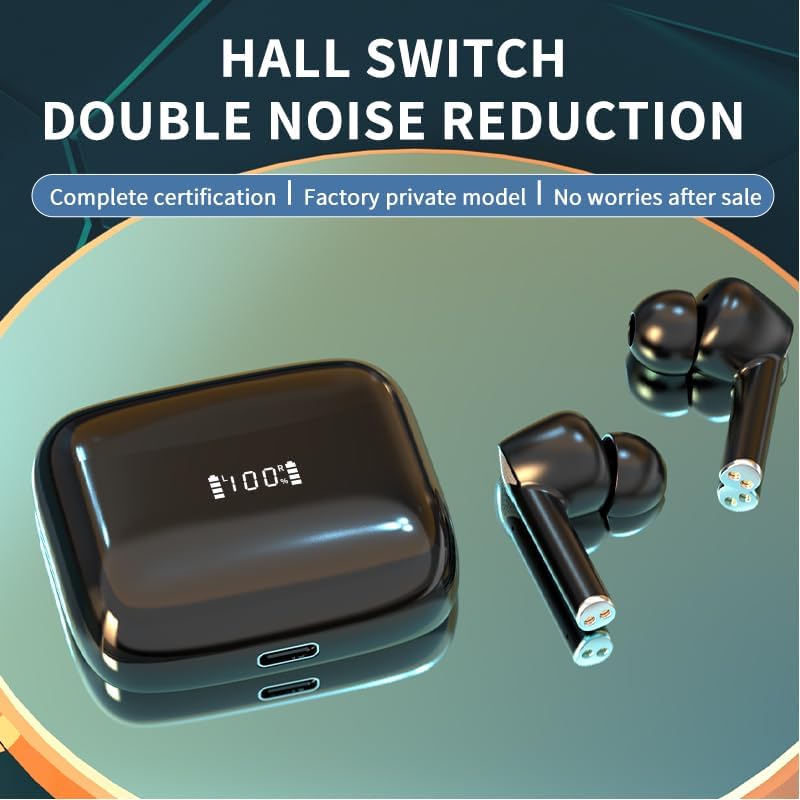
Image 3.3: The earbuds and case illustrating the Hall Switch feature for double noise reduction, ensuring complete certification and a factory private model.

Image 3.4: The earbuds and charging case with a large "36H" indicating the maximum usage time, highlighting the long battery life for all-day enjoyment with music/game dual mode and 38dB deep noise reduction.

Image 3.5: The earbuds and charging case showcasing the LED built-in display, indicating 100% charge, and emphasizing 38dB deep noise reduction and Game/Music Dual Mode.
4. Configuració
4.1. Càrrega dels auriculars i l'estoig
Abans del primer ús, carregueu completament els auriculars i l'estoig de càrrega.
- Col·loca els auriculars a l'estoig de càrrega. Assegura't que estiguin correctament col·locats.
- Connecteu el cable de càrrega USB al port de càrrega de la carcassa i l'altre extrem a una font d'alimentació USB (per exemple, un ordinador, un adaptador de paret).
- The LED display on the case will indicate the charging status. A full charge takes approximately 1 hour.
4.2. Emparellament amb el dispositiu
Els auriculars entraran automàticament en mode d'emparellament quan es treguin de l'estoig de càrrega.
- Obre l'estoig de càrrega i treu els dos auriculars. S'encendran automàticament i intentaran emparellar-se entre si.
- Al dispositiu (telèfon intel·ligent, tauleta, ordinador), activeu el Bluetooth.
- Cerca "J8 Pro" or "DZiTech J8 Pro" in the list of available Bluetooth devices.
- Select "J8 Pro" to connect. Once connected, you will hear a confirmation tone.
- Els auriculars es tornaran a connectar automàticament a l'últim dispositiu emparellat quan es treguin de l'estoig, si el Bluetooth està activat al dispositiu.
4.3. Triar les puntes d'orella adequades
Selecting the correct size of gel tips is crucial for comfort, sound quality, and effective noise cancellation.
- Try all three sizes (S, M, L) included in the package.
- A good fit will create a seal in your ear canal, providing better bass response and noise isolation.
5. Instruccions de funcionament
The DZiTech J8 Pro Earbuds feature intuitive touch controls. The control area is located on the outer surface of each earbud.
5.1. Encendre/apagar
- Encès: Open the charging case, and the earbuds will automatically power on. Alternatively, long-press the touch area for 3 seconds.
- Apagar: Place the earbuds back into the charging case and close the lid. They will automatically power off. Alternatively, long-press the touch area for 5 seconds.
5.2. Control de reproducció de música
- Reproduir/pausa: Un sol toc a qualsevol dels auriculars.
- Pista següent: Toqueu dues vegades l'auricular dret.
- Pista anterior: Toqueu dues vegades l'auricular esquerre.
5.3. Gestió de trucades
- Respondre/Finalitzar la trucada: Un sol toc a qualsevol dels auriculars.
- Rebutja la trucada: Prem llargament qualsevol dels auriculars durant 2 segons.
5.4. Noise Control Modes (ANC/ENC)
- Canvi de modes: Triple tap on the left earbud to cycle through ANC (Active Noise Cancellation), Transparency Mode, and Normal Mode.
- ENC (Environmental Noise Cancellation) is automatically active during calls to enhance voice clarity.
5.5. Game / Music Dual Mode
- Canvi de modes: Triple tap on the right earbud to switch between Music Mode and Game Mode. Game Mode offers lower latency for a better gaming experience.
5.6. Assistent de veu
- Activa l'Assistent de veu: Prem llargament qualsevol dels auriculars durant 2 segons (quan no estiguis en una trucada).
5.7. Control de volum
- Pujar el volum: Tap and hold on the right earbud.
- Baixar el volum: Tap and hold on the left earbud.
6. Manteniment
Un manteniment adequat garanteix la longevitat i el rendiment òptim dels teus auriculars.
- Neteja: Netegeu regularment els auriculars i l'estoig de càrrega amb un drap suau, sec i sense borrissol. No utilitzeu netejadors abrasius ni dissolvents.
- Consells per a les orelles: Traieu i netegeu les puntes de les orelles periòdicament amb aigua i sabó suau. Assegureu-vos que estiguin completament seques abans de tornar-les a col·locar.
- Contactes de càrrega: Si teniu problemes de càrrega, netegeu suaument els contactes de càrrega tant dels auriculars com de la funda amb un bastonet de cotó.
- Emmagatzematge: Quan no els utilitzeu, guardeu els auriculars a la seva funda de càrrega per protegir-los i mantenir-los carregats.
- Eviteu condicions extremes: Do not expose the earbuds to extreme temperatures, humidity, or direct sunlight. While water resistant, avoid submerging them in water.
7. Solució De Problemes
If you encounter issues with your DZiTech J8 Pro Earbuds, try the following solutions:
| Problema | Possible solució |
|---|---|
| Els auriculars no s'emparellan amb el dispositiu. |
|
| Només funciona un auricular. |
|
| Sense so o amb un volum baix. |
|
| L'estoig de càrrega no es carrega. |
|
8. Especificacions
| Característica | Detall |
|---|---|
| Nom del model | Auriculars sense fils J8 Pro |
| Tecnologia de connectivitat | Sense fil, Bluetooth 5.3 |
| Versió Bluetooth | 5.3 |
| Control de soroll | Active Noise Cancellation (ANC), Environmental Noise Cancellation (ENC), Sound Isolation |
| Sensibilitat | 38 dB |
| Durada de la bateria (auriculars) | Up to 5 Hours (per charge) |
| Temps d'ús total (amb estoig) | Fins a 38 hores |
| Temps de càrrega | Approx. 1 Hour (earbuds and case) |
| Nivell de resistència a l'aigua | Resistent a l'aigua |
| Mètode de control | Control tàctil |
| Pes de l'article | 4.2 Ounces (total package) |
| Components inclosos | Earbuds, Charging Case, USB Cable, 3 Sets Gel Tips |
| Material | Plàstic |
| Dispositius compatibles | Cellphones, Tablets, Desktops, Car Audio Systems, Music Production Equipment |
| Usos recomanats | Calling, Running, Exercising, Gaming, Music, Sport |
9. Garantia i Suport
This product comes with a standard manufacturer's warranty. For specific warranty details, please refer to the warranty card included in your package or contact the seller/manufacturer directly.
If you require further assistance or have questions not covered in this manual, please contact our customer support team. Please have your product model number (J8) and purchase information ready when contacting support.