
Introducció
Gràcies per la compraasing the Volkano Cosmic Series Bluetooth Headphones VK-2013-BK. These headphones are designed to provide a comfortable and immersive audio experience with wireless convenience. Featuring a folding design, soft ear cushions, and a padded headband, they offer versatility for various uses. This manual provides essential information for setting up, operating, and maintaining your headphones.
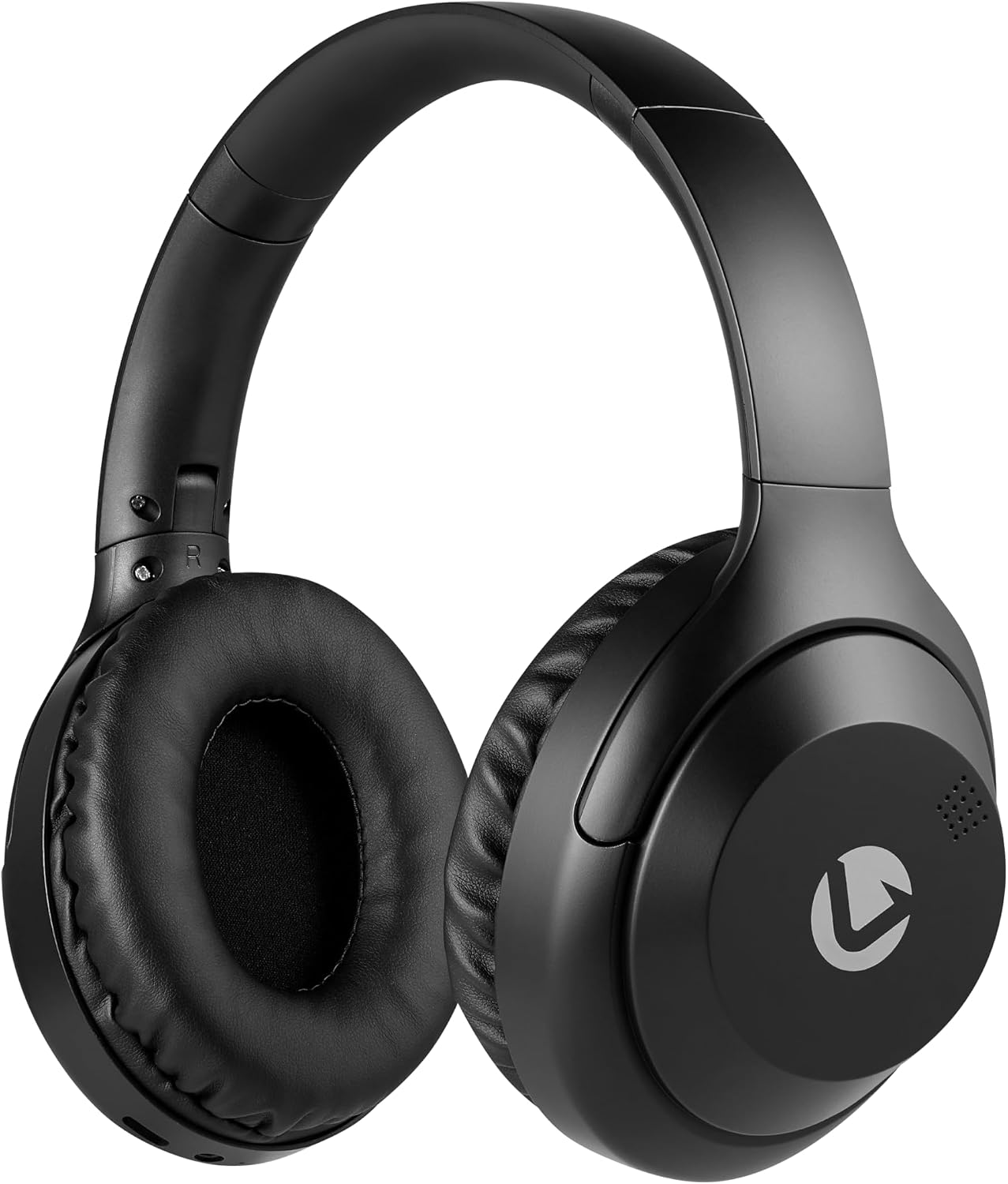
Davant view of the Volkano Cosmic Series Bluetooth Headphones.
Contingut del paquet
Si us plau, assegureu-vos que tots els articles estiguin presents al vostre paquet:
- Volkano Cosmic Series Bluetooth Headphones
- Cable de càrrega USB
- Cable auxiliar de 3.5 mm
- Manual d'instruccions

Image showing the folding headphones and the included USB charging cable and AUX cable.
Producte acabatview
Familiarize yourself with the various parts and controls of your headphones:

lateral view of the headphones, highlighting the control panel.
- Power / Multi-function Button: Used for powering on/off, play/pause, answering/ending calls.
- Botó Pujar volum / Pista següent: Premeu curt per pujar el volum, premeu llargament per passar a la següent pista.
- Botó per baixar el volum / pista anterior: Premeu curt per baixar el volum, premeu llargament per anar a la pista anterior.
- Botó de mode: Switches between Bluetooth, FM Radio, and Micro SD card modes.
- Port de càrrega micro USB: Per carregar els auriculars.
- Entrada AUX de 3.5 mm: Per a la connexió per cable a dispositius d'àudio.
- Ranura per a targetes Micro SD: For playing audio directly from a Micro SD card.
- Micròfon: Per a trucades amb mans lliures.
- Indicador LED: Mostra l'estat de l'energia, la càrrega i el Bluetooth.

Acabatview of key features including Bluetooth, FM Radio, SD Card, Aux Input, and Hands-free calling.
Configuració
Carregant els auriculars
- Connect the small end of the USB charging cable to the Micro USB port on the headphones.
- Connecteu l'extrem més gran del cable de càrrega USB a una font d'alimentació USB (per exemple, un port USB de l'ordinador, un adaptador de paret USB).
- The LED indicator will illuminate red during charging.
- Once fully charged, the LED indicator will turn off or change color (refer to specific product behavior if different).
Encès/Apagat
- Per encendre: Press and hold the Power / Multi-function Button for approximately 3 seconds until the LED indicator flashes blue.
- Per apagar: Press and hold the Power / Multi-function Button for approximately 3 seconds until the LED indicator turns off.
Emparellament Bluetooth
- Assegureu-vos que els auriculars estiguin apagats.
- Press and hold the Power / Multi-function Button for approximately 5-7 seconds until the LED indicator flashes blue and red alternately. This indicates pairing mode.
- Enable Bluetooth on your audio device (smartphone, tablet, computer).
- Cerca dispositius Bluetooth disponibles.
- Select "Volkano Cosmic" or similar name from the list of devices.
- Un cop emparellat, l'indicador LED parpellejarà lentament en blau.
Instruccions de funcionament
Reproducció de música (mode Bluetooth)
- Reproduir/pausa: Short press the Power / Multi-function Button.
- Pista següent: Long press the Volume Up / Next Track Button.
- Pista anterior: Long press the Volume Down / Previous Track Button.
- Pujar el volum: Short press the Volume Up / Next Track Button.
- Baixar el volum: Short press the Volume Down / Previous Track Button.
Funcions de trucada
- Respondre/Finalitzar la trucada: Short press the Power / Multi-function Button.
- Rebutja la trucada: Long press the Power / Multi-function Button.
- Torna a marcar l'últim número: Double-press the Power / Multi-function Button.
Mode de ràdio FM
- Premeu el botó de mode per canviar al mode de ràdio FM.
- Long press the Power / Multi-function Button to automatically scan and save available FM stations.
- Short press the Volume Up / Next Track Button or Volume Down / Previous Track Button to switch between saved stations.
AUX Mode (Wired Connection)
- Connect one end of the 3.5mm AUX cable to the AUX input port on the headphones.
- Connect the other end of the 3.5mm AUX cable to the audio output jack of your device.
- Els auriculars canviaran automàticament al mode AUX.
- Control playback and volume directly from your connected audio device.

Connecting the headphones via the 3.5mm AUX cable for a wired audio experience.
Mode de targeta Micro SD
- Inseriu una targeta Micro SD (amb àudio files) into the Micro SD card slot on the headphones.
- Press the Mode Button to switch to Micro SD card mode.
- The headphones will automatically begin playing audio files de la targeta.
- Use the Play/Pause, Next Track, Previous Track, and Volume buttons as in Bluetooth mode.
Manteniment
Neteja
- Netegeu els auriculars amb un drap suau i sec.
- No utilitzeu netejadors abrasius, alcohol ni dissolvents químics.
- Keep the charging port and other openings free from dust and debris.
Emmagatzematge
- Guardeu els auriculars en un lloc fresc i sec, allunyat de la llum solar directa i de temperatures extremes.
- When not in use for extended periods, charge the headphones at least once every three months to maintain battery health.
- The folding design allows for compact storage.
Resolució de problemes
| Problema | Causa possible | Solució |
|---|---|---|
| Els auriculars no s'engeguen. | Bateria baixa. | Carregueu els auriculars completament. |
| No es pot emparellar per Bluetooth. | Auriculars no en mode d'emparellament; Bluetooth desactivat al dispositiu; dispositiu massa lluny. | Ensure headphones are in pairing mode (flashing blue/red). Turn on Bluetooth on your device. Move device closer to headphones (within 10 meters). |
| Sense so. | Volum massa baix; mode incorrecte; dispositiu no connectat. | Increase headphone and device volume. Ensure correct mode (Bluetooth, AUX, SD). Verify successful Bluetooth connection or AUX cable insertion. |
| La recepció de ràdio FM és deficient. | Senyal feble; interferències ambientals. | Mou-te a una zona oberta. Torna a buscar estacions. |
Especificacions
| Característica | Detall |
|---|---|
| Marca | Volcà |
| Número de model | VK-2013-BK |
| Nom del model | Cosmic 2.0 Series |
| Tecnologia de connectivitat | Wireless (Bluetooth) / Wired (3.5 mm Jack) |
| Tecnologia sense fils | Bluetooth |
| Col·locació de l'orella | Sobre l'orella |
| Factor de forma | Sobre l'orella |
| Impedància | 32 ohms |
| Resposta de freqüència | 20 kHz |
| Sensibilitat | 95 dB |
| Control de soroll | Cap |
| Material de tancament | Poliuretà (PU) |
| Usos específics per al producte | Entreteniment |
| Funcions de plegat dels auriculars | Plegable |
| Mitjans integrats | FM Radio, Micro SD Card Slot |
| Fabricant | SMD Technologies LLC |
Garantia i Suport
Informació de la garantia
Volkano products are backed by a Garantia limitada d'1 any. This warranty reflects our commitment to quality and dependable performance. For additional coverage, you may be eligible to register your product for an extended 12-month warranty, totaling 24 months of coverage.
Atenció al client
Should you have any questions or require assistance with your Volkano Cosmic Series Bluetooth Headphones, please contact Volkano customer support. Your satisfaction is important to us.
For more information or to register your product, please visit the official Volkano page or contact their support channels as indicated on their weblloc o embalatge del producte.