
1. Producte acabatview
The THINKCAR THINKSCAN 641 is a wireless OBD2 diagnostic tool designed for comprehensive vehicle system analysis. It provides diagnostic functions for Engine, Transmission, ABS, and SRS Airbag systems, along with full OBD2 modes and 10 essential maintenance reset services. The device features a touchscreen interface and connects wirelessly via Bluetooth to the vehicle's OBD-II port.
1.1 Contingut del paquet
- THINKCAR THINKSCAN 641 OBD2 Scanner (x1)
- Bluetooth Connector (x1)
- Product Manual (x1)
1.2 Components del dispositiu
Familiarize yourself with the main components of your THINKSCAN 641 device:

Image: THINKCAR THINKSCAN 641 device layout with labeled buttons and ports.
- Pantalla tàctil de 4.8 polzades: Main display for navigation and data viewing.
- Botó d'encesa/bloqueig de pantalla: Manteniu premut durant 3 segons per encendre o apagar.
- Botó de confirmació: Used to select options or confirm actions.
- Up, Down, Left, Right Toggle Key: Per navegar pels menús i les opcions.
- Clau de retorn: To go back to the previous screen or menu.
- Ranura per a targetes TF: Per a emmagatzematge ampliable.
- Port de càrrega: Per connectar el cable de càrrega.
- OBD Interface: Port for the Bluetooth connector.
2. Configuració
2.1 Connexió inicial
To begin using your THINKSCAN 641, follow these steps to establish a connection with your vehicle:
- Localitza el port OBD-II del teu vehicle, que normalment es troba sota el tauler de control, al costat del conductor.
- Plug the included Bluetooth 5.0 VCI Dongle into the vehicle's OBD-II port.
- Turn on the vehicle's ignition (engine off, key on).
- Power on the THINKSCAN 641 handheld unit by pressing and holding the Power/Screen Lock Button for 3 seconds.
- The device will automatically attempt to connect via Bluetooth. A stable connection should be established within 3 seconds.
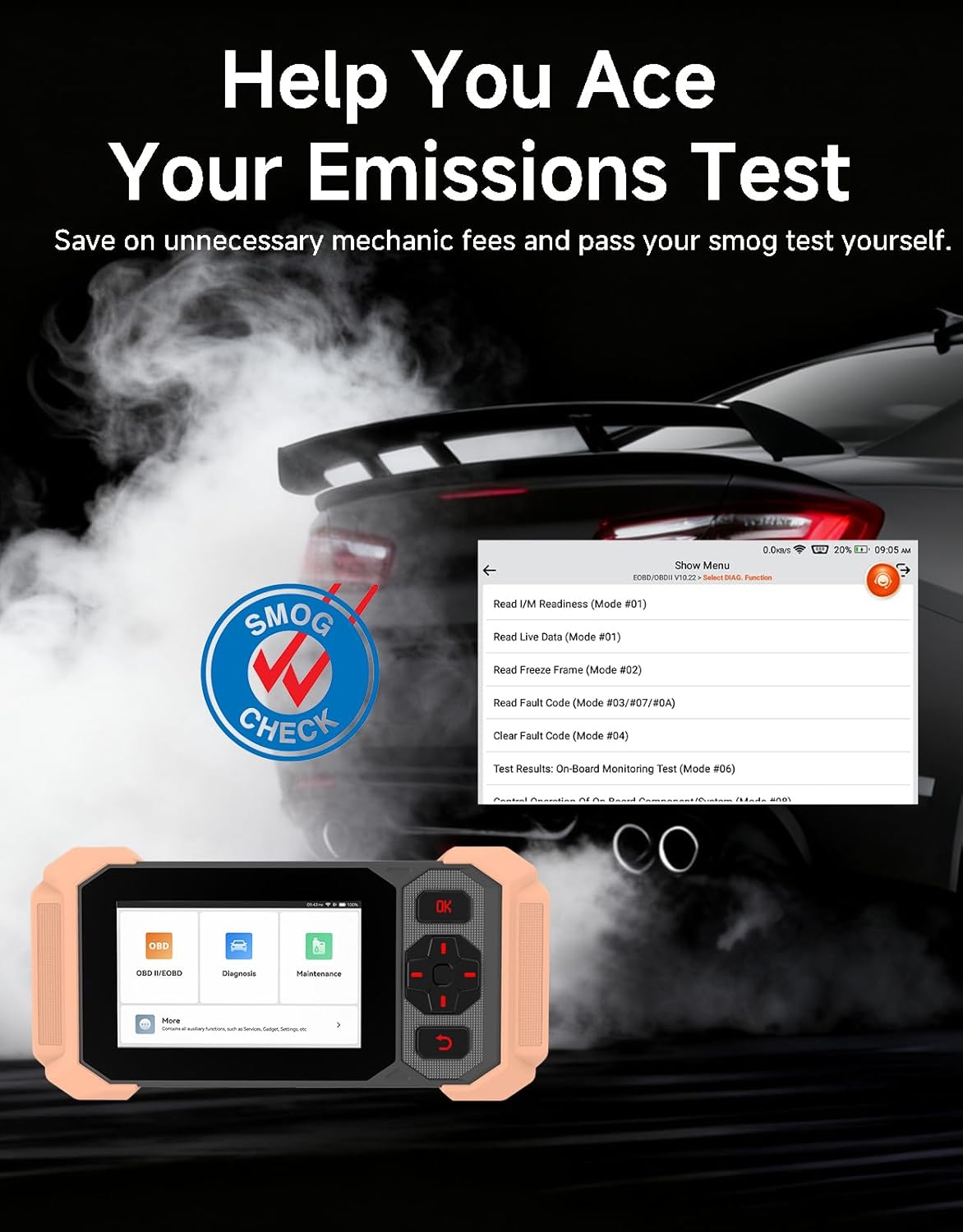
Image: Bluetooth VCI Dongle connected to the vehicle's OBD-II port.
2.2 Identificació automàtica de vehicles (AutoVIN)
The THINKSCAN 641 supports AutoVIN functionality, which automatically identifies your vehicle's information upon connection. If AutoVIN fails for your specific vehicle model, you can manually enter the vehicle information to proceed with diagnostics.
2.3 Actualitzacions de programari
The device supports lifetime free software updates via Wi-Fi. Ensure your device is connected to a stable Wi-Fi network to download and install the latest software versions, which include new vehicle models and improved functionalities.

Image: Lifetime Free Update icon.
2.4 Instructional Video: How to Use
Video: This video demonstrates the basic steps for connecting and using the THINKCAR THINKSCAN 641 diagnostic tool, including menu navigation and initiating a scan.
3. Instruccions de funcionament
3.1 4-Diagnòstic del sistema
The THINKSCAN 641 provides in-depth diagnostics for four core vehicle systems:
- Sistema del motor: Llegeix i esborra els codis d'error del motor, views live data, and performs various engine-related tests.
- Sistema de frens antibloqueig (ABS): Diagnoses ABS issues, reads and clears ABS fault codes, and performs ABS bleeding.
- Sistema de retenció suplementari (SRS/Airbag): Detects and clears airbag system fault codes, and performs SRS resets.
- Sistema de transmissió: Analyzes transmission performance, reads and clears transmission fault codes.

Imatge: Més deview of 4-System Diagnostic capabilities.
3.2 Full OBD2 Modes
The device supports all 10 OBD2 test modes, offering comprehensive diagnostic capabilities:
- Llegir codis: Displays Diagnostic Trouble Codes (DTCs).
- Codis clars: Clears DTCs and resets monitors.
- Dades en directe: Shows real-time data stream from vehicle sensors.
- Congelar fotograma: Stores a snapshot of vehicle operating conditions when an emission-related fault occurs.
- Preparació I/M: Comprova l'estat dels monitors relacionats amb les emissions.
- Prova del sensor d'O2: Recupera els resultats de la prova del monitor del sensor d'O2.
- Prova del monitor integrat: Recupera resultats per a components i sistemes de transmissió relacionats amb les emissions.
- Prova del sistema EVAP: Inicia una prova del sistema de control d'emissions evaporatives.
- Informació del vehicle: Recupera el número d'identificació del vehicle (VIN), l'ID de calibratge i el número de verificació de calibratge (CVN).
- Cerca DTC: Provides detailed explanations for diagnostic trouble codes.

Image: Full OBD2 Modes functions display.
3.3 10 Maintenance Reset Functions
The THINKSCAN 641 includes 10 specialized maintenance and reset functions:
- Sagnat de l'ABS: Bleeds air from the brake system.
- Restabliment de l'airbag (SRS): Resets the airbag system after repairs.
- Coincidència de bateries: Registra una bateria nova a la ECU del vehicle.
- Restabliment de les pastilles de fre: Resets the brake pad life after replacement.
- Regeneració del DPF: Initiates the Diesel Particulate Filter regeneration process.
- Electronic Throttle Adaptation: Reaprèn la posició del cos de l'accelerador.
- Codificació de l'injector: Codifica els nous números d'injector a la ECU.
- Restabliment del servei d'oli: Reinicia la llum de servei d'oli després d'un canvi d'oli.
- Restabliment de l'angle de direcció: Restableix el sensor d'angle de direcció.
- Restabliment de TPMS: Restableix el sistema de control de la pressió dels pneumàtics.

Image: 10 Maintenance Reset Functions.
3.4 Live Data Graphing
The device allows for real-time graphing of multiple sensor readings simultaneously, aiding in the diagnosis of intermittent issues and performance analysis.

Image: Live Data Stream icon.
3.5 Compatibilitat del vehicle
The THINKSCAN 641 is compatible with all OBDII-compliant vehicles manufactured in 1996 or later, covering over 118 automotive brands. It also supports the CAN FD protocol and FCA AutoAuth certification. Note that access to FCA AutoAuth requires a separate purchase and is currently supported for Renault, Nissan, and Chrysler brands.

Image: Wide compatibility with various car brands and regions.
4. Manteniment
4.1 Routine Maintenance Resets
Utilize the 10 maintenance reset functions to perform routine service tasks and clear corresponding indicator lights after repairs. This includes tasks such as oil service resets, brake pad replacements, and battery registrations.
4.2 Actualitzacions de programari
Regularly check for and install software updates via Wi-Fi to ensure your device has the latest vehicle coverage and diagnostic capabilities. Updates are provided free for life.
5. Solució De Problemes
5.1 Esborrar codis d'error
When a fault code is detected, it is crucial to diagnose and fix the underlying issue before clearing the code. Clearing codes without addressing the root cause will likely result in the fault code reappearing.
Image: Reminder to fix vehicle faults before clearing codes.
5.2 AutoVIN Failure
If the AutoVIN feature does not automatically identify your vehicle, proceed by manually entering the vehicle's information (make, model, year) to continue with the diagnostic process.
5.3 Navegació per la interfície d'usuari
While the device is designed for ease of use, some advanced functions may require familiarity with diagnostic procedures. Refer to the built-in DTC Lookup Library for code definitions and consult the online customer service for further assistance if needed.
6. Especificacions
| Característica | Especificació |
|---|---|
| Marca | THINKCAR |
| Número de model | THINKSCAN 641 |
| Font d'alimentació | Funciona amb bateria |
| Sistema operatiu | Android 8.1 |
| Mida de la pantalla | 4.3 polzades |
| Llengua | Anglès (admet 23 idiomes) |
| Tipus d'ajust d'automòbil | Ajuste universal |
| Pes de l'article | 0.9 lliures |
| Connectivitat | Bluetooth 5.0 (sense fil) |
| Actualitzacions | Lifetime Free Updates via Wi-Fi |
| Protocols compatibles | OBDII, CAN FD, FCA AutoAuth (separate purchase for specific brands) |
7. Garantia i Suport
7.1 Garantia del fabricant
The THINKCAR THINKSCAN 641 comes with a 3-year manufacturer's warranty, ensuring coverage for potential defects or malfunctions.
7.2 Suport tècnic
Lifetime free technical support is provided for the THINKSCAN 641. For assistance, you can access the built-in online customer service feature directly from the device. This allows for direct communication with professional support staff to resolve any queries or issues.

Image: Timely Online Feedback and Support.