
1. Introducció
The MITO Infinity Dodecahedron Light L-1 is a unique decorative lighting device designed to enhance various environments such as gaming rooms, bedrooms, and living spaces. It features RGBW color-changing LEDs, an infinity mirror effect, and advanced sound responsiveness for an immersive visual experience. This manual provides essential information for the safe and effective use of your new light.
2. Informació de seguretat
- Només per a ús interior: This product is designed for indoor use. Do not expose it to water or high humidity.
- Font d'alimentació: Use only the provided USB power cable. Ensure the power source is compatible with 5V.
- Manipulació: Handle the light with care. The acrylic panels can be fragile.
- Neteja: Disconnect power before cleaning. Use a soft, dry cloth. Avoid abrasive cleaners or liquids.
- Ventilació: Assegureu-vos que hi hagi una ventilació adequada al voltant del dispositiu per evitar el sobreescalfament.
- Nens i animals de companyia: Mantingueu fora de l'abast dels nens petits i de les mascotes per evitar danys o lesions accidentals.
3. Contingut del paquet
Marqueu la casella per als elements següents:
- MITO Infinity Dodecahedron Light L-1
- Cable d'alimentació USB
- Control remot
- Drap de neteja
- Manual d'usuari (aquest document)

Image: The MITO Infinity Dodecahedron Light L-1 with its retail packaging.
4. Instruccions de configuració
- Desempaquetar el dispositiu: Carefully remove the Infinity Dodecahedron Light from its packaging.
- Traieu la pel·lícula protectora: Gently peel off any protective film from the acrylic panels to reveal the mirror surfaces.
- Connectar l'alimentació: Insert the small end of the USB power cable into the port on the light and the larger USB-A end into a compatible 5V USB power adapter (not included) or a USB port on a computer/gaming console.
- Download the App (Optional but Recommended): For full control and customization, download the "Magic Lantern" app. Scan the QR code found on the USB cable or search for "Magic Lantern" in your device's app store.

Image: The light displayed alongside a smartphone showing the 'Magic Lantern' app interface.
- Vincula amb l'aplicació: Open the Magic Lantern app, navigate to the device pairing section (often indicated by a menu icon or 'scan' option), and follow the on-screen instructions to connect to your light.
5. Instruccions de funcionament
5.1 Encès/Apagat
Connect the light to a power source. It should illuminate automatically. Use the remote control or the mobile app to turn the light on or off.
5.2 Adjusting Colors and Effects
The light offers 258 dynamic ambiance effects and a wide range of RGBW colors. You can control these settings using either the included remote control or the Magic Lantern mobile app.
- Comandament a distància: The remote allows you to change colors, switch between various modes, and adjust brightness.
- Aplicació mòbil: The app provides more extensive customization options, including fine-tuning colors, adjusting brightness and speed of light changes, and selecting from a broader array of dynamic modes.

Image: The light displaying various RGBW effects in a living room setting.
5.3 Sincronització musical
The light features a built-in microphone that allows it to react and move to the beat of music, movies, or gaming audio. This creates an immersive sound and light experience. This feature can be activated and adjusted via the mobile app.

Image: The light showcasing its sound-responsive capabilities with musical notes in the background.
5.4 Funció de temporitzador
Utilize the mobile app to set a timer for the light to automatically turn on or off at specified times.
5.5 Gaming Environment Enhancement
The light is suitable for gaming setups, providing dynamic lighting that can enhance the immersive experience.
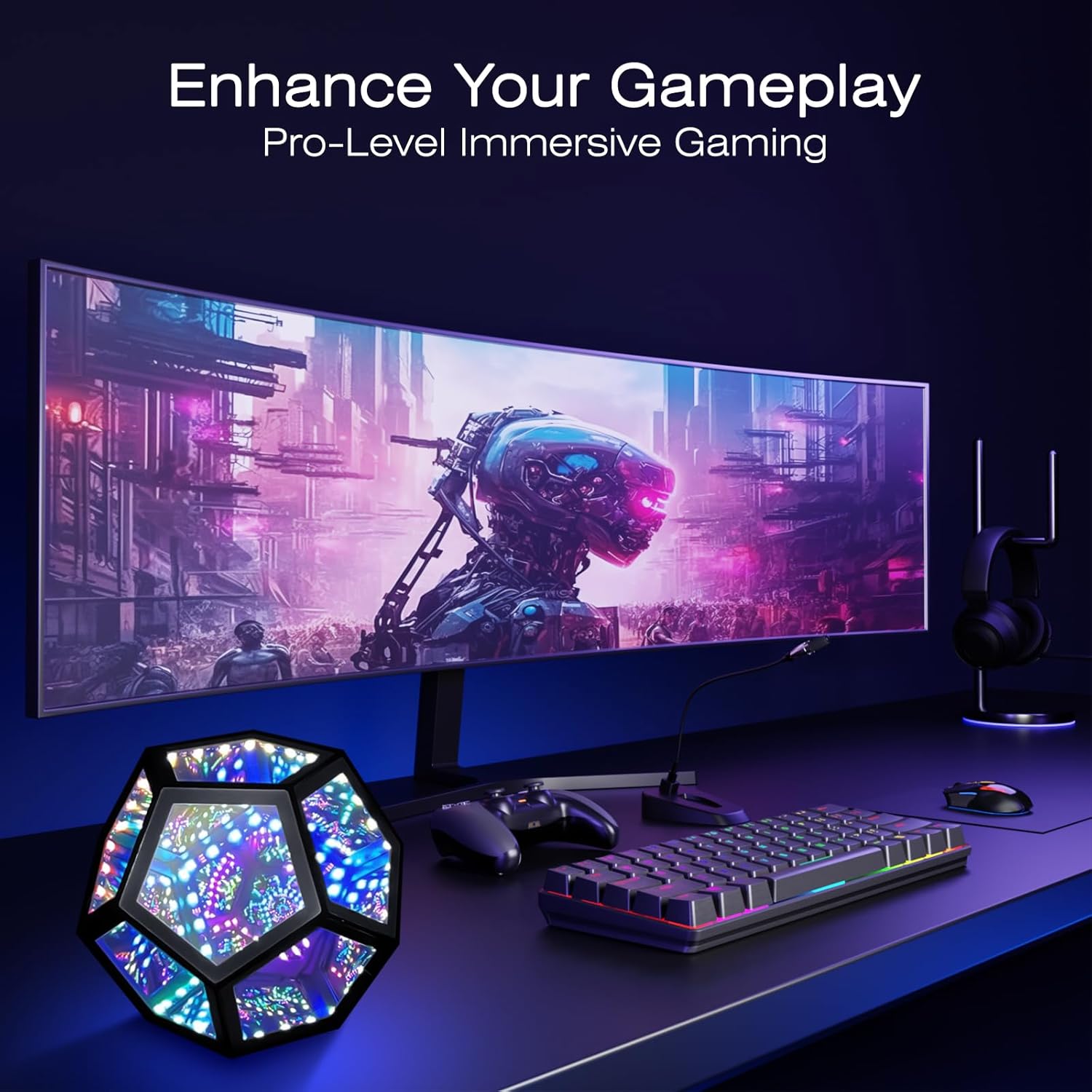
Image: The light integrated into a gaming desk setup.
5.6 Portabilitat
Its lightweight design and standard USB interface make it portable for use in various locations, such as during travel or outdoor gatherings (ensure it remains protected from elements).

Image: The light being used in an outdoor setting, highlighting its portability.
6. Manteniment
To maintain the appearance and functionality of your MITO Infinity Dodecahedron Light:
- Neteja: Use the provided cleaning cloth or a soft, dry, lint-free cloth to wipe the acrylic surfaces. Do not use harsh chemicals, abrasive materials, or excessive moisture, as this can damage the mirrors and electronics.
- Emmagatzematge: Quan no l'utilitzeu durant períodes prolongats, guardeu la llum en un lloc fresc i sec, allunyat de la llum solar directa i de temperatures extremes.
7. Solució De Problemes
- La llum no s'encén:
- Assegureu-vos que el cable USB estigui ben connectat tant a la llum com a la font d'alimentació.
- Verify that the power source (USB adapter, computer port) is functional.
- El comandament a distància no funciona:
- Comproveu si cal substituir la pila del comandament a distància.
- Ensure there are no obstructions between the remote and the light's sensor.
- Problemes de connexió de l'aplicació:
- Assegureu-vos que el Bluetooth estigui habilitat al vostre dispositiu mòbil.
- Reinicieu l'aplicació i proveu de tornar a connectar-vos.
- Check if the app has necessary permissions (e.g., location, Bluetooth) on your device.
- Lights flickering or behaving erratically:
- Try disconnecting and reconnecting the power.
- Si el problema persisteix, poseu-vos en contacte amb el servei d'atenció al client.
8. Especificacions
| Característica | Detall |
|---|---|
| Número de model | L-1 |
| Dimensions (P x A x A) | 7.5 "P x 7.5" W x 6.3" H |
| Pes de l'article | 0.41 quilograms (14.4 unces) |
| Material | Acrílic |
| Tipus de font de llum | LED |
| Font d'alimentació | Cable elèctric (USB 5V) |
| Wattage | 5 watts |
| Mètode de control | Aplicació, comandament a distància |
| Característica especial | RGBW, Music Sync |
| Ús interior/exterior | Interior |
| Nivell de resistència a l'aigua | No resistent a l'aigua |
9. Garantia i Suport
This product comes with a manufacturer's warranty. For specific warranty details, please refer to the product packaging or contact the retailer where the item was purchased. For technical support or further assistance, please reach out to MITO customer service through their official channels.