
1. Introducció
Thank you for choosing the Modecom MC-899 Wired Gaming Mouse. This manual provides essential information to help you set up, operate, and maintain your new mouse. Please read these instructions carefully before using the product and retain them for future reference.
2. Informació de seguretat
- No exposeu el ratolí a líquids ni a una humitat excessiva.
- Eviteu temperatures extremes.
- Do not attempt to disassemble or repair the mouse yourself. This will void the warranty.
- Mantingueu el dispositiu allunyat de camps magnètics forts.
- Utilitzeu un drap suau i sec per netejar.
3. Contingut del paquet
Please check the package contents. If any items are missing or damaged, contact your retailer.
- Modecom MC-899 Wired Gaming Mouse
- Manual d'usuari (aquest document)
4. Producte acabatview
The Modecom MC-899 is a wired optical gaming mouse designed for comfortable and precise control. It features a multicolored backlit design and an ambidextrous form factor.
Components del producte
The mouse typically includes:
- Botó de clic esquerre
- Botó de clic dret
- Scroll Wheel (also functions as a middle click button)
- Optical Sensor (located on the underside)
- Cable USB
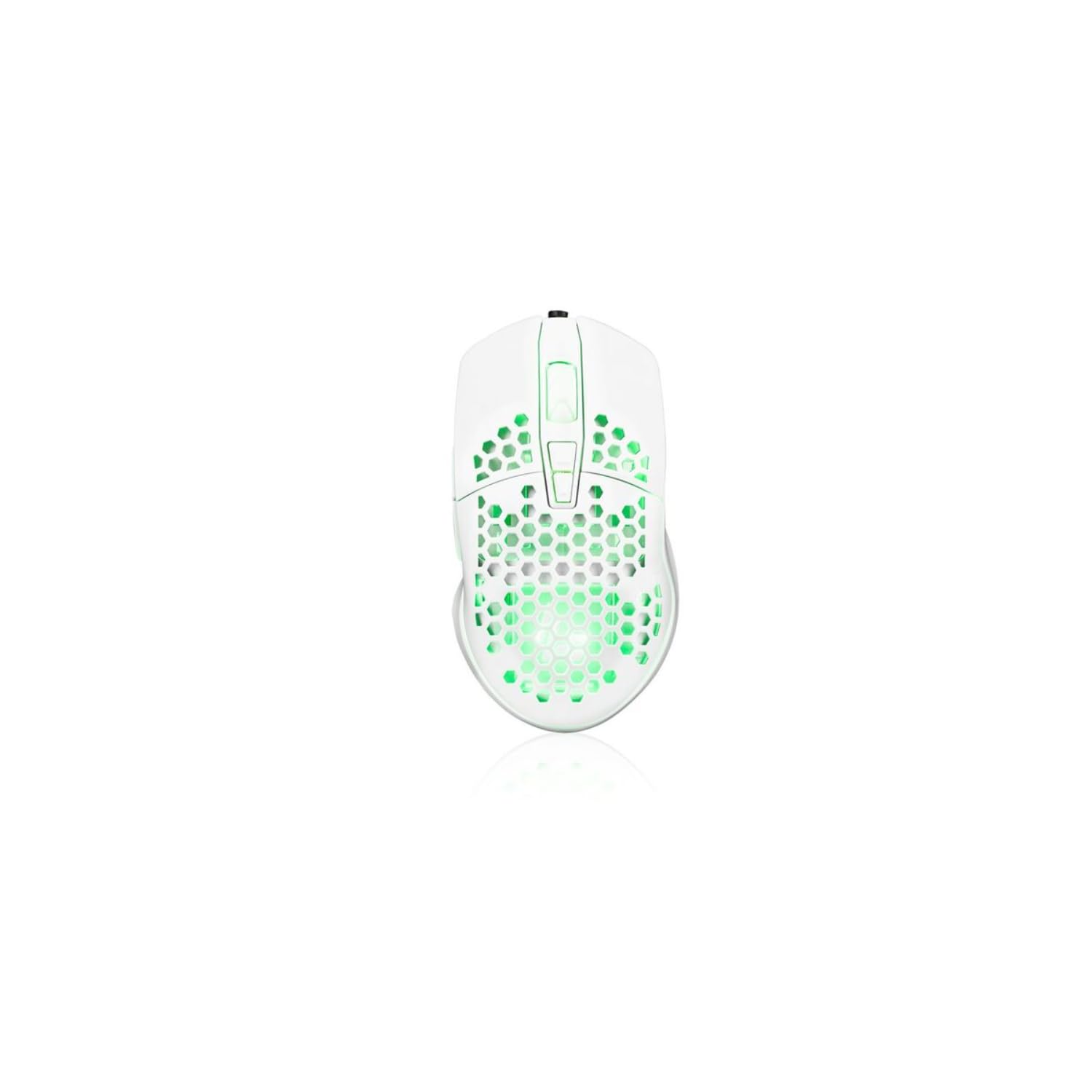
Image showing the Modecom MC-899 wired gaming mouse, featuring its ergonomic design and multicolored finish.
5. Configuració
Connexió del ratolí
The Modecom MC-899 is a plug-and-play device, requiring no special driver installation for basic functionality.
- Locate an available USB port on your computer (PC or laptop).
- Plug the USB connector of the Modecom MC-899 mouse into the USB port.
- Your operating system should automatically detect and install the necessary drivers. The mouse will be ready for use within a few seconds.
6. Funcionament del ratolí
Funcions bàsiques
- Clic esquerre: Primary action, used for selecting items, opening files, and confirming actions.
- Clic dret: Opens context menus, providing additional options for selected items.
- Roda de desplaçament: S'utilitza per desplaçar-se pels documents i web pages vertically. Pressing the scroll wheel typically acts as a middle click, which can open links in new tabs or enable auto-scrolling.
Il·luminació de fons
The Modecom MC-899 features integrated backlighting. This lighting is typically active when the mouse is connected and powered, enhancing its aesthetic appeal, especially in gaming environments.
7. Manteniment
Neteja
- Desconnecteu el ratolí de l'ordinador abans de netejar-lo.
- Utilitzeu un drap suau i sense pelusa lleugerament dampamb aigua o una solució de neteja suau.
- No ruixeu productes de neteja directament sobre el ratolí.
- Eviteu que entri humitat a cap obertura.
- Clean the optical sensor area gently with a cotton swab if dust accumulation affects performance.
Emmagatzematge
- Guardeu el ratolí en un lloc fresc i sec quan no l'utilitzeu durant períodes prolongats.
- Avoid placing heavy objects on the mouse or its cable.
8. Solució De Problemes
If you encounter issues with your Modecom MC-899 mouse, please refer to the following common problems and solutions:
| Problema | Possible solució |
|---|---|
| El ratolí no respon. |
|
| El moviment del cursor és erràtic o irregular. |
|
| Els botons no funcionen. |
|
9. Especificacions
Especificacions tècniques
| Marca: | Modecom |
| Número de model: | S9135943 (MC-899) |
| Tecnologia de connectivitat: | Amb cable (USB) |
| Tecnologia de detecció de moviment: | Òptic |
| Nombre de botons: | 3 |
| Orientació de la mà: | Ambidextre |
| Ús recomanat: | Jocs, oficina |
| Dispositius compatibles: | Ordinador personal, portàtil |
| Color: | Multicolor |
| Longitud del cable: | 2.2 metres |
| Característiques: | Retroil·luminat |
| Dimensions: | 5.5 x 13.5 x 19 cm |
10. Garantia i Suport
Modecom products are designed and manufactured to the highest quality standards. For information regarding warranty terms and conditions, please refer to the warranty card included with your product or visit the official Modecom website. For technical support or service inquiries, please contact your local retailer or Modecom customer service.