
VssoPlor B0CKP9461G
VssoPlor Compact Wireless Keyboard Mouse Combo
Model: B0CKP9461G
Introducció
Thank you for choosing the VssoPlor Compact Wireless Keyboard Mouse Combo. This ultra-thin and portable set is designed for convenience and efficiency, making it ideal for daily use, business travel, and various computing environments. This manual provides essential information for setting up, operating, maintaining, and troubleshooting your new wireless keyboard and mouse.
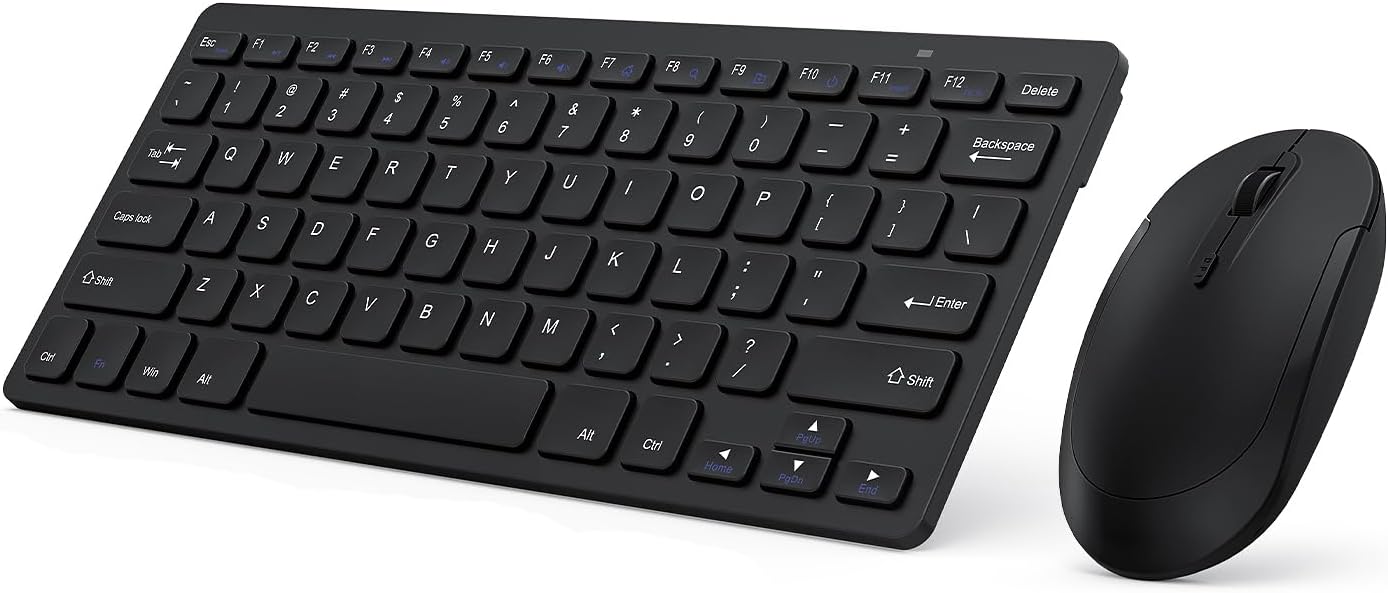
Image: The VssoPlor Compact Wireless Keyboard and Mouse Combo, featuring a sleek black design.
Característiques clau
- Ultra-Thin & Portable Design: Compact and lightweight, designed for easy transport and space-saving use.
- Stable 2.4GHz Wireless Connection: Provides a powerful and reliable connection up to 33 feet (10 meters) with a single Nano USB receiver.
- Experiència de mecanografia silenciosa: Equipped with scissor-switch construction keys for comfortable typing with fast response and good resilience, minimizing noise.
- High Sensitivity Mouse: Features sensitive clicks with less noise and 3 adjustable DPI levels (800/1000/1200) for precise control.
- Àmplia compatibilitat: Well compatible with Windows XP, Vista, 7, 8, and 10. (Note: Not fully compatible with Mac OS System).
- Funció de repòs automàtica: Designed to save energy by entering sleep mode after periods of inactivity.
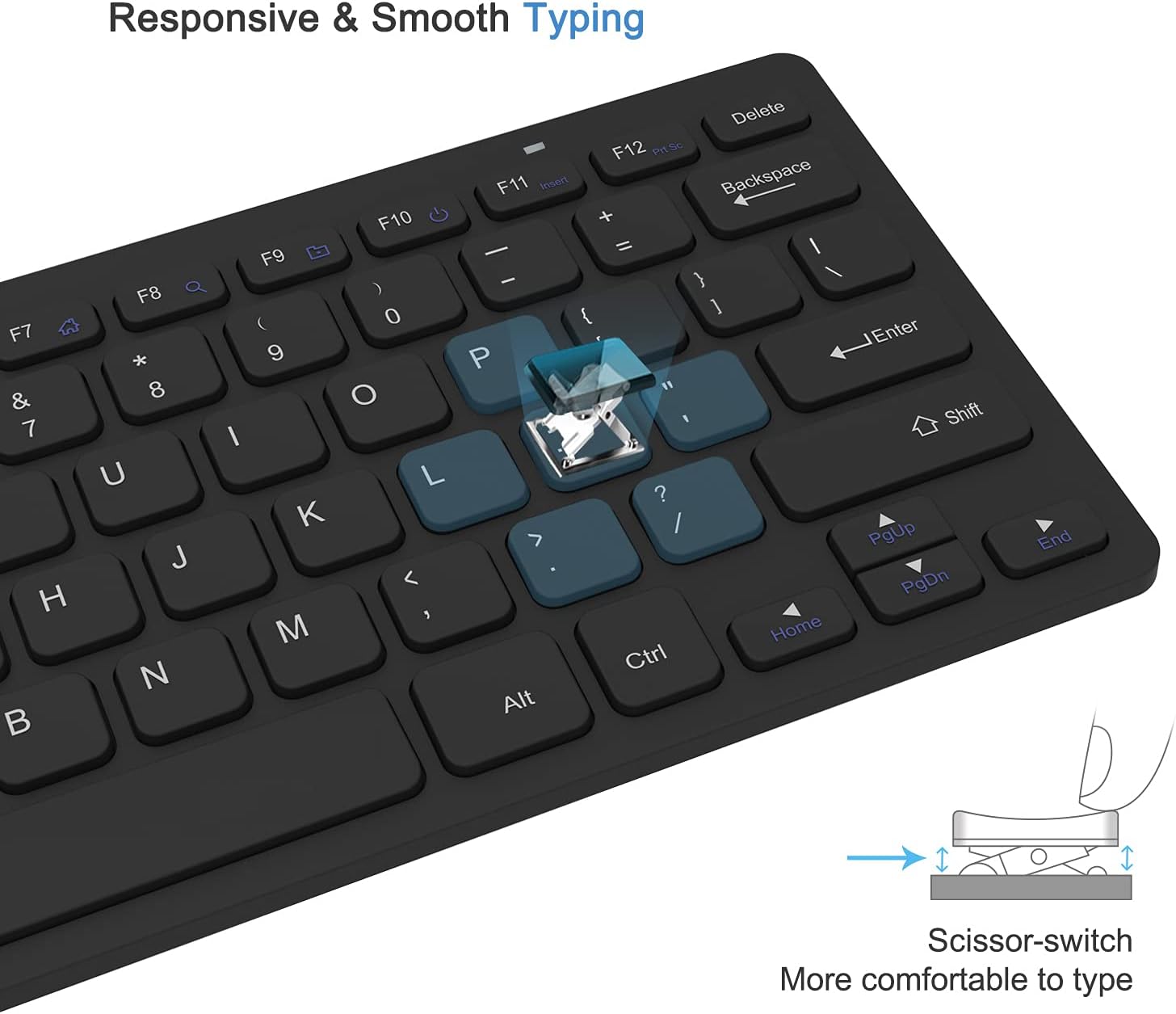
Image: Close-up of the keyboard demonstrating the scissor-switch key mechanism for responsive and smooth typing.

Image: The ultra-thin keyboard and mouse combo being easily stored in a bag, highlighting its portability for leisure, travel, and home use.
Contingut del paquet
Si us plau, comproveu el contingut del paquet en obrir-lo per assegurar-vos que hi hagi tots els elements:
- 1 x Compact Wireless Keyboard
- 1 x ratolí sense fil
- 1 x Nano USB Receiver (stored in the keyboard's battery compartment)
- 1 x Manual d'usuari (aquest document)
Instruccions de configuració
- Instal·leu les bateries:
The keyboard requires 2 AAA batteries and the mouse requires 1 AA battery (batteries are not included). Open the battery compartments on the underside of both the keyboard and the mouse, insert the batteries according to the polarity indicators, and close the covers.
- Localitza el receptor USB:
The Nano USB receiver is conveniently stored inside the battery compartment of the keyboard. Carefully remove it.
- Connecta el receptor:
Plug the Nano USB receiver into an available USB port on your computer (desktop or laptop). Your operating system will automatically detect and install the necessary drivers. This is a plug-and-play device, requiring no additional software installation.

Image: Diagram illustrating the 2.4GHz wireless connection, showing the USB receiver plugged into a laptop and the wireless signal to the keyboard and mouse.
- Dispositius d'encesa:
Locate the power switch on the underside of both the keyboard and the mouse. Slide the switches to the "ON" position. The devices should now be connected and ready for use.
Instruccions de funcionament
Ús del teclat
- Mecanografia: Begin typing as you would with any standard keyboard. The scissor-switch keys provide a comfortable and responsive experience.
- Tecles de funció: The top row of keys (F1-F12) may have secondary functions (e.g., media control, volume) accessible by pressing the Fn tecla simultàniament. Consulteu les llegendes de les tecles per a les funcions específiques.
- Repòs automàtic: To conserve battery life, the keyboard will enter sleep mode after approximately 10 minutes of inactivity. To wake it up, press any key for 3 seconds.
Ús del ratolí
- Funcionament bàsic: Use the left and right click buttons for standard mouse functions. The scroll wheel allows for vertical scrolling.
- Ajust de DPI: The mouse features 3 adjustable DPI levels (800/1000/1200) for varying cursor sensitivity. Press the DPI button (usually located near the scroll wheel) to cycle through the settings and find your preferred speed.
- Repòs automàtic: The mouse will enter sleep mode after approximately 8 minutes of inactivity. To wake it up, simply move the mouse or click any button.

Image: Illustration of the auto-sleep feature for both the keyboard and mouse, indicating battery requirements and how to reactivate the devices.
Manteniment
- Neteja: Feu servir un drap suau i sec per netejar les superfícies del teclat i el ratolí. Per a la brutícia persistent, netegeu lleugerament.amp Es pot fer servir un drap amb sabó suau, assegurant-se que no entri líquid al dispositiu. Eviteu netejadors o dissolvents abrasius.
- Substitució de la bateria: When the devices become unresponsive or exhibit delayed input, it is likely time to replace the batteries. Follow the "Install Batteries" steps in the Setup section. Always dispose of used batteries responsibly.
- Emmagatzematge: Quan no els feu servir durant períodes prolongats, apagueu tant el teclat com el ratolí per estalviar bateria. Guardeu-los en un lloc fresc i sec, allunyat de la llum solar directa i de temperatures extremes.
Resolució de problemes
| Problema | Solució |
|---|---|
| Keyboard or mouse is unresponsive. |
|
| El moviment del cursor és erràtic o lent. |
|
| Some keys on the keyboard do not work. |
|
Especificacions del producte
| Atribut | Detall |
|---|---|
| Marca | VssoPlor |
| Model | B0CKP9461G |
| Tecnologia de connectivitat | USB sense fil de 2.4 GHz |
| Dispositius compatibles | Laptop, Personal Computer (Windows XP/Vista/7/8/10) |
| Dimensions del teclat (L x A x A) | Approx. 11 x 4.8 x 0.7 inches (at thickest point) |
| Dimensions del ratolí (L x A x A) | Aprox. 4.3 x 2.2 x 0.6 polzades |
| Pes de l'article | 13.1 unces (teclat i ratolí combinats) |
| Bateria del teclat | 2 piles AAA (no incloses) |
| Bateria del ratolí | 1 x piles AA (no incloses) |
| DPI Levels (Mouse) | 800/1000/1200 DPI |
| Característiques especials | Lightweight, Portable, Scissor-switch keys, Auto-sleep function |

Image: Detailed dimensions of the compact wireless keyboard and mouse.
Garantia i Suport
For warranty information and technical support, please refer to the warranty card included with your product or visit the official VssoPlor website. You may also contact the seller directly through the platform where you purchased the product for assistance.
For common questions and further assistance, please visit the VssoPlor Store on Amazon.
Ask a question about this manual
Ask about setup, troubleshooting, compatibility, parts, safety, or missing instructions. Manuals+ will review the question and use this page’s manual context to help answer it.