
1. Introducció
This manual provides comprehensive instructions for the safe and efficient use of your new artfone C1+ 4G mobile phone. Please read this manual thoroughly before operating the device to ensure proper functionality and to familiarize yourself with all features. Keep this manual for future reference.

Image 1.1: The artfone C1+ 4G mobile phone with its dedicated charging dock.
2. Producte acabatview
2.1 Característiques clau
- Disseny fàcil d'utilitzar: Features a large 1.77-inch color display with clear menu icons and larger fonts for easy readability.
- Àudio millorat: Amazingly high volume and clear speakers, ideal for individuals with hearing difficulties.
- Característiques de seguretat: Integrated SOS button for up to 5 emergency contacts and a conveniently located flashlight button.
- Llarga vida útil de la bateria: Equipped with a robust 1800mAh battery, offering 5-6 hours of continuous talk time and 240-300 hours (10-12 days) of standby time.
- Construcció duradora: Non-slip back panel and sturdy PC materials provide protection against impacts and drops.
- Versatile Network Compatibility: Unlocked and compatible with major Canadian 4G networks, supporting 2G, 3G, and 4G bands for voice calls and text messaging.
- Funcions essencials: Includes audio, video, Bluetooth, FM radio, calculator, alarm, and calendar.
2.2 Contingut del paquet
En obrir el paquet, assegureu-vos que hi hagi tots els elements presents:
- artfone C1+ 4G Mobile Phone
- Bateria recarregable
- Cable de càrrega USB-C
- Adaptador de carregador de paret
- Base de càrrega
- Manual d'usuari

Image 2.1: The complete package contents, including the phone, battery, charger, dock, and manual.
3. Configuració
3.1 Instal·lació de la targeta SIM i la bateria
- Treure la contraportada: Gently slide the back cover of the phone downwards or pry it open from the designated notch.
- Insereix la targeta SIM: Locate the SIM card slot(s). Insert your 4G compatible SIM card(s) into the slot(s) with the gold contacts facing down and the cut corner aligned as indicated.
- Insereix la bateria: Place the battery into the battery compartment, ensuring the gold contacts on the battery align with the contacts in the phone.
- Substituïu la coberta posterior: Securely reattach the back cover until it clicks into place.
3.2 Càrrega del telèfon
Abans del primer ús, carregueu completament la bateria del telèfon.
- Ús de la base de càrrega: Connect the USB-C charging cable to the wall charger adapter, then plug the adapter into a power outlet. Connect the other end of the USB-C cable to the charging dock. Place the phone into the charging dock, ensuring it sits securely and the charging indicator appears on the screen.
- Càrrega directa: Alternatively, connect the USB-C charging cable directly to the USB-C port on the phone and then to the wall charger adapter plugged into a power outlet.
A full charge typically takes approximately 2-3 hours. The battery icon on the screen will indicate charging status.
4. Funcionament bàsic
4.1 Encès/Apagat
- Encès: Manteniu premut el botó Red Call/Power Off button (usually marked with a phone icon) until the screen lights up.
- Apagar: Manteniu premut el botó Red Call/Power Off button until a power off option appears on the screen. Select 'Power Off' and confirm.
4.2 Fer i rebre trucades
- Fer una trucada: On the standby screen, dial the desired phone number using the keypad. Press the Trucada verda botó per iniciar la trucada.
- Respondre una trucada: Quan soni el telèfon, premeu la tecla Trucada verda botó per respondre.
- Finalització d'una trucada: Premeu el botó Red Call/Power Off button to end an active call.
4.3 contactes
- Access Contacts: From the main menu, navigate to 'Contacts' or press the dedicated 'Contacts' button if available.
- Afegeix un contacte nou: Select 'Options' or 'Add New' within the Contacts menu. Enter the contact's name and phone number, then save.
- Call from Contacts: Select a contact from the list and press the Trucada verda botó.
4.4 Messaging (SMS)
- Access Messages: Des del menú principal, navegueu fins a "Missatges".
- Create New Message: Select 'New Message' or 'Write Message'. Enter the recipient's phone number and type your message using the keypad.
- Enviar missatge: Select 'Send' to transmit the message.

Image 4.1: The phone's user-friendly interface with large icons for easy navigation.
5. Característiques especials
Botó d'emergència SOS 5.1
The SOS button is located on the back of the phone. It allows you to quickly contact pre-set emergency numbers in critical situations.
- Configuració dels contactes SOS: Navigate to the 'SOS Settings' menu. You can add up to 5 emergency contact numbers.
- Activació de SOS: In an emergency, press and hold the SOS button on the back of the phone for a few seconds. The phone will emit an alarm sound and automatically send an emergency SMS to the pre-set contacts, then sequentially call them until one answers.

Image 5.1: Location of the SOS button and other functional side buttons.
5.2 Llanterna
The phone includes a built-in flashlight for convenience.
- Activar/Desactivar: Locate the dedicated flashlight button on the side of the phone. Slide or press this button to turn the flashlight on or off.

Image 5.2: The phone's strong flashlight feature in use.
5.3 Ràdio FM
Enjoy listening to FM radio stations on your device.
- Access FM Radio: Navigate to the 'FM Radio' application from the main menu.
- Escaneja canals: Use the options within the FM Radio app to automatically scan for available stations.
- Ajustar el volum: Use the side volume buttons to adjust the radio volume.
5.4 Talking Numbers
The talking numbers feature provides audio feedback when dialing, enhancing usability for visually impaired users.
- Activa/Desactiva: This feature can usually be toggled on or off in the phone's 'Settings' menu under 'Sound' or 'Accessibility' options.
6. Manteniment
Proper maintenance ensures the longevity and optimal performance of your artfone C1+ 4G.
- Neteja: Feu servir un drap suau i sec per netejar la pantalla i la carcassa del telèfon. Eviteu utilitzar netejadors líquids o materials abrasius.
- Cura de la bateria: Avoid extreme temperatures. Do not expose the battery to direct sunlight or very cold conditions. Charge the phone regularly, but avoid overcharging for extended periods.
- Emmagatzematge: If storing the phone for a long time, ensure the battery is partially charged (around 50%) and store it in a cool, dry place.
- Protecció: The phone features a non-slip design and sturdy PC materials for protection. However, avoid dropping the phone or exposing it to excessive force.
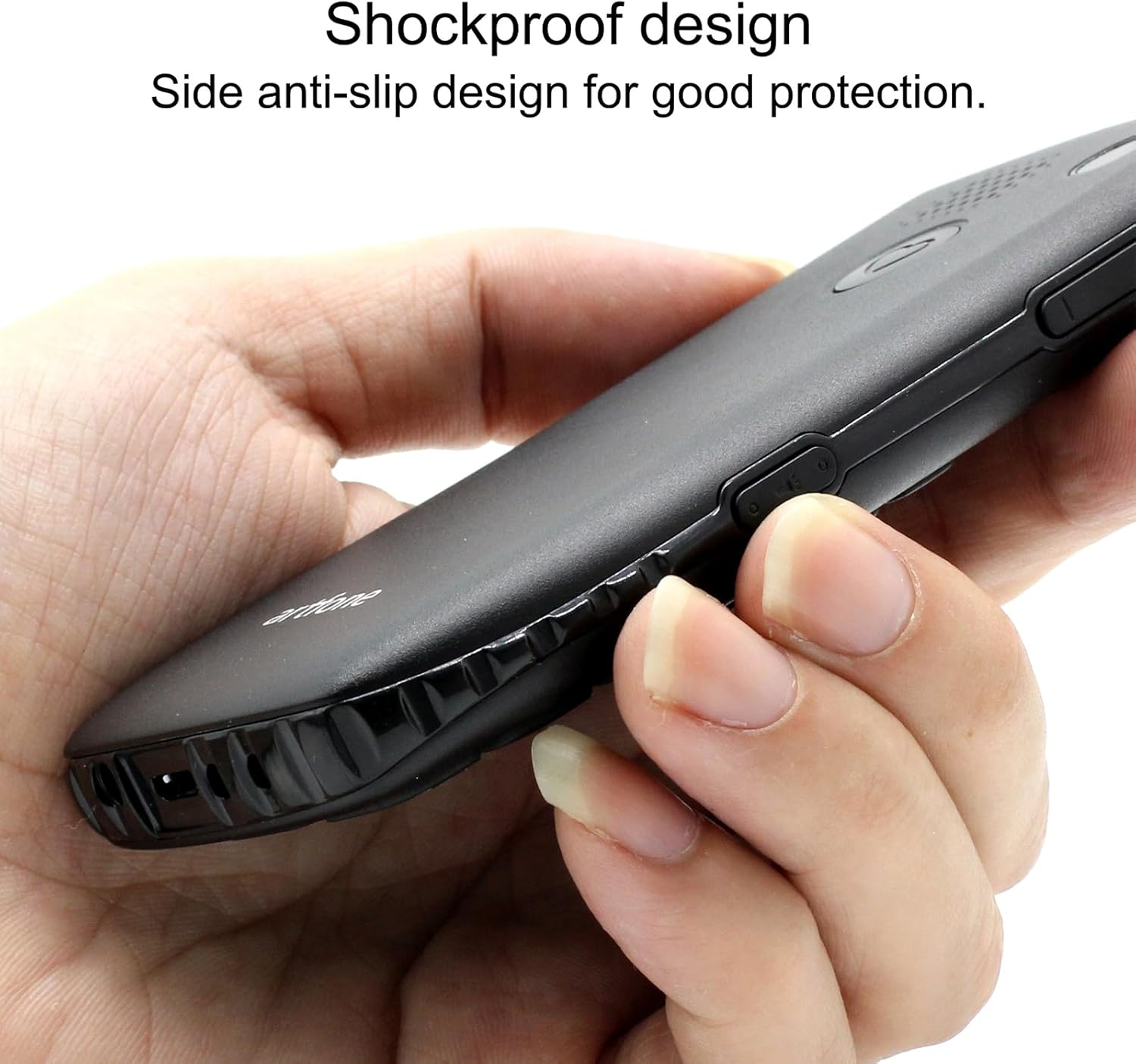
Image 6.1: The phone's shockproof design with side anti-slip features.
7. Solució De Problemes
Si teniu problemes amb el telèfon, consulteu els següents problemes i solucions habituals:
| Problema | Causa possible | Solució |
|---|---|---|
| El telèfon no s'encén | Low battery; Battery not installed correctly | Charge the phone for at least 30 minutes; Reinstall the battery, ensuring contacts align. |
| No puc fer/rebre trucades | No SIM card; SIM card not active; Out of network coverage | Ensure SIM card is inserted and active; Move to an area with better network signal. |
| Poor call quality/low volume | Weak signal; Speaker/microphone obstruction | Move to an area with better signal; Ensure speaker/microphone are not covered. Adjust call volume using side buttons. |
| La bateria s'esgota ràpidament | Frequent use; Background features active | Reduce usage; Turn off unnecessary features like flashlight when not in use. |
| El botó SOS no funciona | No emergency contacts set; Feature disabled | Verify emergency contacts are correctly configured in SOS settings; Ensure SOS feature is enabled. |
Si el problema persisteix després de provar aquestes solucions, poseu-vos en contacte amb l'atenció al client.
8. Especificacions
| Característica | Especificació |
|---|---|
| Model | C1+ 4G |
| Sistema operatiu | Artfone OS |
| Processador | Snapdragon |
| RAM | 48 MB |
| Memòria Flash | 128 MB |
| Capacitat d'emmagatzematge digital | 32 GB (for media/contacts) |
| Mida de la pantalla | LCD de 1.8 polzades |
| Resolució | 240 x 320 |
| Freqüència d'actualització | 60 Hz |
| Resolució de la càmera | 2 MP |
| Resolució de captura de vídeo | 1280 x 720 |
| Tipus de bateria | Ió de liti |
| Capacitat de la bateria | 1400 mAh |
| Average Battery Life (Talk) | 5.5 hores |
| Tecnologia cel·lular | 4G, 3G, 2G |
| Tipus de connector | USB-C |
| Entrada de la interfície humana | Botons |
| Factor de forma | Bar |
| Dimensions | 13.1 x 11.8 x 6.1 cm |
| Pes | 240 g |
9. Vídeos oficials de productes
Vídeo 9.1: Un resum detallatview of the artfone C1+ 4G phone's features and design. This video demonstrates the phone's physical attributes and user interface.
Video 9.2: A demonstration of the phone's ease of use and key functionalities, highlighting its suitability for seniors.
10. Garantia i Suport
Your artfone C1+ 4G mobile phone comes with a standard manufacturer's warranty. Please refer to the warranty card included in your package for specific terms and conditions, including the warranty period and coverage details.
For technical support, troubleshooting assistance beyond this manual, or warranty claims, please contact artfone customer service through their official weblloc web o la informació de contacte que es proporciona a l'embalatge del producte.