
1. Introducció
Thank you for choosing the Syble D20R 2D QR Wireless Barcode Scanner. This device is designed for efficient and reliable scanning of both 1D and 2D barcodes, including QR codes. It offers flexible connectivity options, including Bluetooth and 2.4GHz wireless, making it suitable for various retail, logistics, and inventory management applications.
Please read this manual thoroughly before operating the scanner to ensure proper usage and to maximize its performance and lifespan.
2. Producte acabatview
The Syble D20R is a portable and ergonomically designed barcode scanner equipped with an advanced decoding chip for fast and accurate scanning. Its dual-mode wireless connectivity provides versatility for different operating environments.
Característiques principals:
- Connectivitat dual: Supports both Bluetooth and 2.4GHz wireless connections.
- 2D QR Code Scanning: Capable of scanning and decoding 2D QR barcodes efficiently.
- Disseny ergonòmic: Stylish and comfortable for extended use.
- Plug and Play: Easy setup and immediate operation.
- Llarga vida útil de la bateria: Equipped with a 1400mAh battery, offering up to 15 days standby time and 6 hours of continuous operation.
- Àmplia compatibilitat: Works with tablets, laptops, desktop computers, and smartphones.
Contingut del paquet:
- Syble D20R Barcode Scanner
- Cable de càrrega USB
- 2.4GHz Wireless Dongle (if applicable)
- Manual d'usuari (aquest document)
3. Configuració
Before first use, ensure the scanner is fully charged.
3.1 Càrrega de l'escàner
- Connect the small end of the USB charging cable to the charging port on the scanner.
- Connecteu l'extrem més gran del cable USB a un adaptador de corrent USB (no inclòs) o al port USB d'un ordinador.
- El llum indicador de càrrega s'il·luminarà. Un cop completament carregat, el llum pot canviar de color o apagar-se, segons el model.
Note: A full charge typically takes approximately 2-3 hours.
3.2 Connexió a un dispositiu
The Syble D20R offers two primary connection methods:
Connexió sense fil 3.2.1 de 2.4 GHz (mitjançant un dongle USB)
- Insert the 2.4GHz USB dongle into an available USB port on your computer or compatible device.
- Activa l'escàner de codis de barres. Hauria d'aparellar-se automàticament amb el dongle.
- A successful connection is usually indicated by a specific sound or LED light on the scanner.
- Open a text editor or application where you want the scanned data to appear and test by scanning a barcode.
3.2.2 Connexió Bluetooth
- Turn on the barcode scanner.
- Put the scanner into Bluetooth pairing mode. This usually involves scanning a specific "pairing" barcode from the supplementary guide or holding a button. Refer to the quick start guide for the exact pairing barcode if available.
- On your host device (smartphone, tablet, laptop), go to Bluetooth settings and enable Bluetooth.
- Cerca available devices. The scanner should appear as "Syble D20R" or a similar name.
- Select the scanner to pair. Once paired, the scanner will indicate a successful connection.
- Open a text editor or application and test by scanning a barcode.
4. Instruccions de funcionament
4.1 Escaneig bàsic
- Ensure the scanner is powered on and connected to your host device.
- Apunteu la finestra de l'escàner cap al codi de barres que voleu escanejar.
- Press the trigger button. A red aiming line or light will appear.
- Position the aiming line across the entire barcode.
- Once successfully scanned, the scanner will emit a beep and/or the indicator light will flash. The barcode data will appear in your active application.
Tip: For best results, hold the scanner at an appropriate distance (typically 5-20 cm) and angle to the barcode, avoiding glare.
4.2 Scanning 2D QR Codes
The D20R is specifically designed to read 2D QR codes. The process is similar to 1D barcodes:
- Ensure the entire QR code is within the scanner's field of view.
- Press the trigger button. The scanner's advanced decoding chip will quickly process the QR code.
4.3 Gestió de l'energia
- Mode de repòs automàtic: To conserve battery, the scanner will enter sleep mode after a period of inactivity. Press the trigger button to wake it up.
- Apagar: To turn off the scanner completely, refer to the quick start guide or scan the "Power Off" barcode if provided.
5. Manteniment
Un manteniment adequat garanteix la longevitat i el rendiment òptim del vostre escàner de codis de barres.
- Neteja: Utilitzeu un drap suau i sense pelusa lleugerament dampened with water or a mild cleaning solution to clean the scanner's exterior and scanning window. Do not use abrasive cleaners or solvents.
- Emmagatzematge: Guardeu l'escàner en un lloc fresc i sec, allunyat de la llum solar directa i de temperatures extremes.
- Cura de la bateria: Avoid fully discharging the battery frequently. For long-term storage, charge the battery to about 50% and store in a cool place.
- Eviteu les gotes: Tot i que està dissenyat per ser durador, eviteu deixar caure l'escàner, ja que això pot danyar els components interns.
6. Solució De Problemes
| Problema | Causa possible | Solució |
|---|---|---|
| L'escàner no s'encén. | Bateria baixa. | Carregueu l'escàner durant almenys 2-3 hores. |
| Scanner does not connect to device. | Incorrect pairing mode, out of range, Bluetooth/dongle issue. | Ensure scanner is in correct pairing mode. Check device's Bluetooth settings. Re-insert USB dongle. Move closer to the host device. |
| L'escàner no llegeix codis de barres. | Barcode damaged, poor lighting, incorrect angle/distance, scanner not connected. | Ensure barcode is clear and undamaged. Adjust lighting. Try different angles and distances. Verify connection to host device. |
| Les dades escanejades apareixen incorrectament. | Keyboard layout mismatch, data format settings. | Check the host device's keyboard language settings. Refer to the supplementary programming guide for data format adjustments. |
Si el problema persisteix, poseu-vos en contacte amb l'atenció al client.
7. Especificacions
| Característica | Detall |
|---|---|
| Model | D20R |
| Connectivitat | Bluetooth, sense fil de 2.4 GHz |
| Scan Capability | 1D and 2D (QR) Barcodes |
| Capacitat de la bateria | 1400 mAh |
| Temps d'espera | Fins a 15 dies |
| Funcionament continu | Fins a 6 hores |
| Dispositius compatibles | Tablets, Laptops, Desktop Computers, Smartphones |
| Fabricant | Síbil |
| País d'origen | Xina |
8. Garantia i Suport
8.1 Informació de la garantia
The Syble D20R Barcode Scanner comes with a standard manufacturer's warranty against defects in materials and workmanship. The specific terms and duration of the warranty may vary by region and retailer. Please retain your proof of purchase for warranty claims.
This warranty does not cover damage caused by misuse, accidents, unauthorized modifications, or normal wear and tear.
8.2 Atenció al client
For technical assistance, troubleshooting, or warranty inquiries, please contact your retailer or the manufacturer's customer support. Contact information can typically be found on the product packaging or the manufacturer's official weblloc.
9. Imatge del producte
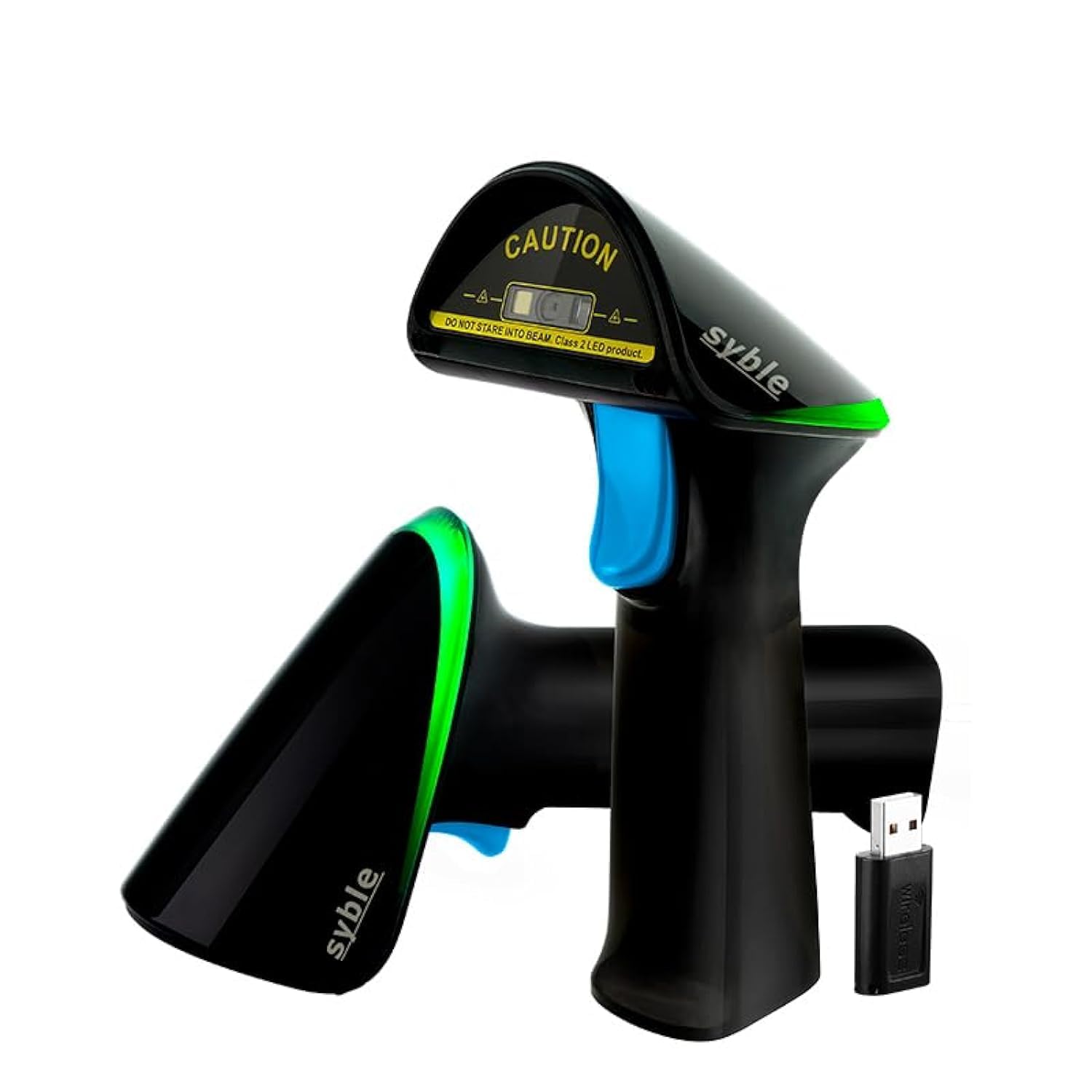
Imatge: The Syble D20R 2D QR Wireless Barcode Scanner, showcasing its compact and ergonomic design. The scanner is black with a prominent scanning window and a trigger button, designed for comfortable handheld operation.