
Introducció
This manual provides comprehensive instructions for the safe and efficient use of your DOOGEE N50PRO smartphone. Please read this manual thoroughly before operating your device and retain it for future reference. The DOOGEE N50PRO is an Android 13 smartphone equipped with an Octa-Core processor, a 6.52-inch HD+ display, a 50MP main camera, a 4200mAh battery, and supports 4G Dual SIM, Face ID, and Fingerprint ID.
Contingut del paquet
Verifiqueu que tots els elements següents s'inclouen al paquet del producte:
- DOOGEE N50PRO Smartphone
- Caixa d'embalatge
- Carregador (9V/2A)
- Cable USB-Type C
- Pin de la targeta SIM
- Pre-applied TP Protective Film
- Manual d'usuari (aquest document)
Configuració
1. Instal·lació de la targeta SIM i la targeta TF
The DOOGEE N50PRO supports dual Nano SIM cards or one Nano SIM card and one TF (MicroSD) card for expandable storage up to 1TB. Ensure the device is powered off before inserting or removing cards.
- Localitza la safata de la targeta SIM al lateral del telèfon.
- Introduïu el pin de la targeta SIM al forat petit que hi ha al costat de la safata per expulsar-la.
- Traieu la safata amb cura.
- Place your Nano SIM card(s) and/or TF card into the designated slots on the tray. Ensure the gold contacts face downwards.
- Empenyeu suaument la safata cap al telèfon fins que encaixi al seu lloc.
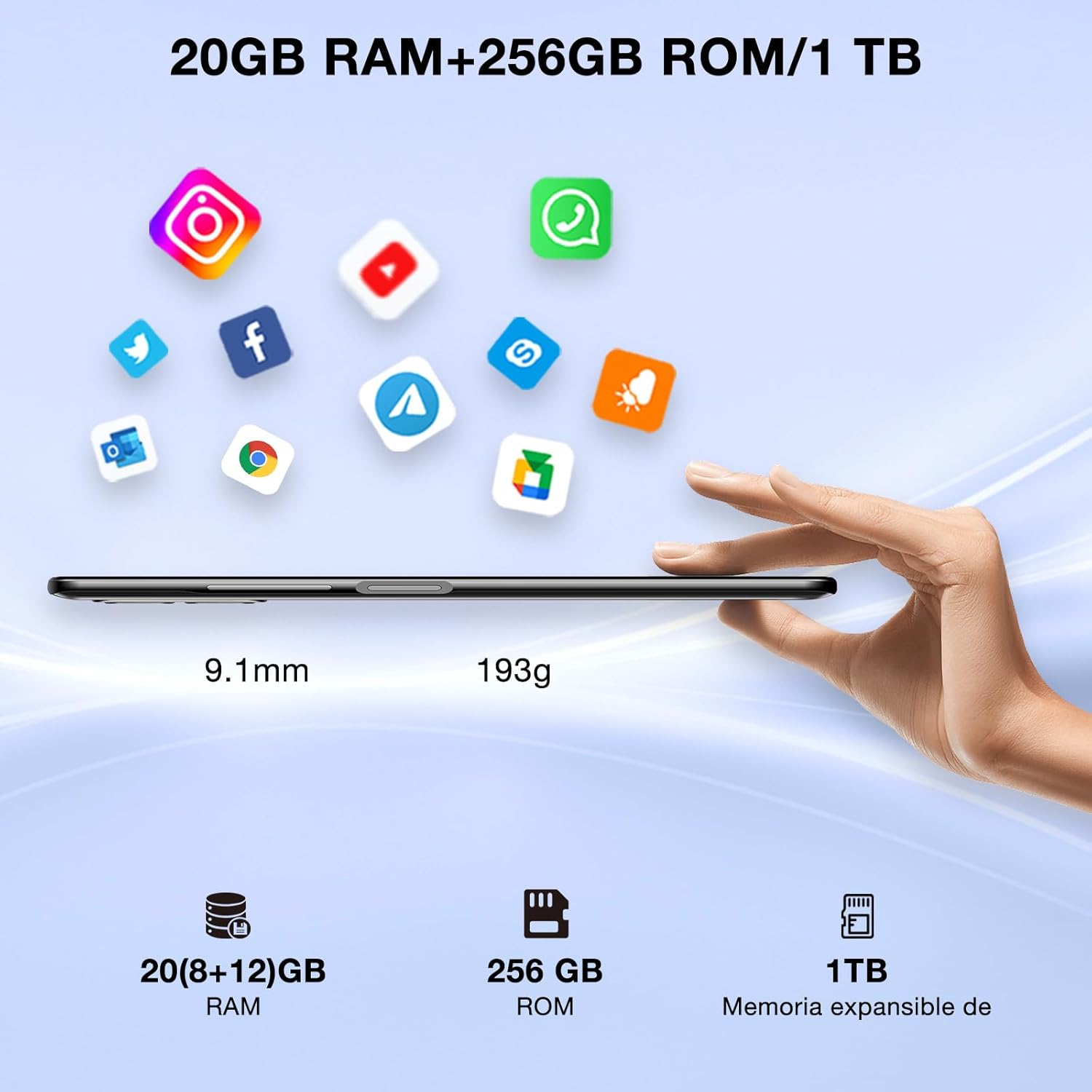
Image: DOOGEE N50PRO smartphone showing its slim profile (9.1mm), weight (193g), and memory configuration (20GB RAM, 256GB ROM, 1TB expandable memory).
2. Engegada inicial
Press and hold the Power button located on the side of the device until the DOOGEE logo appears. Follow the on-screen prompts to complete the initial setup, including language selection, Wi-Fi connection, and Google account setup.
3. Carregant la bateria
Before first use, it is recommended to fully charge the device. Connect the USB Type-C cable to the phone's charging port and the other end to the provided 9V/2A charger. Plug the charger into a power outlet. The charging indicator will appear on the screen.

Image: DOOGEE N50PRO connected to a charger, illustrating its 4200mAh battery capacity and 18W fast charging capability. The image also highlights OTG reverse charging.
Instruccions de funcionament
1. Basic Navigation and Android 13 Features
Your DOOGEE N50PRO runs on Android 13, offering an intuitive user experience. Swipe down from the top of the screen to access the notification panel and quick settings. Customize your control center and direct access operations for efficient use of various functions.

Image: Visual representation of the DOOGEE N50PRO's internal components, highlighting the Spreadtrum T606 Octa-Core processor with 1.6GHz high frequency and 12nm advanced technology, running on Android 13.
2. Security Features: Face ID and Fingerprint ID
Enhance your device's security and convenience with advanced biometric authentication:
- Identificació facial: Register your face to unlock the phone by simply looking at the front camera.
- Identificador d'empremta digital: Register your fingerprint(s) to unlock the phone or authorize purchases with a touch. The fingerprint sensor is typically located on the side or back of the device.

Image: A user demonstrating Face ID unlock and a close-up of the Fingerprint ID sensor on the DOOGEE N50PRO, showcasing its multi-function security features.
3. Ús de la càmera
The DOOGEE N50PRO features a triple camera system:
- Càmera principal de 50 MP: Per a fotos d'alta resolució.
- 8 MP Front Camera: Per a selfies i videotrucades.
- Càmera macro de 2 MP: Per a primers plans detallats.
Access the Camera app from your home screen or app drawer. Explore various modes such as Panorama, Portrait, and Night mode to capture different scenes effectively.

Image: Diagram illustrating the DOOGEE N50PRO's dual AI camera setup, featuring a 50MP main camera, an 8MP front camera, and a 2MP macro camera. Sample photos taken with the 50MP main and 8MP front cameras are also shown.
4. Connectivitat
- Wi-Fi: Supports 2.4G/5G Wi-Fi for fast and stable internet connection. Go to Settings > Network & internet > Wi-Fi to connect to available networks.
- Bluetooth 5.0: For connecting wireless accessories like headphones or speakers. Go to Settings > Connected devices > Bluetooth.
- OTG (On-The-Go): Allows the phone to act as a host to connect USB devices like flash drives or external keyboards. It also supports reverse charging for other devices.
- Navegació: Integrated GPS, GLONASS, BeiDou, and Galileo for accurate location services.
- Ràdio FM: Use the built-in FM radio feature (requires headphones to act as an antenna).
- Presa d'auriculars de 3.5 mm: Per a accessoris d'àudio amb cable.
5. Control parental
The device includes parental control features, allowing you to monitor and manage screen time and application usage for children. Access these settings through the device's system settings to balance usage effectively.
Manteniment
1. Cura de la bateria
- Eviteu exposar la bateria a temperatures extremes (calor o fred).
- Do not fully discharge the battery frequently. Charge it before it drops below 20%.
- Use only the provided charger and cable to prevent damage.
2. Neteja
Feu servir un drap suau i sense borrissol per netejar la pantalla i la carcassa del telèfon. Eviteu utilitzar productes químics agressius o materials abrasius. Per a taques difícils, fregueu lleugerament.ampNetegeu el drap amb aigua o un netejador de pantalles dissenyat per a electrònica.
3. Actualitzacions de programari
Comproveu i instal·leu regularment si hi ha actualitzacions de programari per assegurar-vos que el dispositiu tingui les funcions, els pegats de seguretat i les millores de rendiment més recents. Aneu a Configuració > Sistema > Actualització del sistema.
Resolució de problemes
- El dispositiu no s'encén: Assegureu-vos que la bateria estigui carregada. Connecteu el carregador i espereu uns minuts abans d'intentar tornar-lo a engegar.
- La pantalla no respon: Try restarting the device by holding the Power button for about 10-15 seconds.
- Problemes de xarxa: Check if your SIM card is properly inserted. Try toggling Airplane Mode on and off. If issues persist, contact your mobile service provider.
- Les aplicacions es bloquegen: Clear the cache of the problematic app (Settings > Apps > [App Name] > Storage & cache > Clear cache). If the issue continues, consider reinstalling the app.
- Rendiment lent: Tanca les aplicacions que no fas servir, esborra la memòria cau o considera un restabliment de fàbrica com a últim recurs (primer fes una còpia de seguretat de les dades).
Especificacions
| Característica | Especificació |
|---|---|
| Nom del model | DOOGEE N50PRO |
| Sistema operatiu | Android 13.0 |
| Processador | Octa-Core (Spreadtrum T606) |
| RAM | 20 GB (Extended Memory) |
| Emmagatzematge intern (ROM) | 256 GB |
| Emmagatzematge ampliable | Fins a 1 TB (targeta TF) |
| Mida de la pantalla | 6.52 polzades |
| Resolució de visualització | HD+ (720x1600) |
| Càmera principal | 50 MP |
| Càmera frontal | 8 MP |
| Càmera macro | 2 MP |
| Capacitat de la bateria | 4200 mAh |
| Carregant | Càrrega ràpida tipus C de 18 W |
| Tecnologia cel·lular | 4G |
| Tipus de targeta SIM | Nano SIM (Dual SIM support) |
| Connectivitat | Wi-Fi (2.4G/5G), Bluetooth 5.0, OTG, FM Radio |
| Navegació | GPS, GLONASS, BeiDou, Galileo |
| Característiques de seguretat | Face ID, Fingerprint ID |
| Dimensions | 165.8 x 76.2 x 9.1 mm |
| Pes | 187 g |
| Conector d'auriculars | 3.5 mm |
| Temps de conversa | Fins a 16 hores |

Image: The DOOGEE N50PRO's 6.52-inch Waterdrop HD+ display, showing its 720x1600 resolution, 20:9 aspect ratio, and 86% screen-to-body ratio.
Garantia i Suport
1. Informació de la garantia
Your DOOGEE N50PRO smartphone comes with a garantia oficial de dos anys from the date of purchase. Please retain your proof of purchase for warranty claims. This warranty covers manufacturing defects and malfunctions under normal use conditions.
2. Atenció al client
For technical assistance, warranty claims, or further inquiries, please contact DOOGEE customer support through their official website or the contact information provided with your purchase. Ensure you have your device model number and proof of purchase ready when contacting support.