
neza S1
neza Portable Bluetooth Speaker S1 User Manual
Model: S1
1. Introducció
Thank you for choosing the neza Portable Bluetooth Speaker S1. This speaker is designed to provide high-quality audio with dynamic RGB lighting, making it ideal for various settings, from home use to outdoor adventures. Its robust design and versatile connectivity options ensure an enjoyable listening experience.

Figure 1.1: neza Portable Bluetooth Speaker S1 in a waterproof setting.
2. Què hi ha a la caixa
Si us plau, comproveu el contingut del paquet en obrir-lo:
- neza Portable Bluetooth Speaker S1 x 1
- Cable de càrrega USB-C x 1
- Manual d'usuari x 1
- Auxiliary Audio Cable x 1 (Optional, may vary by package)

Figura 2.1: Contingut del paquet i dimensions del producte.
3. Producte acabatview
Característiques clau
- 20W HD Stereo Sound: Equipped with two 10W speakers for clear and powerful audio.
- Vibrant RGB Lighting: Dynamic light effects that sync with music, creating an immersive atmosphere.
- IPX7 Impermeable: Designed to withstand submersion in water, making it suitable for various environments.
- Temps de joc llarg: Up to 18 hours of continuous music playback on a single charge (at 50% volume with lights off).
- Bluetooth 5.1: Ensures fast, stable, and efficient wireless connection up to 100 feet.
- Múltiples modes de joc: Supports Bluetooth, FM radio, USB drive, and AUX input.
- Micròfon integrat: For convenient hands-free calling.
- Disseny portàtil: Compact and lightweight with an integrated strap for easy carrying.
Internal Structure and Sound
The speaker features an optimized internal design with dual drivers to deliver balanced audio with crisp highs, powerful mids, and ample bass.

Figure 3.1: Internal structure and sound components.
Disseny portàtil i durador
Weighing approximately 1.01 pounds and standing 6.69 inches tall, the speaker is designed for portability. Its IPX7 rating ensures protection against water, dust, and shock, making it suitable for outdoor use.

Figure 3.2: Portable and durable design for outdoor use.
4. Configuració
Carregant l'altaveu
Before first use, fully charge the speaker. Connect the provided USB-C charging cable to the speaker's charging port and the other end to a USB power adapter (not included) or a computer's USB port. The charging indicator light will show the charging status.
- Capacitat de la bateria: 4400 mAh
- Temps de càrrega: aproximadament de 3 a 4 hores per a una càrrega completa.
- Playtime: Up to 18 hours (at 50% volume, lights off).

Figura 4.1: Informació sobre la bateria i la càrrega.
Encès/Apagat
To power on the speaker, long press the Power button. You will hear an audible prompt. To power off, long press the Power button again.
5. Instruccions de funcionament
Funcions del botó
L'altaveu disposa de botons intuïtius per a un control fàcil:

Figure 5.1: Speaker button functions.
- Botó d'encendre (⏻):
- Long press: Power on/off, Reject calls.
- Short press: Play/Pause, Answer/Hang up calls.
- Pista anterior / Baixar volum (⏴⏴ / V-):
- Long press: Previous song.
- Short press: Volume down.
- Botó de mode (M):
- Short press: Mode switching (Bluetooth, FM, USB, AUX).
- Long press: Clear pairing information (in Bluetooth mode).
- Pista següent / Pujar volum (⏵⏵ / V+):
- Long press: Next song.
- Short press: Volume up.
- Light Switch Button (💡):
- Short press: Switch RGB colorful light show modes.
Emparellament Bluetooth
1. Power on the speaker. It will automatically enter Bluetooth pairing mode, indicated by a flashing light and an audible prompt.
2. On your device (smartphone, tablet, etc.), enable Bluetooth and search for available devices.
3. Select "S1" from the list of devices. Once connected, you will hear a confirmation sound.
4. The speaker will automatically reconnect to the last paired device when powered on, if within range.
Múltiples modes de joc
The neza S1 speaker supports various audio input methods:
- Mode Bluetooth: Connect wirelessly to your Bluetooth-enabled devices.
- Mode de ràdio FM: Short press the 'M' button to switch to FM mode. The speaker will automatically scan and save available radio stations. Use the Previous/Next track buttons to navigate stations.
- USB Disk Mode: Insert a USB flash drive into the USB port. The speaker will automatically play audio files de la unitat.
- Mode AUX: Connect an external audio device using a 3.5mm auxiliary cable (not included) to the AUX port. The speaker will automatically switch to AUX mode.
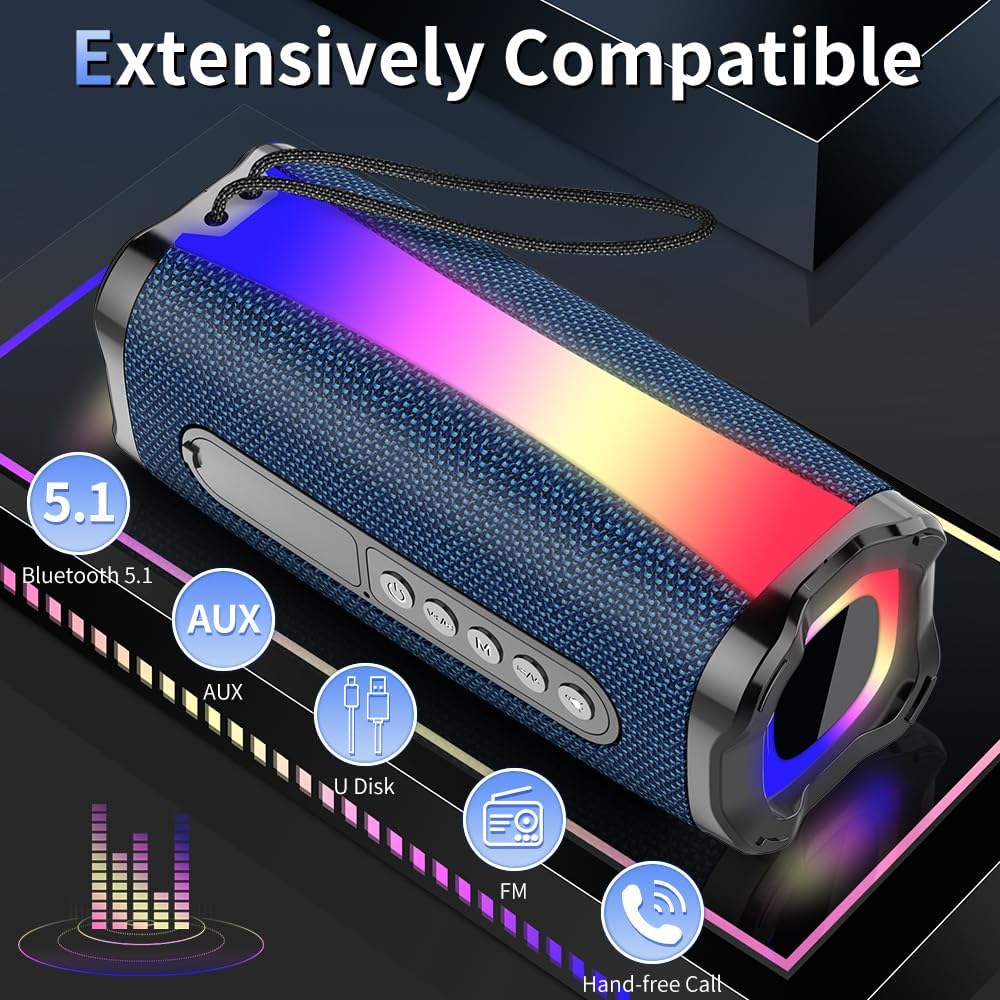
Figure 5.2: Multiple connectivity options.
Control d'il·luminació RGB
The speaker features dynamic RGB lighting. Short press the Light Switch button to cycle through different light modes or turn the lights off. The lights flash and shine to the beat of the music, enhancing the listening experience.
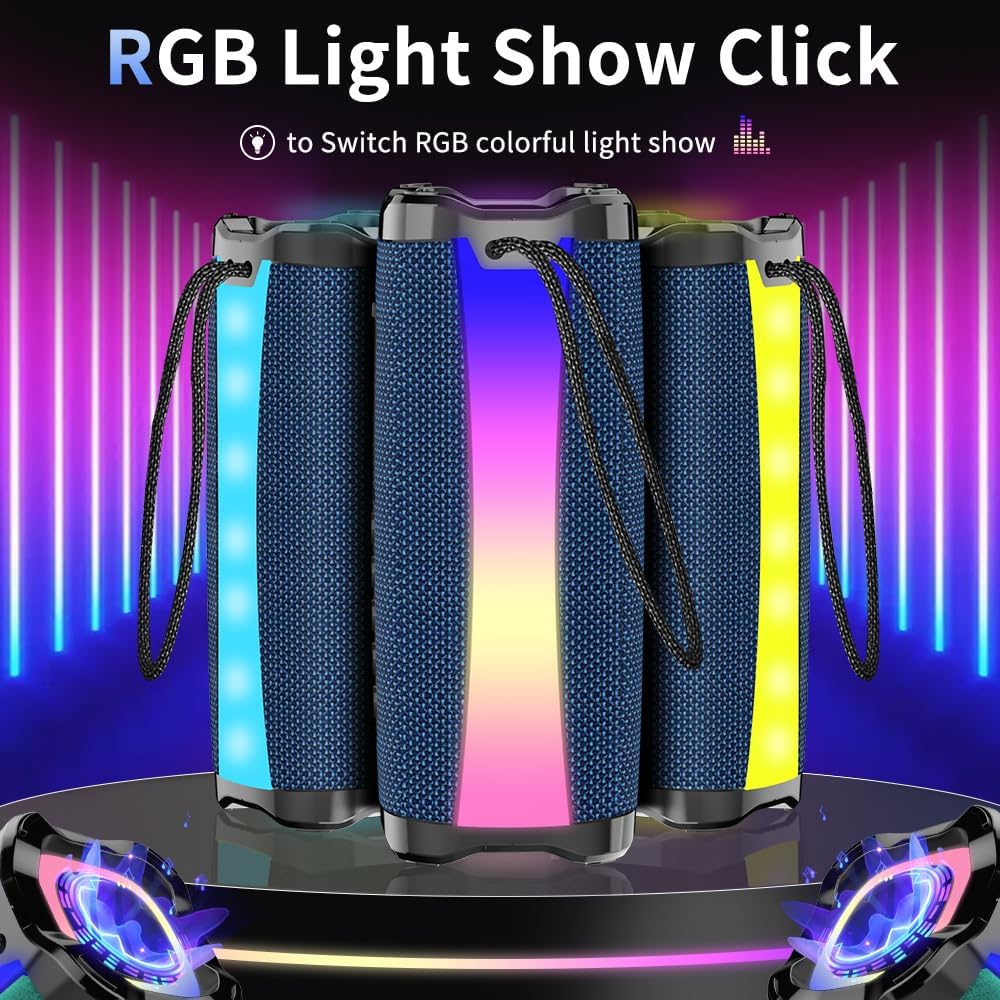
Figure 5.3: RGB light show demonstration.
6. Manteniment
Neteja
Netegeu l'altaveu amb un suau, damp cloth. Do not use abrasive cleaners, alcohol, or other chemical solvents, as these may damage the surface or internal components.
Emmagatzematge
Store the speaker in a cool, dry place away from direct sunlight and extreme temperatures. If storing for an extended period, charge the battery every 3 months to maintain its lifespan.
Impermeabilització
The speaker is IPX7 waterproof, meaning it can be submerged in up to 1 meter of water for 30 minutes. Ensure the charging port cover is securely closed before exposing the speaker to water. Do not expose to saltwater or other chemicals.
7. Solució De Problemes
If you encounter issues with your neza Portable Bluetooth Speaker S1, please refer to the following common problems and solutions:
| Problema | Causa possible | Solució |
|---|---|---|
| L'altaveu no s'encén. | La bateria està baixa o esgotada. | Carregueu completament l'altaveu amb el cable USB-C proporcionat. |
| No es pot emparellar amb un dispositiu Bluetooth. | Speaker is not in pairing mode; device's Bluetooth is off; too far from speaker; previously paired device is connected. | Ensure speaker is in pairing mode (flashing light). Turn on Bluetooth on your device. Move device closer to speaker. Disconnect from other Bluetooth devices or long press 'M' button to clear pairing info. |
| Sense so o amb un volum baix. | Volume too low on speaker or device; incorrect mode selected; audio cable not fully inserted. | Increase volume on both speaker and device. Press 'M' button to cycle through modes. Ensure AUX cable is fully inserted. |
| Les llums RGB no funcionen. | Els llums estan apagats o en mode estàtic. | Short press the Light Switch button to activate or change light modes. |
| Mala recepció de ràdio FM. | Senyal feble; interferències ambientals. | Move the speaker to a location with better signal. Extend the antenna if available (not explicitly mentioned but common for FM). |
8. Especificacions
| Característica | Detall |
|---|---|
| Nom del model | S1 |
| Marca | nesa |
| Tipus d'altaveu | Altaveu Bluetooth portàtil |
| Potència de sortida màxima dels altaveus | 20 watts (2 x 10 W) |
| Tecnologia de connectivitat | Bluetooth 5.1, USB, AUX, FM Radio |
| Interval Bluetooth | Fins a 100 metres (330 peus) |
| Capacitat de la bateria | Polímer de liti de 4400 mAh |
| Hora de joc | Up to 18 hours (at 50% volume, lights off) |
| Classificació impermeable | IPX7 |
| Dimensions del producte (P x A x A) | 2.36" x 2.36" x 6.6" (60 mm x 60 mm x 168 mm aprox.) |
| Pes de l'article | 1.48 lliures (0.67 kg) |
| Micròfon incorporat | Sí |
| Il·luminació RGB | Yes, with multiple modes |
9. Garantia i Suport
Garantia limitada
The neza Portable Bluetooth Speaker S1 comes with a limited warranty. Please refer to the official user guide (PDF) or contact neza customer support for detailed warranty terms and conditions. This warranty typically covers manufacturing defects and workmanship under normal use.
Atenció al client
For any questions, technical assistance, or warranty claims, please contact neza customer support through the retailer's platform or the official neza website. Please have your product model (S1) and purchase information ready when contacting support.
Ask a question about this manual
Ask about setup, troubleshooting, compatibility, parts, safety, or missing instructions. Manuals+ will review the question and use this page’s manual context to help answer it.