
ODK UK-SBJCFZ
ODK Computer Desk with Shelves User Manual
Model: UK-SBJCFZ
Introducció
Thank you for choosing the ODK Computer Desk with Shelves. This manual provides detailed instructions for assembly, operation, maintenance, and troubleshooting to ensure you get the most out of your new workstation. Please read this manual thoroughly before beginning assembly or use.
Muntatge i muntatge
The ODK Computer Desk is designed for straightforward assembly. We recommend having two people for the assembly process, which typically takes about 20-30 minutes. All necessary tools are included in the package.
Abans de començar
- Unpack all components and verify against the parts list (not provided in this manual, refer to included physical instructions).
- Clear a spacious area for assembly to prevent damage to components or flooring.
- Keep all screws and small parts organized to avoid loss.
El muntatge s'acabaview
- Assemble the main desk frame using the provided screws and Allen wrench. Ensure all connections are secure but do not overtighten until all parts are aligned.
- Attach the desktop panels to the assembled frame.
- Install the monitor stand onto the desktop.
- Assemble and attach the side storage shelves. Note that the shelf height is adjustable, and the bottom shelf can be removed for larger items like a computer tower.
- Once all components are in place, fully tighten all screws.
- Adjust the table foot pads to ensure stability and prevent wobbling on uneven floors.

Figure 1: Detailed dimensions of the ODK Computer Desk, including the monitor stand and side shelves. This diagram is crucial for planning your space and understanding the desk's footprint.

Figure 2: The ODK Computer Desk integrated into a home office environment, showcasing its modern design and ampl'espai de treball.
Funcionament i característiques
The ODK Computer Desk is designed to enhance your productivity and comfort with its thoughtful features.
Elevated Monitor Stand
The integrated monitor stand, measuring approximately 4 inches in height, elevates your screen(s) to an ergonomic viewing level. This helps reduce neck and back strain during long periods of use. It is spacious enough to accommodate two computer monitors.
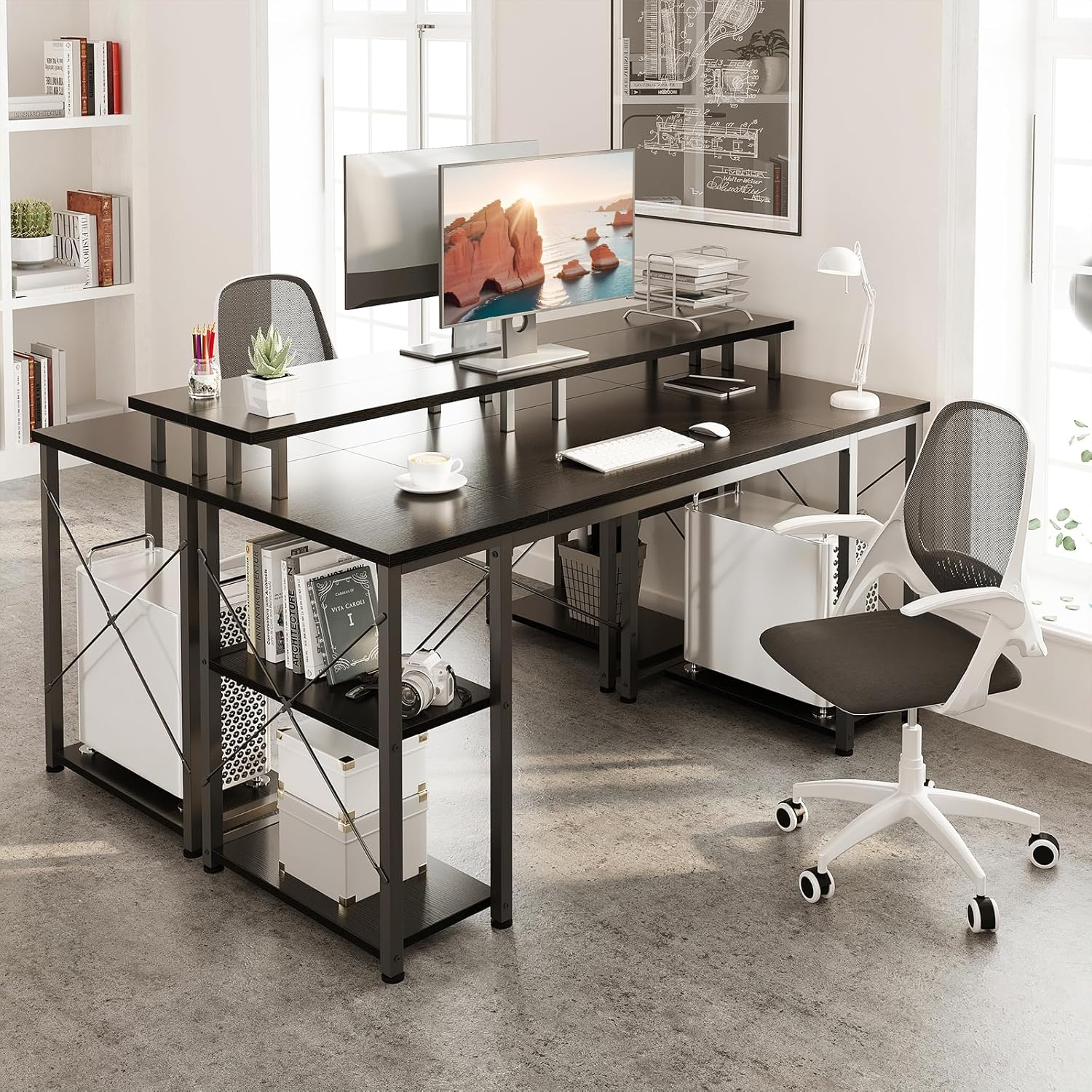
Figure 3: Illustration demonstrating the ergonomic benefits of the elevated monitor stand, promoting better posture and reducing strain compared to a lower screen position.
Ampl Espai d'emmagatzematge
The desk features open shelves on the side, providing convenient storage for books, documents, office supplies, and other essentials. The shelves are designed to keep your workspace organized and clutter-free. The height of the shelves is adjustable to two levels, allowing you to customize the storage for different-sized items, including a computer host.
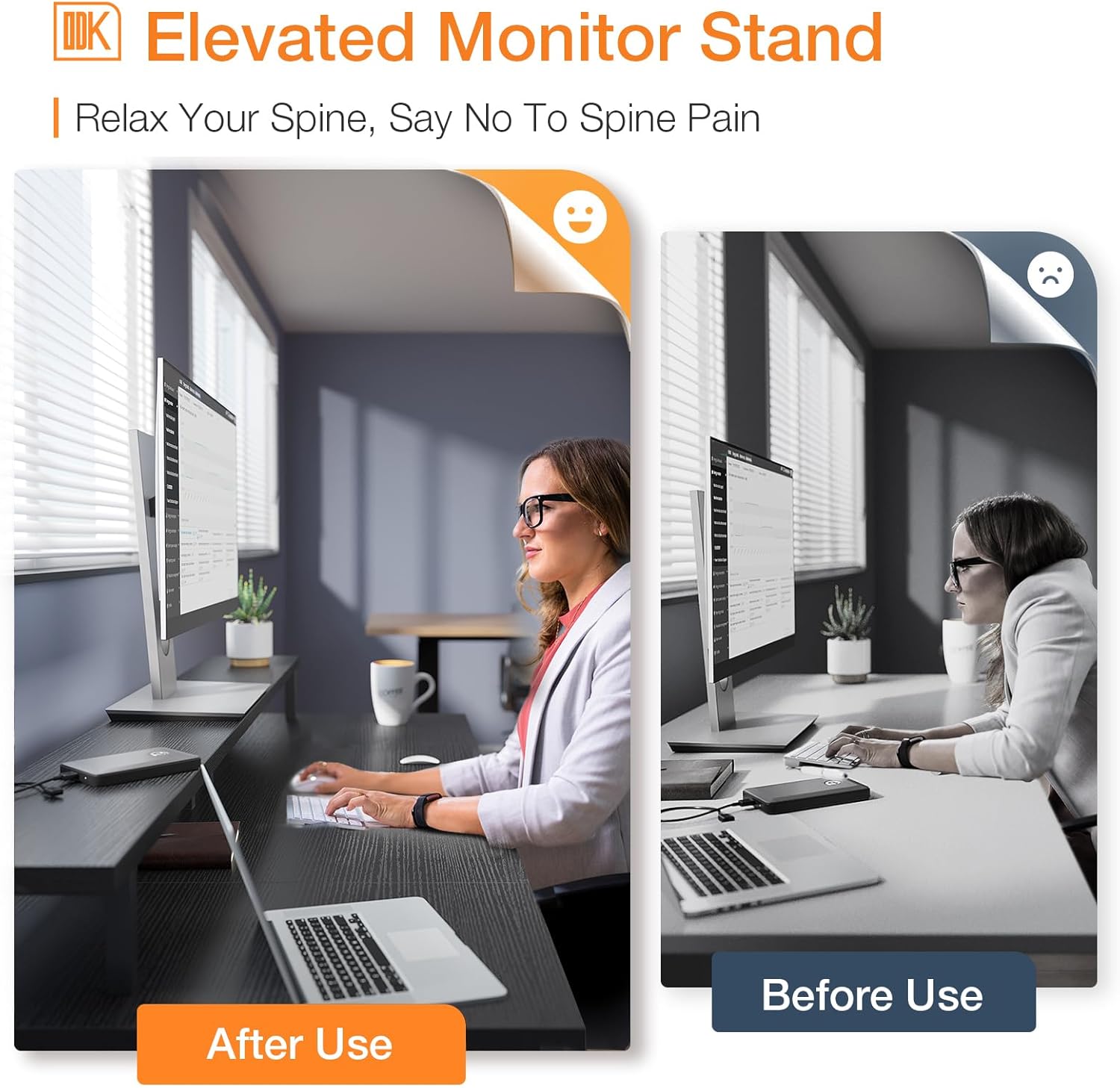
Figura 4: Representació visual de la ample storage space provided by the side shelves, highlighting the flexibility to accommodate various items, including a computer tower by removing the bottom shelf.

Figure 5: The ODK Computer Desk set up with dual monitors and a gaming PC, demonstrating its capacity and suitability for a comprehensive workstation.
Manteniment i cura
To ensure the longevity and appearance of your ODK Computer Desk, follow these simple maintenance guidelines:
- Neteja: The desk's surface is waterproof and scratch-resistant. For daily cleaning, wipe with a soft, damp cloth. For stubborn stains, a mild soap solution can be used, followed by drying with a clean cloth. Avoid abrasive cleaners or harsh chemicals.
- Comprovació d'estabilitat: Periodically check all screws and connections to ensure they remain tight. Retighten if necessary to maintain the desk's stability.
- Eviteu el pes excessiu: While sturdy, avoid placing excessively heavy items on the desk or shelves beyond their intended capacity.
- Condicions ambientals: Keep the desk away from direct sunlight and extreme temperature fluctuations to prevent material degradation.
Resolució de problemes
If you encounter any issues with your ODK Computer Desk, please refer to the following common troubleshooting tips:
Desk Wobbles or is Unstable
- Check All Screws: Ensure all assembly screws are fully tightened. Loose connections are a common cause of instability.
- Ajustar les coixinetes dels peus: The desk is equipped with adjustable foot pads. Rotate them to compensate for uneven flooring until the desk is stable.
- Re-assembly Check: If wobbling persists, carefully review the assembly instructions to ensure all parts, especially the frame components, are oriented correctly. Sometimes, parts can appear similar but have subtle differences in hole alignment.
Dificultat durant el muntatge
- Review Instruccions: Double-check each step of the assembly manual. Pay close attention to diagrams and part numbers.
- Orientació de la part: Some parts may have specific orientations (e.g., holes facing inward or outward). If a part doesn't fit easily, do not force it; re-examine its orientation.
- Do Not Overtighten Prematurely: Keep screws slightly loose until all major components are connected. This allows for minor adjustments and alignment before final tightening.
If these steps do not resolve your issue, please contact customer support as detailed in the Warranty and Support section.
Especificacions del producte
| Característica | Detall |
|---|---|
| Marca | ODK |
| Número de model | UK-SBJCFZ |
| Color | Negre |
| Dimensions del producte | 120D x 50W x 86.5H cm (48 Inch Capacity) |
| Pes d'enviament | 16.07 quilos |
| Material primari | Metall, Fusta dissenyada |
| Material superior | Metall |
| Tipus d'acabat | Recobert de pols |
| Estil | Modern |
| Nombre de prestatgeries | 1 (ajustable) |
| Característiques especials | Built-In Monitor Stand, Adjustable Shelf Height |
| Muntatge obligatori | Sí |
Garantia i Suport
ODK is committed to providing high-quality products and excellent customer service.
- Política de devolució: A 1-year no-reason return policy is offered for this product. Please refer to your purchase platform's specific return procedures.
- Atenció al client: Lifetime customer service is provided for all ODK products. If you have any product problems, questions, or require assistance with assembly or troubleshooting, please do not hesitate to contact ODK customer support.
- Pla de protecció: An optional 1-Year Protection Plan by Salama Care (Email Delivery) may be available for purchase separately. Please check the product listing for details.
For direct support, please refer to the contact information provided with your purchase documentation or visit the official ODK store page on the platform where you purchased the product.
Ask a question about this manual
Ask about setup, troubleshooting, compatibility, parts, safety, or missing instructions. Manuals+ will review the question and use this page’s manual context to help answer it.