
1. Introducció
Thank you for choosing the ODK XSD-CJJJZ02 Computer Desk. This desk is designed for home and office use, featuring a spacious tabletop, a side storage bag, and a headphone hook for enhanced organization. Its stable construction and modern design make it a functional addition to any workspace. This manual provides detailed instructions for assembly, usage, and maintenance to ensure optimal performance and longevity of your desk.
2. Informació de seguretat
Si us plau, llegiu tots els avisos de seguretat abans del muntatge i l'ús.
- Ensure the desk is properly anchored to prevent tipping, especially if heavy items are placed on it or if it is used in an unstable environment.
- Handle all components with care during assembly to avoid injury.
- Mantingueu les peces petites i els materials d'embalatge lluny dels nens per evitar perills d'asfixia.
- Do not overload the desk. Refer to the specifications for weight capacity.
- Eviteu col·locar objectes calents directament sobre la superfície de l'escriptori sense protecció.
3. Contingut del paquet
Abans de començar el muntatge, verifiqueu que totes les peces que s'enumeren a continuació siguin presents i no estiguin danyades. Si hi ha alguna peça que falti o estigui danyada, poseu-vos en contacte amb el servei d'atenció al client.
- Desk Panels (Tabletop sections)
- Components de l'estructura d'acer (potes, barres de suport)
- Hardware Pack (Screws, bolts, Allen wrench)
- Side Storage Bag
- Ganxo per a auriculars
- Coixinets de peu ajustables
- Manual d'instruccions
4. Instruccions de muntatge i instal·lació
Assembly of the ODK Computer Desk typically takes 20 to 30 minutes. Follow these steps carefully:
- Desempaquetar i identificar les peces: Lay out all components on a clean, soft surface to prevent scratches. Refer to the parts list to identify each piece.
- Muntar el marc: Attach the steel frame components together using the provided screws and Allen wrench. Ensure all connections are secure but do not overtighten initially.
- Fixeu els panells de la taula: Carefully place the tabletop panels onto the assembled frame. Align the pre-drilled holes and secure the panels to the frame using the appropriate screws. Tighten all screws firmly once the tabletop is in place.
- Instal·leu les coixinetes ajustables per als peus: Screw the adjustable foot pads into the bottom of the desk legs. These can be adjusted later to level the desk on uneven floors.
- Adjuntar accessoris: Install the side storage bag and headphone hook to the designated locations on the desk frame or tabletop edge as per the detailed diagrams in the included manual.

Figure 4.1: Desk dimensions (160cm L x 55cm W x 73.5cm H) and accessory placement.
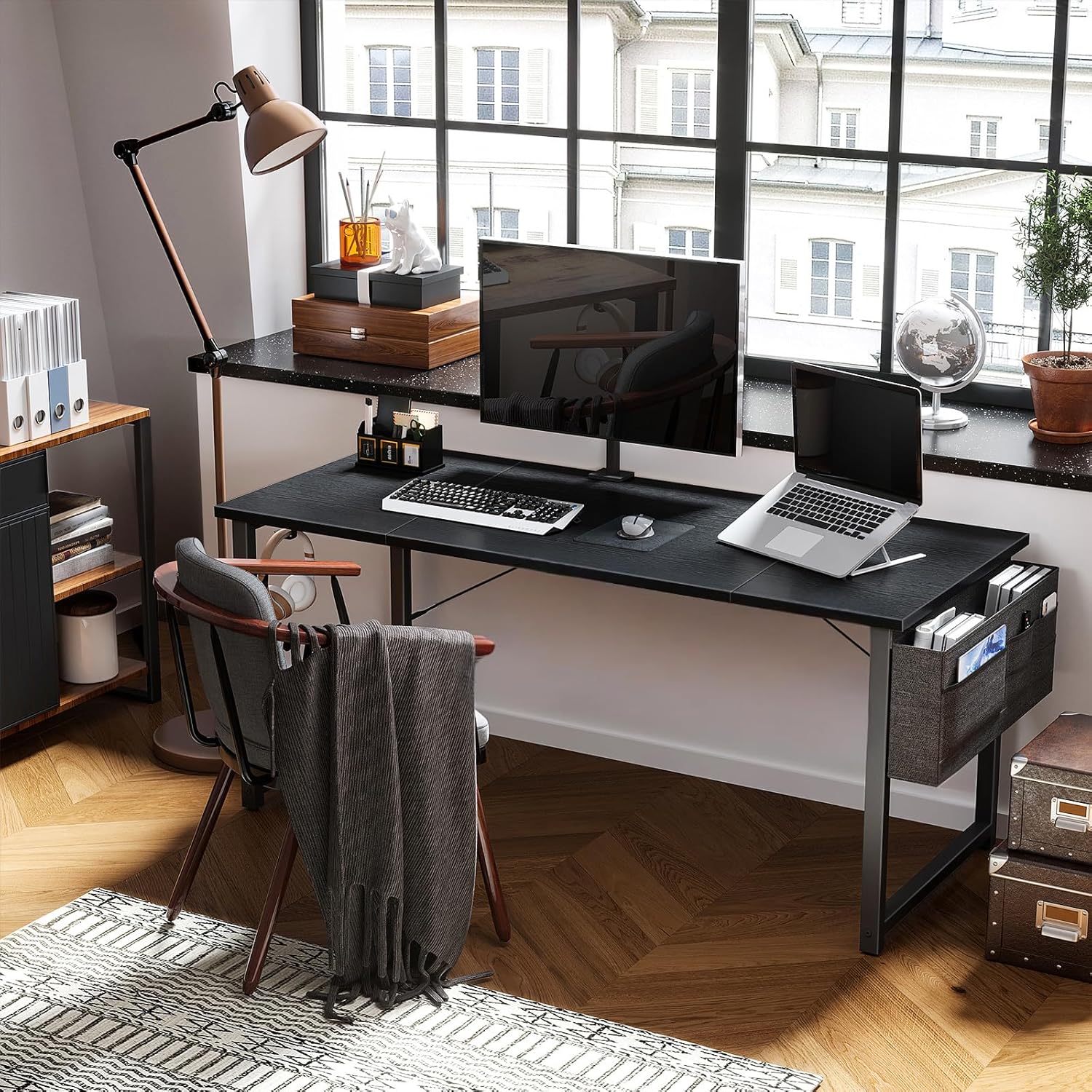
Figure 4.2: The ODK Computer Desk fully assembled and in use.
5. Instruccions d'ús
The ODK Computer Desk is designed for versatile use in various settings.
- Àmplia superfície de treball: The large tabletop accommodates a PC, laptop, monitor, keyboard, mouse, and other office essentials.
- Bossa d'emmagatzematge lateral: Utilize the fabric storage bag to keep documents, notebooks, pens, and other small items organized and within reach.
- Ganxo dels auriculars: Hang your headphones, bags, or other accessories on the integrated iron hook to keep your desk clutter-free.
- Nivell: Adjust the foot pads at the base of the legs to ensure the desk is stable and level on uneven floor surfaces. This also helps reduce noise when moving the desk.

Figure 5.1: Detail of the desk surface and the integrated headphone hook.
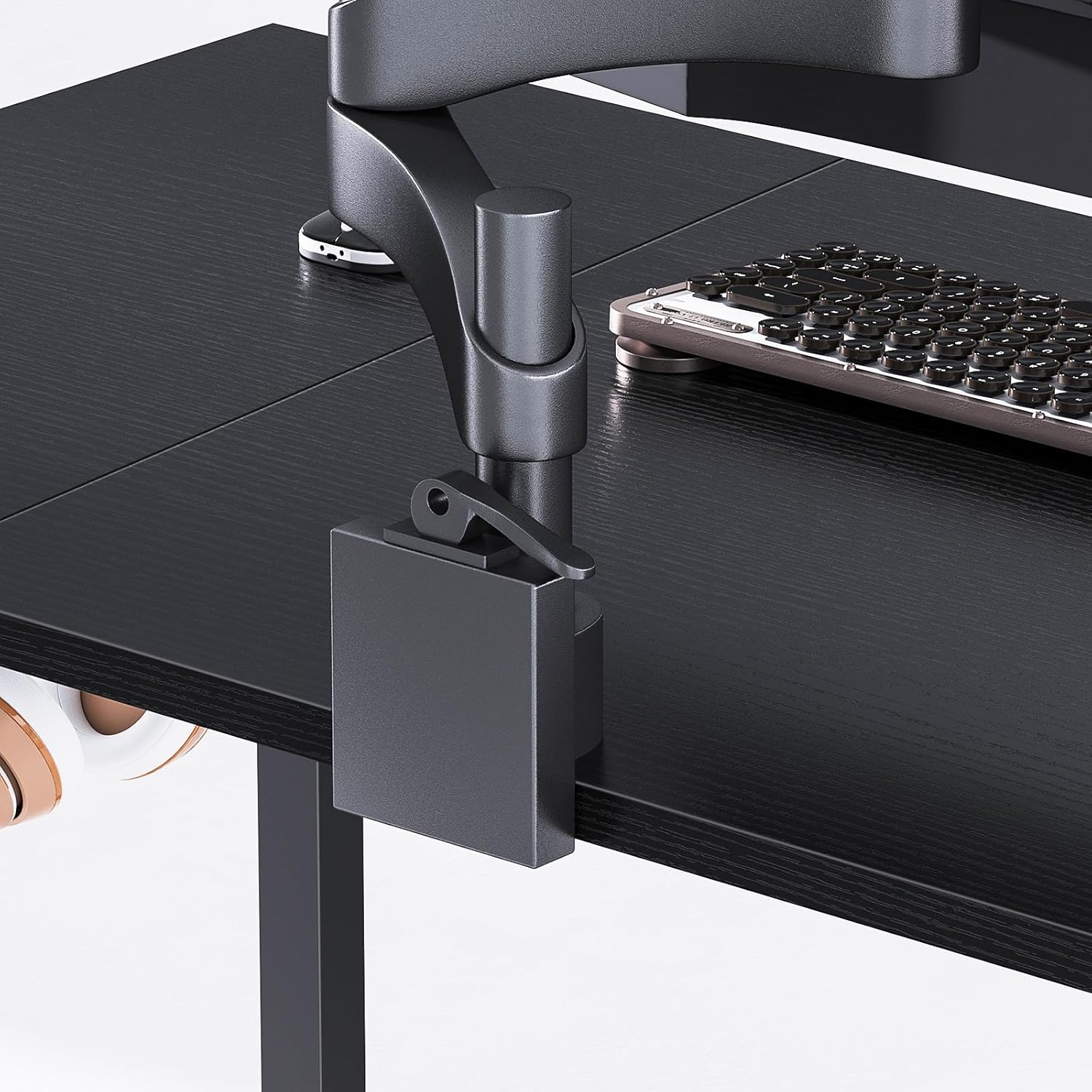
Figure 5.2: Detail of the side storage bag, showing its capacity for various items.
6. Manteniment
Proper care will help maintain the appearance and functionality of your ODK Computer Desk.
- Neteja: Netegeu la superfície de l'escriptori amb un damp drap. Per a taques difícils, utilitzeu una solució de sabó suau i eixugueu immediatament. Eviteu productes químics agressius o netejadors abrasius.
- Protecció superficial: The desk surface is designed to be scratch-resistant, collision-resistant, and waterproof. However, it is recommended to use coasters for drinks and protective pads under heavy or sharp objects to prevent potential damage.
- Cura del marc: Reviseu i estrenyeu periòdicament tots els cargols i perns per assegurar-vos que l'escriptori es mantingui estable.
- Bossa d'emmagatzematge: The fabric storage bag can be spot cleaned with a damp tela.
7. Solució De Problemes
If you encounter any issues with your ODK Computer Desk, refer to the following common solutions:
- L'escriptori és tambaleant:
Solució: Check that all assembly screws are securely tightened. Adjust the individual foot pads on the bottom of the legs to level the desk on uneven surfaces. - Esgarrapades o marques superficials:
Solució: While the surface is resistant, deep scratches can occur from sharp objects. For minor marks, a furniture polish designed for laminate surfaces may help. Always use protective pads for items that could cause damage. - Accessories Not Staying in Place:
Solució: Ensure the headphone hook and storage bag are correctly attached according to the assembly instructions. Check for any loose fasteners.
8. Especificacions
| Característica | Detall |
|---|---|
| Marca | ODK |
| Número de model | XSD-CJJJZ02 |
| Dimensions (L x A x A) | 160 x 55 x 73.5 cm (63 x 21.7 x 28.9 polzades) |
| Material | Engineered Wood (Particle Board), Metal (Steel Frame) |
| Color | Negre |
| Pes de l'article | 5.9 quilos (13 lliures) |
| Característiques especials | Headphone Hook, Side Storage Bag, Adjustable Foot Pads, Scratch-resistant, Waterproof Surface |
| Temps de muntatge | 20-30 minuts (aprox.) |
9. Garantia i Suport
Specific warranty information for the ODK XSD-CJJJZ02 Computer Desk is not provided in the product details. For warranty claims, technical support, or inquiries regarding replacement parts, please contact ODK customer service directly through their official weblloc web o el venedor on es va comprar el producte.