
Introducció
Thank you for choosing the WALI CS202N 2-Tier Floating TV Shelf. This manual provides essential information for the safe and efficient installation, operation, and maintenance of your new wall-mounted shelf. Please read these instructions thoroughly before beginning installation and retain them for future reference.
Informació de seguretat
ADVERTIMENT: Si no es segueixen aquestes instruccions de seguretat, es poden produir danys materials o lesions personals.
- Do not exceed the maximum weight capacity of 22 lbs (10 kg) per shelf. Overloading can cause instability and damage.
- Always follow the included instructions for proper installation and mounting to ensure safety and stability.
- Ensure the mounting surface (wall) can safely support the combined weight of the shelf and all attached equipment.
- Use appropriate tools and hardware for your specific wall type (e.g., brick, concrete, wood stud, drywall).
- Mantingueu els nens i les mascotes allunyats de la zona d'instal·lació durant la configuració.
- Reviseu periòdicament tots els cargols i connexions per assegurar-vos que estiguin ben ajustats i segurs.
Contingut del paquet
Verify that all components are present and undamaged before beginning installation. If any parts are missing or damaged, please contact WALI customer support.
- 1 x WALI Floating Shelf System (Walnut Brown)
- 2 x Reinforced Walnut Brown shelves
- Kit de maquinari de muntatge
- 1 x Manual d'usuari (aquest document)
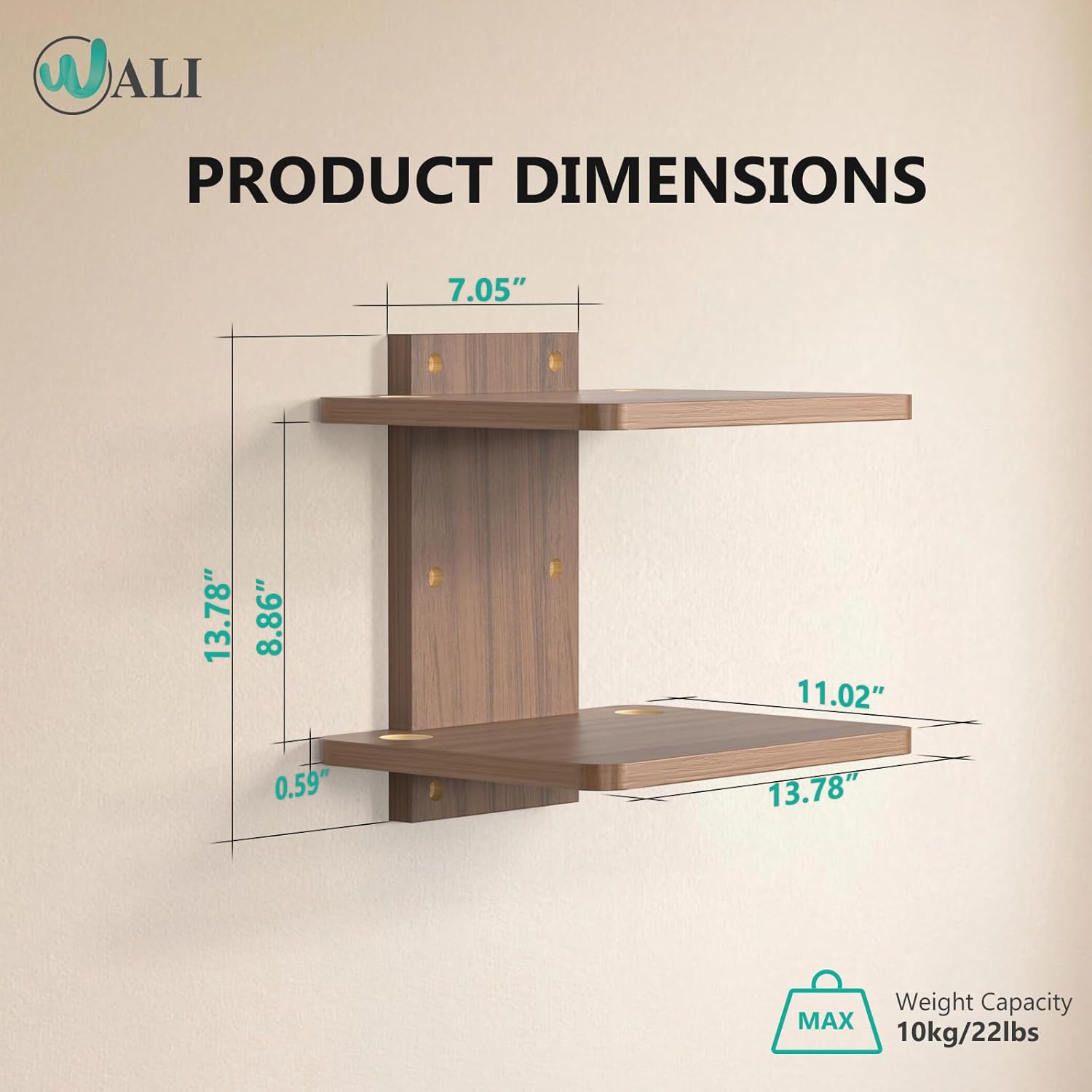
Figure 1: Product components and dimensions. The image shows the two shelves, the central mounting bracket, and key measurements.
Especificacions
| Número de model | CS202N |
| Material | Fusta |
| Color | Walnut Brown |
| Nombre de prestatgeries | 2 |
| Shelf Dimensions (each) | 35 cm de profunditat x 28 cm d'amplada x 1.5 cm d'alçada |
| Dimensions generals del producte | 13.78 "P x 11.02" W x 13.78" H |
| Capacitat màxima de pes (per prestatge) | 22 lliures (10 kg) |
| Tipus de muntatge | Muntatge de paret |
| Característiques especials | Space-saving design, Cable management holes, Rounded corners |

Figure 2: Detailed dimensions of the shelf unit.
Configuració i instal·lació
Follow these steps carefully to install your WALI Floating TV Shelf.
- Assemble the Shelf Unit:
Attach the two shelves to the central mounting bracket using the provided hardware. Ensure all connections are secure. The shelves are designed to fit snugly into the bracket.
Video 1: "One Shelf, Many Possibilities" - Demonstrates the assembly of the shelf components and its versatile uses.
- Trieu la ubicació de muntatge:
Select a wall location that is structurally sound and can support the shelf's weight. Consider the height relative to your TV or other equipment. The shelf can be mounted on brick, concrete, wood studs, or drywall (with appropriate anchors).

Figure 3: Versatile installation options for various wall types.
- Marqueu els forats de perforació:
Hold the assembled shelf unit against the wall at the desired height and use a pencil to mark the positions for the drill holes through the central mounting bracket.
- Drill Holes and Insert Anchors:
Drill pilot holes at the marked locations. For drywall, insert the appropriate wall anchors. For wood studs, brick, or concrete, use the recommended drill bit size and anchors as per the hardware kit instructions.

Figure 4: Visual guide for marking, drilling, and installing the shelf.
- Muntar el prestatge:
Align the central mounting bracket with the drilled holes and secure it to the wall using the provided screws. Ensure the shelf is level and firmly attached.
Video 2: "How to Install and Use a Floating TV Shelf" - Provides a visual walkthrough of the installation process and practical usage.
Video 3: "How to Installed your shelves" - A concise guide on mounting the shelves securely.
Instruccions d'ús
The WALI CS202N Floating TV Shelf is designed for versatile use in various settings.
- Col·locació de dispositius: Place DVD/Blu-Ray players, satellite/cable boxes, game consoles, routers, Hi-Fi and surround speakers, or other media accessories on the shelves. Ensure the weight distribution is even and does not exceed the 22 lbs (10 kg) per shelf capacity.
- Gestió de cables: Utilize the two wire holes on both sides of each shelf to route cables neatly. This helps to conceal wires, maintain an organized appearance, and prevent clutter.
- Alçada ajustable: The shelf can be mounted at any desired height to suit your entertainment system setup and free up floor space.

Figure 5: Effective cable management using integrated wire holes.

Figura 6: Example of shelf usage in a bedroom setting.
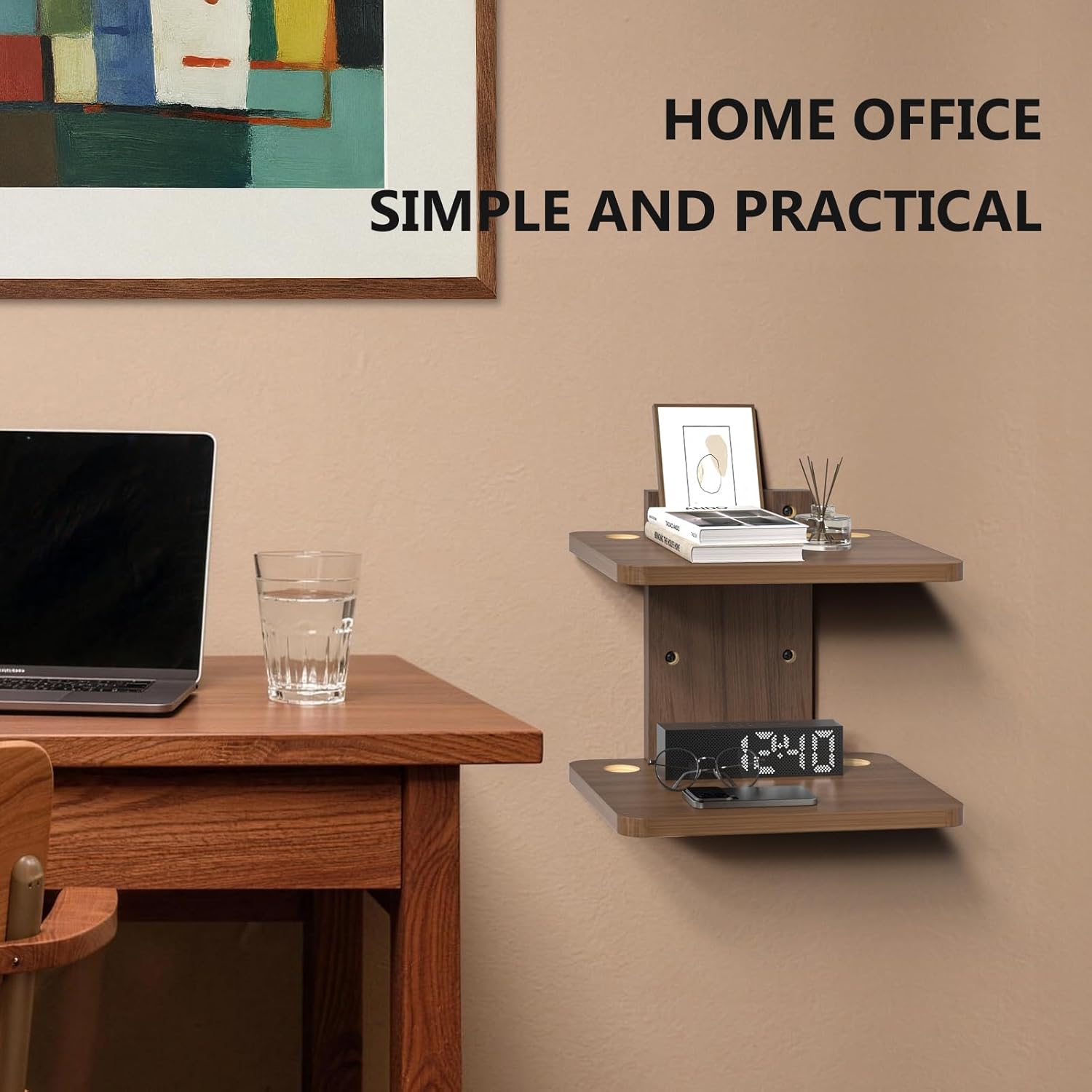
Figura 7: Example of shelf usage in a home office setting.
Manteniment
To ensure the longevity and appearance of your WALI Floating TV Shelf, follow these simple maintenance guidelines:
- Neteja: Wipe the shelves with a dry, soft cloth to remove dust and fingerprints. Avoid using abrasive cleaners or harsh chemicals, as these may damage the wood finish.
- Inspecció: Periodically inspect all mounting screws and connections to ensure they are tight. Re-tighten if necessary to maintain stability.
- Límit de pes: Always adhere to the maximum weight capacity of 22 lbs (10 kg) per shelf to prevent damage or accidents.
Resolució de problemes
If you encounter any issues with your WALI Floating TV Shelf, refer to the following common solutions:
- El prestatge sembla inestable després de la instal·lació:
- Ensure all mounting screws are fully tightened into the wall and the shelf components.
- Verify that appropriate anchors were used for your specific wall type. Drywall anchors may require specific installation techniques to ensure maximum hold.
- Check if the wall itself is structurally sound. If mounting to drywall without a stud, ensure the anchors are rated for the weight you intend to place on the shelf.
- Cables are not neatly organized:
- Utilize the integrated cable management holes on each shelf.
- Consider using cable ties or clips (not included) to bundle and secure excess cable length behind the shelf or along the wall.
- Shelf appears to be bending or sagging:
- Immediately remove items from the shelf.
- Check if the total weight on the shelf exceeds the maximum capacity of 22 lbs (10 kg).
- Re-inspect the installation for any loose connections or signs of structural fatigue in the wall or shelf components.
Garantia i Suport
WALI is committed to providing quality products and excellent customer service. While specific warranty details are not provided in this manual, WALI is a US-based company with over 5 years of experience and a dedicated support team.
If you have any questions, require assistance with installation, or encounter any issues with your product, please do not hesitate to contact WALI customer support. Our professional team is always on standby and aims to respond to emails within 12 hours to ensure you receive the best shopping experience possible.
For support, please refer to the contact information provided on the product packaging or the official WALI weblloc.