
1. Introducció
Thank you for choosing the Philips S5885/10 5000 Series Electric Shaver. This device is designed to provide a smooth and comfortable shaving experience, whether wet or dry. It features SkinIQ technology and self-sharpening ComfortCut blades that adapt to your facial contours for efficient hair removal.
This manual provides essential information on how to set up, operate, maintain, and troubleshoot your shaver to ensure optimal performance and longevity.
2. Informació de seguretat
Before using the appliance, read this user manual carefully and save it for future reference. Improper use may result in hazards or serious injury.
- ADVERTIMENT: Keep the appliance and its USB charging cable dry. Do not immerse the shaver in water while it is connected to the power supply.
- ADVERTIMENT: Aquest aparell no està pensat per ser utilitzat per persones (inclosos nens) amb capacitats físiques, sensorials o mentals reduïdes, o amb manca d'experiència i coneixements, tret que hagin rebut la supervisió o instruccions sobre l'ús de l'aparell per una persona responsable de la seva seguretat.
- ADVERTIMENT: Els nens han de ser supervisats per assegurar-se que no juguin amb l'aparell.
- Always check the appliance before use. Do not use the appliance if it is damaged.
- Only use the original USB charging cable provided with the appliance.
- Do not open the appliance to replace the battery.
- For hygiene reasons, the shaver should only be used by one person.
3. Què hi ha a la caixa
Carefully unpack the box and ensure all items are present and in good condition.
- Philips S5885/10 Electric Shaver
- Cable de càrrega USB
- Cap protector
- Raspall de neteja
- Travel Pouch (may vary by region)

Figure 1: Philips S5885/10 Electric Shaver with included travel pouch.
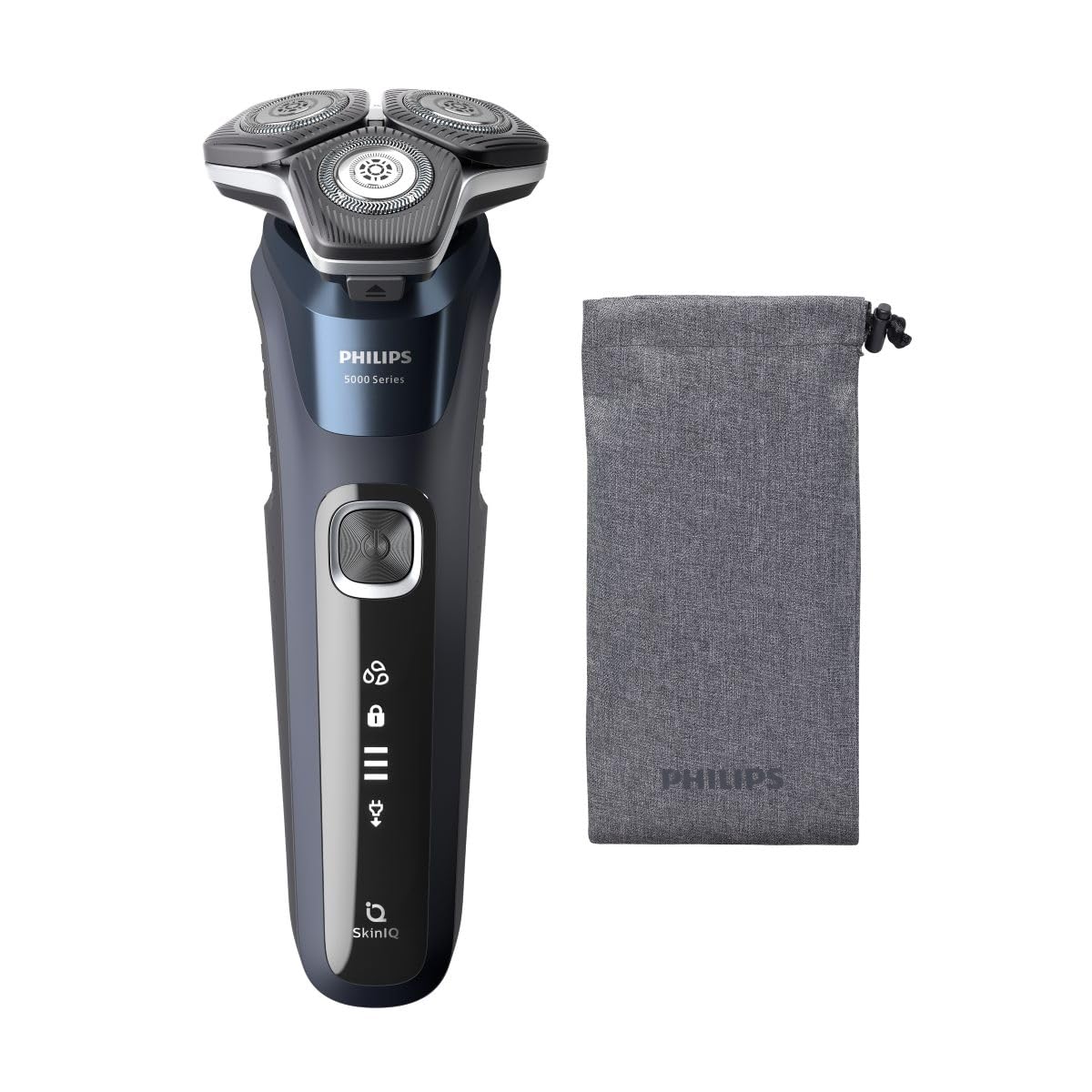
Figure 2: The Philips S5885/10 Electric Shaver as packaged in its retail box.
4. Configuració i càrrega
Càrrega inicial
Before first use, fully charge your shaver. A full charge takes approximately 1 hour and provides up to 60 minutes of cordless shaving time.
- Assegureu-vos que l'afaitadora estigui apagada.
- Insert the small plug of the USB charging cable into the charging port at the bottom of the shaver.
- Plug the USB connector into a compatible USB power adapter (not included) or a USB port on a computer.
- The battery indicator lights on the shaver will illuminate to show the charging progress. When fully charged, all lights will be solid.
- Disconnect the shaver from the power source once charging is complete.
Indicador de bateria
The shaver features a multi-level battery indicator. When the battery is low, the last segment of the indicator will flash. During charging, the segments will progressively light up until the battery is full.
5. Funcionament de l'afaitadora
Encès/Apagat
Press the power button once to turn the shaver on. Press it again to turn the shaver off.
Afaitat sec
For a dry shave, ensure your face is clean and completely dry. Move the shaver in small, circular motions over your skin, applying gentle pressure. The flexible heads will adjust to the contours of your face for optimal contact.
Afaitat humit
For a refreshing wet shave, you can use shaving foam or gel. Apply the foam or gel to your skin and then move the shaver in small, circular motions. The shaver is 100% waterproof and can be used safely in the shower.
SkinIQ Technology
The shaver is equipped with SkinIQ technology, which senses your hair density and adapts the cutting power for a personalized and comfortable shave. This ensures efficient hair removal with less irritation.
6. Neteja i Manteniment
Una neteja regular garanteix un rendiment i una higiene òptims de la teva afaitadora.
Quick Cleaning (After Each Use)
- Apagueu la màquina d'afaitar.
- Press the release button to open the shaver head unit.
- Rinse the shaver head unit thoroughly under warm running water.
- Shake off excess water and close the shaver head unit.
Thorough Cleaning (Weekly)
- Perform the quick cleaning steps.
- Carefully remove the shaving heads from the holder.
- Rinse each shaving head and the holder under warm running water.
- Deixeu que totes les peces s'assequin completament a l'aire abans de tornar a muntar.
- Do not wipe the shaving heads with a towel or tissue, as this may damage them.
Replacing Shaving Heads
For best shaving results, replace the shaving heads every 12 months. Replacement heads are available from Philips retailers or online.
7. Emmagatzematge
When not in use, store your shaver in a clean, dry place, away from direct sunlight and extreme temperatures. Use the protective cap to prevent damage to the shaving heads.
8. Solució De Problemes
| Problema | Causa possible | Solució |
|---|---|---|
| L'afaitadora no s'encén. | La bateria està buida. | Carregueu l'afaitadora durant almenys 1 hora. |
| L'afaitadora no es carrega. | USB cable or adapter is faulty; poor connection. | Ensure the USB cable is properly connected. Try a different USB port or adapter. |
| Mal rendiment d'afaitat. | Shaving heads are dirty or worn out. | Clean the shaving heads thoroughly. Replace shaving heads if they are older than 12 months. |
| Irritació de la pell després de l'afaitat. | Skin needs to adjust; improper technique. | Allow 2-3 weeks for skin to adjust. Ensure gentle, circular motions. Consider wet shaving with foam/gel. |
If you encounter problems not listed here, or if the suggested solutions do not resolve the issue, please contact Philips Customer Support.
9. Especificacions
- Model: S5885/10
- Marca: Philips
- Font d'alimentació: Elèctric amb cable (càrrega via USB)
- Tipus de bateria: Ió de liti
- Durada de la bateria: Fins a 60 minuts d'afaitada sense fil
- Temps de càrrega: Approximately 1 hour for a full charge
- Material de la fulla: Stainless Steel (ComfortCut blades)
- Característiques: Wet & Dry use, SkinIQ Technology, 360-D Flexing Heads, Portable
- Pes de l'article: 0.44 quilos
- Color: Gris
10. Garantia i Suport
This Philips S5885/10 Electric Shaver comes with a 24-month limited warranty from the date of purchase. Please retain your proof of purchase for warranty claims.
For detailed warranty terms, product support, or to find replacement parts, please visit the official Philips website or contact Philips Customer Service in your region. Contact information can typically be found in the warranty booklet or on the Philips weblloc.