
Introducció
The Briidea Smart 8-Zone Sprinkler Controller is designed to provide intelligent and efficient irrigation for your garden. With its advanced features, you can manage up to eight independent watering zones, ensuring your plants receive optimal hydration while conserving water. This manual will guide you through the setup, operation, and maintenance of your new sprinkler controller.
Característiques del producte
- Remote Control Anywhere, Anytime: Manage your watering schedules from anywhere using the Geni Life app on your smartphone.
- Programes de reg personalitzables: Set schedules based on specific days of the week, odd/even days, or specific dates. Create individual schedules for each zone.
- Smart Water Management: Adjust seasonal watering cycles and integrate with a rain sensor (not included) to prevent overwatering and conserve water.
- Data Logging and Analysis: The device retains all settings even after a power outage. View historical irrigation data and activity time through the app for better plant management.
- Easy-to-Use Settings: Features a clear LCD screen and offers dual setup options via the device or the app for simplified configuration.
Guia de configuració
1. Desembalatge i components
Carefully unpack your Briidea Smart 8-Zone Sprinkler Controller. Verify that all components are present as shown below.

Image: The package includes the Briidea Smart 8-Zone Sprinkler Controller unit, connection wires, wall anchors, mounting screws, and wire nuts for installation.
2. Instal·lació física
- Choose a suitable indoor location near your existing irrigation system and a power outlet.
- Mount the controller securely to the wall using the provided screws and anchors.
- Connect your existing sprinkler zone wires to the corresponding terminals on the Briidea controller. Refer to your previous controller's wiring for guidance.
- Connect the power adapter to the controller and plug it into a power outlet.
3. Instal·lació de l'aplicació i connexió Wi-Fi
To utilize the smart features, download the Geni Life aplicació des de la botiga d'aplicacions del teu telèfon intel·ligent.

Image: The controller can be managed remotely via the Geni Life app, requiring a 2.4GHz Wi-Fi connection.
- Open the Geni Life app and create an account or log in.
- Follow the in-app instructions to add your new Briidea Smart Sprinkler Controller.
- Assegureu-vos que la vostra xarxa Wi-Fi estigui 2.4 GHz, as the controller only supports this frequency.
- Complete the pairing process as prompted by the app.
Instruccions de funcionament
1. Configuració d'horaris de reg
The Briidea controller offers flexible scheduling options to suit your landscape's needs.

Image: The app allows for smart watering customization, including weekly, odd/even, or specific date scheduling, and individual zone settings.
- Mitjançant l'aplicació: Navigate to the 'Schedules' section in the Geni Life app. You can set schedules based on specific days of the week, odd or even days, or select specific dates.
- Individual Zone Schedules: The app allows you to set unique watering durations and start times for each of the 8 zones, ensuring tailored irrigation for different areas of your garden.
- Control manual: For immediate watering, use the 'MANUAL' button on the controller or the manual control option in the app to activate a specific zone for a set duration.
2. Smart Water Management and Seasonal Adjustment
Optimize water usage with seasonal adjustments and rain sensor integration.

Image: The controller supports customizing seasonal watering cycles and can integrate with a rain sensor (sold separately) to prevent overwatering.
- Ajust estacional: In the app settings, you can adjust the overall watering duration by a percentage to account for seasonal changes (e.g., reduce watering in cooler months, increase in hotter months).
- Rain Sensor Support: The controller supports an external rain sensor (not included). When connected, the system will automatically pause scheduled watering during rainy conditions, preventing unnecessary water usage and potential plant damage from overwatering.
Manteniment
1. Data Logging and Power Failure Memory
The controller is designed for reliability and ease of data access.
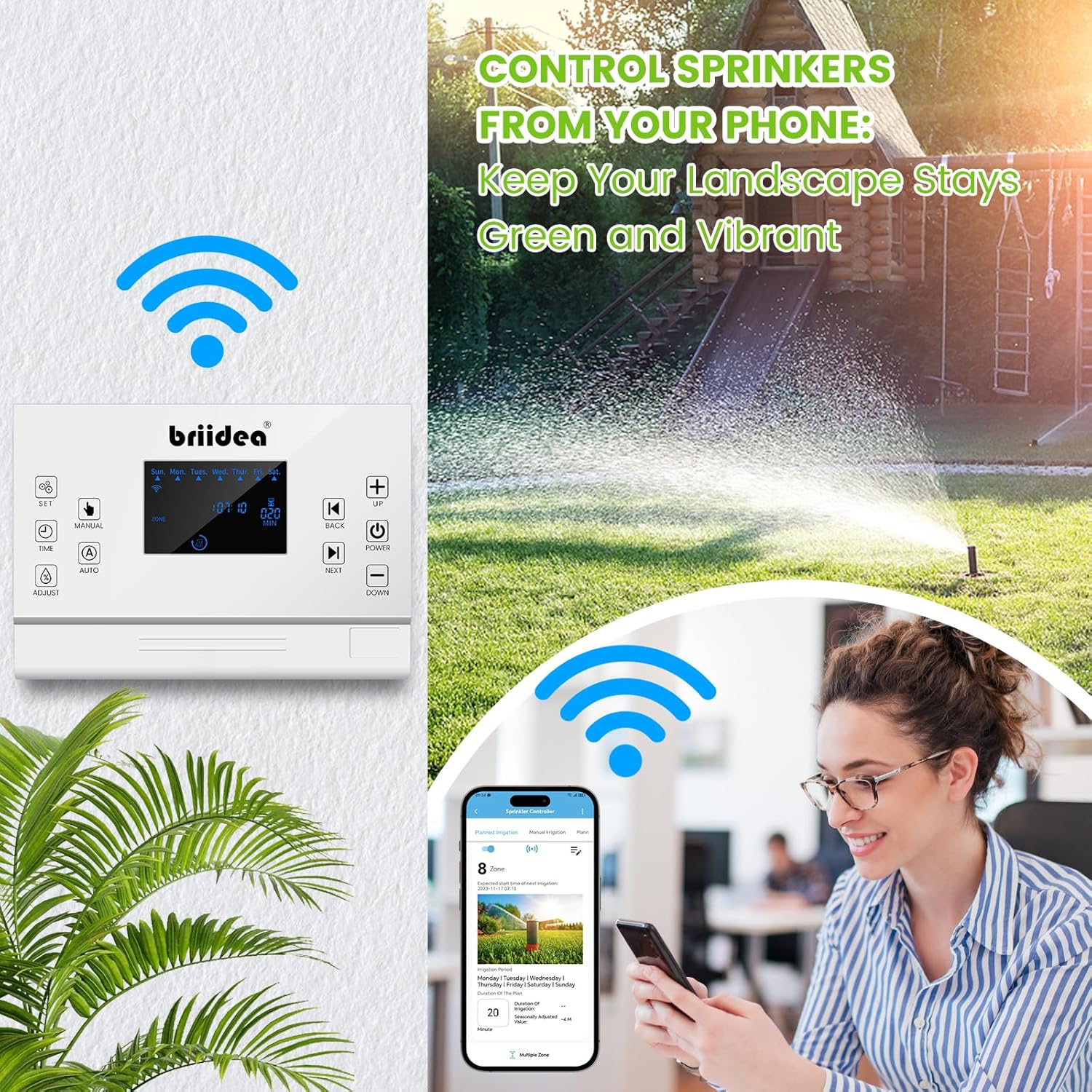
Image: The app provides data logging and analysis of irrigation activity, and the controller features a power failure memory function to retain settings.
- Memòria d'apagada: En cas d'una potènciatage, the controller retains all your programmed settings, eliminating the need for re-configuration.
- Dades històriques: Access detailed historical data and activity logs of your irrigation system through the Geni Life app. This information can help you optimize future watering schedules and monitor water consumption.
2. Atenció general
- Mantingueu el controlador net i lliure de pols. Feu servir un drap suau i sec per netejar-lo.
- Ensure the controller is installed in a dry location, away from direct sunlight and extreme temperatures.
- Regularly check wire connections to ensure they are secure.
Resolució de problemes
| Problema | Causa possible | Solució |
|---|---|---|
| Controller not connecting to Wi-Fi | Incorrect Wi-Fi frequency; weak signal; incorrect password. | Ensure your router is set to 2.4GHz. Move controller closer to router. Re-enter Wi-Fi password carefully. |
| Zones que no reguen | No schedule set; rain sensor activated; wiring issue; valve problem. | Check schedules in app. Verify rain sensor status. Inspect wiring connections. Test valves manually if possible. |
| App not displaying correct data | App not synced; internet connectivity issue. | Ensure controller is online. Refresh app. Check your phone's internet connection. |
Especificacions
- Número de model: MK-075
- Marca: Briidea
- Tipus de visualització: LCD
- Nombre de zones: 8
- Connectivitat Wi-Fi: Només 2.4 GHz
- Font d'alimentació: AC Adapter (No batteries required)
- Dimensions d'enviament: 29.69 x 13.69 x 6.6 cm
- Pes d'enviament: 971 grams
Garantia i Suport
For warranty information and technical support, please refer to the contact details provided on the Briidea official website or the product packaging. Keep your purchase receipt for warranty claims.