
1. Producte acabatview
The LETSUNG GoLite 11 Mini PC is a compact and powerful computing solution designed for daily office tasks, home entertainment, and entry-level industrial applications. Powered by an Intel Celeron N4020C processor, it offers reliable performance in a small form factor. This manual provides essential information for setting up, operating, maintaining, and troubleshooting your device.

Figura 1: frontal i lateral view of the LETSUNG GoLite 11 Mini PC, highlighting its compact design and various ports.
2. Guia de configuració
2.1 Contingut del paquet
Si us plau, assegureu-vos que tots els elements estiguin presents al paquet:
- LETSUNG GoLite 11 Mini PC
- Adaptador d'alimentació
- VESA Mount Bracket and Screws
- Manual d'usuari (aquest document)
2.2 Configuració inicial
Follow these steps to set up your Mini PC:
- Connecteu els perifèrics: Connect your keyboard, mouse, and other USB devices to the available USB 3.2 ports.
- Connecta la pantalla: Connect your monitor(s) to the HDMI ports. The device supports up to two displays simultaneously.
- Connecteu-vos a la xarxa: For wired connection, connect an Ethernet cable to the RJ45 LAN port. For wireless connection, ensure your Wi-Fi network is available.
- Connectar l'alimentació: Insert the power adapter into the DC jack on the Mini PC, then plug the adapter into a power outlet.
- Encès: Premeu el botó d'engegada que es troba a la part frontal del Mini PC.

Figura 2: Detallada view of the Mini PC's ports, including USB 3.2, HDMI, LAN, 3.5mm headphone jack, DC jack, and power button.
3. Instruccions de funcionament
3.1 Engegada/apagada
- Per encendre: Premeu el botó d'encesa una vegada.
- Per apagar: From the Windows 11 Pro desktop, click the Start button, then Power, and select "Shut down."
- Per reiniciar: From the Windows 11 Pro desktop, click the Start button, then Power, and select "Restart."
3.2 Connexió de pantalles
The GoLite 11 supports dual display output via its two HDMI 1.4 ports, allowing for a resolution of up to 1920x1080@60Hz on each screen. Simply connect your HDMI cables from the Mini PC to your monitors.

Figure 3: The LETSUNG GoLite 11 Mini PC supporting a dual display setup for enhanced productivity.
3.3 Expansió de l'emmagatzematge
The Mini PC comes with a 128GB M.2 SATA SSD. For additional storage, the device supports expansion up to 512GB. Refer to the detailed instructions for M.2 SSD installation if you wish to upgrade the storage capacity.

Figure 4: Visual representation of the 128GB M.2 2280 SATA SSD, which can be expanded up to 512GB.
3.4 Xarxa i connectivitat
The Mini PC supports Dual WiFi 5 for high-speed wireless internet access and Bluetooth 4.2 for connecting wireless peripherals such as keyboards, mice, and headphones.
4. Manteniment
4.1 Neteja
To maintain optimal performance and appearance, regularly clean the exterior of the Mini PC with a soft, dry cloth. Avoid using liquid cleaners or abrasive materials. Ensure the ventilation openings are free from dust and debris.
4.2 Sistema de refrigeració
The GoLite 11 features a low-power, low-noise cooling system designed for steady, long-lasting operation. Ensure adequate airflow around the device by not blocking the ventilation holes.
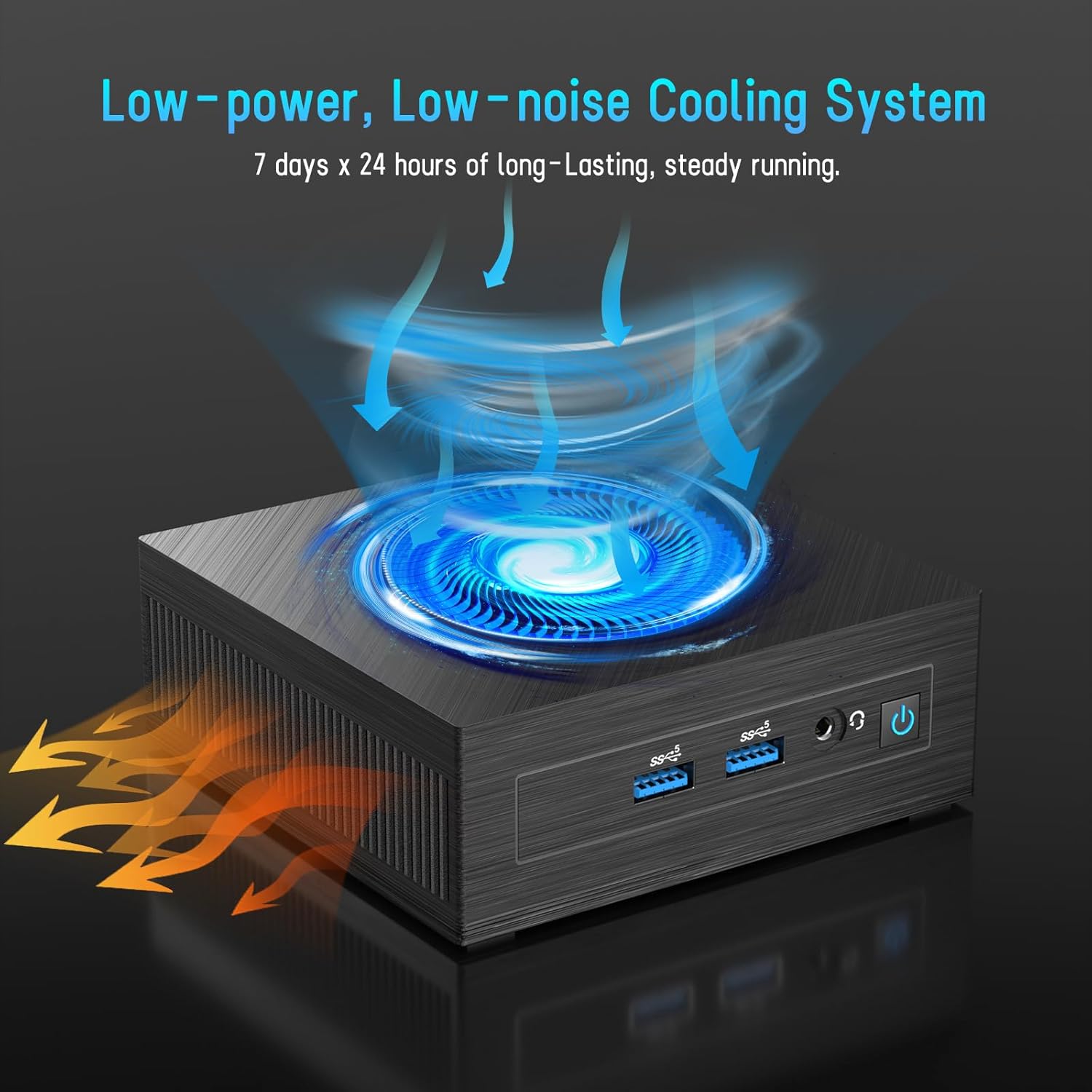
Figure 5: Illustration of the efficient low-power, low-noise cooling system integrated into the Mini PC.
5. Solució De Problemes
If you encounter issues with your LETSUNG GoLite 11 Mini PC, refer to the common problems and solutions below:
- Sense sortida de pantalla:
- Ensure the HDMI cables are securely connected to both the Mini PC and the monitor.
- Verify the monitor is set to the correct input source (HDMI 1, HDMI 2, etc.).
- Try connecting to a different monitor or using different HDMI cables.
- Problemes d'alimentació:
- Check if the power adapter is properly connected to the Mini PC and the power outlet.
- Assegureu-vos que la presa de corrent funcioni.
- If the device does not power on, try a different power outlet.
- Problemes de connectivitat de xarxa:
- For Wi-Fi, ensure the Wi-Fi adapter is enabled in Windows settings and you are connected to the correct network.
- For wired LAN, check the Ethernet cable connection. Note that the LAN port on this model supports up to 100 Mbps, not Gigabit Ethernet.
- Reinicieu el vostre encaminador/mòdem.
- Rendiment lent:
- Tanca les aplicacions innecessàries que s'executen en segon pla.
- Ensure Windows 11 Pro is up to date.
- Check for sufficient free space on the SSD.
6. Especificacions tècniques
| Característica | Especificació |
|---|---|
| Processador | Intel Celeron N4020C (Dual-Core, up to 2.8 GHz) |
| Gràfics | Intel UHD Graphics 600 |
| RAM | 6GB LPDDR4 (Integrated, Dual Channel) |
| Emmagatzematge | 128GB M.2 SATA SSD (Expandable up to 512GB) |
| Sistema operatiu | Windows 11 Pro (preinstal·lat) |
| Sortida de vídeo | 2 x HDMI 1.4 (Supports Dual Display up to 1920x1080@60Hz) |
| Ports USB | 4 x USB 3.2 |
| Xarxa | Dual WiFi 5, RJ45 LAN (100 Mbps) |
| Bluetooth | Bluetooth 4.2 |
| Àudio | 1 presa d'auriculars de 3.5 mm |
| Entrada de potència | DC Jack |
| Dimensions | 4.53 x 4.43 x 1.61 polzades (115 mm x 112 mm x 41 mm) |
| Pes | Aprox. 9.66 unces (274 g) |
7. Garantia i Suport
The LETSUNG GoLite 11 Mini PC comes with a garantia d'un any from the date of purchase. This warranty covers manufacturing defects and ensures the product meets its specified performance. Please retain your proof of purchase for warranty claims.
For any questions, technical assistance, or troubleshooting not covered in this manual, LETSUNG customer support is available 24/7 to assist you. Please refer to the contact information provided with your product packaging or visit the official LETSUNG weblloc per obtenir detalls de suport.