
1. Introducció
This manual provides detailed instructions for the installation, operation, maintenance, and troubleshooting of the Fydun ZL-7901A Incubator Controller. This device is designed for precise and automatic control of temperature and humidity in various incubation environments, ensuring optimal conditions for successful hatching.
2. Producte acabatview
The Fydun ZL-7901A is a high-precision digital incubator controller capable of managing both temperature and humidity. It features a clear display and intuitive controls for easy programming and monitoring.
Característiques principals:
- Control precís: High-accuracy temperature and humidity regulation for stable incubator environments.
- Strong Anti-interference: Designed for reliable operation in various conditions.
- High Stability and Accuracy: Ensures consistent performance for critical incubation processes.
- Aplicació àmplia: Suitable for a variety of eggs including chicken, duck, goose, pigeon, quail, parrot, and peacock.
- Funcionament automàtic: Fully automatic control reduces manual intervention.
Components:

Figura 2.1: Davant view of the Fydun ZL-7901A Incubator Controller, showing the display and control buttons.

Figura 2.2: The ZL-7901A controller packaged with its temperature and humidity sensors and connecting cables.

Figura 2.3: The ZL-7901A controller shown in an incubator environment, demonstrating its application for egg incubation.
3. Informació de seguretat
- Llegiu atentament totes les instruccions abans de la instal·lació i el funcionament.
- Assegureu-vos que la font d'alimentació voltage matches the controller's requirements (100V-240V).
- All wiring should be performed by a qualified professional to prevent electrical hazards.
- No exposeu el controlador a l'aigua ni a una humitat excessiva.
- Mantingueu el dispositiu lluny de materials inflamables.
- Desconnecteu l'alimentació abans de fer qualsevol manteniment o canvis de cablejat.
- Aquest dispositiu no és una joguina. Mantenir fora de l'abast dels nens.
4. Configuració i instal·lació
4.1 Muntatge del controlador
The ZL-7901A controller is designed for panel mounting. Ensure a secure and stable location within your incubator setup.

Figura 4.1: lateral view illustrating the mounting bracket for panel installation.
4.2 Connexions de cablejat
Carefully connect the power supply, sensors, and output devices (heater, humidifier, fan, egg turner) to the appropriate terminals on the back of the controller. Refer to the wiring diagram provided with your product for specific connections. Ensure all connections are tight and secure.

Figura 4.2: posterior view of the controller, showing the terminal blocks for electrical connections.
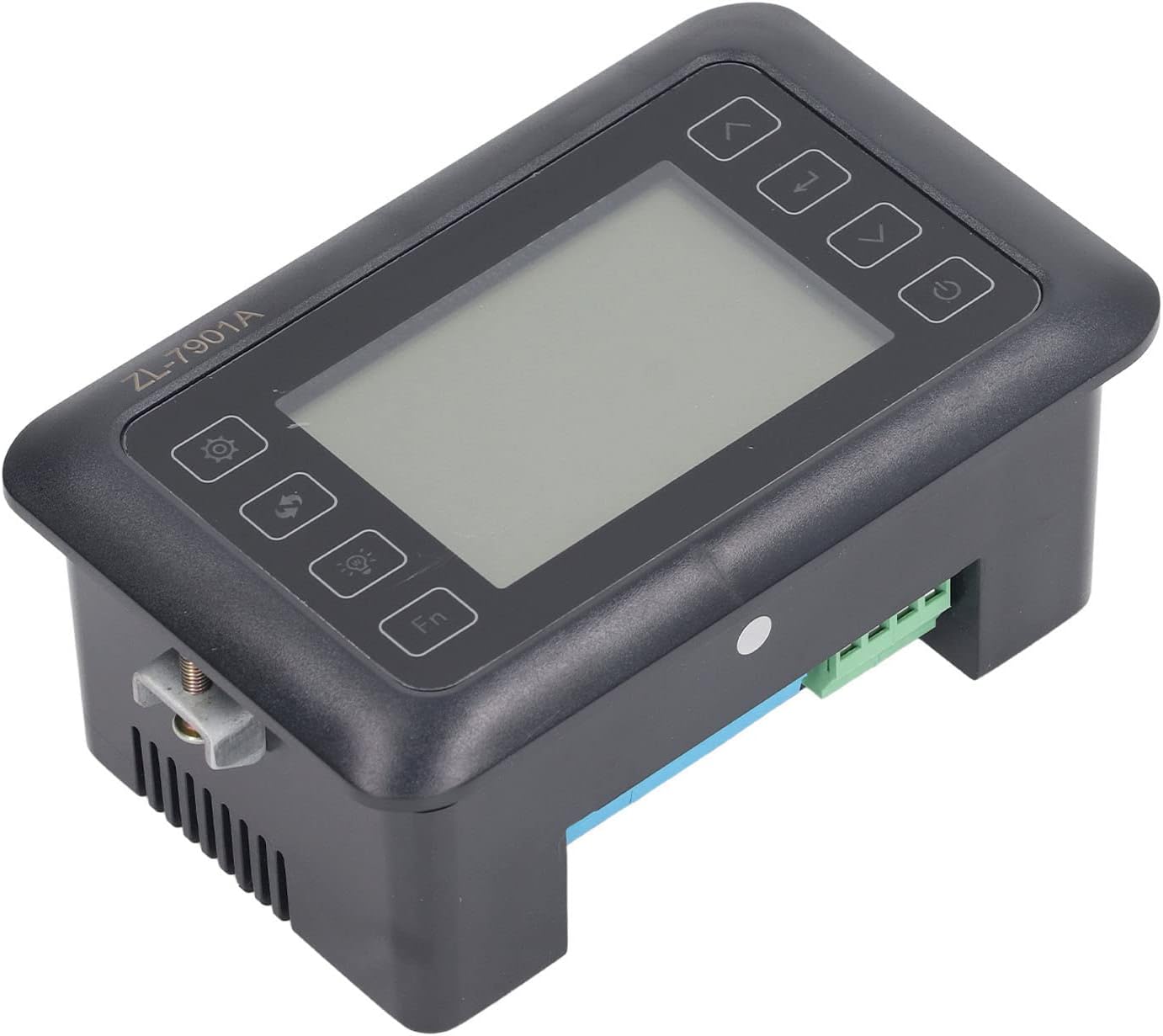
Figura 4.3: En angle view highlighting the various connection points on the controller's side.
After all connections are made, double-check them for correctness before applying power.
5. Instruccions de funcionament
5.1 Encès/Apagat
Premeu el botó Botó d'encesa to turn the controller on or off. The display will illuminate upon power-on. The power button is located on the right side of the controller's front panel.
5.2 Mostra finalview
The main display shows the current temperature and humidity readings. Additional indicators may show the status of heating, humidifying, and turning functions.
5.3 Configuració de paràmetres
- Premeu el botó Botó de configuració (gear icon) to enter the parameter setting mode. This button is on the left side of the controller's front panel.
- Utilitza el Up (up arrow) and Avall (down arrow) buttons to navigate through different parameters (e.g., target temperature, target humidity, egg turning interval). These buttons are on the right side of the controller's front panel.
- Premeu el botó botó Enter (return arrow icon) to select a parameter for editing. This button is on the right side of the controller's front panel.
- Utilitza el Up i Avall botons per ajustar el valor.
- Premeu el botó botó Enter de nou per confirmar el nou valor.
- Repeat for all desired parameters.
- Sortiu del mode de configuració prement la tecla Botó de configuració de nou o esperant un temps d'espera.
Nota: Consult the full product manual (if provided separately) for a complete list of parameters and their functions.
5.4 Botons de funció
- Botó de llum (light bulb icon): Controls the internal light of the incubator (if connected). This button is on the left side of the controller's front panel.
- Botó Fn: Activates special functions or enters advanced settings. Refer to the detailed manual for specific Fn button operations. This button is on the left side of the controller's front panel.
6. Manteniment
6.1 Neteja
- Ensure the controller is powered off and disconnected from the power source before cleaning.
- Wipe the exterior of the controller with a soft, dry cloth.
- Do not use abrasive cleaners, solvents, or immerse the unit in water.
- Keep the sensor probes clean and free from debris to ensure accurate readings.
6.2 Cura del sensor
Handle the temperature and humidity sensors with care. Avoid bending or damaging the cables. If readings appear inaccurate, gently clean the sensor tips. Do not attempt to disassemble the sensors.
7. Solució De Problemes
| Problema | Causa possible | Solució |
|---|---|---|
| El controlador no s'encén. | No hi ha alimentació; connexió fluixa; cable d'alimentació defectuós. | Check power outlet; ensure all connections are secure; test power cable. |
| Lectures de temperatura/humitat inexactes. | Sensor dirty or damaged; sensor not properly placed; calibration needed. | Clean sensor; reposition sensor away from direct airflow/heat; refer to advanced settings for calibration (if available). |
| Heater/Humidifier not activating. | Output device not connected; setpoint not reached; faulty output device. | Verify wiring connections; check setpoint values; test heater/humidifier independently. |
| La pantalla mostra el codi d'error. | Sensor fault; internal error. | Note the error code and consult the full product manual or contact support. |
8. Especificacions
| Característica | Detall |
|---|---|
| Model | ZL-7901A |
| Marca | Fydun |
| Entrada Voltage | 100V-240V AC |
| Tipus de control | Fully Automatic Digital Temperature and Humidity Control |
| Precisió | High precision for both temperature and humidity |
| Aplicació | Incubators for various poultry and bird eggs |
| Muntatge | Suport al tauler |
9. Garantia i Suport
Fydun is committed to providing quality products and excellent customer service. If you encounter any issues or have questions regarding your ZL-7901A Incubator Controller, please contact our customer service team.
For support, please refer to the contact information provided with your purchase or visit the official Fydun store on Amazon: Fydun Amazon Store.
Our professional customer service team is ready to assist you promptly.