
1. Introducció
This manual provides detailed instructions for the Rosonway 7-Port USB 3.2/USB C Hub and the RSHTECH 4-Port USB C Hub. These devices are designed to expand the connectivity of your computer or compatible device, offering high-speed data transfer capabilities for various peripherals.
2. Producte acabatview
This product package includes two distinct USB hubs:
- Rosonway 7-Port USB 3.2/USB C Hub: This hub features a hybrid USB-A/USB-C input cable, 10Gbps USB-A 3.2 ports, 2 USB-C 3.2 ports, and 4 USB 3.0 ports. It is a powered hub and includes individual on/off switches for each port, along with a 12V power adapter for stable connections.
- RSHTECH 4-Port USB C Hub: This compact and portable hub offers 10Gbps data transfer speeds with 2 USB-C 3.2 and 2 USB-A 3.2 data ports. It is designed for data transfer only and does not support device charging or video output.

Image: The Rosonway 7-Port USB Hub (left) with its power adapter and the RSHTECH 4-Port USB C Hub (right).
3. Configuració i connexió
Both hubs are designed for plug-and-play functionality, requiring no driver installation for most operating systems.
3.1. Rosonway 7-Port USB Hub Setup
- Connect the included 12V power adapter to the DC IN port on the Rosonway 7-Port USB Hub and plug the adapter into a wall outlet. This provides stable power for connected devices.
- Connect the hybrid USB cable from the hub to an available USB-A or USB-C port on your computer or host device. The hybrid cable allows connection to either port type.
- Connect your USB devices (e.g., external hard drives, keyboards, mice, flash drives) to the available USB-A or USB-C data ports on the hub.
- Press the individual power switch above each port to activate or deactivate the connected device. The LED indicator will illuminate when a port is active.

Image: The Rosonway 7-Port USB Hub connected to a laptop and a power source, demonstrating its powered operation.
3.2. RSHTECH 4-Port USB C Hub Setup
- Connect the integrated USB-C cable from the RSHTECH 4-Port USB C Hub to an available USB-C port on your computer or host device.
- Connect your USB devices (e.g., flash drives, external SSDs) to the available USB-A or USB-C data ports on the hub.
4. Instruccions de funcionament
4.1. Transferència de dades
Both hubs support high-speed data transfer:
- Rosonway 7-Port USB Hub: Features 10Gbps USB 3.2 ports (USB-A and USB-C) and 5Gbps USB 3.0 ports.
- RSHTECH 4-Port USB C Hub: All ports support USB 3.2 Gen2 with 10Gbps data transfer speeds.

Image: Visual representation of data transfer speeds for the Rosonway 7-Port USB Hub, indicating 10Gbps and 5Gbps ports.
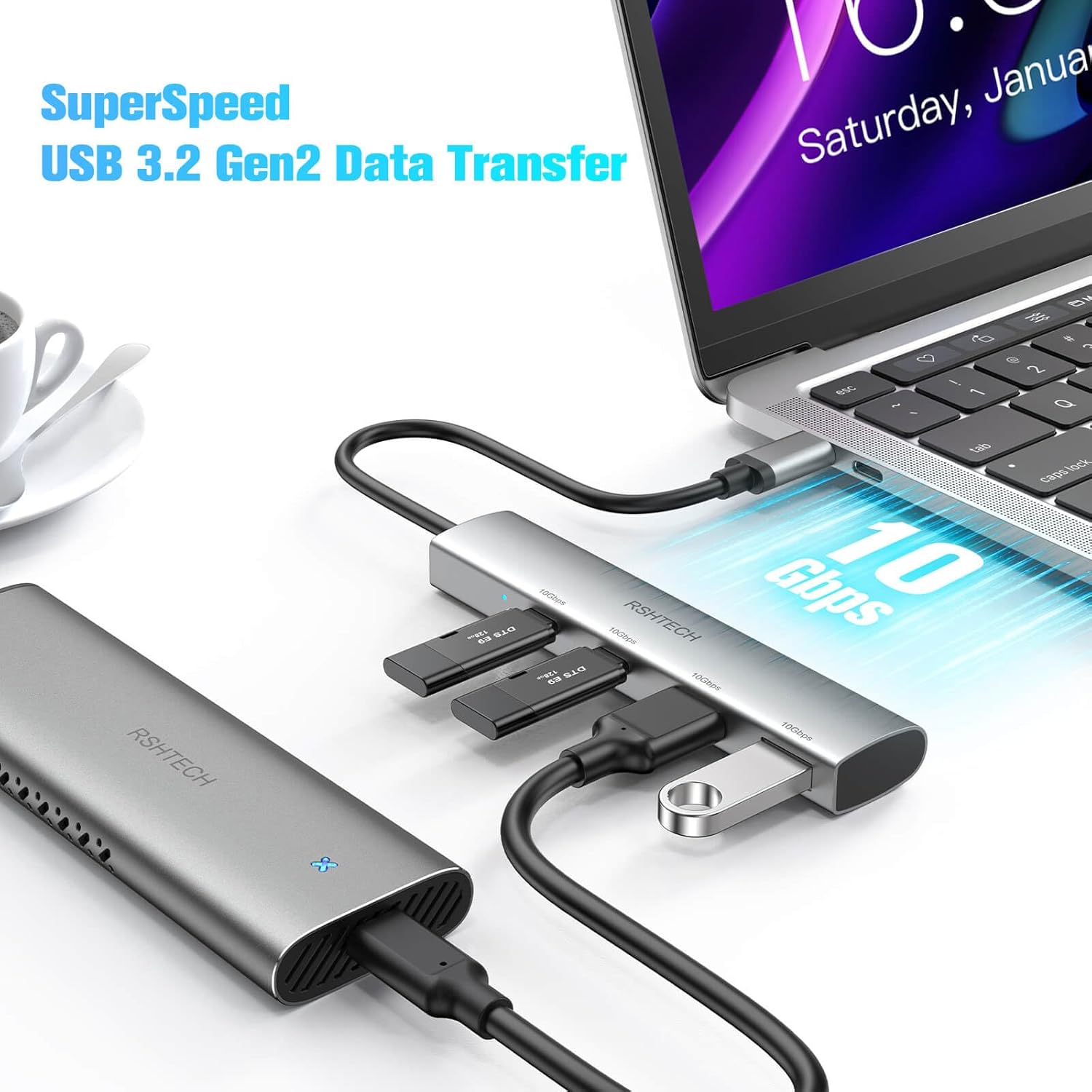
Image: The RSHTECH 4-Port USB C Hub connected to a laptop, illustrating its 10Gbps SuperSpeed USB 3.2 Gen2 data transfer capability.
4.2. Individual Power Switches (Rosonway 7-Port Hub Only)
The Rosonway 7-Port USB Hub features individual on/off switches for each data port. This allows you to control power to specific connected devices without unplugging them, conserving power and managing device access.
4.3. Hybrid 2-in-1 USB Cable (Rosonway 7-Port Hub Only)
The Rosonway 7-Port USB Hub comes with a unique hybrid cable that integrates both USB-A and USB-C connectors. This ensures broad compatibility with various host devices, including laptops, desktops, and tablets, regardless of their available USB port type.

Image: The Rosonway 7-Port USB Hub demonstrating its hybrid USB-A/USB-C cable, compatible with various devices like phones, tablets, and laptops.

Imatge: Una imatge detallada view of the Rosonway 7-Port USB Hub, highlighting its Type-A/C and Type-A ports with their respective data transfer speeds.
4.4. OTG Function (RSHTECH 4-Port Hub Only)
The RSHTECH 4-Port USB C Hub supports On-The-Go (OTG) functionality, allowing you to connect USB peripherals like keyboards, mice, or flash drives directly to compatible smartphones or tablets that support OTG.

Image: The RSHTECH 4-Port USB C Hub connected to a tablet, showcasing its OTG function by connecting external storage and a keyboard.
4.5. Important Note for RSHTECH 4-Port USB C Hub
Please note that the RSHTECH 4-Port USB C Hub is designed exclusively for data transfer. It no suporta device charging or video output (e.g., connecting to a monitor).
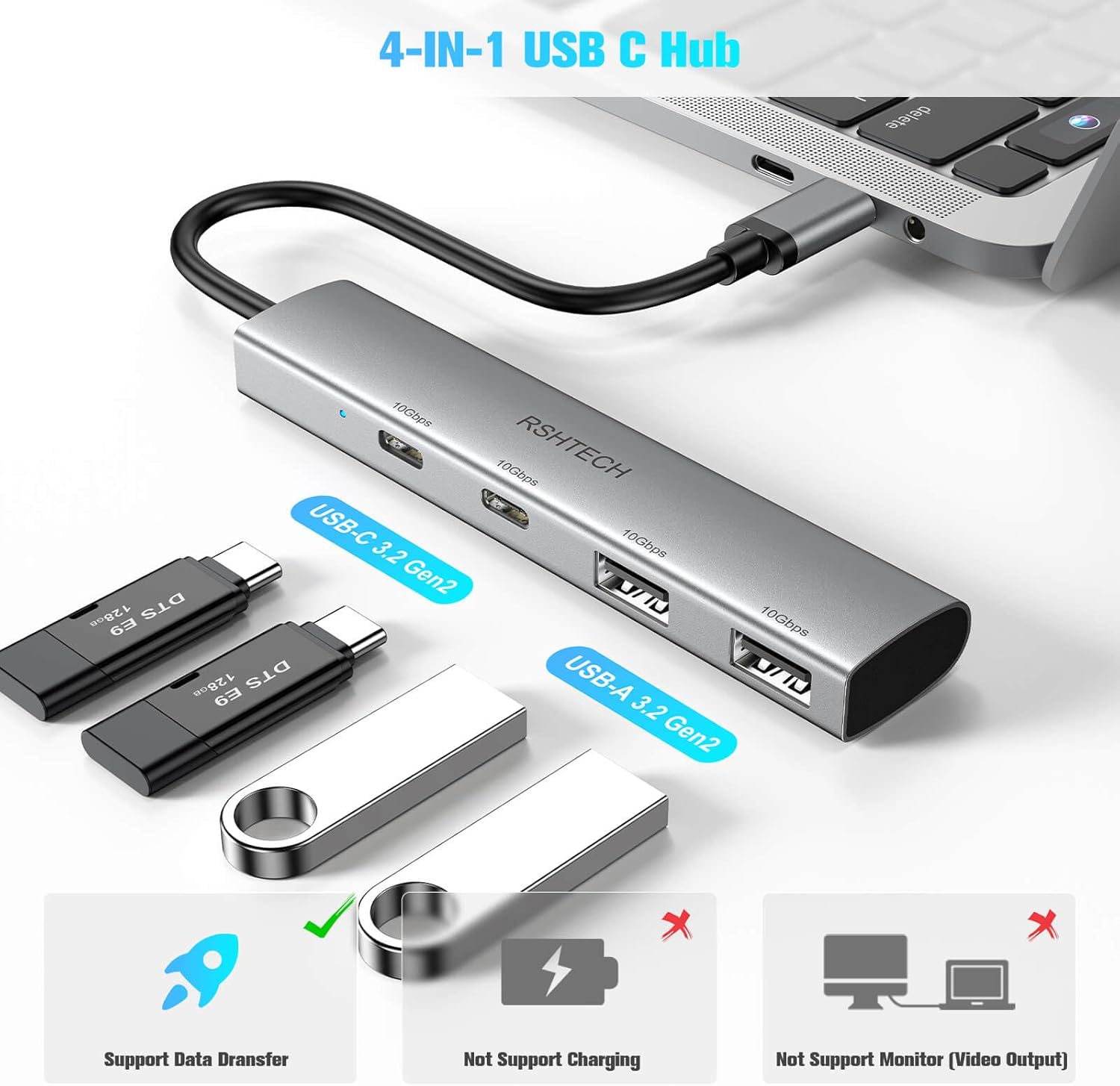
Image: The RSHTECH 4-Port USB C Hub, visually indicating that it supports data transfer but not charging or monitor video output.
5. Manteniment
To ensure the longevity and optimal performance of your USB hubs, follow these maintenance guidelines:
- Keep the hubs in a dry environment and avoid exposure to moisture or liquids.
- Clean the exterior of the hubs with a soft, dry cloth. Do not use abrasive cleaners or solvents.
- Avoid dropping or subjecting the hubs to strong impacts.
- Do not attempt to disassemble or repair the hubs yourself. Refer to professional service if needed.
- Store the hubs in a cool, dry place when not in use.
6. Solució De Problemes
If you encounter issues with your USB hubs, please refer to the following common troubleshooting steps:
- Dispositiu no reconegut:
- Assegureu-vos que el concentrador estigui connectat correctament al port USB de l'ordinador.
- For the Rosonway 7-Port Hub, verify the 12V power adapter is connected and plugged into a live outlet.
- Proveu de connectar el concentrador a un altre port USB de l'ordinador.
- Ensure the individual switch for the connected device on the Rosonway hub is turned on.
- Reinicieu l'ordinador.
- Velocitat de transferència de dades lenta:
- Ensure both the hub and the connected device support the desired USB speed (e.g., USB 3.0/3.2 for 5Gbps/10Gbps). Connecting a USB 2.0 device to a USB 3.0 port will result in USB 2.0 speeds.
- Avoid connecting too many high-power devices to the unpowered RSHTECH hub, as this can affect performance.
- Ensure your computer's USB port is functioning correctly and supports the required speed.
- Connected Device Not Powering On (Rosonway 7-Port Hub):
- Confirm the 12V power adapter is correctly connected and receiving power.
- Check that the individual power switch for the specific port is in the 'on' position.
- RSHTECH 4-Port Hub Not Charging Devices or Displaying Video:
- This hub is designed for data transfer only. It does not support charging or video output. This is normal operation.
7. Especificacions
| Característica | Descripció |
|---|---|
| Marca | Rosonway (7-Port Hub), RSHTECH (4-Port Hub) |
| Número de model | B0CLJ1C9GZ (Bundle ASIN) |
| Ports USB totals | 7 (Rosonway Hub) + 4 (RSHTECH Hub) |
| Velocitat de transferència de dades | Fins a 10 Gbps (USB 3.2 Gen2) |
| Special Feature (Rosonway) | Powered, Individual Port Switches |
| Special Feature (RSHTECH) | Compact, Portable, OTG Function |
| Power Adapter (Rosonway) | 12 V (inclòs) |
| RSHTECH Hub Functionality | Data Transfer Only (No Charging/Video Output) |
8. Compatibilitat
These USB hubs are broadly compatible with a variety of devices and operating systems:
8.1. Dispositius compatibles
- Portàtils
- Escriptoris
- Tauletes
- Smartphones (with OTG support for RSHTECH hub)
- Teclats
- Els ratolins
- External Storage Devices (HDDs, SSDs, Flash Drives)
8.2. Sistemes operatius compatibles
- Windows
- Mac OS
- Linux
- Android

Image: The RSHTECH 4-Port USB C Hub illustrating its wide compatibility with different operating systems and host devices like all-in-one PCs, laptops, iPads, and phones.
9. Garantia i Suport
Per obtenir informació sobre la garantia i l'assistència al client, consulteu el següent:
- Política de devolució: This product is subject to a 30-day refund/replacement return policy from the date of purchase. Please refer to the retailer's return policy for specific terms and conditions.
- Suport tècnic: For technical assistance, troubleshooting beyond this manual, or warranty claims, please contact the seller directly through the platform where the product was purchased. The seller for this product is Vante Tech.