
1. Introducció
This manual provides detailed instructions for the TRIGKEY Green G4 Mini PC, featuring the Intel Alder Lake-N100 processor. It covers initial setup, operation, maintenance, and troubleshooting to ensure optimal performance and user experience. Please read this manual thoroughly before using your device.
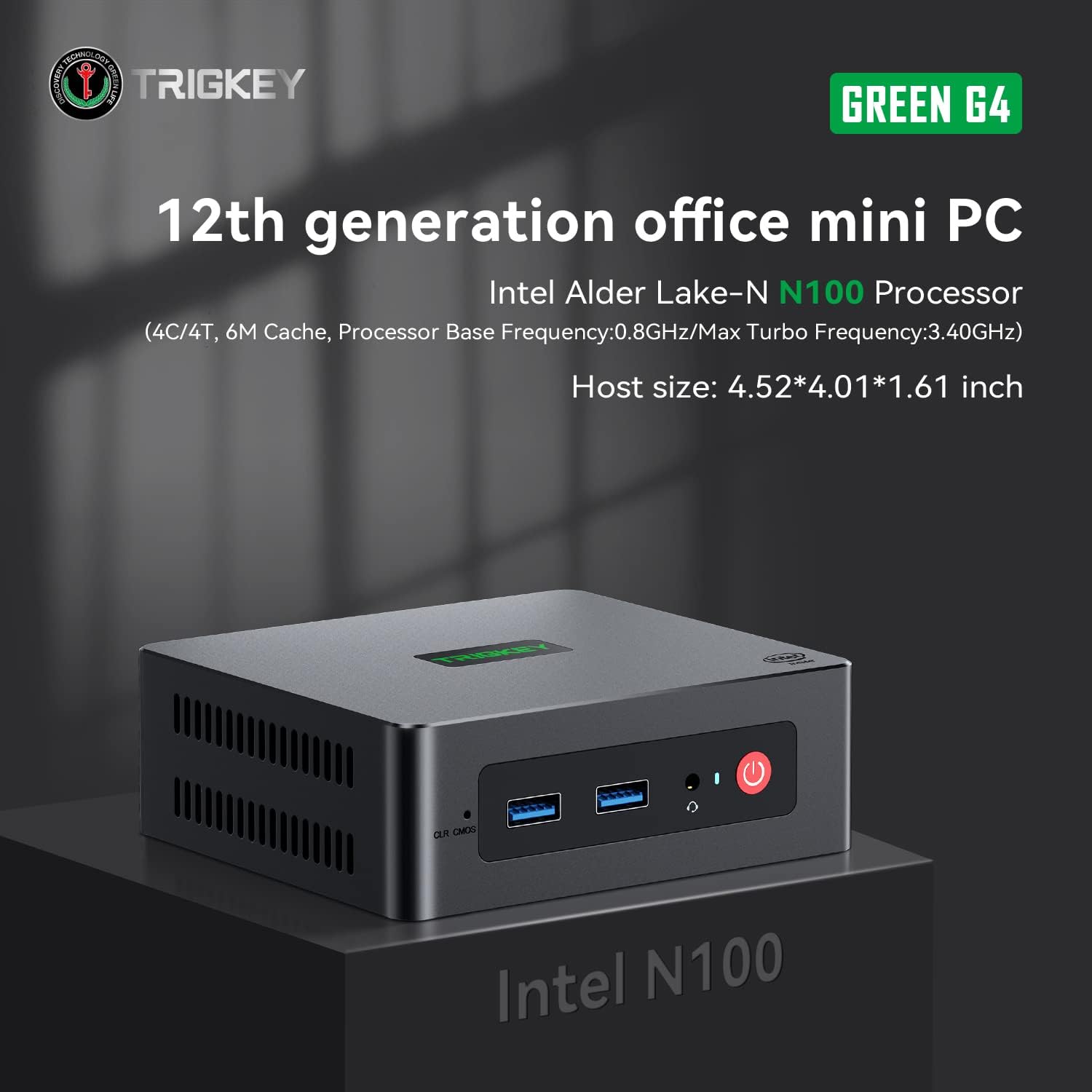
Image: TRIGKEY Green G4 Mini PC, highlighting its compact design and front panel.
2. Producte acabatview
2.1 Característiques clau
- Processador: Intel Alder Lake-N100 (4 Cores/4 Threads, up to 3.4GHz)
- Memòria: 16 GB de RAM DDR4 (ampliable)
- Emmagatzematge: 500GB NVMe SSD (expandable up to 2TB)
- Gràfics: Intel UHD Graphics (24EUs)
- Connectivitat: WiFi 6, Bluetooth 5.2, 1000MB/s LAN
- Sortida de visualització: Dual 4K HDMI (60Hz)
- Disseny compacte: Host size approximately 4.52 x 4.01 x 1.61 inches
2.2 Ports i interfícies

Image: Front and rear interfaces of the Mini PC.
| Port/Interfície | Descripció |
|---|---|
| Botó d'engegada | Encén/apaga el dispositiu. |
| Indicador d'alimentació | Indica l'estat d'alimentació. |
| RTC Key (CLR CMOS) | S'utilitza per esborrar la configuració del CMOS. |
| USB 3.2 Gen2 (10 Gbps) | Ports de transferència de dades d'alta velocitat. |
| Conector d'auriculars | Audio output for headphones. |
| LAN (1000M) | Gigabit Ethernet port for wired network connection. |
| 4K 60Hz HDMI | Dual HDMI ports for high-definition video output. |
| DC Power Adapter Port | Es connecta a la font d'alimentació. |
| Ranura de bloqueig | For security lock. |
3. Configuració
3.1 Connexió inicial
- Connect your monitor(s) to the HDMI ports on the rear of the Mini PC.
- Connecteu el teclat i el ratolí als ports USB disponibles.
- For wired internet, connect an Ethernet cable to the LAN port. For wireless, ensure the WiFi antenna is connected (if external) or that the internal WiFi is enabled.
- Connect the power adapter to the DC power port and then plug it into a power outlet.
- Premeu el botó d'engegada a la part frontal del Mini PC per engegar-lo.
3.2 Primer arrencada
Upon first boot, the system may guide you through the initial setup of the operating system (e.g., Windows 11). Follow the on-screen prompts to configure language, region, network, and user accounts.
4. Instruccions de funcionament
4.1 Funcionament bàsic
- Encès/apagat: Press the power button once to turn on. To shut down, use the operating system's shutdown option. A short press on the power button can also put the PC to sleep. A long press (5-7 seconds) will force a shutdown.
- Reinicia: Use the operating system's restart option.
- Connexió de perifèrics: Use the available USB ports for external devices like printers, external drives, or weblleves.
- Connectivitat de xarxa: Connect to a wired network via the LAN port or a wireless network using the built-in WiFi 6.
- Pantalla dual: Connect two monitors to the HDMI ports for an extended or duplicated desktop experience.

Image: Mini PC supporting dual screen display for enhanced productivity.
4.2 Video Playback and Productivity
The Mini PC supports 4K high-definition output, suitable for media consumption and office tasks. Its compact size and efficient performance make it suitable for various applications, from home theater setups to general office work.
Video: TRIGKEY Mini PC G4 N100 product overview, espectacleasing les seves característiques i el seu disseny compacte.
5. Manteniment i actualitzacions
5.1 Storage Expansion (2.5-inch HDD/SSD)
The TRIGKEY Green G4 Mini PC allows for additional storage expansion by installing a 2.5-inch HDD or SSD. Follow these steps carefully:
- Apagar: Ensure the Mini PC is completely powered off and disconnected from the power supply.
- Unscrew Bottom Panel: Locate and unscrew the screws on the bottom panel of the Mini PC.
- Open Back Panel: Carefully open the back panel to reveal the internal components and the storage bay.
- Insert SSD/HDD: Align the 2.5-inch SSD or HDD with the slot in the back panel and gently insert it.
- Conducció segura: Use the provided screws to secure the SSD/HDD to the back panel.
- Reinstall Bottom Panel: Close the back panel and reinstall the bottom screws to secure it.

Image: M.2 PCIe SSD, demonstrating the internal storage component.
Video: Hard disk installation tutorial, demonstrating the steps to install an additional 2.5-inch HDD/SSD.
5.2 RAM Upgrade
The Mini PC supports single-channel DDR4 memory. While it comes with 16GB, it can be upgraded depending on the memory type. Consult the product specifications for maximum supported RAM capacity and type before attempting an upgrade.

Image: SO-DIMM DDR4 memory module.
6. Solució De Problemes
6.1 Sense poder
- Assegureu-vos que l'adaptador de corrent estigui connectat correctament tant al Mini PC com a una presa de corrent que funcioni.
- Verifiqueu que la presa de corrent funciona connectant-hi un altre dispositiu.
- Comproveu si l'adaptador de corrent presenta algun dany visible.
6.2 Sense pantalla
- Confirm that the HDMI cable(s) are securely connected to both the Mini PC and the monitor(s).
- Ensure the monitor is powered on and set to the correct input source (HDMI 1, HDMI 2, etc.).
- Try connecting to a different monitor or using a different HDMI cable to rule out external issues.
6.3 Operating System Installation Issues
If you encounter difficulties installing or reinstalling an operating system, especially when using custom installation media, note that some Mini PCs may require specific tools or methods for USB boot media creation. Refer to the manufacturer's support resources for guidance on creating compatible installation media.
6.4 Soroll del ventilador
The Mini PC features active cooling. While designed to be quiet, a slight fan whine may be noticeable under heavy load or in very quiet environments. This is generally normal operation. Ensure the vents are not obstructed to allow for proper airflow.
7. Especificacions
| Característica | Detall |
|---|---|
| Marca | TRIGKEY |
| Número de model | N100 |
| Model de CPU | Intel Alder Lake-N100 (Celeron) |
| Velocitat de la CPU | Fins a 3.4 GHz |
| Recompte de processadors | 4 |
| Mida de la memòria cau | 6 MB |
| Mida instal·lada de la memòria RAM | 16 GB |
| Tipus de RAM | SDRAM DDR4 |
| Velocitat de memòria | 3200 MHz |
| Ranures de memòria disponibles | 1 |
| Descripció del disc dur | SSD NVMe de 500 GB |
| Interfície de disc dur | NVMe |
| Coprocessador gràfic | Gràfics Intel UHD |
| Interfície de sortida de vídeo | HDMI (2 ports) |
| Resolució de pantalla màxima | 3840 x 2160 píxels (4K) |
| Tecnologia sense fils | Wi-Fi 6 (802.11ax), Bluetooth 5.2 |
| Tecnologia de connectivitat | Ethernet (1000M) |
| Ports USB totals | 6 (USB 3.2 Gen2) |
| Consum d'energia | 6 watts (típic) |
| Color | Verd |
8. Garantia i Suport
TRIGKEY is committed to providing excellent customer service and support for your Mini PC.
8.1 Informació de la garantia
- Política de devolució: 30 dies no hi ha motius per tornar.
- Substitució: Replacement available within 12 months of purchase.
- Suport tècnic: Servei postvenda i assistència tècnica de per vida.
8.2 Contacteu amb l'assistència
For any inquiries, technical assistance, or warranty claims, please contact TRIGKEY customer support. Response is typically provided within 24 hours.
- Suport per correu electrònic: Refer to your product packaging or the official TRIGKEY weblloc web per al correu electrònic de contacte.
- Online Consultation: Visit the TRIGKEY official website for online chat or support forms.
- Website Resources: Explore the TRIGKEY website for FAQs, drivers, and additional product information.