
1. Introducció
Thank you for choosing the cimetech M01-Plata Rechargeable Wireless Mouse. This manual provides detailed instructions for setting up, operating, and maintaining your new mouse. Please read this manual carefully before use to ensure optimal performance and longevity of your device.

Image: The cimetech M01-Plata Rechargeable Wireless Mouse, showcasing its sleek design and RGB lighting.
2. Contingut del paquet
Si us plau, verifiqueu que tots els elements siguin presents al vostre paquet:
- 1 x cimetech M01-Plata Rechargeable Wireless Mouse
- 1 x USB Receiver (stored in the mouse's battery compartment)
- 1 x cable de càrrega tipus C
- 1 x Manual d'usuari (aquest document)
3. Característiques clau
- Connectivitat de mode dual: Supports both 2.4Ghz wireless via USB receiver and Bluetooth 5.1 for versatile connection to various devices.
- Bateria recarregable: Built-in 450mAh lithium battery provides extended use on a single charge, easily rechargeable via Type-C cable.
- Silent Click Design: Reduces click noise, ideal for quiet environments like offices or libraries.
- DPI ajustable: Three adjustable DPI levels (1000-1200-1600) for precise cursor control.
- Cool RGB Neon Lights: Features dynamic RGB lighting that changes colors, adding a visual element.
- Ergonomic & Slim Design: Comfortable palm fit and lightweight, ultra-portable for travel.
- Auto Power-Saving: Automatically enters smart sleep mode after 10 minutes of inactivity to conserve battery.
4. Configuració i connexió
Your cimetech M01-Plata mouse offers two connection modes: 2.4Ghz Wireless and Bluetooth 5.1. Choose the mode that best suits your device.
4.1. 2.4Ghz Wireless Mode
- Locate the USB receiver, typically stored in the battery compartment at the bottom of the mouse.
- Connecteu el receptor USB a un port USB disponible de l'ordinador o portàtil.
- Turn on the mouse using the power switch located on the bottom. The mouse should automatically connect.
- El ratolí ja està llest per al seu ús.
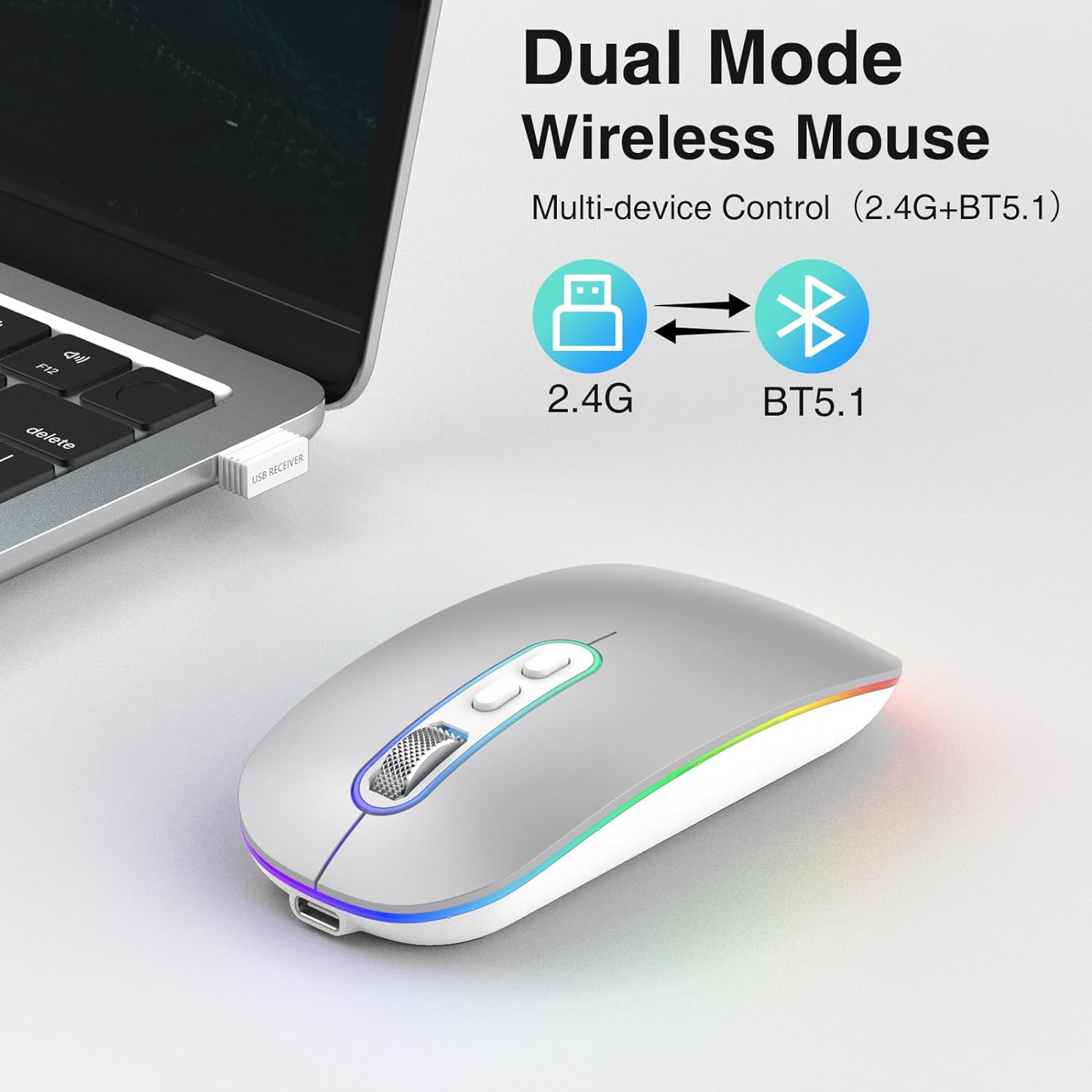
Image: Illustration showing the dual mode capability of the mouse, with icons for 2.4G and BT5.1 connectivity.
4.2. Mode Bluetooth 5.1
- Assegureu-vos que el vostre dispositiu tingui Bluetooth activat.
- Enceneu el ratolí amb l'interruptor d'encesa a la part inferior.
- Press and hold the Bluetooth pairing button (if available, otherwise the mode switch button) on the mouse until the indicator light starts blinking, indicating it's in pairing mode.
- Al dispositiu, vés a la configuració de Bluetooth i cerca dispositius nous.
- Select "cimetech Mouse" or a similar name from the list of available devices to pair.
- Once paired, the indicator light on the mouse will become solid or turn off, and the mouse will be ready for use.

Image: The mouse positioned between a laptop and a smartphone, illustrating its ability to connect to multiple devices using its dual mode functionality.
5. Instruccions de funcionament
5.1. Ajust de DPI
The mouse features a DPI button located on the top surface, usually near the scroll wheel. Press this button to cycle through the three available DPI settings: 1000, 1200, and 1600. Each press will change the cursor sensitivity, allowing you to select the speed that best suits your task.

Image: A visual representation of the three adjustable DPI levels (1000, 1200, 1600) and how they affect cursor control.
5.2. Càrrega del ratolí
When the mouse battery is low, the indicator light may flash or the mouse performance may degrade. To charge the mouse:
- Connect the provided Type-C charging cable to the charging port on the front of the mouse.
- Connecteu l'altre extrem del cable a una font d'alimentació USB (per exemple, un port USB de l'ordinador, un adaptador de paret USB).
- The indicator light will illuminate during charging and turn off when fully charged. A full charge typically takes 2-3 hours.
- Avoid using fast chargers as they may damage the battery.
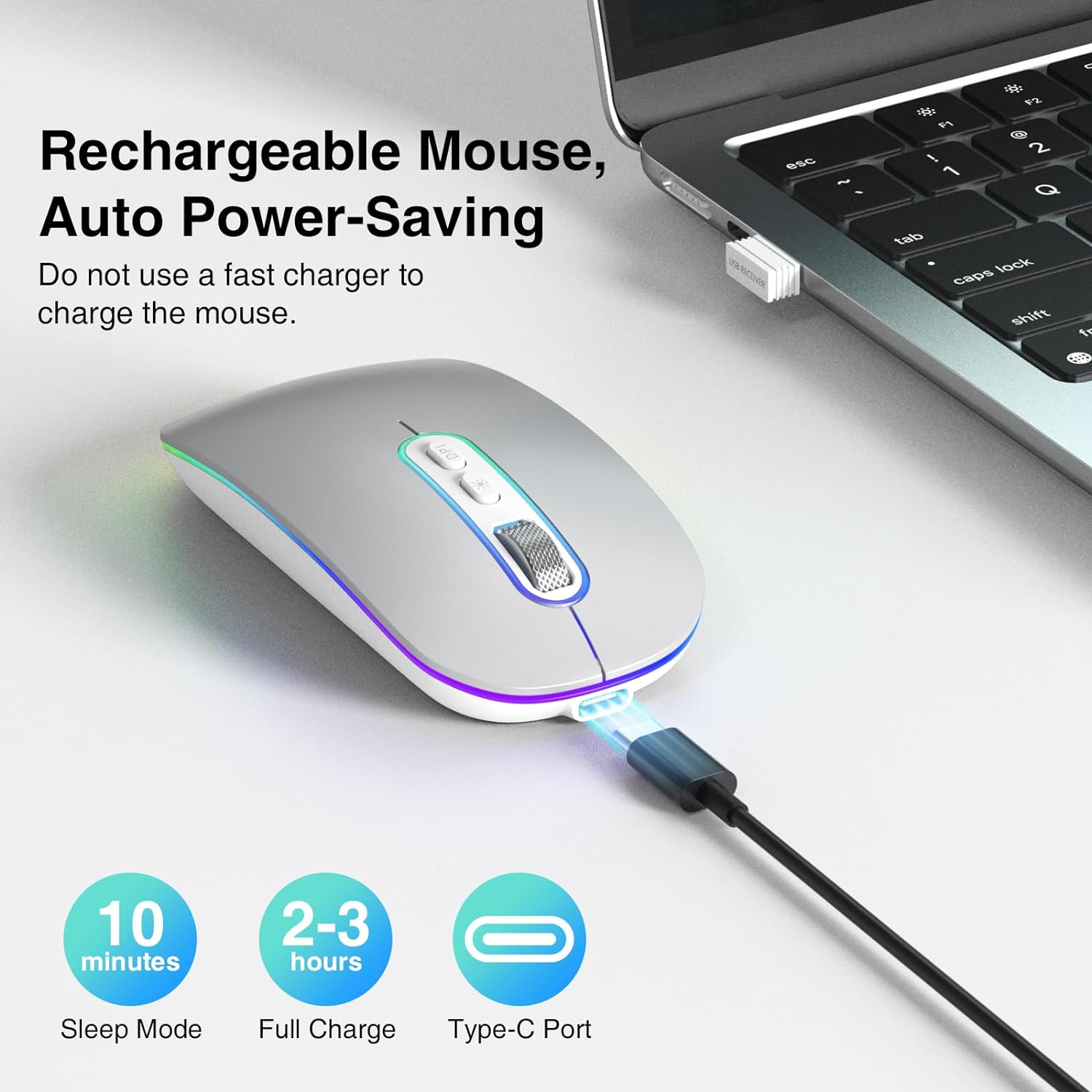
Image: The mouse connected via its Type-C charging cable, highlighting its rechargeable nature and auto power-saving features like sleep mode and full charge time.
5.3. Mode d'estalvi d'energia
To conserve battery life, the mouse will automatically enter a smart sleep mode after 10 minutes of inactivity. To wake the mouse, simply click any button or move it.
5.4. Il·luminació RGB
The mouse features cool rainbow RGB neon lights that randomly change colors during use. This provides a dynamic visual effect. The lighting is integrated into the mouse's operation and does not have separate controls for color or pattern selection.
6. Manteniment
- Neteja: Use a soft, dry cloth to clean the surface of the mouse. For stubborn dirt, a slightly damp Es pot fer servir un drap, però assegureu-vos que no entri humitat a l'aparell.
- Emmagatzematge: When not in use for extended periods, turn off the mouse to conserve battery. Store it in a cool, dry place away from direct sunlight and extreme temperatures.
- Cura de la bateria: Per allargar la durada de la bateria, eviteu descarregar completament el ratolí amb freqüència. Carregueu-lo quan aparegui l'indicador de bateria baixa.
7. Solució De Problemes
If you encounter issues with your cimetech M01-Plata mouse, please refer to the following common solutions:
| Problema | Causa possible | Solució |
|---|---|---|
| El ratolí no respon | Low battery; Mouse turned off; Incorrect connection mode; USB receiver not detected (2.4Ghz); Bluetooth not paired (BT5.1) | Charge the mouse; Turn on the mouse; Ensure correct mode is selected (2.4Ghz or BT); Re-insert USB receiver or try another USB port; Re-pair Bluetooth. |
| El moviment del cursor és erràtic o lent | Low DPI setting; Unsuitable surface; Obstruction of optical sensor | Increase DPI using the DPI button; Use the mouse on a smooth, non-reflective surface; Clean the optical sensor at the bottom of the mouse. |
| RGB lights turn off when moving mouse | Funcionament normal | This is an intended feature to conserve power and is not a defect. The lights are designed to be active when the mouse is idle. |
| El ratolí no es carrega | Faulty cable; Faulty USB port; Using fast charger | Try a different Type-C cable; Try a different USB port; Ensure you are not using a fast charger. |
8. Especificacions del producte
- Model: M01-Plata
- Connectivitat: Sense fil de 2.4 GHz, Bluetooth 5.1
- Nivells de DPI: 1000 / 1200 / 1600
- Tipus de bateria: Polímer de liti recarregable (450 mAh)
- Port de càrrega: Tipus-C
- Dimensions: 3.2 x 4.6 x 1.2 polzades (aprox. 8.1 x 11.7 x 3.0 cm)
- Pes: 3.52 unces (aproximadament 100 grams)
- Característiques especials: LED Lights, Portable, Rechargeable, Slim, Silent Click
- Tecnologia de detecció de moviment: Òptic
- Compatibilitat: Windows 7/8/10/11/XP, iPadOS, macOS, Chrome OS, Android, Smart TV, Vista 7/8, Linux.
9. Informació de seguretat
- No exposeu el ratolí a temperatures extremes, humitat ni llum solar directa.
- Eviteu deixar caure o sotmetre el ratolí a forts impactes.
- Do not attempt to disassemble or modify the mouse. This will void the warranty and may cause damage.
- Keep the mouse away from children and pets.
- Dispose of the mouse and its battery responsibly according to local regulations.
10. Garantia i Suport
Specific warranty details for the cimetech M01-Plata mouse are not provided in this manual. For warranty claims, technical support, or further assistance, please refer to the product packaging or contact cimetech customer service through the retailer where the product was purchased.