
1. Introducció
Thank you for choosing the EMANER Smart Security Light Motion Sensor. This device combines advanced motion detection with smart control features, offering adjustable brightness, color temperature, and seamless integration with smart home systems like Alexa and Google Home. This manual provides detailed instructions for safe installation, configuration, and operation of your new security light.

Image 1.1: EMANER Smart Security Lights with smart home integration.
2. Informació de seguretat
WARNING: Risk of electric shock. Installation should be performed by a qualified electrician or a person with electrical knowledge. Disconnect power at the fuse box or circuit breaker before installation or servicing.
- Assegureu-vos que la font d'alimentació estigui apagada abans de la instal·lació.
- Seguiu tots els codis i ordenances elèctriques locals.
- No intenteu modificar el producte.
- Mantenir el producte allunyat de materials inflamables.
- This product is designed for outdoor use and is water-resistant. However, do not submerge it in water.
3. Contingut del paquet
Verifiqueu que tots els components siguin presents abans de començar la instal·lació:
- EMANER Smart Security Light (2 units for 2-Pack)
- Maquinari de muntatge (cargols, femelles, placa de muntatge)
- Manual d'instruccions (aquest document)
4. Especificacions
| Característica | Detall |
|---|---|
| Marca | EMANER |
| Nom del model | EMR-8030 |
| Sortida de llum | 2800 lúmens (màx.) |
| Temperatura de color | 2700K-6500K (Tunable) |
| Regulable | 1% to 100% via App |
| Font d'alimentació | Elèctric amb cable (120 volts) |
| Connectivitat | Wi-Fi de 2.4 GHz |
| Mètodes de control | App (Smart Life/Tuya Smart), Voice (Alexa, Google Assistant) |
| Interval del sensor de moviment | Fins a 26 peus (ajustable) |
| Durada de la llum | De 5 segons a 60 minuts (ajustable) |
| Material | Plàstic |
| Dimensions | 12 cm de llargada x 6.7 cm d'amplada x 6 cm d'alçada |
| Resistència a l'aigua | Water Resistant (Weatherproof) |

Imatge 4.1: Dimensions del producte i capçals de llum ajustables.
5. Configuració
5.1. Instal·lació
- Apagueu l'alimentació: Before starting, ensure the power to the junction box is turned off at the circuit breaker.
- Preparació del muntatge: Attach the mounting plate to your outdoor junction box using the provided screws.
- Connexions de cable: Connect the light's wires to your household wiring:
- Black wire (Live) to Black wire (Live)
- White wire (Neutral) to White wire (Neutral)
- Green/Bare Copper wire (Ground) to Green/Bare Copper wire (Ground)
- Fixació de muntatge: Carefully tuck the wires into the junction box and secure the light fixture to the mounting plate.
- Ajustar els capçals de llum: The three light heads and the motion sensor are rotatable. Adjust them to cover your desired area.
- Restaura l'alimentació: Torneu a encendre l'alimentació al disjuntor.
5.2. App Connection (Smart Life / Tuya Smart)
The EMANER Smart Security Light connects via 2.4GHz Wi-Fi to the Smart Life or Tuya Smart app.
- Descarregar l'aplicació: Download the "Smart Life" or "Tuya Smart" app from your smartphone's app store (iOS or Android).
- Registra't/Inici de sessió: Obre l'aplicació i registra't per obtenir un compte nou o inicia la sessió si ja en tens un.
- Afegeix un dispositiu:
- Assegureu-vos que el vostre telèfon estigui connectat a una xarxa Wi-Fi de 2.4 GHz.
- A l'aplicació, toca la icona "+" a la cantonada superior dreta per afegir un dispositiu.
- Select "Lighting" or "Security & Sensor" and then "Light Source (Wi-Fi)" or "Floodlight (Wi-Fi)".
- Follow the in-app instructions to put the light into pairing mode. This usually involves turning the light off and on a few times until it blinks rapidly.
- Introduïu la contrasenya de la xarxa Wi-Fi quan se us demani.
- Wait for the app to discover and connect to the device. Once connected, you can rename the light.
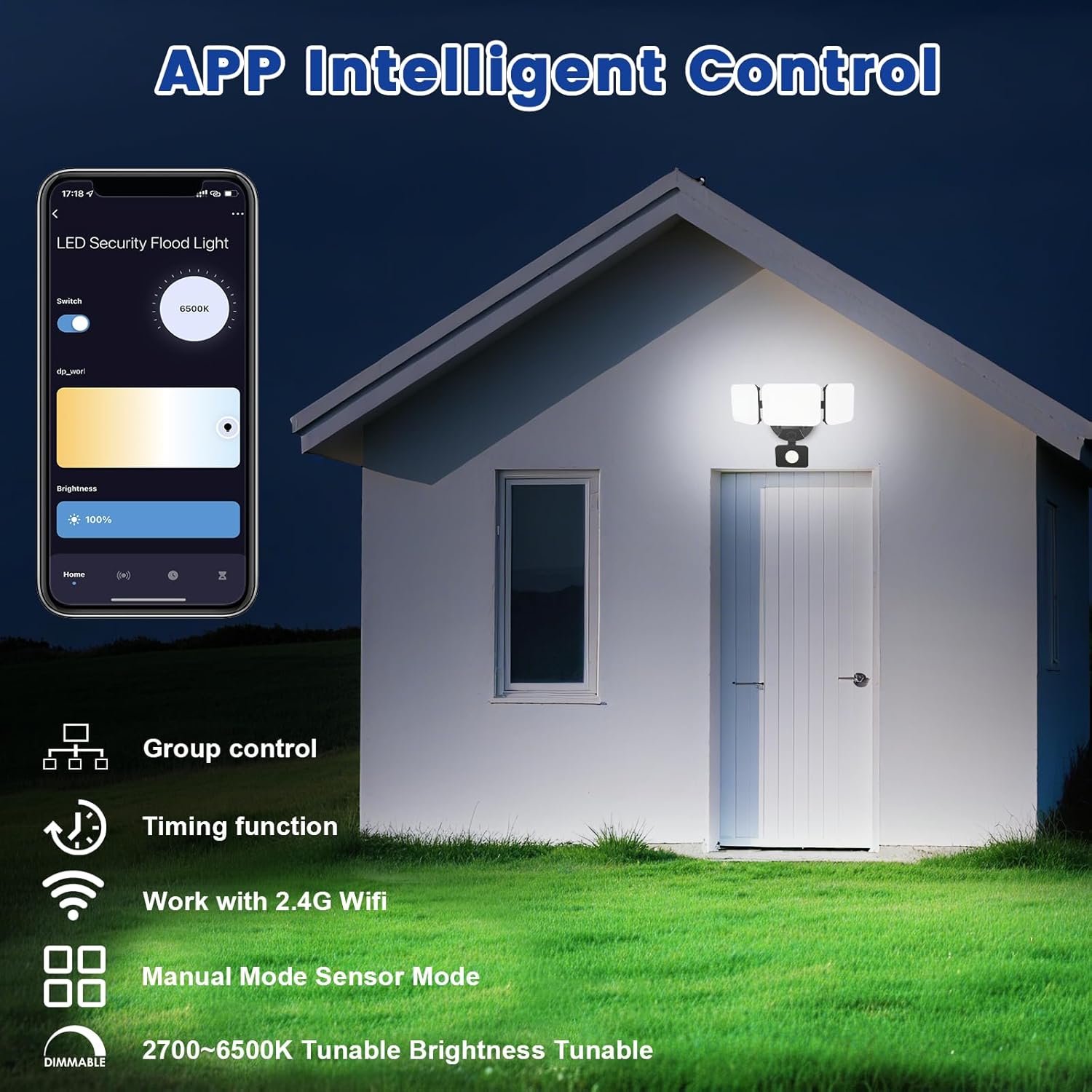
Image 5.1: App interface for intelligent control.
6. Instruccions de funcionament
6.1. Control d'aplicacions
Once connected, use the Smart Life/Tuya Smart app to control your security light:
- Ajust de brillantor: Ajusta la intensitat de la llum de l'1% al 100%.
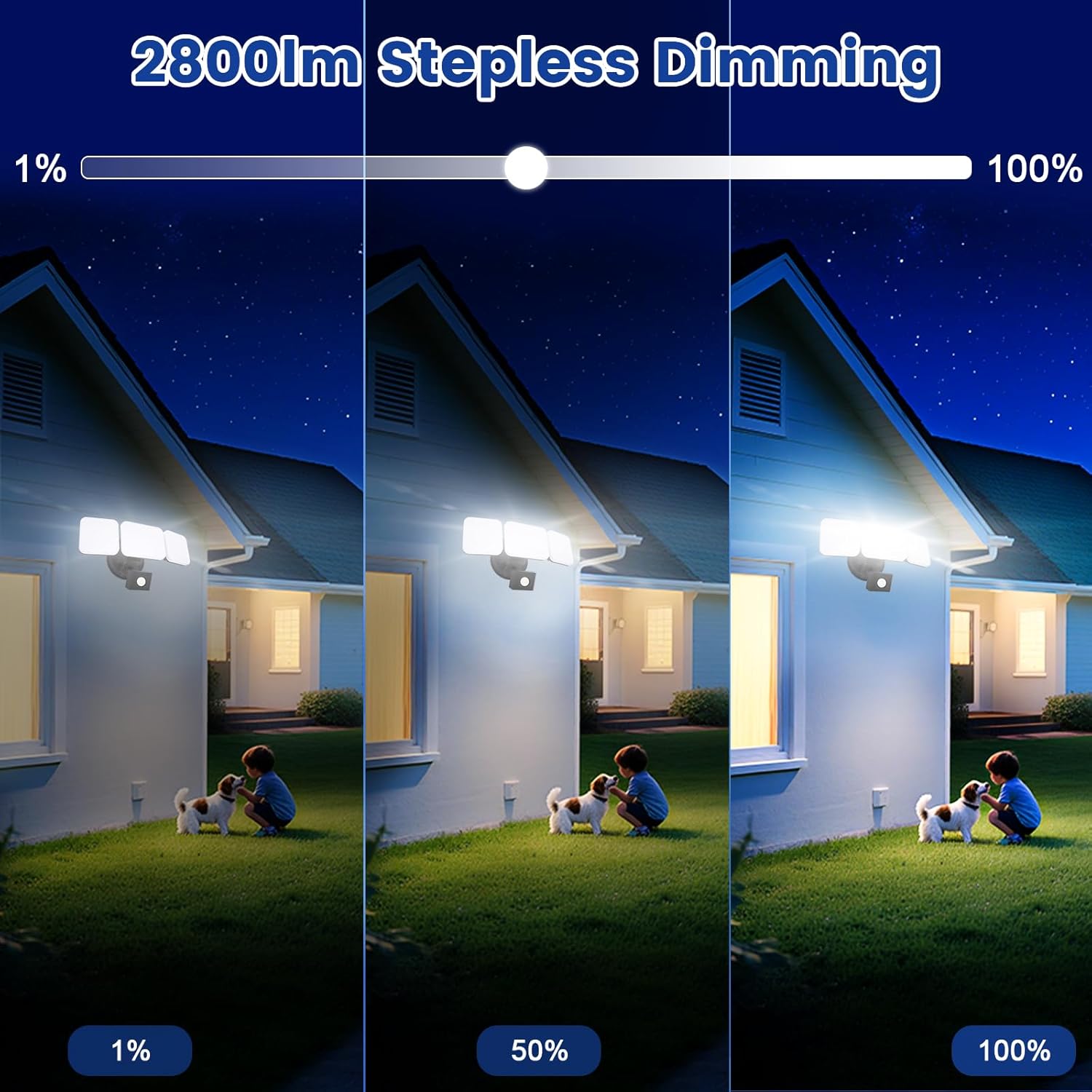
Image 6.1: Stepless dimming from 1% to 100% brightness.
- Ajust de temperatura de color: Change the light color from warm white (2700K) to daylight white (6500K).
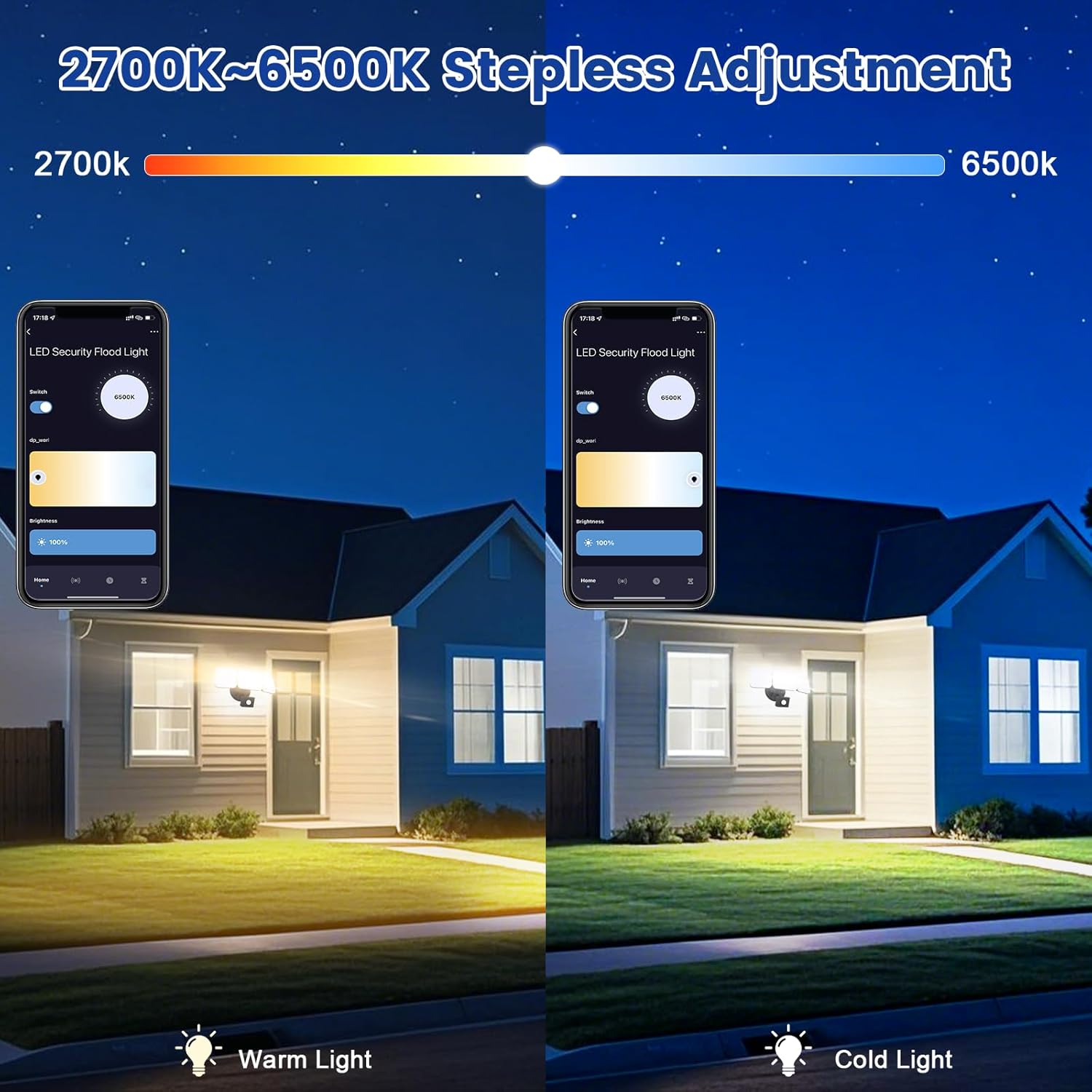
Image 6.2: Tunable white from 2700K (Warm) to 6500K (Daylight).
- Modes de funcionament:
- Mode manual: Functions as a regular light. You can set it to turn on/off at specific times and adjust brightness/color temperature.
- Mode de sensor: Activates the motion sensor. Customize sensor settings like sensitivity and light duration.
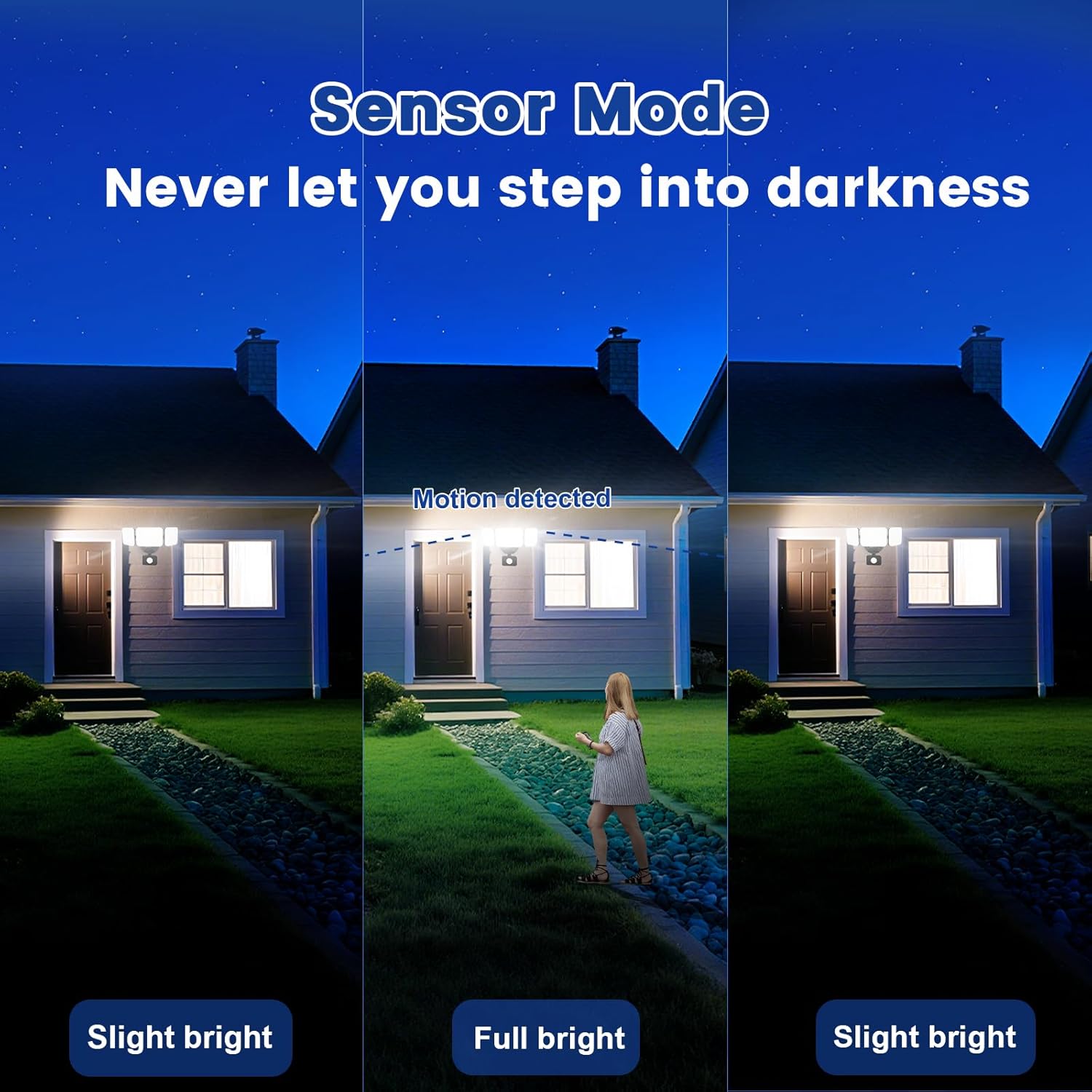
Image 6.3: Sensor Mode operation, detecting motion and adjusting brightness.
- Configuració del sensor de moviment: Adjust the detection range (up to 26ft) and the duration the light stays on after motion is detected (5 seconds to 60 minutes).

Image 6.4: Adjustable full light duration time.
- Programació: Set schedules for the light to turn on or off at specific times.

Image 6.5: Time scheduling and delay settings.
- Control de grup: Group multiple EMANER smart lights together for simultaneous control.
6.2. Voice Control (Alexa / Google Assistant)
Integrate your EMANER Smart Security Light with Amazon Alexa or Google Assistant for convenient voice commands.
- Enllaça el compte: In the Alexa or Google Home app, enable the "Smart Life" or "Tuya Smart" skill/service and link your account.
- Descobriu els dispositius: Ask Alexa or Google Assistant to "Discover devices."
- Comandaments de veu: Utilitzeu ordres com ara:
- "Alexa, turn on the security light."
- "Hey Google, set the security light to 50% brightness."
- "Alexa, change the security light to warm white."
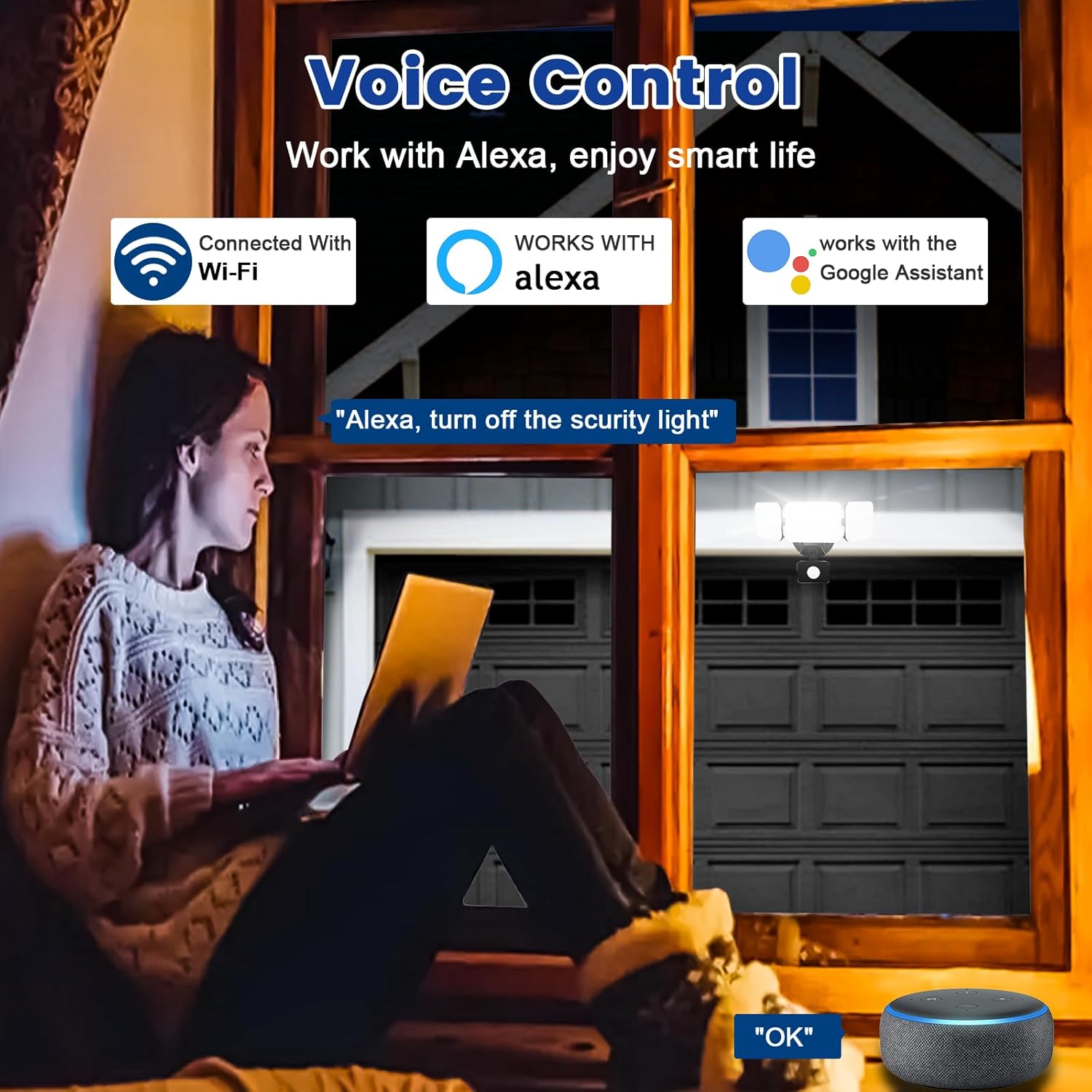
Image 6.6: Voice control integration with Alexa and Google Assistant.
7. Manteniment
- Neteja: Netegeu periòdicament la lluminària amb un drap suau iamp tela. No utilitzeu netejadors abrasius ni dissolvents.
- Inspecció: Regularly check for any loose wiring or damage to the fixture.
- Actualitzacions de firmware: Keep the Smart Life/Tuya Smart app updated to ensure your device receives the latest firmware for optimal performance and security.
8. Solució De Problemes
| Problema | Causa possible | Solució |
|---|---|---|
| La llum no s’encén. | No power, loose wiring, faulty fixture. | Check circuit breaker. Ensure all wiring connections are secure. Contact support if issue persists. |
| No es pot connectar a la Wi-Fi. | Incorrect Wi-Fi band (not 2.4GHz), wrong password, light not in pairing mode, weak signal. | Ensure your router is broadcasting 2.4GHz Wi-Fi. Verify password. Put light into pairing mode (turn off/on several times). Move router closer or use a Wi-Fi extender. |
| El sensor de moviment no funciona o és massa sensible. | Incorrect settings in app, obstruction, environmental factors. | Adjust sensitivity and detection range in the Smart Life/Tuya Smart app. Ensure sensor is not obstructed. Avoid aiming at heat sources or reflective surfaces. |
| El control per veu no respon. | App account not linked, device not discovered, incorrect commands. | Ensure Smart Life/Tuya Smart skill is enabled and linked in Alexa/Google Home app. Ask to "Discover devices." Use correct voice commands. |
9. Garantia i Suport
EMANER provides a Lifetime Warranty for this product, ensuring quality and customer satisfaction. For technical support, warranty claims, or any questions regarding your EMANER Smart Security Light, please contact EMANER customer service through the retailer's platform or visit the official EMANER weblloc per obtenir informació de contacte.
Recursos en línia:
- For app-related issues, refer to the help section within the Smart Life or Tuya Smart application.
- Visita el EMANER Store on Amazon per a informació i assistència sobre el producte.