
BORUIT V3-1
BORUIT V15 LED Flashlight User Manual
Model: V3-1 | Brand: BORUIT
1. Producte acabatview
The BORUIT V15 is a compact and powerful Everyday Carry (EDC) flashlight designed for versatility and durability. It features multiple lighting modes, a rechargeable battery, and practical functionalities like an 80-degree head swivel, a two-way clip, and a tail magnet.
Característiques clau
- Compacte i lleuger: Measures 2.93"x1.49"x0.7" and weighs 2.85 oz for easy portability.
- Alt Brillantor: Up to 1200 lumens with a 328-foot irradiation distance.
- Múltiples modes d'il·luminació: 5 main white light modes (Turbo, High, Medium, Low, Economic) and 5 side light modes (Warm, White, Red, Red Flash, Red Blue Flash).
- 80° Head Swivel: Adjustable head for wider illumination angles.
- USB-C recarregable: Built-in 1200mAh battery with fast charging.
- Construcció duradora: Made of high-quality ABS and aluminum alloy, IP67 waterproof rating.
- Muntatge versàtil: Features a two-way clip and a tail magnet for hands-free use.

2. Configuració
Càrrega del dispositiu
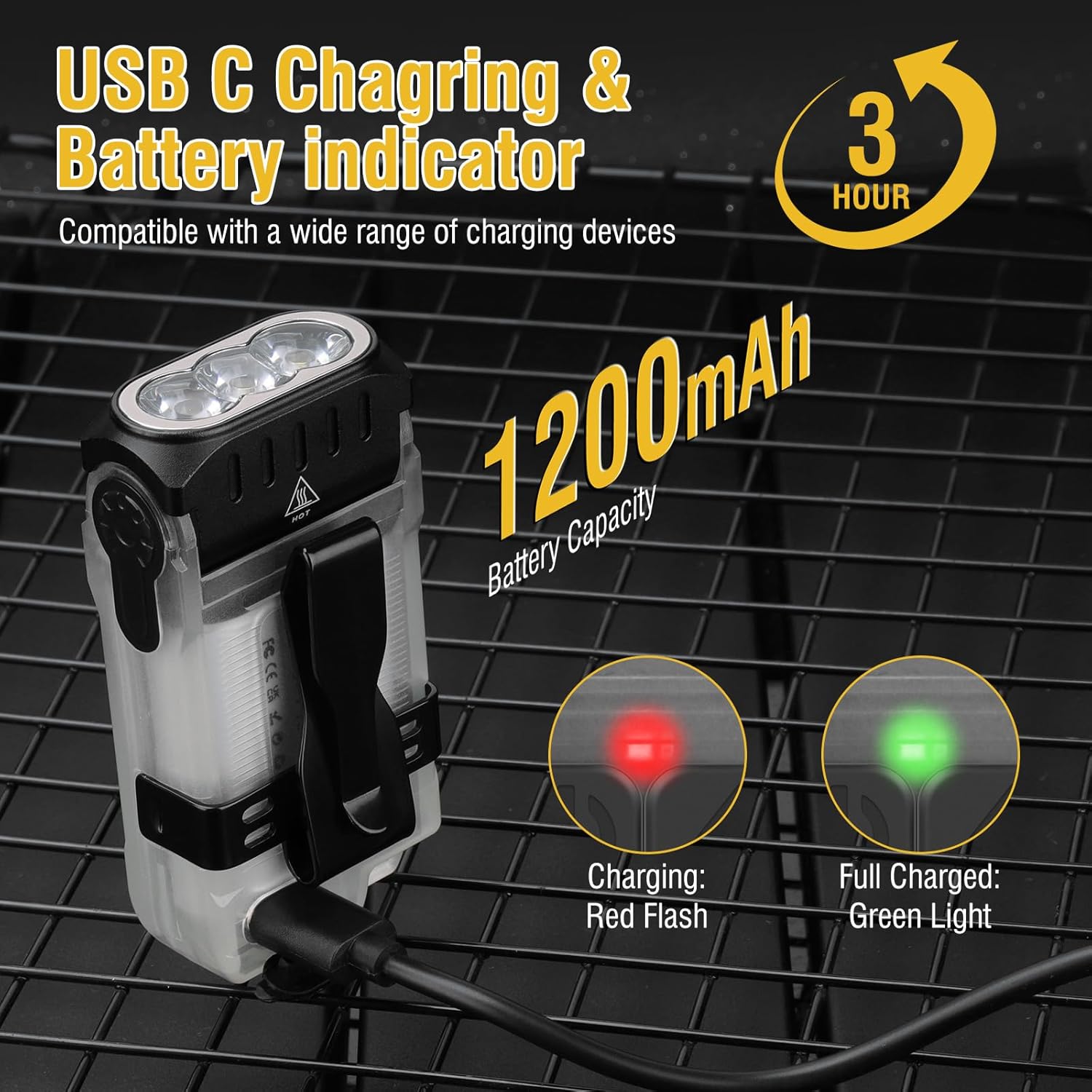
Before first use, fully charge your BORUIT V15 flashlight. The device is equipped with a USB-C charging port for convenience.
- Locate the USB-C charging port on the flashlight.
- Connect the provided USB-C cable to the flashlight and the other end to a compatible USB power source (e.g., wall adapter, computer USB port).
- The battery indicator will show a red flashing light during charging.
- Once fully charged, the indicator light will turn solid green. Charging typically takes approximately 3 hours.
3. Instruccions de funcionament
Principal Lamp Modes
La principal lamp offers five distinct brightness levels for various illumination needs.
- Turn On/Off (Turbo Mode): Long press the power button to activate Turbo mode. Release the button to turn off.
- Modes de cicle: Double-click the power button to turn on the light. Then, single-click to cycle through High, Medium, Low, and Economic modes.
- Turn Off (from cycled modes): Long press the power button to turn off the light from any cycled mode.
- Funció de memòria: La principal lamp has a memory function, recalling the last used mode when turned on again (except for Turbo mode).

Lateral Lamp Modes
El costat lamp provides multi-colored lighting options for signaling or ambient light.
- Turn On/Off (Warm Light): Long press the side lamp button to activate Warm Light mode. Release the button to turn off.
- Modes de cicle: Double-click the side lamp button to turn on. Then, single-click to cycle through Warm Light, White Light, Red Light, and Red Flash.
- Red Blue Flash: Triple-click the side lamp button to activate the Red Blue Flash mode.
- Turn Off (from cycled modes): Long press the side lamp button to turn off the light from any cycled mode.
- Funció de memòria: El costat lamp also has a memory function, recalling the last used mode when turned on again (except for Red Blue Flash).
Head Swivel Function
The BORUIT V15 features an 80-degree adjustable head, allowing you to direct the light precisely where needed. Simply pivot the head of the flashlight to achieve the desired angle of illumination.

Clip and Magnet Functionality
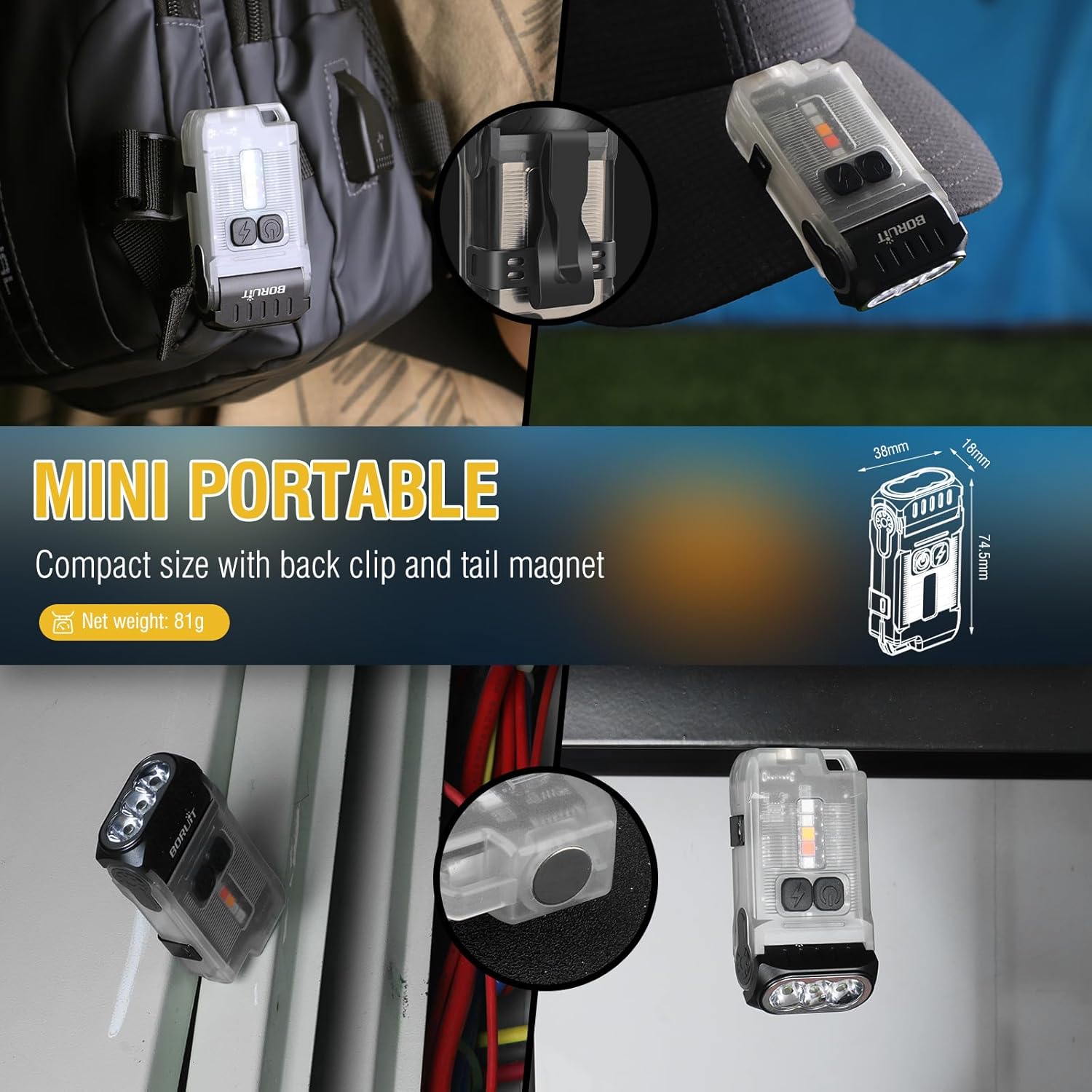
The flashlight is designed with a two-way clip and a tail magnet for versatile attachment options, freeing your hands.
- Two-Way Clip: Attach the flashlight to hat brims, pockets, belts, or backpack straps.
- Tail Magnet: Securely attach the flashlight to any ferrous metal surface for hands-free lighting in workshops, under car hoods, or on electrical panels.
4. Manteniment
Neteja
To ensure optimal performance and longevity, keep your flashlight clean.
- Netegeu l'exterior amb un suau, damp tela.
- No utilitzeu netejadors abrasius ni dissolvents.
- Assegureu-vos que el port de càrrega estigui lliure de pols i deixalles.
Emmagatzematge
When not in use for extended periods, store the flashlight in a cool, dry place away from direct sunlight and extreme temperatures.
Cura de la bateria
To prolong battery life, avoid fully discharging the battery frequently. Recharge the flashlight when the battery indicator shows low power.
5. Solució De Problemes
If you encounter issues with your BORUIT V15 flashlight, refer to the following common problems and solutions:
| Problema | Causa possible | Solució |
|---|---|---|
| La llanterna no s'encén. | Bateria baixa. | Charge the flashlight fully using the provided USB-C cable. |
| La llum és tènue o parpelleja. | Bateria baixa. | Recarrega la llanterna. |
| La llanterna no es carrega. | Cable o font d'alimentació defectuosos. | Prova un altre cable USB-C o adaptador de corrent. Assegura't que el port de càrrega estigui net. |
| Head swivel is stiff. | Accumulated dirt or debris. | Gently clean around the swivel mechanism. Do not force movement. |
Si el problema persisteix després d'intentar aquestes solucions, poseu-vos en contacte amb l'atenció al client.
6. Especificacions
| Característica | Detall |
|---|---|
| Número de model | V3-1 |
| Dimensions | 2.93" de profunditat x 1.49" d'amplada x 0.7" d'alçada (74.5 mm x 38 mm x 18 mm) |
| Pes de l'article | 2.85 oz (81 Grams) |
| Material | ABS, aliatge d'alumini |
| Tipus de font de llum | LED |
| Brillantor blanc | Fins a 1200 lúmens |
| Distància del camí de la llum | 100 metres (328 peus) |
| Capacitat de la bateria | Ió de liti de 1200 mAh (inclosa) |
| Port de càrrega | USB-C |
| Temps d'execució | Up to 4 hours (High mode), 42 hours (Economic mode) |
| Nivell de resistència a l'aigua | Impermeable IP67 |
| Característiques especials | 80° Head Swivels, Two-Way Back Clip, Tail Magnet |
7. Garantia i Suport
BORUIT products are manufactured with high standards of quality and durability. For any questions, concerns, or technical support regarding your BORUIT V15 LED Flashlight, please refer to the following resources:
- Assistència en línia: Visit the official BORUIT store on Amazon for FAQs and product information: BORUIT Amazon Store
- Components inclosos: Your product package includes a USB Cable and this user manual.
Please retain your purchase receipt for warranty purposes. Specific warranty terms and conditions may apply.
Ask a question about this manual
Ask about setup, troubleshooting, compatibility, parts, safety, or missing instructions. Manuals+ will review the question and use this page’s manual context to help answer it.