
ODK ZJZ-DXJZCZ
ODK Corner Desk User Manual
Model: ZJZ-DXJZCZ
Producte acabatview
The ODK Corner Desk is a versatile and robust L-shaped desk designed to optimize your workspace, whether for home office tasks or immersive gaming. It integrates essential features like power outlets and USB charging ports, a dedicated CPU stand, and a headphone hook, all built on a stable and durable frame.
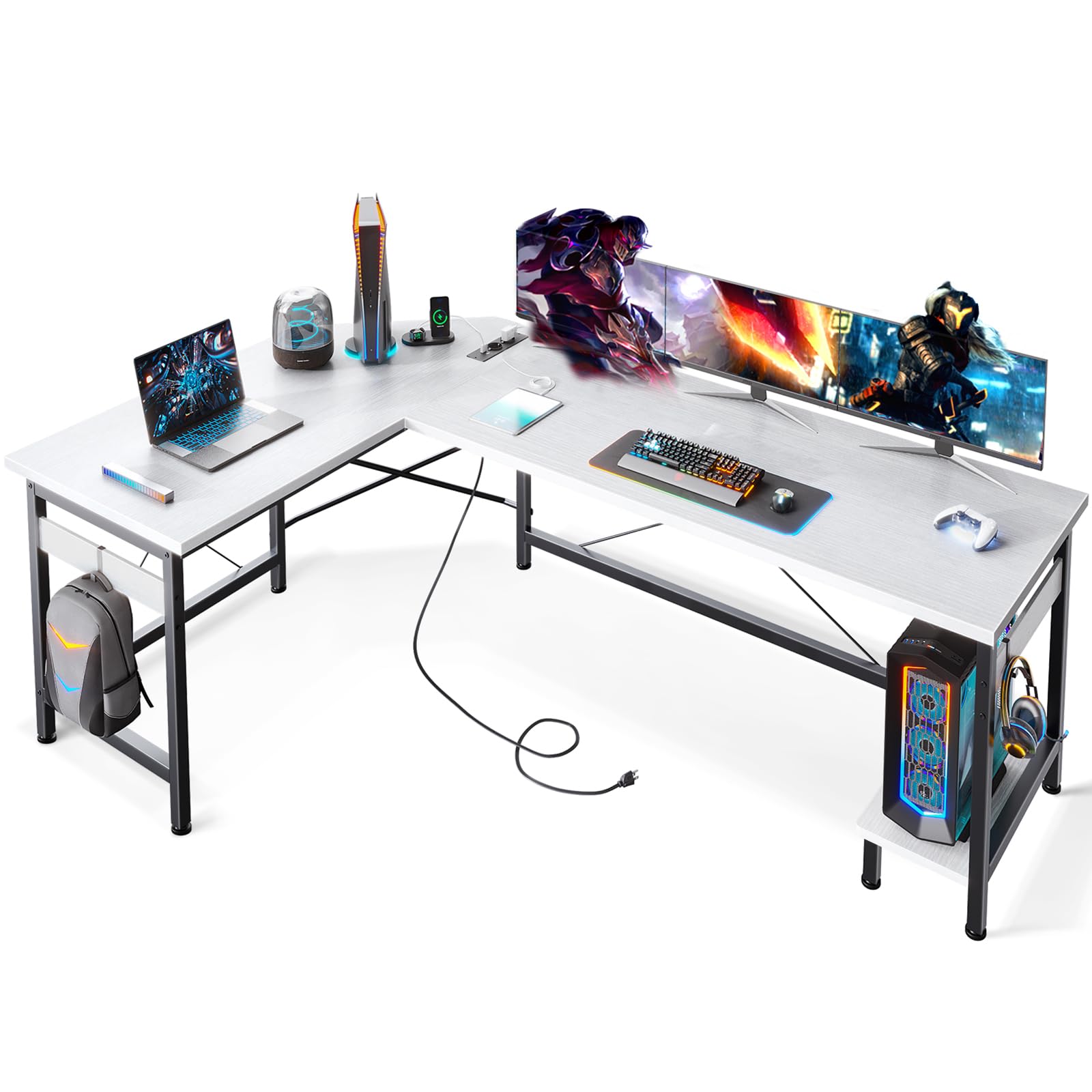
Image: The ODK Corner Desk configured for a comprehensive gaming and work setup, showcasing its spacious L-shaped design and integrated features.
Informació de seguretat
For your safety and to ensure the longevity of your ODK Corner Desk, please adhere to the following guidelines:
- Ensure the desk is assembled and placed on a flat, level surface to prevent wobbling or instability.
- Utilize the provided diagonal struts and adjustable leg pads to enhance stability and compensate for uneven flooring.
- Before placing heavy objects on the desk, verify that the load capacity of the desk surface is not exceeded. Distribute weight evenly.
- Mantingueu els líquids allunyats de les preses de corrent integrades i els ports USB per evitar riscos elèctrics.
Muntatge i muntatge
The ODK Corner Desk is designed for straightforward assembly. Clear and detailed instructions are included in the packaging to guide you through each step. It is recommended to assemble the desk in the room where it will be used.
- Desembaleu tots els components i verifiqueu-los amb la llista de peces que es proporciona al manual d'instruccions.
- Seguiu atentament els diagrames i les instruccions pas a pas.
- Ensure all screws and fasteners are securely tightened, but do not overtighten to avoid damaging the materials.
- Adjust the leg pads as needed to ensure the desk is stable and level on your floor.
Instruccions de funcionament
Preses de corrent integrades i ports USB
The ODK Corner Desk features a built-in power strip with 3 standard AC sockets and 2 USB charging ports, providing convenient access to power for your electronic devices.
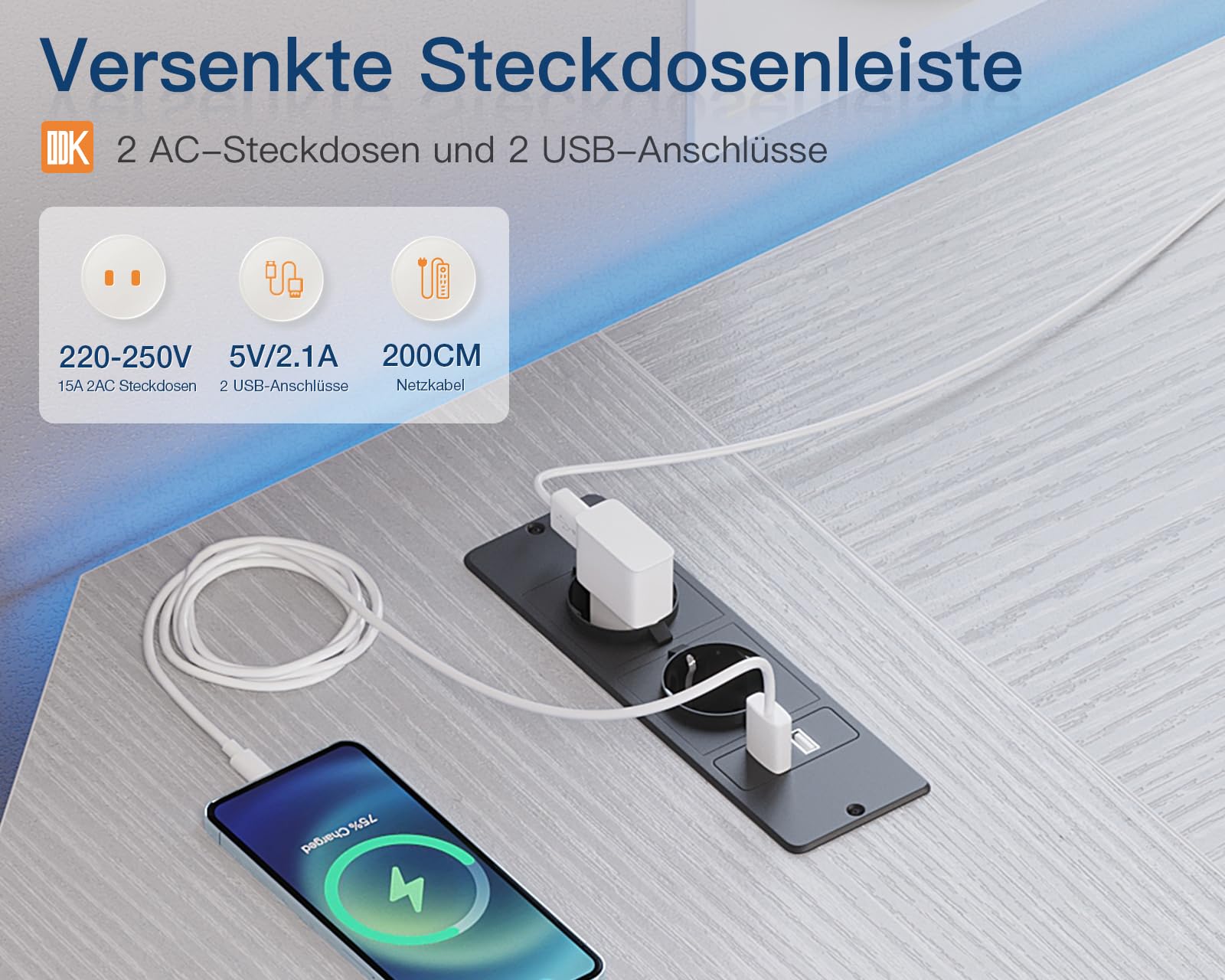
Imatge: Una imatge detallada view of the desk's integrated power strip, highlighting the AC sockets and USB charging ports in use.
- Connect the desk's main power cord to a wall outlet.
- Plug your laptop, monitor, printer, or other devices into the 3 standard AC sockets.
- Use the 2 USB ports to charge smartphones, tablets, or other USB-powered devices.
- Avoid overloading the power strip. Refer to the specifications for maximum power output.
Suport de CPU
A dedicated CPU stand is integrated into the desk's design, allowing for convenient and organized placement of your computer tower.
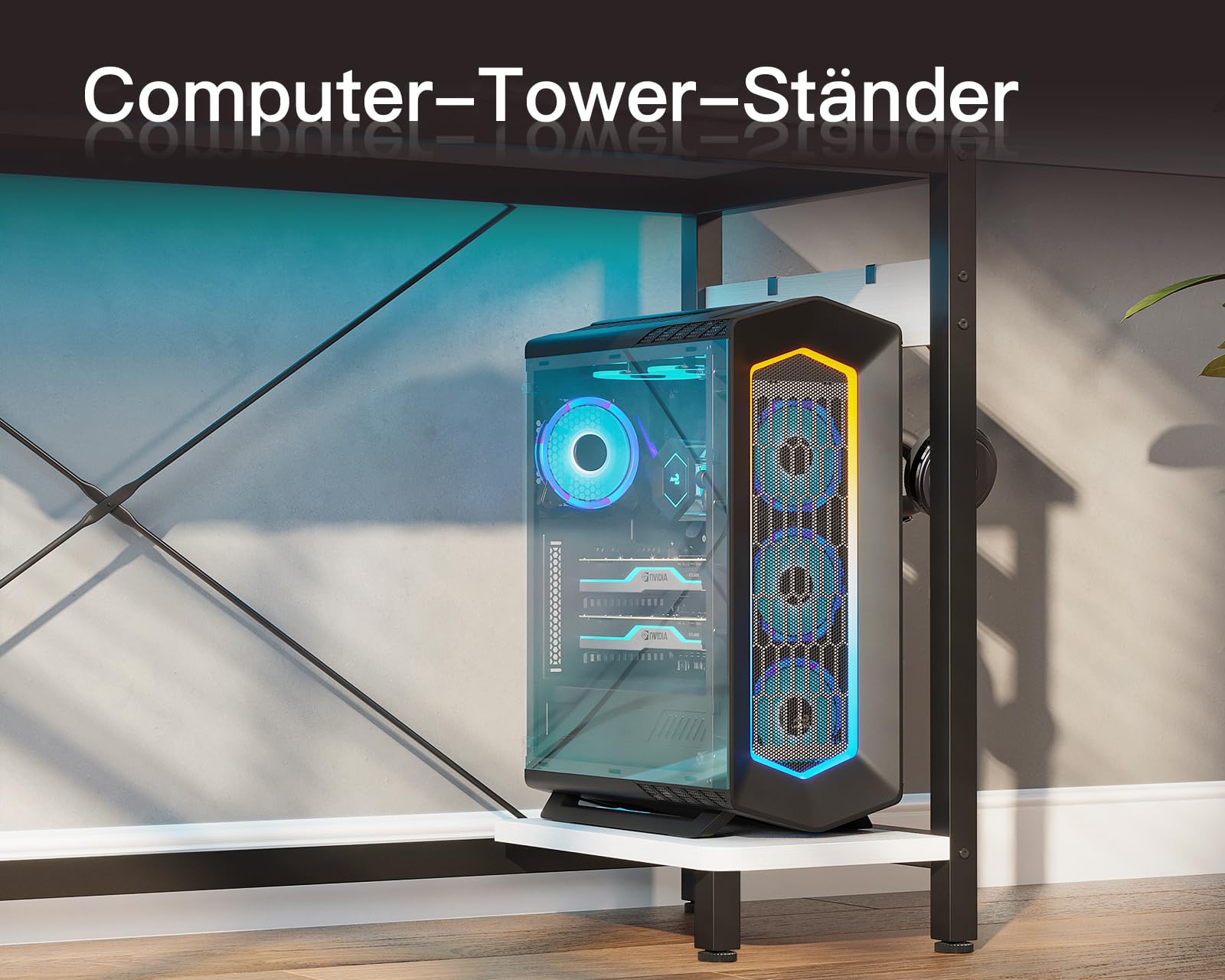
Image: The dedicated CPU stand, providing a stable and accessible location for your computer tower.
- Place your computer tower securely on the CPU stand.
- Ensure adequate ventilation around your computer tower to prevent overheating.
Ganxo per a auriculars
An iron hook is provided for convenient storage of your headphones, keeping them within reach and off your desk surface.
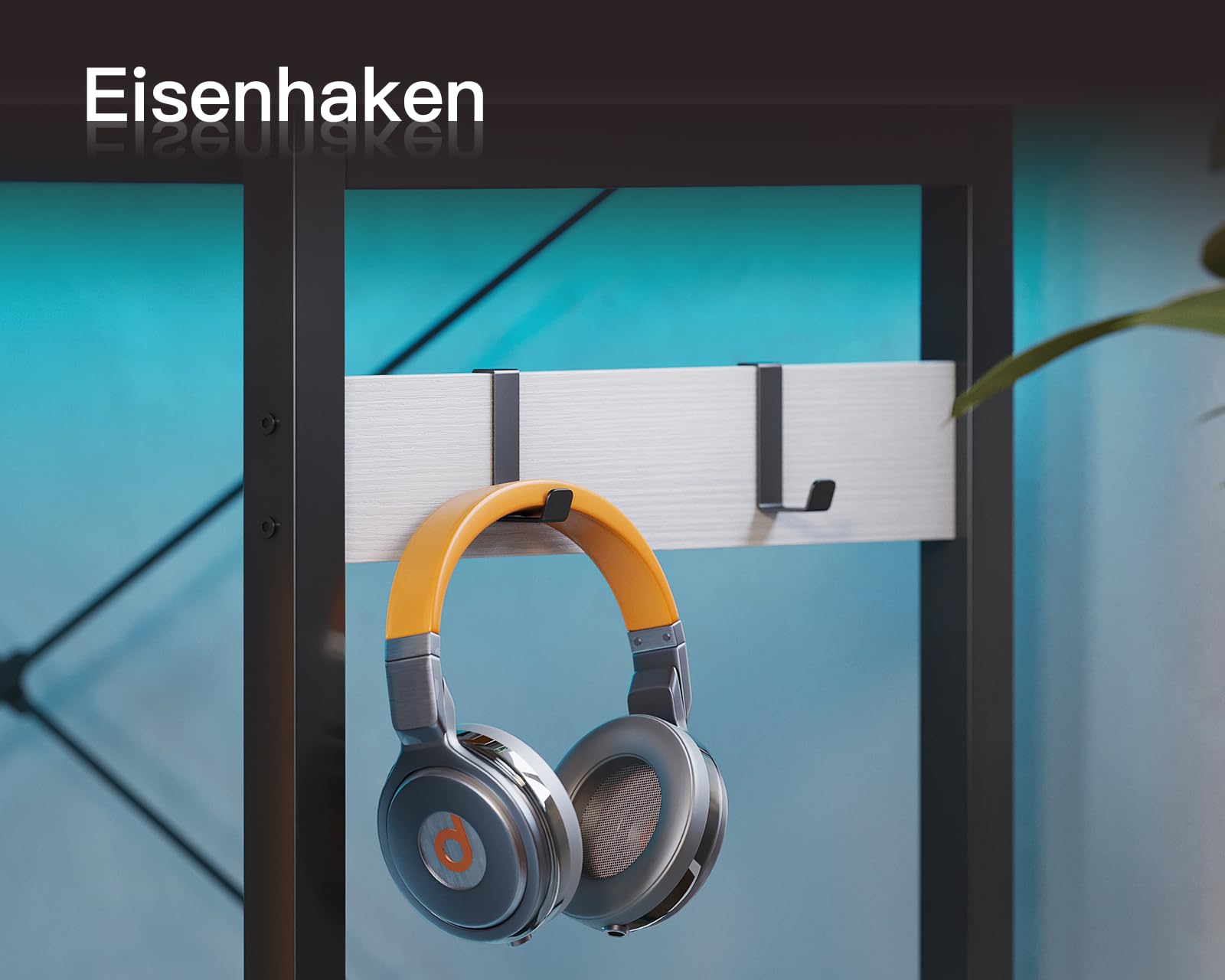
Image: The sturdy iron hook designed for hanging headphones, promoting a tidy workspace.
- Hang your headphones on the designated iron hook when not in use.
Manteniment
Proper care and maintenance will help preserve the appearance and functionality of your ODK Corner Desk.
- Neteja: Netegeu les superfícies amb un suau, damp cloth. Avoid harsh chemicals or abrasive cleaners that could damage the engineered wood or metal finish.
- Vessaments: Immediately wipe up any spills to prevent moisture damage to the wood.
- Inspecció: Reviseu periòdicament tots els cargols i elements de fixació per assegurar-vos que estiguin ben ajustats. Torneu a apretar-los si cal.
- Col·locació: Avoid placing the desk in direct sunlight or near heat sources, which can cause warping or discoloration.
Resolució de problemes
If you encounter any issues with your ODK Corner Desk, consider the following common solutions:
- Desk Wobbles: Ensure the desk is on a flat surface. Adjust the individual leg pads by rotating them until the desk is stable and level. Check that all assembly screws are tightened.
- Preses de corrent que no funcionen: Verify that the desk's main power cord is securely plugged into a functioning wall outlet. Check if the wall outlet itself has power by testing with another device.
- Dificultats de muntatge: Re-read the assembly instructions carefully, paying close attention to diagrams. Ensure you are using the correct hardware for each step. If a part seems misaligned, double-check its orientation.
Per a problemes persistents o problemes que no es cobreixen aquí, poseu-vos en contacte amb l'atenció al client.
Especificacions
| Característica | Detall |
|---|---|
| Marca | ODK |
| Número de model | ZJZ-DXJZCZ |
| Color | Blanc |
| Dimensions del producte (L x A x A) | 168 x 120 x 73.3 cm |
| Pes de l'article | 20.3 quilos |
| Material | Engineered Wood (Top & Base) |
| Material del marc | Metall |
| Característiques especials | L-shaped design, Integrated Power Outlets (3 AC, 2 USB), CPU Stand, Headphone Hook, Adjustable Leg Pads |
| Tipus d'acabat | Envernissat |
| Disseny d'escriptori | Escriptori d'ordinador |
| Data de primera disponibilitat | 11 d'abril de 2024 |
Informació de la garantia
Specific warranty details for the ODK Corner Desk are typically provided with your purchase documentation. Please refer to the warranty card or information included in your product packaging for terms, conditions, and duration of coverage. Keep your proof of purchase for any warranty claims.
Atenció al client
Should you require further assistance, have questions about assembly, operation, or encounter any issues with your ODK Corner Desk, our professional 24-hour online customer service team is available to help.
Please refer to the contact information provided in your product packaging or on the official ODK weblloc web per als canals de suport més actuals.
Ask a question about this manual
Ask about setup, troubleshooting, compatibility, parts, safety, or missing instructions. Manuals+ will review the question and use this page’s manual context to help answer it.