
EBTOOLS EBTOOLS1756ogbieh-12
User Manual for EBTOOLS YEEMI K21+ 4G Flip Phone
Model: EBTOOLS1756ogbieh-12
Introducció
This manual provides comprehensive instructions for the operation, maintenance, and troubleshooting of your EBTOOLS YEEMI K21+ 4G Flip Phone. Designed with seniors in mind, this phone features large buttons, dual screens, and essential functions like SOS and GPS for enhanced safety and ease of use. Please read this manual carefully to ensure proper use and to maximize the phone's capabilities.
1. Configuració
1.1 Contingut del paquet
Abans de començar, comproveu que tots els elements siguin presents al paquet:
- EBTOOLS YEEMI K21+ 4G Flip Phone
- Bateria
- Cable USB
- Manual d'usuari (aquest document)

Image: The phone, battery, and USB cable included in the package.
1.2 Inserció de la targeta SIM i la bateria
- Obriu la contraportada: Obriu suaument la tapa posterior del telèfon amb una palanca.
- Inseriu la targeta(es) SIM: Locate the SIM card slot(s). This phone supports dual SIM. Carefully insert your 4G compatible SIM card(s) into the designated slot(s) with the gold contacts facing down.
- Insereix la bateria: Align the battery contacts with the phone's contacts and gently press the battery into place.
- Close Back Cover: Torneu a col·locar la coberta posterior, assegurant-vos que encaixi correctament al seu lloc amb un clic.

Image: The phone in its open position, ready for SIM card and battery insertion.
1.3 Càrrega de la bateria
Abans del primer ús, carregueu completament la bateria del telèfon.
- Connect the small end of the USB cable to the phone's charging port.
- Connecteu l'altre extrem del cable USB a un adaptador de corrent USB compatible (no inclòs) o al port USB d'un ordinador.
- L'indicador de càrrega a la pantalla mostrarà l'estat de càrrega.
2. Instruccions de funcionament
2.1 Encès/Apagat
- Per encendre: Premeu i manteniu premut el botó d'engegada/finalització de trucada (botó vermell) fins que la pantalla s'il·lumini.
- Per apagar: Press and hold the Power/End Call button until the power off options appear, then select "Power Off".
2.2 Fer i rebre trucades
- Fer una trucada:
- Enter the phone number using the large keypad buttons.
- Press the Call button (green button) to dial.
- Recepció d'una trucada:
- When the phone rings, open the flip to answer, or press the Call button.
- To end a call, press the Power/End Call button.

Imatge: La presentació del telèfonasing its dual display feature, with the internal screen open and the external screen visible when closed.
2.3 Dual Screens and Large Font
The phone features a 2.6-inch high-definition main screen and a 1.77-inch external color high-definition screen. The external screen displays important information like time, date, and incoming call notifications without needing to open the phone. Large fonts and icons are used throughout the interface for improved readability.

Imatge: Un primer pla view of the phone's external screen, highlighting its dual SIM dual standby capability.
2.4 SOS and GPS Functionality
For emergencies, the phone is equipped with an SOS button and GPS positioning.
- Setting up SOS Contacts: Navigate to the SOS settings in the phone's menu to add emergency contact numbers.
- Activació de SOS: In an emergency, press and hold the dedicated SOS button (usually located on the back or side of the phone). The phone will automatically call and send an emergency message with your GPS location to the pre-set SOS contacts.
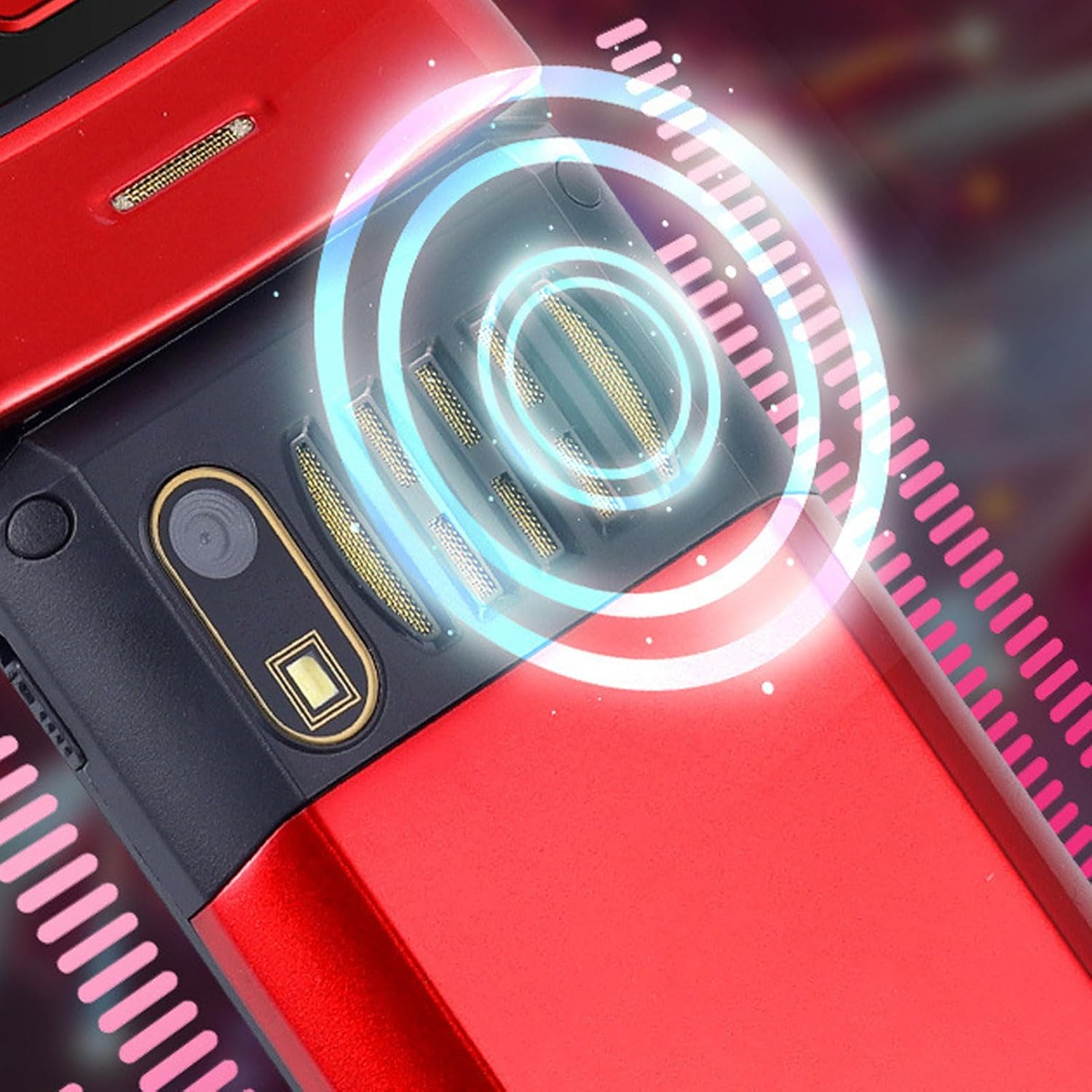
Image: The back of the phone, highlighting the speaker area, which contributes to clear sound for emergency calls.
2.5 Speed Dial and Shortcut Buttons
The phone supports 9 speed dial buttons for quick dialing of family numbers and 3 dedicated shortcut buttons for frequently used functions.
- Setting Speed Dial: Refer to the phone's menu for instructions on assigning contacts to speed dial numbers (typically 2-9).
- Ús dels botons de drecera: The dedicated shortcut buttons provide quick access to features like Camera, Messaging, or FM Radio.
3. Manteniment
3.1 Cura de la bateria
- Eviteu exposar la bateria a temperatures extremes.
- No punxeu, desmunteu o curtcircuiteu la bateria.
- Si no feu servir el telèfon durant un període prolongat, carregueu la bateria al 50% aproximadament abans de guardar-lo.
3.2 Neteja del telèfon
- Use a soft, lint-free cloth to clean the phone's screen and body.
- Do not use harsh chemicals, cleaning sprays, or abrasive materials.
- Mantingueu el port de càrrega i les reixes de l'altaveu nets de pols i deixalles.
4. Solució De Problemes
If you encounter issues with your phone, please refer to the following common problems and solutions:
| Problema | Causa possible | Solució |
|---|---|---|
| El telèfon no s'encén. | La bateria està esgotada o no està ben inserida. | Carregueu la bateria. Assegureu-vos que la bateria estigui inserida correctament. |
| No es poden fer ni rebre trucades. | No hi ha targeta SIM, la targeta SIM no està inserida correctament o no hi ha senyal de xarxa. | Assegureu-vos que la targeta SIM estigui inserida correctament. Comproveu la intensitat del senyal de xarxa. Poseu-vos en contacte amb el vostre proveïdor de serveis. |
| Mala qualitat de trucada. | Weak network signal, or speaker/microphone obstruction. | Move to an area with better signal. Clean speaker and microphone openings. |
| SOS function not working. | SOS contacts not set up, or no network signal. | Verify SOS contacts are correctly configured in settings. Ensure phone has network signal. |
5. Especificacions
Key technical specifications for the EBTOOLS YEEMI K21+ 4G Flip Phone:
- Model: EBTOOLS1756ogbieh-12
- Connectivitat: 4G (supports 2G, 3G, and 4G network bands including GSM and CDMA)
- Pantalla principal: 2.6-inch High Definition
- Pantalla externa: 1.77-inch Color High Definition
- Capacitat de la bateria: 4800mAh (Long Standby Time)
- Característiques: Large Buttons, Dual Screens, SOS with GPS Positioning, 9 Speed Dial Buttons, 3 Dedicated Shortcut Buttons, Clear Sound Speaker
- Dimensions: Aproximadament 5.51 x 3.15 x 2.76 polzades (dimensions del paquet)
- País d'origen: Xina
6. Garantia i Suport
Your EBTOOLS YEEMI K21+ 4G Flip Phone comes with a standard manufacturer's warranty. Please refer to the warranty card included in your package for specific terms and conditions. For technical support, troubleshooting assistance beyond this manual, or warranty claims, please contact the seller or manufacturer directly.
Fabricant: EBTOOLS
Per a més ajuda, podeu visitar el Botiga EBTOOLS a Amazon.
Ask a question about this manual
Ask about setup, troubleshooting, compatibility, parts, safety, or missing instructions. Manuals+ will review the question and use this page’s manual context to help answer it.