
OMOTON WK014 (DE-Layout)
OMOTON WK014 Semi-Mechanical Gaming Keyboard User Manual
Model: WK014 (DE-Layout)
1. Introducció
Thank you for choosing the OMOTON WK014 Semi-Mechanical Gaming Keyboard. This manual provides detailed instructions for setting up, operating, maintaining, and troubleshooting your new keyboard. Please read this manual thoroughly before use to ensure optimal performance and longevity of your device.
The OMOTON WK014 is designed to enhance your gaming and typing experience with its customizable RGB backlighting, ergonomic design, and programmable keys. Its durable construction and high compatibility make it a versatile tool for various computing environments.
2. Producte acabatview
The OMOTON WK014 keyboard features a QWERTZ layout, semi-mechanical keys, and a range of customizable options. Key components include:
- Retroil·luminació RGB: 9 lighting modes and 3 brightness levels.
- Reposa-canell magnètic: Disseny ergonòmic per a la comoditat durant un ús prolongat.
- Tecles programables: 6 custom keys (G1-G6) and 4 macro recording keys.
- Roda de control de volum: For quick audio adjustments.
- Braided USB Cable: Ensures stable and reliable connection.
- Anti-fantasma: 26-key anti-ghosting for precise input.

Figure 2.1: OMOTON WK014 Semi-Mechanical Gaming Keyboard with its detachable magnetic wrist rest and vibrant RGB backlighting.
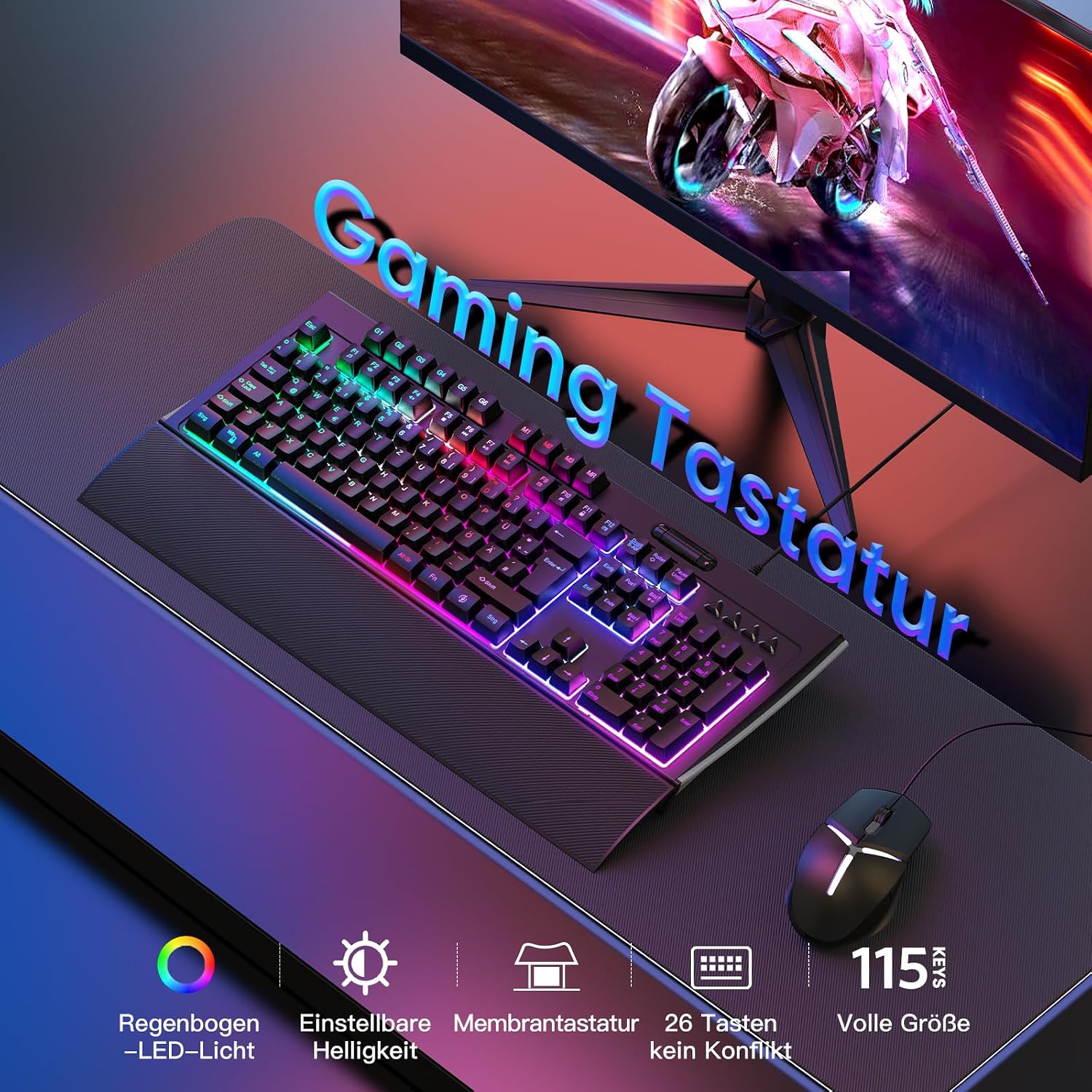
Figure 2.2: The OMOTON WK014 keyboard set up on a desk, illustrating its full size (115 keys) and key features such as adjustable RGB lighting, membrane keys, and anti-ghosting capabilities.
3. Configuració
Follow these steps to set up your OMOTON WK014 Gaming Keyboard:
- Descomprimir el teclat: Traieu amb cura el teclat i els seus accessoris de l'embalatge.
- Fixeu el reposacanell: The magnetic wrist rest can be easily attached to the front edge of the keyboard. Align the magnetic points for a secure fit.
- Connecta't al dispositiu: Plug the braided USB cable from the keyboard into an available USB port on your PC, laptop, PS4, or PS5.
- Instal·lació del controlador (automàtica): The keyboard is plug-and-play. Your operating system (Windows, etc.) should automatically detect and install the necessary drivers. No manual driver installation is typically required.
- Posicionament: Place the keyboard on a flat, stable surface. Adjust the rear feet for a comfortable 12° tilt angle if desired.

Figure 3.1: Illustration of the ergonomic 12° tilt angle and proper hand positioning with the magnetic wrist rest to ensure comfort and reduce fatigue.
4. Instruccions de funcionament
4.1. Control de la llum de fons
The OMOTON WK014 offers 9 different lighting modes and 3 brightness levels. You can control the backlight using the FN key combinations:
- Canvia el mode d'il·luminació: Premeu FN + 1~9 to cycle through the 9 different lighting effects.
- Ajusta la brillantor: Premeu FN + Pàg amunt per augmentar la brillantor, i FN + Pàg avall per disminuir la brillantor. Hi ha 3 nivells de brillantor.
- Activa/desactiva la retroiluminació: Press the dedicated backlight toggle key (often indicated by a light bulb icon) to turn the backlight on or off.

Figure 4.1: Diagram illustrating the FN key combinations for switching lighting modes (FN+F1-F8), adjusting brightness (FN+Page Up/Down), and toggling the backlight on/off.
4.2. Customizable Programming and Macros
The keyboard supports customizable programming and macro recording through its dedicated software. This allows you to personalize key assignments and create complex macro sequences.
- Custom Keys (G1-G6): These 6 keys can be assigned custom functions or macros using the software.
- Macro Recording (MR Key): Use the MR key to initiate macro recording directly on the keyboard. Refer to the software manual for detailed instructions on macro creation and assignment.
- Profile Keys (M1-M3): These keys allow you to switch between different custom profiles, each with its own set of key assignments and macros.

Figura 4.2: Mésview of the keyboard's dedicated macro keys (G1-G6), profile keys (M1-M3), and the macro recording key (MR), along with indicators for various lock functions.

Figure 4.3: Screenshot of the customizable software interface, demonstrating options for user-defined profiles, key assignments, and macro programming for the OMOTON WK014 keyboard.

Figura 4.4: Detallada view of the dedicated macro/profile keys on the left side of the keyboard and the convenient volume control wheel located on the top right.
4.3. Control de volum
The keyboard features a dedicated volume control wheel, typically located on the top right side of the keyboard. Rotate the wheel to adjust the system volume directly.
4.4. Lock Indicators
The keyboard includes LED indicators for:
- Bloq num
- Bloqueig de majúscules
- Bloqueig de desplaçament
- Win Lock (disables Windows key to prevent accidental presses during gaming)
5. Manteniment
Un manteniment adequat garanteix la longevitat i el rendiment òptim del teclat:
- Neteja:
- Desconnecta el teclat del dispositiu abans de netejar-lo.
- Utilitzeu un drap suau i sense pelusa lleugerament dampesbandida amb aigua o una solució netejadora suau per netejar la superfície.
- Per a la pols i les restes entre les tecles, feu servir aire comprimit.
- Avoid harsh chemicals, abrasive cleaners, or excessive moisture.
- Vessaments de líquids: The keyboard is designed to be waterproof to effectively prevent liquid penetration. In case of a spill, immediately disconnect the keyboard, wipe off the liquid, and allow it to dry completely before reconnecting.
- Emmagatzematge: Guardeu el teclat en un lloc fresc i sec, allunyat de la llum solar directa i de temperatures extremes quan no l'utilitzeu durant períodes prolongats.
6. Solució De Problemes
If you encounter issues with your OMOTON WK014 keyboard, refer to the following common solutions:
| Problema | Causa possible | Solució |
|---|---|---|
| El teclat no respon | Connexió USB fluixa, port USB defectuós, problema amb el controlador. |
|
| La llum de fons no funciona | Backlight turned off, brightness set to minimum. |
|
| Keys not registering or ghosting | Software conflict, physical obstruction, excessive dust/debris. |
|
| Macro/custom keys not working | Incorrect software configuration, macro not saved. |
|
If the problem persists after trying these solutions, please contact OMOTON customer support for further assistance.
7. Especificacions
| Característica | Detall |
|---|---|
| Marca | OMOTON |
| Número de model | WK014 (DE-Layout) |
| Tecnologia de connectivitat | Wired USB (Braided Cable) |
| Descripció del teclat | Gaming, Semi-Mechanical Membrane |
| Nombre de claus | 115 |
| Llum de fons | RGB (9 modes, 3 brightness levels) |
| Característiques especials | Ergonomic, Programmable Keys, Backlit, Magnetic Wrist Rest, Volume Control Wheel, Waterproof Design |
| Dispositius compatibles | PC, Laptop, Game Console (PS4, PS5) |
| Components inclosos | Cable USB |
8. Garantia i Suport
OMOTON products are designed and manufactured to the highest quality standards. For warranty information and technical support, please refer to the warranty card included with your product or visit the official OMOTON website. Please have your product model number (WK014) and purchase details ready when contacting support.
For the latest drivers and software for customizable programming, please visit the official OMOTON support page.
Ask a question about this manual
Ask about setup, troubleshooting, compatibility, parts, safety, or missing instructions. Manuals+ will review the question and use this page’s manual context to help answer it.