
FREEWOLF K8
Manual d'usuari del teclat mecànic sense fil per a jocs FREEWOLF K8
Model: K8
1. Introducció
Thank you for choosing the FREEWOLF K8 Wireless Mechanical Gaming Keyboard. This keyboard offers versatile connectivity options, customizable RGB backlighting, and a hot-swappable design for a personalized typing and gaming experience. This manual provides detailed instructions for setup, operation, and maintenance to ensure optimal performance and longevity of your device.
2. Contingut del paquet
Si us plau, verifiqueu que tots els elements que s'enumeren a continuació estiguin inclosos al vostre paquet:
- FREEWOLF K8 Mechanical Keyboard
- Cable USB-C a USB-A
- Receptor USB de 2.4 GHz
- Extractor de tecles
- Tirador de commutació
- Extra Mechanical Switches (2 pieces)
- Manual d'usuari (aquest document)

Image: The FREEWOLF K8 keyboard shown with its included accessories, including the USB-C cable, 2.4GHz receiver, keycap puller, switch puller, and two spare mechanical switches.
3. Producte acabatview
The FREEWOLF K8 features an 80% layout with 100 keys, designed for both efficiency and comfort. It incorporates a robust internal structure for enhanced sound and feel.

Imatge: Una explosió view of the FREEWOLF K8 keyboard's internal components, highlighting the aluminum plate, sandwich acoustic foam, PBC board, and insulation foam, which contribute to its sound-damppropietats d'ening.
Característiques principals:
- Connectivitat trimodal: Supports Bluetooth, 2.4GHz wireless, and USB-C wired connections.
- Interruptors intercanviables en calent: Compatible with most 3-pin mechanical switches, allowing for easy customization.
- Retroil·luminació RGB: Features 19 preset lighting effects and 3 customizable gaming backlight modes.
- Bateria de llarga durada: Equipat amb una bateria recarregable de 4000 mAh per a un ús prolongat.
- Disseny ergonòmic: Includes adjustable kickstands for two typing angles and durable PBT keycaps.
- Compatibilitat multisistema: Works with Windows and Mac operating systems.
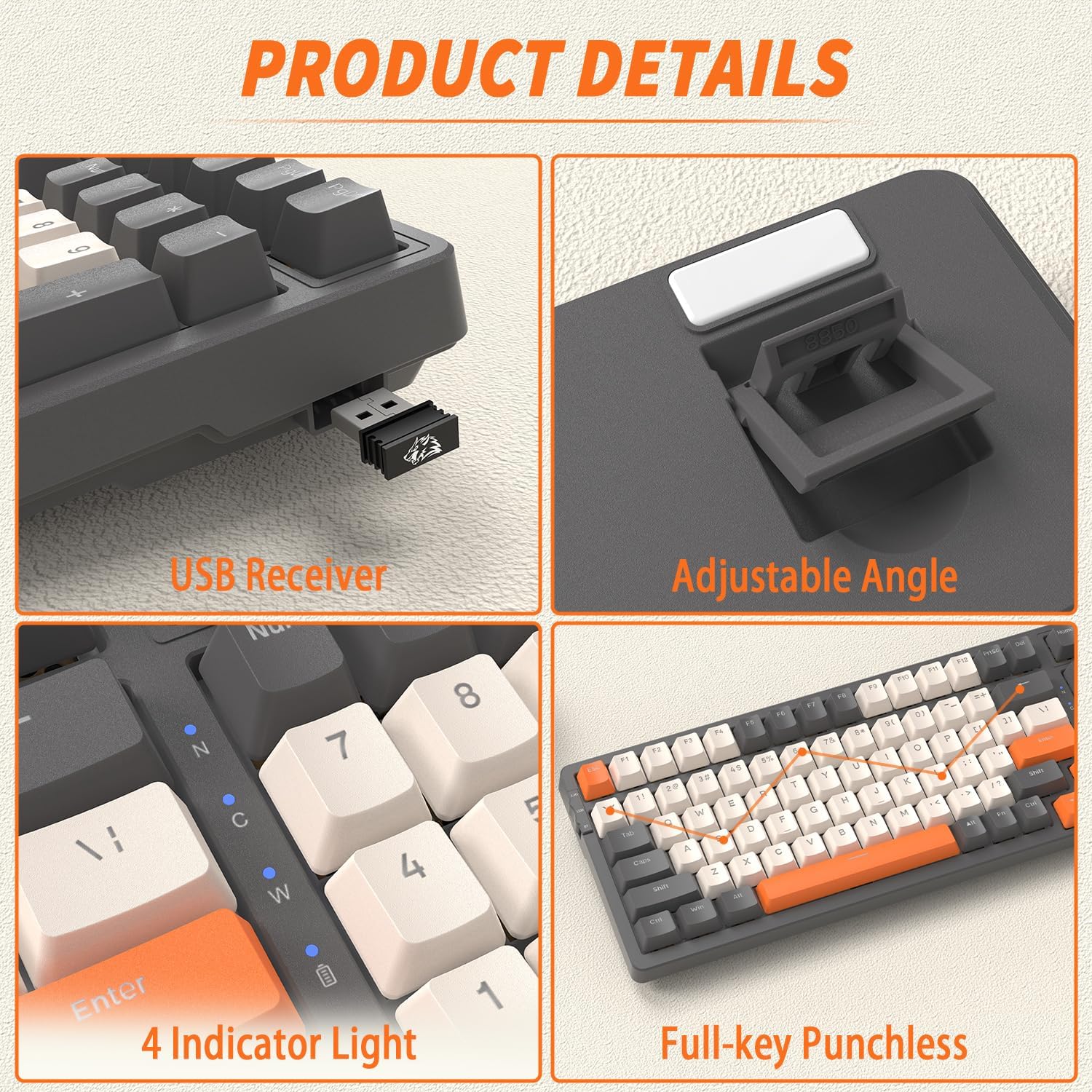
Imatge: Primer pla views of the FREEWOLF K8 keyboard, showing the integrated USB receiver storage, adjustable angle feet, four indicator lights (for connectivity and battery status), and the ergonomic keycap profile.
4. Instruccions de configuració
4.1. Modes de connectivitat
The K8 keyboard supports three connection methods: Bluetooth, 2.4GHz wireless, and USB-C wired. You can easily switch between up to five different devices.

Image: The FREEWOLF K8 keyboard demonstrating its ability to connect to multiple devices (up to five) via Bluetooth (BT1, BT2, BT3), 2.4GHz wireless, and USB-C wired connections.
4.1.1. Connexió sense fil de 2.4 GHz
- Locate the 2.4GHz USB receiver, usually stored in a compartment on the keyboard's underside.
- Connecteu el receptor USB a un port USB disponible de l'ordinador.
- Set the keyboard's mode switch (located on the top left side) to '2.4G'.
- The keyboard will automatically connect.
4.1.2. Connexió Bluetooth
- Poseu el selector de mode del teclat a "BT".
- Per emparellar-lo amb un dispositiu nou, premeu i manteniu premut FN + Q (per a BT1), FN + W (per a BT2), o FN + E (for BT3) for 3-5 seconds until the corresponding key flashes rapidly.
- On your device (computer, smartphone, tablet), enable Bluetooth and search for 'FREEWOLF K8'.
- Seleccioneu el teclat per emparellar. La tecla deixarà de parpellejar un cop connectat.
- Per canviar entre dispositius Bluetooth emparellats, premeu FN + Q, FN + W, o FN + E breument.
4.1.3. Connexió amb cable USB-C
- Connecteu el cable USB-C proporcionat al port USB-C del teclat.
- Connecteu l'altre extrem del cable a un port USB disponible de l'ordinador.
- Set the keyboard's mode switch to 'USB'.
- The keyboard will be recognized as a standard USB device.
4.2. System Compatibility (Windows/Mac)
The K8 keyboard is compatible with both Windows and Mac operating systems. To switch between modes, press FN + A. The keyboard will adjust its key functions to match the selected operating system.
5. Instruccions de funcionament
5.1. Control de la llum de fons
The K8 keyboard features extensive RGB backlighting with various effects and customization options.

Image: The FREEWOLF K8 keyboard displaying its vibrant RGB backlighting, illustrating the 19 backlit modes, 3 customized backlit modes, and backlight recording functionality.
- Canvia el mode de retroiluminació: Premeu FN + |\ to cycle through 19 different RGB lighting effects.
- Ajusta la brillantor: Premeu FN + ↑ to increase brightness, FN + ↓ per disminuir la brillantor.
- Ajustar velocitat: Premeu FN + ← to slow down the effect, FN + → to speed up the effect.
- Custom Gaming Backlight Modes:
- FN + 1! (FPS Mode): Lights up W/A/S/D and arrow keys.
- FN + 2@ (LOL Mode): Lights up Q/W/E/R/D/F/G/V/B/Tab/Space/1-6/Esc keys.
- FN + 3# (Office Mode): Lights up A-Z/[/]/;/'/,/.// and arrow keys.
- Record Custom Backlight: To customize and save a backlight mode, select one of the three custom modes (FN+1!, FN+2@, or FN+3#), then press FN + ~ to enter recording mode. Press the keys you wish to light up, then press FN + ~ de nou per salvar.
5.2. Gestió de la bateria
The K8 keyboard is equipped with a 4000mAh rechargeable battery, providing extended usage time.
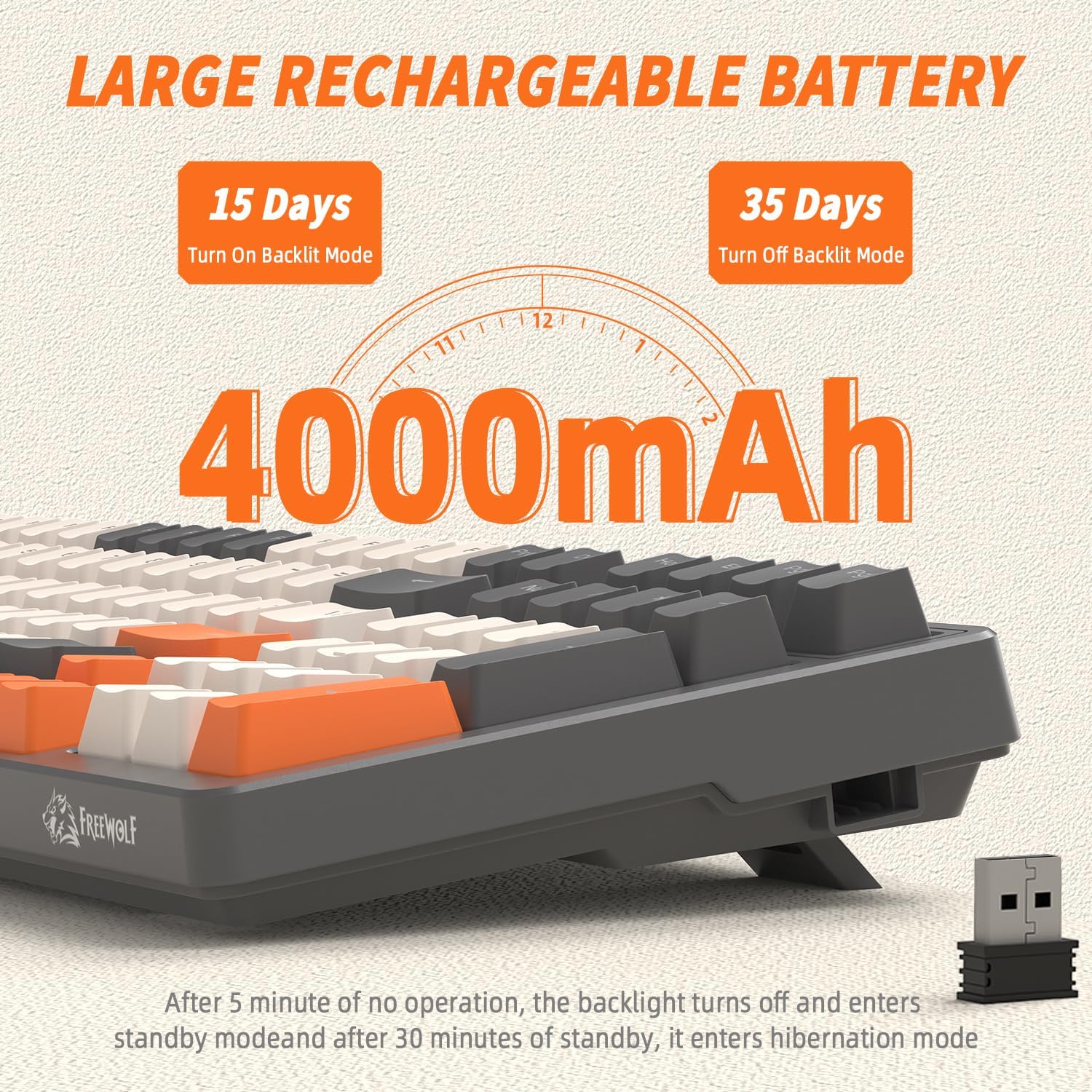
Image: A visual representation of the FREEWOLF K8's 4000mAh battery, indicating approximately 15 days of use with backlighting on and 35 days with backlighting off.
- Càrrega: Connect the keyboard via the USB-C cable to a power source (computer USB port or wall adapter). The battery indicator light will show charging status.
- Estalvi d'energia:
- The backlight will turn off after 5 minutes of inactivity.
- The keyboard will enter hibernation mode after 30 minutes of no operation to conserve power.
- Desperta: Press any key twice to wake the keyboard from hibernation.
5.3. Interruptors d'intercanvi en calent
The K8 keyboard features hot-swappable sockets, allowing you to change mechanical switches without soldering.

Image: The FREEWOLF K8 keyboard demonstrating its hot-swappable switch feature, with keycap and switch pullers, and two spare red switches, indicating support for 3-pin switches.
- Treure la tapa de les tecles: Use the keycap puller to gently pull the desired keycap straight up.
- Treure l'interruptor: Use the switch puller to grasp the top and bottom clips of the switch. Gently pull the switch straight up to remove it from the PCB.
- Instal·leu un nou interruptor: Align the pins of the new 3-pin mechanical switch with the holes on the PCB. Press down firmly until the switch clicks into place. Ensure the pins are not bent.
- Install Keycap: Col·loca la tapa de la tecla al nou interruptor i prem fins que quedi fixada.
Precaució: Ensure the keyboard is disconnected or powered off before hot-swapping switches to prevent damage. Use gentle force to avoid bending switch pins or damaging the PCB sockets.
5.4. Other Key Functions (FN Combinations)
The K8 keyboard utilizes the FN key for various secondary functions:
- FN + F1-F12: Typically multimedia controls (e.g., Play/Pause, Stop, Previous, Next, Mute, Volume Up/Down). Refer to the keycap legends for specific functions.
- FN + Win: Locks/unlocks the Windows key to prevent accidental presses during gaming.
- FN + PrtSc: Screen capture.
- FN + Bloqueig de desplaçament: Toggles certain backlight effects or modes.
- FN + Pause Break: Toggles certain backlight effects or modes.
6. Manteniment
Un manteniment adequat garanteix la longevitat i el rendiment del teclat.
- Neteja: Use a soft brush or compressed air to remove dust and debris from between the keycaps. For deeper cleaning, remove keycaps using the provided puller and wipe the keyboard surface with a slightly damp, drap sense borrissol. Eviteu la humitat excessiva.
- Cura de les tecles: Les tecles de PBT són duradores, però es poden netejar amb aigua i sabó suau si cal. Assegureu-vos que estiguin completament seques abans de tornar-les a col·locar.
- Emmagatzematge: Quan no l'utilitzeu durant períodes prolongats, guardeu el teclat en un lloc sec i fresc, allunyat de la llum solar directa i de temperatures extremes.
7. Solució De Problemes
If you encounter issues with your FREEWOLF K8 keyboard, please refer to the following common solutions:
| Problema | Causa possible | Solució |
|---|---|---|
| El teclat no respon (amb cable) | Loose cable, incorrect mode switch setting, faulty USB port. | Ensure USB-C cable is securely connected. Set mode switch to 'USB'. Try a different USB port on your computer. |
| Keyboard not responding (2.4GHz) | USB receiver not plugged in, incorrect mode switch setting, low battery. | Ensure 2.4GHz USB receiver is plugged in. Set mode switch to '2.4G'. Charge the keyboard. |
| El teclat no respon (Bluetooth) | Not paired, incorrect mode switch setting, low battery, device Bluetooth off. | Set mode switch to 'BT'. Ensure Bluetooth is enabled on your device. Re-pair the keyboard (FN+Q/W/E). Charge the keyboard. |
| La retroiluminació no funciona o és tènue | Backlight turned off, brightness set too low, low battery. | Premeu FN + |\ to cycle modes. Press FN + ↑ to increase brightness. Charge the keyboard. |
| Claus que s'escriuen dues vegades o no es registren | Interruptor defectuós, deixalles sota la tapa de la tecla. | Clean under the keycap. If issue persists, hot-swap the switch with a spare or new one. |
| El teclat es desconnecta sovint | Interferències, distància del receptor/dispositiu, bateria baixa. | Ensure no strong interference sources nearby. Reduce distance to receiver/device. Charge the keyboard. |
Si el problema persisteix després de provar aquestes solucions, poseu-vos en contacte amb l'atenció al client.
8. Especificacions
| Característica | Detall |
|---|---|
| Model | K8 |
| Marca | LLOP LLIURE |
| Connectivitat | Bluetooth, sense fil de 2.4 GHz, USB-C amb cable |
| Disseny | 80% (100 tecles) |
| Tipus de canvi | Mechanical (Hot-swappable 3-pin) |
| Material de claus | PBT (Double-shot injection) |
| Llum de fons | RGB (19 effects, 3 customizable modes) |
| Capacitat de la bateria | 4000 mAh |
| Dispositius compatibles | PC, Laptop, Smartphone, Tablet, Game Console |
| Sistemes operatius | Windows, Mac |
| Dimensions (aprox.) | 395 mm (longitud) x 142 mm (amplada) x 44 mm (alçada) |

Image: The FREEWOLF K8 keyboard with its approximate dimensions (395mm length, 142mm width, 44mm height) and a visual representation of the packing list contents.
9. Garantia i Suport
FREEWOLF products are designed for reliability and performance. For warranty information, technical support, or any inquiries regarding your K8 keyboard, please refer to the warranty card included in your package or visit the official FREEWOLF weblloc web. Conserveu el comprovant de compra per a reclamacions de garantia.
Ask a question about this manual
Ask about setup, troubleshooting, compatibility, parts, safety, or missing instructions. Manuals+ will review the question and use this page’s manual context to help answer it.