
FREEWOLF RK-K8
Manual d'usuari del teclat mecànic sense fil per a jocs FREEWOLF RK-K8
Model: RK-K8
1. Introducció
This manual provides detailed instructions for the FREEWOLF RK-K8 Wireless Mechanical Gaming Keyboard. Please read this manual thoroughly before using the product to ensure proper operation and to maximize your user experience.
Característiques principals:
- Triple-Mode Connectivity: Supports Type-C wired, 2.4GHz wireless, and Bluetooth 5.0 connections.
- Hot-Swappable Switches: Compatible with most 3-pin mechanical switches for customization.
- Gasket Mounted Structure: Enhances typing feel and reduces hollow sound.
- Customizable Rainbow Backlight: Features 18 backlight effects.
- Long-Lasting Battery: Equipped with a 4000mAh battery.
- 96% Layout: 100-key design that saves space while retaining essential keys.
- Wide Compatibility: Supports Windows and Mac operating systems.
2. Contingut del paquet
Si us plau, verifiqueu que tots els elements siguin presents al vostre paquet:
- 1 x FREEWOLF RK-K8 Mechanical Keyboard
- 1 x USB Receiver (2.4Ghz)
- 1 x Type-C to USB-A Braided Coiled Cable
- 1 x extractor de tecles
- 1 x extractor d'interruptor
- 2 x Original Switches (spare)
- 1 x Manual d'usuari (aquest document)

Image 2.1: Contents of the FREEWOLF RK-K8 package, showing the keyboard, coiled USB-C cable, USB 2.4G receiver, keycap puller, switch puller, and two spare switches.
3. Configuració i connexió
3.1 Càrrega del teclat
Before first use, it is recommended to fully charge the keyboard. Connect the provided Type-C cable to the keyboard's Type-C port and the USB-A end to a power source (e.g., computer USB port, USB wall adapter). The keyboard features a 4000mAh battery.
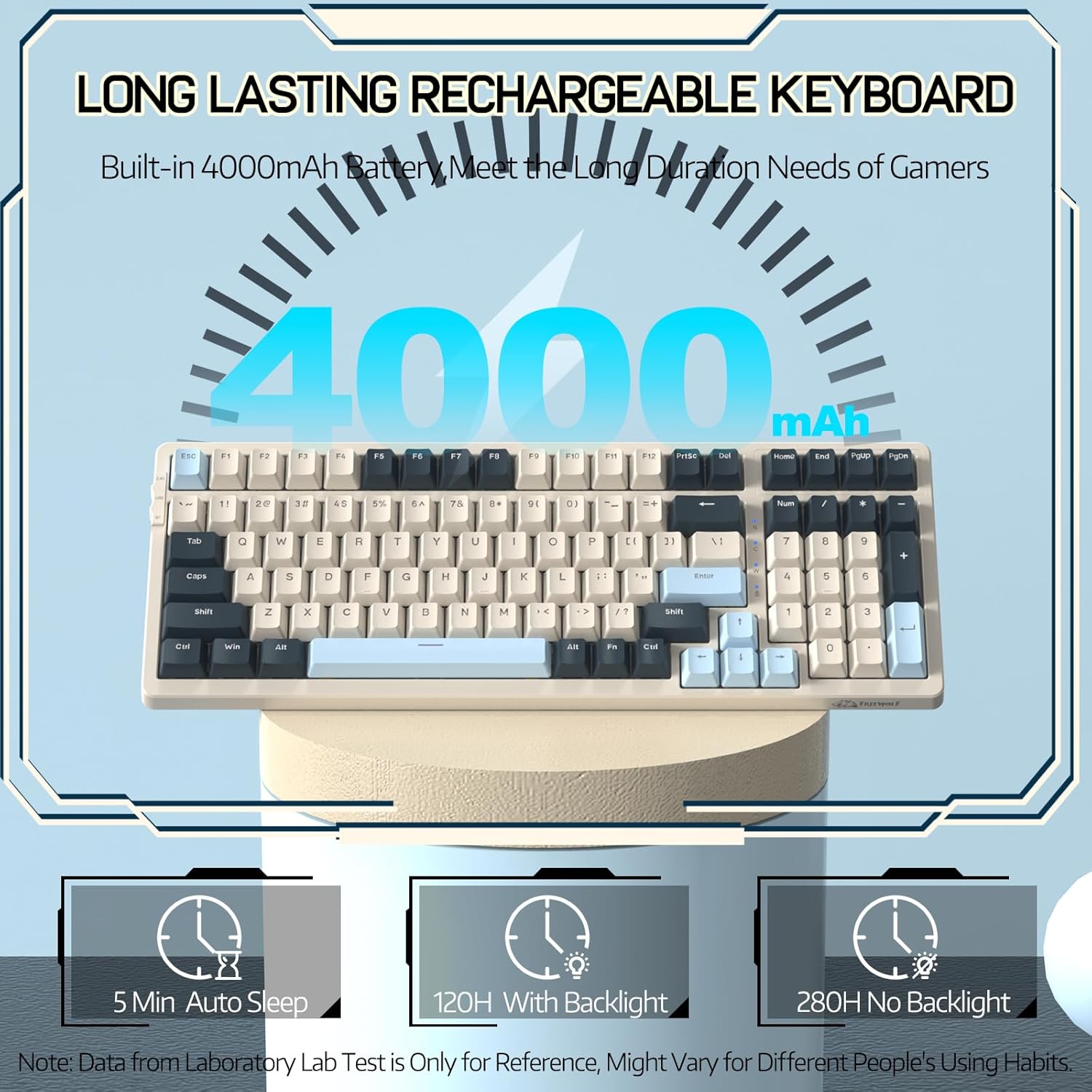
Image 3.1: The keyboard's 4000mAh battery capacity, indicating extended usage time.
3.2 Modes de connexió
The RK-K8 keyboard supports three connection modes: Wired, 2.4GHz Wireless, and Bluetooth 5.0.

Image 3.2: Visual guide for switching between 2.4G wireless, wired, and Bluetooth connection modes.
3.2.1 Mode amb cable
- Connect the provided Type-C coiled cable to the keyboard's Type-C port.
- Connecteu l'extrem USB-A del cable al port USB de l'ordinador.
- Ensure the mode switch on the keyboard is set to "USB" (or wired mode indicator).
- El sistema reconeixerà automàticament el teclat.

Image 3.3: The Type-C to USB-A braided coiled cable, featuring a metal aviation connector for wired connection.
3.2.2 Mode sense fil de 2.4 GHz
- Locate the 2.4GHz USB receiver, typically stored in a slot on the keyboard.
- Connecteu el receptor USB a un port USB disponible de l'ordinador.
- Toggle the mode switch on the keyboard to "2.4G".
- El teclat s'hauria de connectar automàticament.
3.2.3 Mode Bluetooth 5.0
El teclat admet la connexió de fins a tres dispositius Bluetooth.
- Toggle the mode switch on the keyboard to "BT".
- Per entrar al mode de vinculació, manteniu premut FN + Q, FN + W, o FN + E durant 3-5 segons. La retroiluminació de la tecla corresponent parpellejarà ràpidament, indicant que està a punt per emparellar-se.
- On your device (PC, Mac, tablet, phone), open Bluetooth settings and search for "RK-K8" or a similar device name.
- Select the keyboard to pair. Once connected, the backlight on the chosen key (Q, W, or E) will stop flashing and remain steadily lit.
- Per canviar entre dispositius Bluetooth emparellats, només cal que premeu FN + Q, FN + W, o FN + E.
3.3 Compatibilitat del sistema
The RK-K8 keyboard is compatible with both Windows and Mac operating systems. Use the appropriate FN key combinations for specific functions on each system.
Vídeo 3.1: Un overview of the FREEWOLF K8 mechanical keyboard, showcasing its features including customizable keycaps, lighting effects, hot-swappable design, compact layout, and multi-device compatibility across Windows, Mac, and mobile devices.
4. Funcionament
Control de retroiluminació 4.1
The RK-K8 features 18 customizable rainbow backlight effects.
- FN + |: Switch between 18 backlight effects.
- FN + ↑ / ↓: Ajusta la brillantor de la retroiluminació.
- FN + ← / →: Adjust the flowing speed of dynamic backlight effects.
- FN + X: Turn on/off backlight.
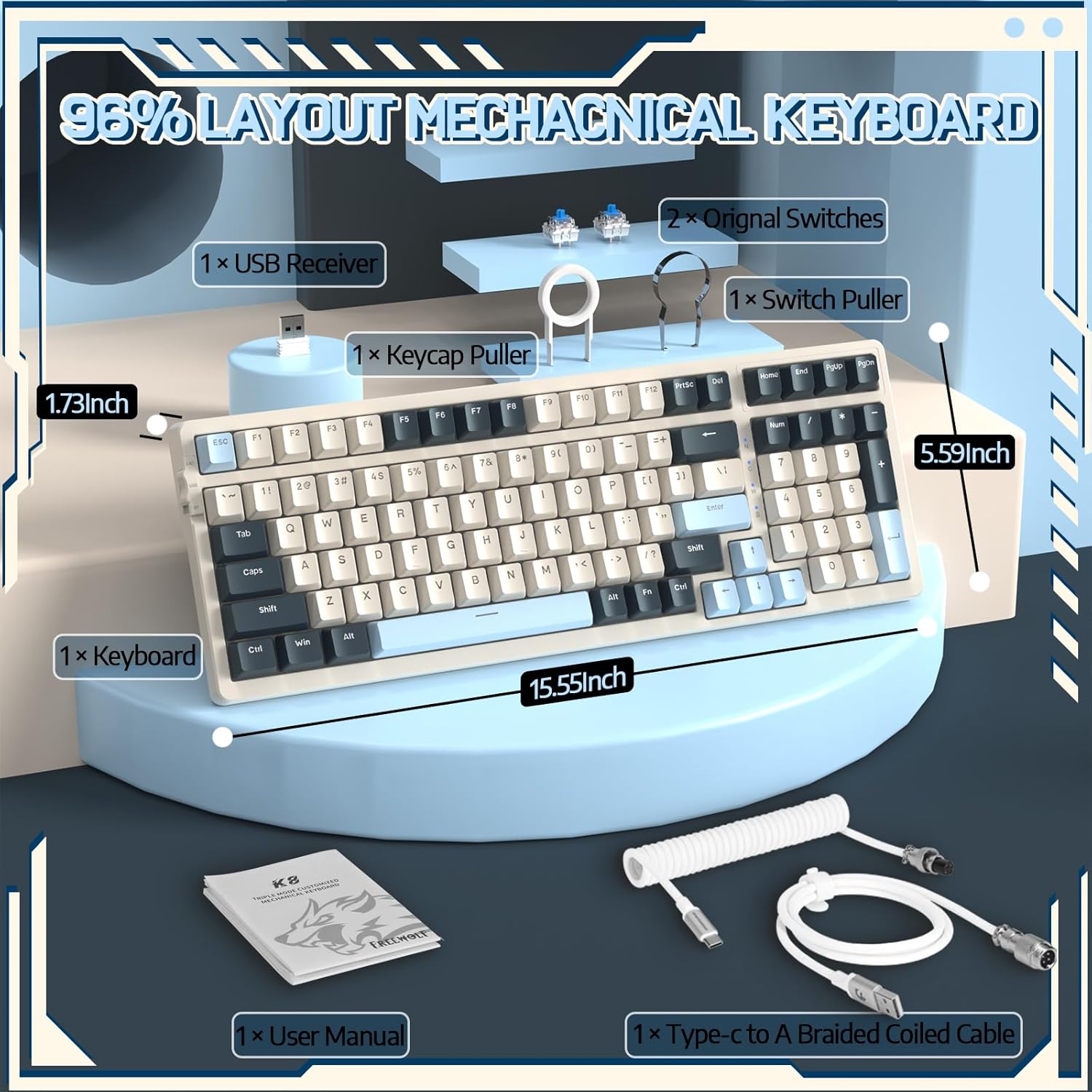
Image 4.1: The RK-K8 keyboard displaying various customizable rainbow backlight patterns.
4.2 Commutadors intercanviables en calent
The keyboard is equipped with a hot-swappable PCB, allowing you to change switches without soldering. It is compatible with most 3-pin mechanical switches (e.g., Cherry MX, Gateron, Kailh Box, AKKO, Epomaker, Glorious switches).
- Use the provided switch puller to carefully remove the existing switch. Grip the switch firmly and pull straight up.
- Alineeu els pins del nou interruptor de 3 pins amb els forats de la placa de circuit imprès.
- Gently press the new switch into place until it clicks. Ensure the switch is seated properly and the pins are not bent.
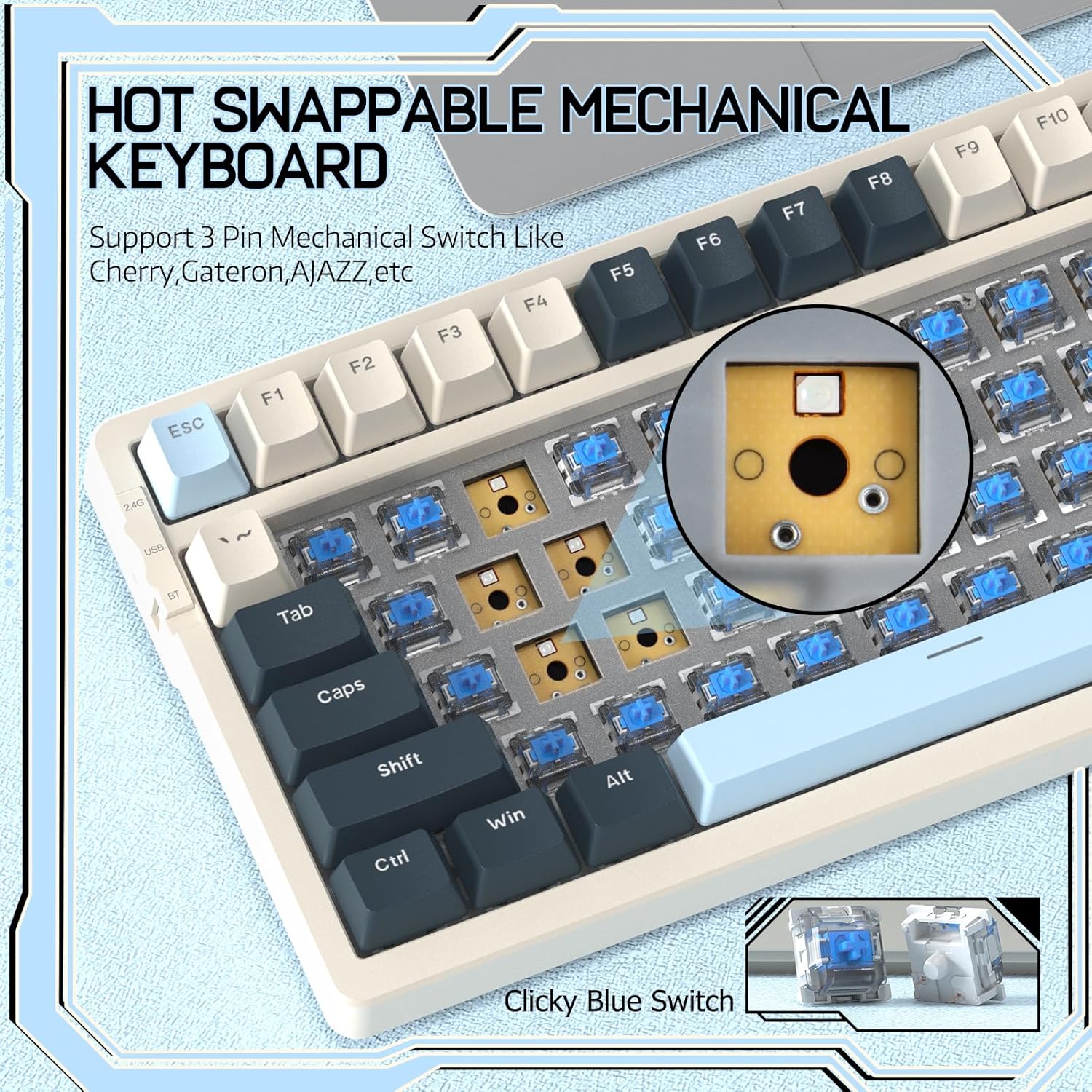
Image 4.2: Demonstrating the hot-swappable feature, showing a switch being removed from the keyboard.
4.3 Gasket Mounted Structure
The keyboard features a gasket-mounted design with sound-dampening materials between the plate and the housing. This construction reduces hollow sounds and provides a more consistent and comfortable typing experience.

Image 4.3: Diagram illustrating the internal layers of the gasket-mounted keyboard structure, designed for improved acoustics and feel.
4.4 Key Functions and Layout
The RK-K8 utilizes a 96% layout with 100 keys, retaining essential modifiers, arrow keys, a separate numpad, and function row while maintaining a compact form factor.
Refer to the keyboard layout for specific key placements. Many keys have secondary functions accessible via the FN clau.
- FN + F1-F12: Multimedia and system control functions (e.g., volume, play/pause).
- FN + Win: Lock/unlock Windows key.
- FN + A: Switch to Windows layout.
- FN + S: Switch to Mac layout.
5. Manteniment
5.1 Neteja
Per mantenir l'aspecte i la funcionalitat del teclat:
- Desconnecteu el teclat de l'ordinador abans de netejar-lo.
- Utilitzeu un drap suau i sense pelusa lleugerament dampRenteu-les amb aigua o una solució netejadora suau per netejar les tecles i el xassís.
- For dust and debris between keycaps, use compressed air or the provided keycap puller to remove keycaps and clean underneath.
- Eviteu l'ús de productes químics agressius, abrasius o dissolvents.
5.2 Substitució de la tapa de les tecles i l'interruptor
The provided keycap and switch pullers facilitate easy replacement of keycaps and switches. Refer to section 4.2 for switch replacement instructions.
6. Solució De Problemes
If you encounter issues with your FREEWOLF RK-K8 keyboard, please refer to the following common solutions:
- El teclat no respon:
- Assegureu-vos que el teclat estigui carregat.
- Check the connection mode switch (Wired, 2.4G, BT) matches your intended connection.
- For wired mode, ensure the cable is securely connected to both the keyboard and the computer.
- For 2.4G wireless, ensure the USB receiver is plugged in and the keyboard is in 2.4G mode.
- For Bluetooth, re-pair the device if necessary (see section 3.2.3).
- Claus que es repeteixen o no es registren:
- This can sometimes occur with wireless connections. Try switching to wired mode to see if the issue persists.
- Ensure the switches are properly seated. If a switch is loose, carefully remove and re-insert it.
- Clean any debris around the affected key.
- Backlight not working or stuck:
- Ensure the backlight is not turned off (press FN + X).
- Ajusta la brillantor amb FN + ↑ / ↓.
- Try cycling through backlight effects with FN + |.
- Problemes de connexió Bluetooth:
- Ensure the keyboard is in Bluetooth mode and sufficient battery.
- Forget the device on your computer/phone and re-pair it.
- Assegureu-vos que el Bluetooth del vostre dispositiu estigui activat i funcioni correctament.
7. Especificacions
| Característica | Detall |
|---|---|
| Marca | LLOP LLIURE |
| Model | RK-K8 |
| Tecnologia de connectivitat | Bluetooth 5.0 / 2.4GHz Wireless / Wired (Type-C) |
| Descripció del teclat | Mecànica |
| Tipus de canvi | Tactile Blue Switch (Hot-Swappable 3-pin) |
| Capacitat de la bateria | 4000 mAh |
| Llum de fons | Rainbow Backlit (18 effects) |
| Disseny | 96% (100 tecles) |
| Dispositius compatibles | PC, Mac, PS4 (via USB) |
| Material | Acrilonitril butadiè estirè (ABS) |
| Pes de l'article | 2.25 lliures (aprox. 1.02 kg) |
| Dimensions del paquet | 16.14 x 6.69 x 2.01 polzades |
8. Garantia i Suport
For warranty information or technical support, please refer to the contact details provided with your purchase or visit the official FREEWOLF weblloc. Conserveu el rebut de compra per a reclamacions de garantia.
Ask a question about this manual
Ask about setup, troubleshooting, compatibility, parts, safety, or missing instructions. Manuals+ will review the question and use this page’s manual context to help answer it.