
1. Introducció
This manual provides detailed instructions for the installation, operation, and maintenance of your Srutueo M6T Electric Bike LCD Display Meter. Please read this manual thoroughly before using the product to ensure proper function and safety. The M6T display is designed to provide essential riding data and control functions for electric bicycles, compatible with 24V, 36V, 48V, and 60V systems.
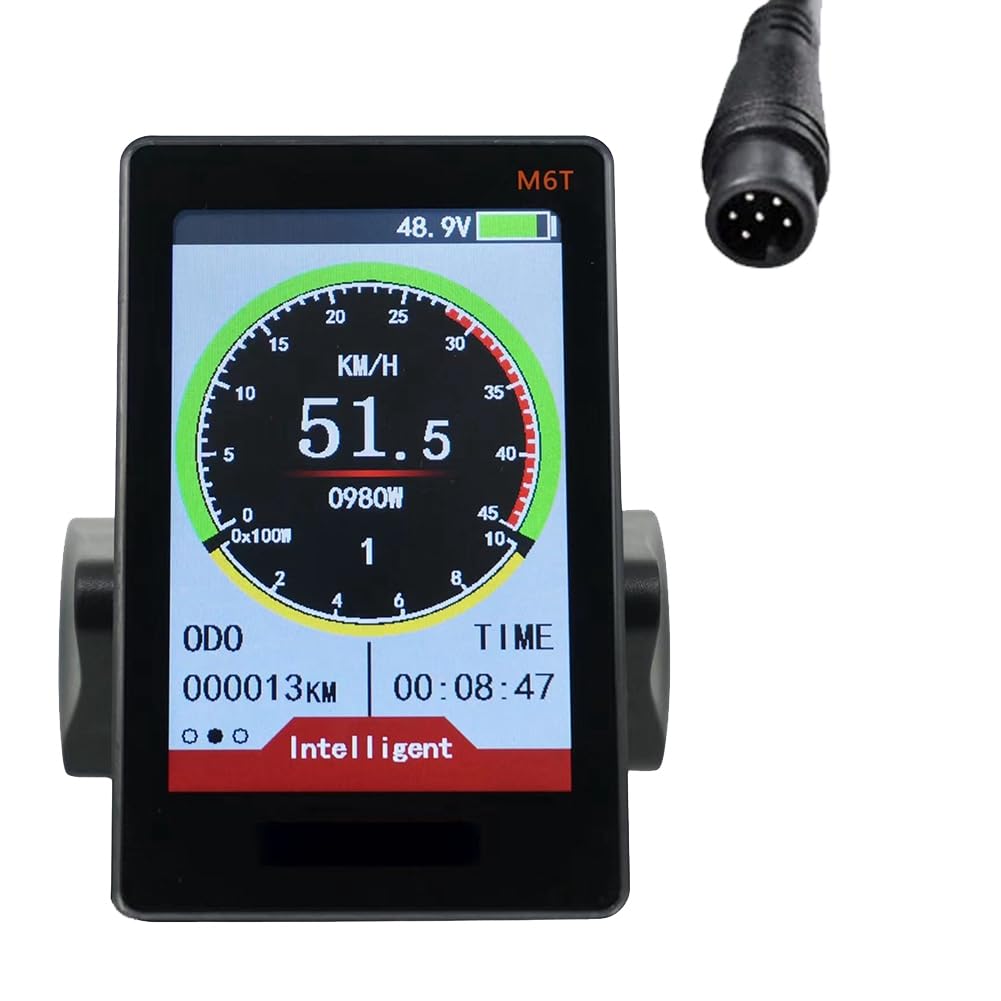
Figura 1.1: Frontal view of the Srutueo M6T LCD Display Meter, illustrating its main screen interface with speed, battery voltage, and odometer readings.
2. Informació de seguretat
Observeu les següents precaucions de seguretat per evitar lesions i danys al producte:
- Always ensure the e-bike is powered off before attempting any installation or maintenance.
- Do not attempt to disassemble or modify the display unit. Unauthorized modifications can lead to malfunction and void the warranty.
- Mantingueu la pantalla allunyada de temperatures extremes, de la llum solar directa durant períodes prolongats i de substàncies corrosives.
- Ensure all connections are secure and waterproofed if exposed to moisture.
- Regularly check the display and its mounting for any signs of damage or looseness.
- When riding, always prioritize road safety. Do not operate the display in a manner that distracts you from riding.
3. Contingut del paquet
Verifiqueu que tots els elements siguin presents al paquet:
- 1 x Srutueo M6T Electric Bike LCD Display Meter
- 1 x Mounting Bracket (pre-attached or separate)
- 1 x Connection Cable (6-pin)
- Manual d'usuari (aquest document)
4. Característiques del producte i mésview
The M6T LCD Display Meter offers a clear interface for monitoring your e-bike's performance and status. Key features include:
- 3.5-inch Large-Size TF Screen: Provides clear visibility of data.
- Volum adaptatiutage: Compatible with 24V, 36V, 48V, and 60V e-bike systems.
- Funció de càrrega USB: 5V/500mA output for charging external devices.
- Intuitive UI Operation: User-friendly interface design.
- Visibility in Sunlight: Designed for clear readability even in bright conditions.
- Key Information Display: Includes power indicator, boost function, boost gear, speed display, subtotal mileage/total mileage, running time, and fault prompts.
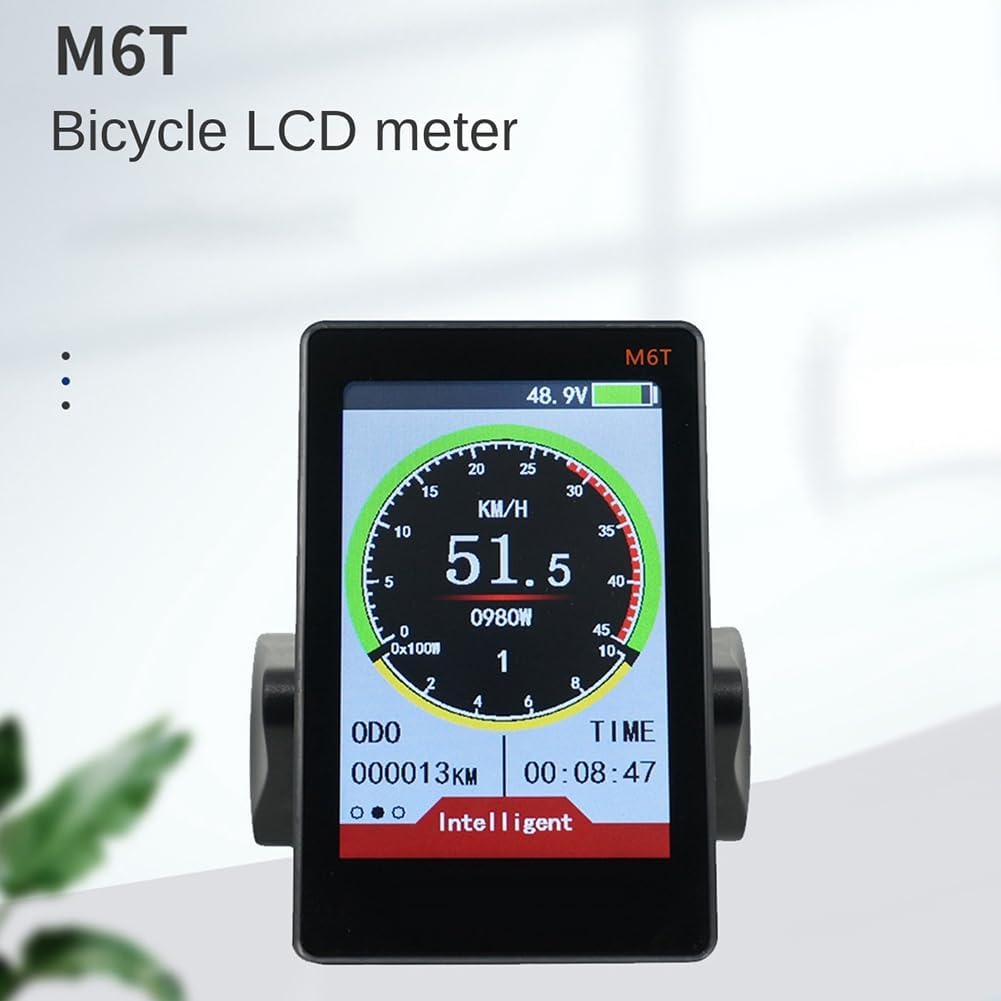
Figure 4.1: The M6T Bicycle LCD meter, highlighting its clear and informative display.
5. Guia d'instal·lació
Follow these steps to properly install the M6T display on your e-bike:
5.1 Muntatge de la pantalla
- Identify a suitable location on your handlebar for the display. Ensure it does not obstruct your view or interfere with other controls.
- Afloixeu els cargols del suport de muntatge de la pantalla.
- Position the bracket around the handlebar. The M6T is compatible with 22.2mm, 25.4mm, 28.6mm, and 31.8mm handlebars.
- Tighten the screws securely to prevent the display from rotating or shifting during use. Do not overtighten.

Figure 5.1: The M6T display securely mounted on an e-bike handlebar, showing optimal positioning.

Figura 5.2: lateral view of the M6T display, illustrating the handlebar mounting mechanism.
5.2 Connexió dels cables
- Ensure your e-bike's power is completely off.
- Locate the 6-pin connector cable from the M6T display.
- Connect this cable to the corresponding port on your e-bike's controller or wiring harness. Ensure the connectors are aligned correctly and push firmly until they click into place.
- Pasa el cable amb cura al llarg del manillar i el quadre, i fixa'l amb brides per evitar que s'enganxi o es faci malbé.

Figura 5.3: posterior view of the M6T display, indicating the location of the cable connection port.
6. Instruccions de funcionament
This section details how to power on, navigate, and utilize the various functions of your M6T display.
6.1 Engegada/apagada
- Per encendre: Press and hold the power button (usually located on the display or a separate control pad) for a few seconds until the screen illuminates.
- Per apagar: Premeu i manteniu premut el botó d'engegada de nou fins que la pantalla s'apagui.
6.2 Basic Display Information
The main screen provides real-time data:
- Velocitat: Current riding speed (KM/H or MPH).
- Nivell de bateria: Graphical indicator and voltage (V).
- ODO (Comptaquilòmetres): Distància total recorreguda.
- HORA: Current riding time.
- Potència/Wattage: Real-time motor power output (W).
- Gear/Assist Level: Nivell actual d'assistència al pedaleig.
- Fault Prompt: Displays error codes if a system fault occurs.
6.3 Navegació i configuració
The display typically features buttons for navigation and adjusting settings. Refer to your e-bike's specific controller or button layout for detailed instructions on accessing menus and changing parameters such as:
- Changing units (Metric/Imperial).
- Adjusting backlight brightness.
- Setting wheel diameter.
- Clearing trip data.
6.4 Funció de càrrega USB
The M6T display includes a USB port for charging small electronic devices (e.g., smartphones, GPS units). The output is 5V/500mA.
- Locate the USB port on the display unit.
- Connect your device using a compatible USB cable.
- Ensure the e-bike is powered on for the USB port to supply power.
7. Manteniment
Proper maintenance ensures the longevity and optimal performance of your M6T display.
- Neteja: Utilitzeu un suau, damp cloth to wipe the display screen and body. Avoid abrasive cleaners, solvents, or spraying water directly onto the unit.
- Connexions: Comproveu periòdicament totes les connexions dels cables per assegurar-vos que estiguin ben fixades i que no presentin corrosió.
- Emmagatzematge: If storing the e-bike for an extended period, ensure the display is clean and stored in a dry, temperate environment.
8. Solució De Problemes
If you encounter issues with your M6T display, refer to the following common problems and solutions:
| Problema | Causa possible | Solució |
|---|---|---|
| La pantalla no s'encén | Loose cable connection, low e-bike battery, faulty display | Check all connections, charge e-bike battery, contact support if issue persists. |
| Incorrect speed reading | Incorrect wheel diameter setting, faulty speed sensor | Verify wheel diameter in settings, check speed sensor connection and function. |
| La càrrega USB no funciona | E-bike not powered on, faulty USB cable, device incompatibility | Ensure e-bike is on, try a different USB cable, check device's charging requirements. |
| La pantalla mostra el codi d'error | System malfunction, sensor error | Refer to your e-bike's controller manual for specific error code meanings. Power cycle the e-bike. |
Si els passos de resolució de problemes no resolen el problema, poseu-vos en contacte amb l'atenció al client.
9. Especificacions tècniques
Detailed specifications for the Srutueo M6T LCD Display Meter:

Figure 9.1: The M6T display with key product specifications visually presented.
- Model de producte: M6T
- Mida de la pantalla: 3.5 Inches (TF screen)
- Dimensions del producte: 98.1 x 61.9 x 24.6 mm
- Volum adaptatiutage: 24V / 36V / 48V / 60V
- Mètode de comunicació: UART
- Applicable Handlebar Size: 22.2mm / 25.4mm / 28.6mm / 31.8mm
- Product Shell Material: ABS and metal parts
- Sortida de càrrega USB: 5 V / 500 mA
- Tipus de visualització: LCD
- Tipus de sensor: Sensor de velocitat
- Entrada de la interfície humana: Botons
- Número de peça del fabricant: 500396047A1
- ASIN: B0CMZQQQ5M
- Pes del producte: Aproximadament 187 g
- País d'origen: Xina
10. Garantia i Suport
Srutueo products are manufactured to high-quality standards. For warranty information, technical support, or service inquiries, please refer to the retailer where you purchased the product or visit the official Srutueo weblloc web. Conserveu el rebut de compra com a comprovant de compra.