
1. Introducció
Thank you for choosing the WIWU SE True Wireless Stereo Earbuds. This manual provides essential information for setting up, operating, and maintaining your earbuds. Please read it carefully before use to ensure optimal performance and longevity of your device.
2. Contingut del paquet
Assegureu-vos que tots els elements estiguin presents al vostre paquet:
- WIWU SE True Wireless Earbuds (Left and Right)
- Estoig de càrrega
- Cable de càrrega USB
- Manual d'usuari
3. Producte acabatview
Familiarize yourself with the components of your WIWU SE Earbuds.
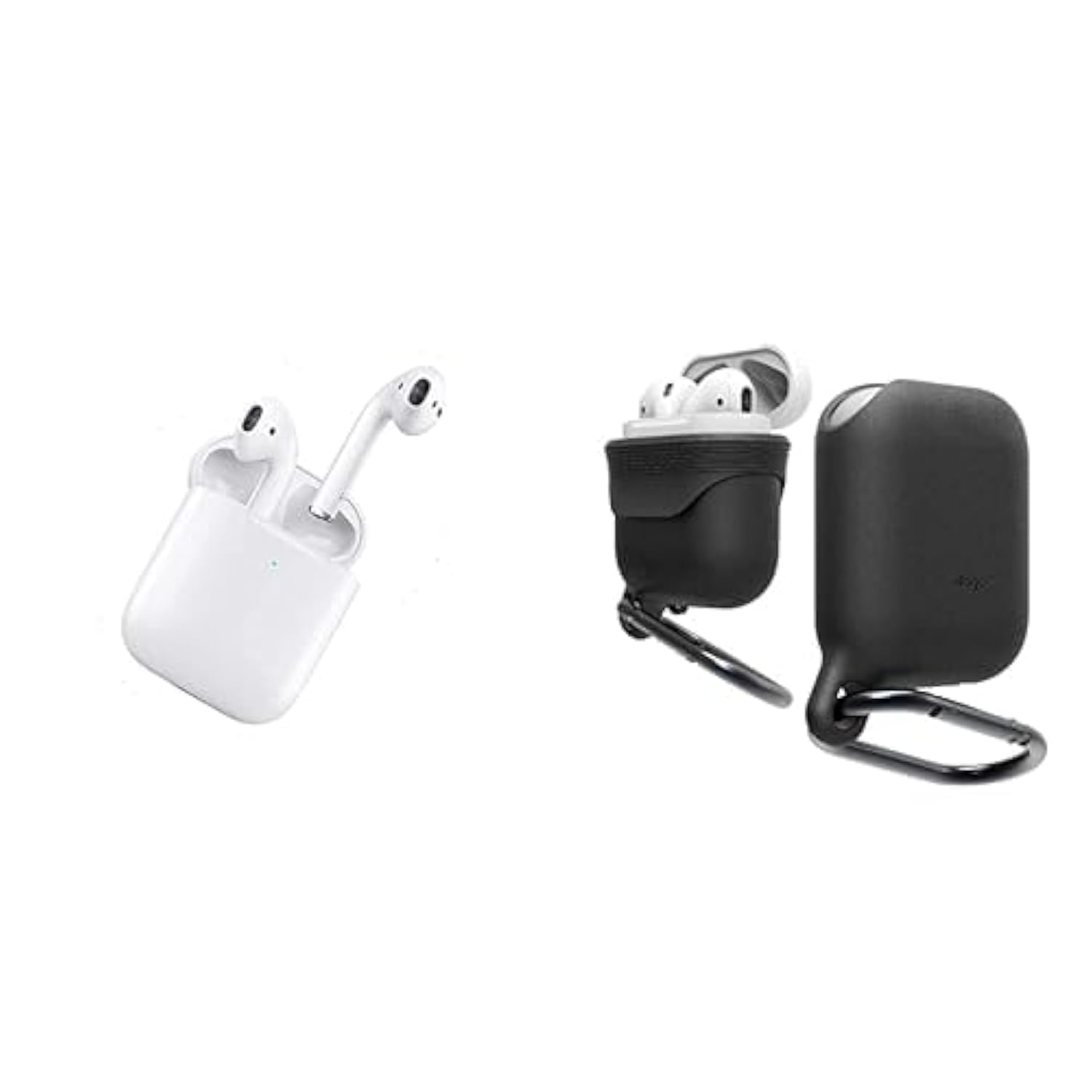
Image: WIWU SE True Wireless Stereo Earbuds and their charging case.
Característiques principals:
- Bluetooth 5.0: Provides stable, fast, and energy-efficient wireless connectivity.
- In-Ear Design: Offers passive noise isolation for an immersive audio experience.
- Controls tàctils: Intuitive control for music playback, call management, and voice assistant activation.
- Estoig de càrrega portàtil: Extends battery life, providing up to 4 hours of playback per charge.
4. Configuració
4.1 Càrrega inicial
- Col·loqueu els dos auriculars a la caixa de càrrega.
- Connecteu el cable de càrrega USB al port de càrrega de la carcassa i a una font d'alimentació.
- The indicator lights on the case and earbuds will show charging status. Charge fully before first use.
4.2 Vinculació amb un dispositiu
- Assegureu-vos que els auriculars estiguin carregats i dins de l'estoig de càrrega.
- Open the charging case. The earbuds will automatically enter pairing mode, indicated by flashing lights (refer to specific light patterns in the diagram if available).
- Al dispositiu (telèfon intel·ligent, tauleta, etc.), activeu el Bluetooth.
- Cerca available Bluetooth devices and select "WIWU SE" from the list.
- Once connected, the indicator lights on the earbuds will stop flashing or show a steady light.
- If pairing fails, turn off Bluetooth on your device, place earbuds back in the case, close and reopen, then repeat the steps.
5. Instruccions de funcionament
5.1 Encès/Apagat
- Encès: Open the charging case, and the earbuds will power on automatically. Alternatively, long-press the touch area on both earbuds for 3 seconds.
- Apagar: Place the earbuds back into the charging case and close the lid. Alternatively, long-press the touch area on both earbuds for 5 seconds.
5.2 Reproducció de música
- Reproduir/pausa: Un sol toc a qualsevol dels auriculars.
- Pista següent: Toca dues vegades l'auricular dret.
- Pista anterior: Toca dues vegades l'auricular esquerre.
5.3 Gestió de trucades
- Respondre/Finalitzar la trucada: Un sol toc a qualsevol dels auriculars.
- Rebutja la trucada: Prem llargament qualsevol dels auriculars durant 2 segons.
5.4 Assistent de veu
- Activa l'assistent de veu (Siri/Assistent de Google): Toqueu tres vegades qualsevol dels auriculars.
6. Càrrega
6.1 Càrrega dels auriculars
Col·loca els auriculars a l'estoig de càrrega. Començaran a carregar-se automàticament. Els indicadors lluminosos dels auriculars mostraran el seu estat de càrrega i s'apagaran quan estiguin completament carregats.
6.2 Càrrega de la funda
Connect the charging case to a power source using the provided USB cable. The indicator lights on the case will show the charging progress. A full charge provides multiple charges for the earbuds.
7. Manteniment
- Neteja: Feu servir un drap suau i sec per netejar els auriculars i l'estoig de càrrega. No utilitzeu productes químics agressius ni materials abrasius.
- Emmagatzematge: Guardeu els auriculars a la funda de càrrega quan no els feu servir per protegir-los i mantenir-los carregats.
- Resistència a l'aigua: Note: These earbuds are NOT water resistant. Avoid exposure to water, moisture, or excessive humidity to prevent damage.
- Temperatura: Eviteu exposar el dispositiu a temperatures extremes (calor o fred).
8. Solució De Problemes
Auriculars 8.1 que no s'aparellen
- Assegureu-vos que els dos auriculars estiguin carregats.
- Desactiva el Bluetooth al dispositiu i torna'l a activar.
- Place earbuds back in the case, close the lid, wait a few seconds, then reopen to re-enter pairing mode.
- Forget/delete "WIWU SE" from your device's Bluetooth list and try pairing again.
8.2 No hi ha so d'un auricular
- Assegureu-vos que els dos auriculars estiguin carregats.
- Prova de tornar a col·locar els dos auriculars a la funda, tancar la tapa i tornar-los a treure.
- Perform a factory reset if available (refer to manufacturer's weblloc web per obtenir instruccions específiques si no es detallen aquí).
8.3 Problemes de càrrega
- Comproveu si el cable de càrrega està connectat correctament tant a la carcassa com a la font d'alimentació.
- Proveu un cable USB o un adaptador d'alimentació diferent.
- Assegura't que els contactes de càrrega dels auriculars i de l'interior de la funda estiguin nets i lliures de residus.
9. Especificacions
| Característica | Detall |
|---|---|
| Nom de marca | WIWU |
| Model | SE |
| Dispositius compatibles | Dispositius compatibles amb Bluetooth |
| Factor de forma | In-ear with Charging Case |
| Material | Plàstic |
| Característiques especials | Càrrega ràpida |
| Funció primària | Music Playback, Calls |
| Nivell de resistència a l'aigua | No resistent a l'aigua |
| Components inclosos | Estoig de càrrega |
| Descripció del rang d'edat | Adult |
| Versió Bluetooth | 5.0 |
| Durada de la bateria (auriculars) | Fins a 4 hores |
| ASIN | B0CN77FDC4 |
10. Informació de seguretat
- No desmunteu, repareu o modifiqueu el producte.
- Mantingueu el dispositiu allunyat dels nens i de les mascotes.
- Eviteu escoltar a nivells de volum elevats durant períodes prolongats per evitar danys auditius.
- No utilitzeu els auriculars en situacions on la impossibilitat d'escoltar els sons ambientals pugui ser perillosa (per exemple, conduir, anar en bicicleta o caminar pel trànsit).
- Desfeu-vos del producte i de la bateria de manera responsable d'acord amb la normativa local.
11. Garantia i Suport
For warranty details, technical support, or customer service inquiries, please refer to the product packaging or visit the official WIWU weblloc. Conserveu el rebut de compra per a reclamacions de garantia.