
Pristar LPPR-P15-LM-GYF
Pristar P15 Mini Bluetooth Label Printer User Manual
Model: LPPR-P15-LM-GYF
Marca: Pristar
1. Introducció
The Pristar P15 Mini Bluetooth Label Printer is a compact, portable, and rechargeable thermal label maker designed to simplify your organization tasks. With its wireless Bluetooth connectivity, you can easily create and print custom labels directly from your iOS or Android smartphone using the intuitive 'Marklife' application. This manual provides detailed instructions on setting up, operating, maintaining, and troubleshooting your P15 label printer to ensure optimal performance and a seamless labeling experience.
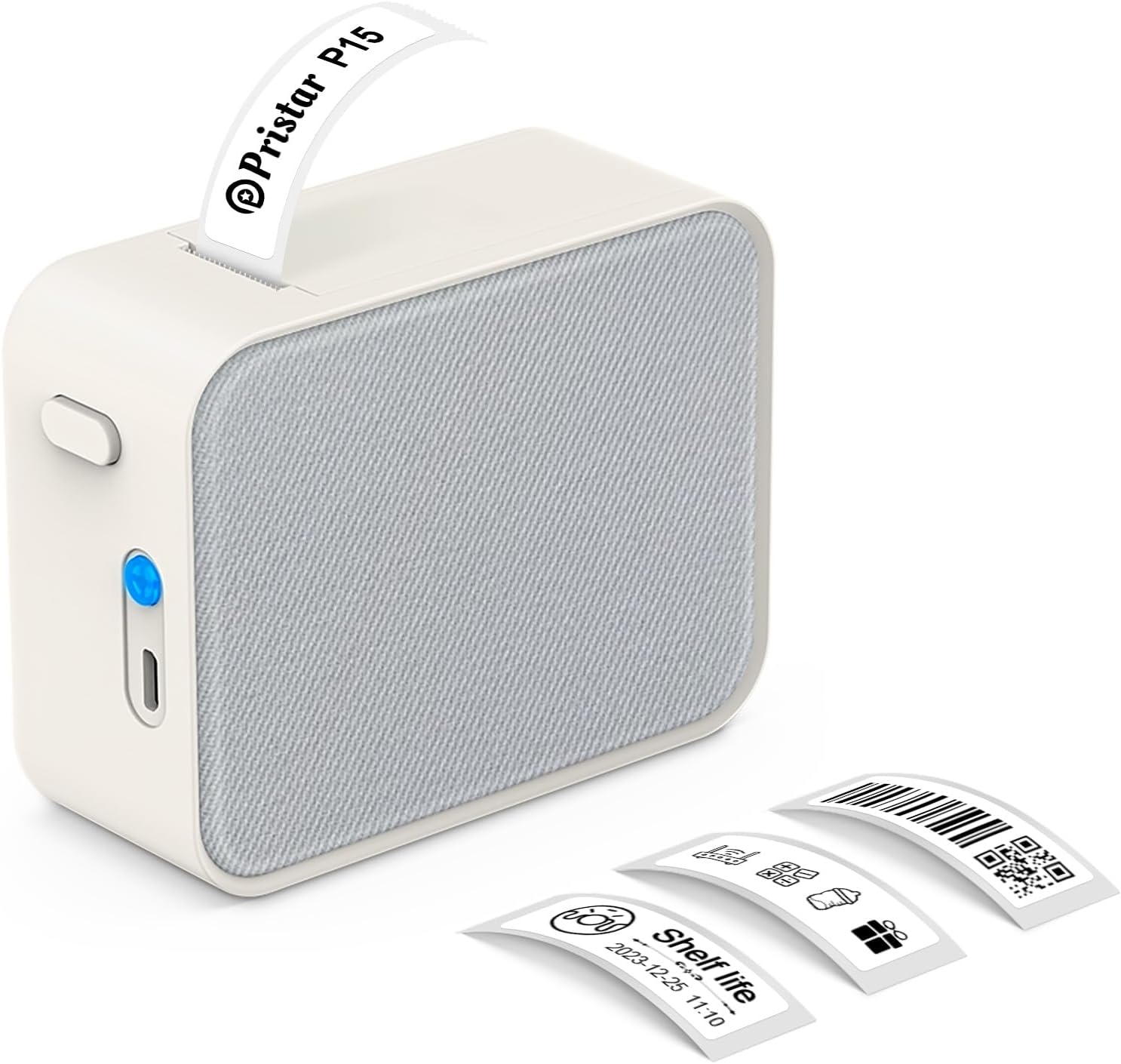
Figure 1.1: Pristar P15 Mini Bluetooth Label Printer
2. Informació de seguretat
Please read all safety instructions carefully before using the Pristar P15 label printer. Failure to follow these instructions may result in injury or damage to the device.
- No desmunteu, repareu o modifiqueu el dispositiu.
- Mantingueu el dispositiu allunyat de l'aigua, la humitat i les altes temperatures.
- Use only the specified USB-C cable for charging.
- Avoid exposing the print head to direct sunlight or strong light.
- Mantenir fora de l'abast dels nens.
3. Contingut del paquet
Verifiqueu que tots els elements siguin presents al paquet:
- 1 x Pristar P15 Label Printer (with built-in 1200mAh rechargeable lithium battery)
- 1 x Roll of Label Paper (12x40mm, White)
- 1 x USB-C Charging Cable (Power adapter not included)
- 1 x manual d'instruccions
4. Guia de configuració
4.1 Càrrega de la impressora
Before first use, fully charge the printer. Connect the provided USB-C cable to the charging port on the printer and plug the other end into a USB power source (e.g., computer, wall adapter). The indicator light will show charging status.
4.2 Càrrega de paper d'etiquetes
Proper loading of the label paper is crucial for clear printing.
- Open the printer cover by sliding the release button.
- Insert the label roll with the label face down, ensuring the leading edge of the labels extends slightly out of the slot.
- Tanqueu la coberta de la impressora fermament fins que encaixi al seu lloc.

Figure 4.1: Label Paper Installation and App Connection Steps
4.3 Instal·lació de l'aplicació
The Pristar P15 operates via the 'Marklife' application.
- Scan the QR code provided in the quick start guide or search for "Marklife" in your device's app store (App Store for iOS, Google Play Store for Android).
- Baixeu i instal·leu l'aplicació.
4.4 Connexió Bluetooth
Connect your printer to the 'Marklife' app.
- Assegureu-vos que el Bluetooth estigui habilitat al vostre telèfon intel·ligent.
- Open the 'Marklife' app.
- Within the app, search for and connect to your P15 printer. Do not connect via your phone's general Bluetooth settings.
5. Instruccions de funcionament
The 'Marklife' app provides extensive features for creating and customizing labels.
5.1 Creació bàsica d'etiquetes
- Open the 'Marklife' app and ensure your printer is connected.
- Select the desired label size (e.g., 12x40mm).
- Tap on the text box to enter your desired label content.
- Use the editing tools to customize fonts, sizes, and styles.
- Tap the 'Print' button to send the label to the printer.
5.2 Funcions avançades de l'aplicació
The 'Marklife' app offers a wide range of customization options:
- Fonts & Languages: Access over 60 fonts and 8 languages for diverse labeling needs.
- Icones i marcs: Choose from 1000+ icons and various frames to enhance your labels.
- Codis de barres i codis QR: Genera i imprimeix codis de barres i codis QR directament des de l'aplicació.
- Image & Text Import: Import pictures, or use features like Excel import, scanning, and voice input for text.
- Plantilles: Utilize free templates for quick label creation. (Note: Some templates may require payment, and signing in allows saving customized templates.)

Figura 5.1: Interfície de control d'aplicacions intel·ligents
5.3 Thermal Printing Technology
The P15 uses thermal printing, eliminating the need for ink or toner, making it cost-effective and environmentally friendly. It supports 12-15mm label printing with a 203 DPI resolution for clear results.
5.4 Label Tape Features
Pristar label tapes are designed for durability and ease of use:
- Water & Oil-proof: Labels maintain integrity even when exposed to water or oil.
- Anti-scratch: Resistant to fading or damage from rubbing.
- Resistència al trencament: Durable and not easily torn by hand.
- No Sticky Residue: Designed for easy removal without leaving adhesive residue.

Figure 5.2: Features of P15 Thermal Label Paper
5.5 Aplicació àmplia
The P15 is versatile for various organizational tasks:
- Home Storage: Label food containers, pantry items, and storage bins.
- Office Classification: Organitzar files, documents, and office supplies.
- Preu Tags: Create clear and professional price labels.
- School Information Management: Label school supplies, books, and projects.
- Gestió de cables: Identify cables and wires for electronics.

Figura 5.3: Exemple d'organització de la llaramples

Figure 5.4: Work Organization Examples
6. Manteniment
To ensure the longevity and optimal performance of your Pristar P15 label printer, follow these maintenance guidelines:
- Neteja del capçal d'impressió: If print quality degrades, gently wipe the thermal print head with a cotton swab lightly dampened with isopropyl alcohol. Ensure the printer is off and dry before use.
- Neteja de l'exterior: Use a soft, dry cloth to clean the exterior of the printer. Do not use abrasive cleaners or solvents.
- Emmagatzematge: Store the printer in a cool, dry place away from direct sunlight and extreme temperatures. Remove the label roll if storing for an extended period.
7. Solució De Problemes
If you encounter issues with your Pristar P15 label printer, refer to the following common problems and solutions:
| Problema | Causa possible | Solució |
|---|---|---|
| La impressora no s'encén | Low battery; Power button not pressed firmly | Carregueu la impressora; manteniu premut el botó d'engegada durant uns segons. |
| No es pot connectar mitjançant Bluetooth | Bluetooth off; Incorrect connection method; App issue | Ensure phone Bluetooth is on; Connect via 'Marklife' app, not phone settings; Restart app/phone. |
| Poca qualitat d'impressió | Dirty print head; Incorrect label loading; Low battery | Clean the print head; Re-load label paper correctly (face down); Charge the printer. |
| Labels not feeding | Label roll empty; Paper jammed; Cover not closed properly | Replace label roll; Clear any paper jams; Ensure printer cover is securely closed. |
| L'aplicació es bloqueja o es bloqueja | Software glitch; Outdated app version | Restart the app; Check for app updates in your app store. |
8. Especificacions
Key technical specifications for the Pristar P15 Mini Bluetooth Label Printer:
| Característica | Especificació |
|---|---|
| Model | LPPR-P15-LM-GYF |
| Dimensions del producte | 4P x 9.5A x 7.9H centímetres |
| Pes de l'article | 150 grams |
| Tecnologia de connectivitat | Bluetooth 4.0 (Effective distance up to 10m) |
| Tecnologia d'impressió | Tèrmica |
| Resolució d'impressió | 203 DPI |
| Mida màxima del suport | 15 mm |
| Amplada de l'etiqueta compatible | 12-15 mm |
| Bateria | Bateria de liti recarregable de 1200 mAh |
| Dispositius compatibles | Smartphones (iOS, Android) |
| Components inclosos | USB-C Cable, Labels |
9. Garantia i Suport
Pristar products are manufactured to high-quality standards. For warranty information and technical support, please refer to the contact details provided on the product packaging or the official Pristar weblloc web. Conserveu el rebut de compra com a comprovant de compra per a qualsevol reclamació de garantia.
For further assistance, you may contact Pristar customer service at pristar_service@outlook.com.
Documents relacionatsLPPR-P15-LM-GYF

Ask a question about this manual
Ask about setup, troubleshooting, compatibility, parts, safety, or missing instructions. Manuals+ will review the question and use this page’s manual context to help answer it.