
Introducció
This manual provides detailed instructions for the VTech ES2000 DECT Cordless Phone. Please read this manual thoroughly before using your new phone to ensure proper operation and to take full advantagde les seves característiques. Conserveu aquest manual per a futures consultes.

Image: The VTech ES2000 DECT Cordless Phone, showing the handset docked in its base unit.
Contingut del paquet
Assegureu-vos que el vostre paquet contingui els elements següents:
- VTech ES2000 Handset
- VTech ES2000 Base Unit
- Adaptador d'alimentació per a la unitat base
- Cordó de línia telefònica
- Rechargeable NiMH Batteries (2x AAA size)
- Manual d'usuari (aquest document)
Configuració
1. Instal·lació de la bateria
- Localitzeu la tapa del compartiment de la bateria a la part posterior del telèfon.
- Feu lliscar la coberta cap avall per treure-la.
- Insert the two supplied NiMH rechargeable batteries, observing the correct polarity (+ and -).
- Torneu a col·locar la tapa del compartiment de la bateria, fent-la lliscar cap amunt fins que encaixi al seu lloc.
2. Connexió de la unitat base
- Connect the small end of the power adapter to the 'POWER' jack on the back of the base unit.
- Connecteu l'extrem gran de l'adaptador de corrent a una presa de corrent estàndard.
- Connect one end of the telephone line cord to the 'LINE' jack on the back of the base unit.
- Connecteu l'altre extrem del cable de la línia telefònica a una presa de paret.
3. Càrrega inicial
Place the handset on the base unit cradle. The charging indicator on the handset display will show that it is charging. For optimal battery performance, allow the handset to charge continuously for at least 16 hours before its first use, even if the display indicates a full charge sooner.
Instruccions de funcionament
Fer i rebre trucades
- Per fer una trucada: Premeu el botó XERRADA / FLASH button, then dial the number. Alternatively, dial the number first and then press XERRADA / FLASH.
- Per rebre una trucada: Quan soni el telèfon, premeu la tecla XERRADA / FLASH botó.
- Per finalitzar una trucada: Premeu el botó END/POWER o torneu a col·locar l'auricular a la unitat base.
Ajust de volum
Durant una trucada, premeu el botó ▲ (Amunt) o ▼ (Down) navigation buttons to adjust the earpiece volume. The handset also features a volume booster for enhanced clarity.
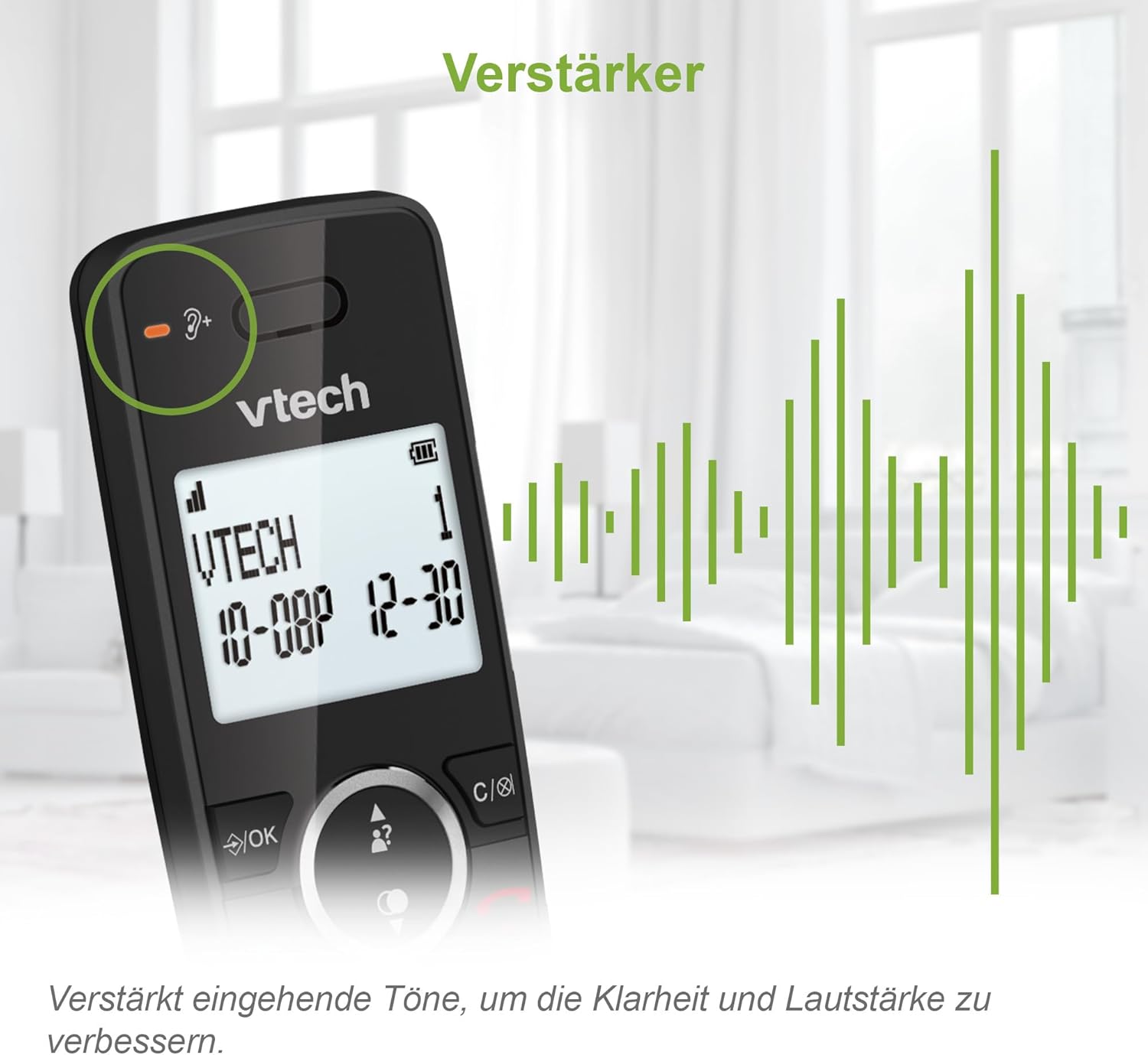
Image: Close-up of the VTech ES2000 handset, highlighting the volume booster icon and sound waves indicating ampàudio lificat.
Identificador de trucada
The phone displays the name and number of incoming calls (if available from your service provider). Up to 20 incoming call records are stored. Use the ▲ (Amunt) o ▼ (Down) navigation buttons to scroll through the Caller ID list.
Agenda telefònica
Emmagatzemeu fins a 100 noms i números a la llibreta telefònica per marcar ràpidament.
- Per afegir un contacte: Premeu el botó MENÚ / OK button, navigate to 'Phonebook', select 'Add New Entry', and follow the on-screen prompts to enter the name and number.
- Per marcar des de la llibreta d'adreces: Premeu el botó GUIA TELEFÒNICA , desplaceu-vos fins al contacte desitjat i premeu XERRADA / FLASH.
Bloqueig de trucades
The VTech ES2000 allows you to block up to 100 unwanted numbers. This feature helps prevent nuisance calls.
- To Block a Number from Caller ID: Mentre viewing a Caller ID entry, press the BLOC button (often represented by a shield icon) and confirm.
- To Manually Block a Number: Access the 'Call Block' menu via MENÚ / OK, select 'Add Number', and enter the number you wish to block.

Image: A family relaxing, with the VTech ES2000 handset in the foreground, illustrating the benefit of the call blocking feature.
Hands-Free (Speakerphone)
Durant una trucada, premeu el botó PONENT button to activate the speakerphone function. Press it again to switch back to the earpiece.
Altres característiques
- Torna a marcar: Premeu el botó RECOMANTA botó per view els últims 10 números marcats. Seleccioneu un número i premeu XERRADA / FLASH tornar a marcar.
- Silenciar: Durant una trucada, premeu el botó MUT button to temporarily disable your microphone. Press again to unmute.
- Alarma: Set an alarm through the handset menu.
- Mode ECO: The handset automatically adjusts radio frequency power based on its distance from the base unit, reducing energy consumption.
- Pantalla i teclat retroil·luminats: The LCD display and keypad are backlit for easy readability in low-light conditions.
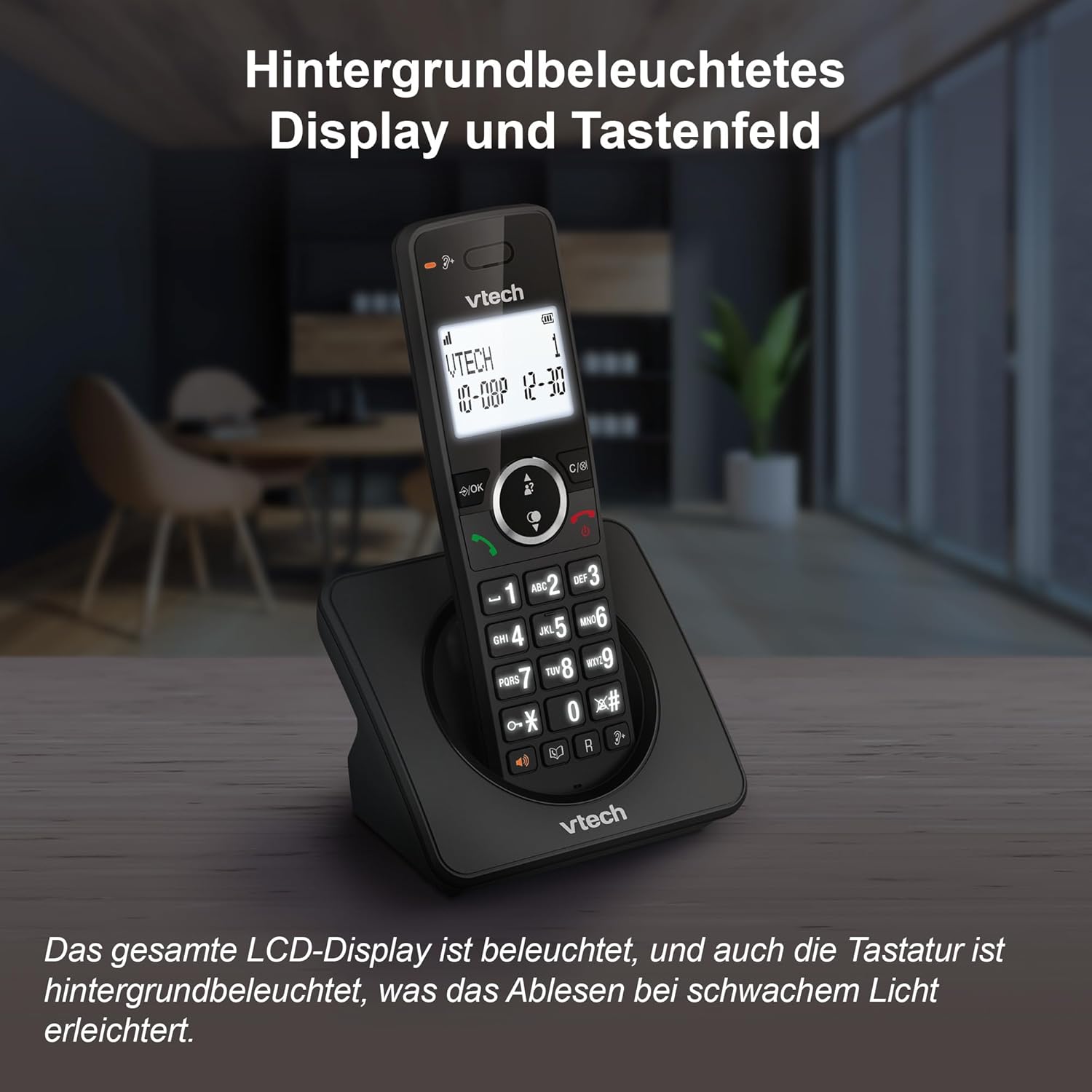
Image: The VTech ES2000 handset showcasing its illuminated display and keypad, enhancing visibility.
Manteniment
Neteja
Netegeu el telèfon i la unitat base amb un drap suau i sec.amp cloth. Do not use cleaning sprays or harsh chemicals, as these can damage the finish or electrical components.
Cura de la bateria
Use only the specified rechargeable NiMH batteries. Non-rechargeable batteries or other battery types may cause damage or explosion. If the phone will not be used for an extended period, remove the batteries to prevent leakage.
Resolució de problemes
- Sense to de marcatge:
- Assegureu-vos que el cable de la línia telefònica estigui connectat correctament tant a la unitat base com a la presa de paret.
- Check if the power adapter is properly connected to the base unit and a working electrical outlet.
- No puc fer/rebre trucades:
- Verifiqueu que les bateries del telèfon estiguin carregades.
- Assegureu-vos que el telèfon estigui dins de l'abast de la unitat base.
- Temporarily disconnect the base unit power adapter and telephone line cord, then reconnect them.
- Qualitat de so baixa:
- Apropeu el telèfon a la unitat base.
- Avoid placing the base unit near other electrical appliances (e.g., microwaves, Wi-Fi routers) that may cause interference.
- El telèfon no es carrega:
- Ensure the handset is correctly seated in the base unit cradle.
- Netegeu els contactes de càrrega tant del telèfon com de la unitat base amb un drap sec.
- Check the power adapter connection.
Especificacions
| Característica | Especificació |
|---|---|
| Marca | VTech |
| Número de model | ES2000 |
| Tipus de telèfon | Sense fil (DECT) |
| Color | Negre |
| Tipus de bateria | NiMH (2x AAA included) |
| Temps de conversa | Fins a 18 hores |
| Temps d'espera | Fins a 250 hores |
| Capacitat de l'agenda | 100 entrades (nom i número) |
| Capacitat del bloc de trucades | Fins a 100 números |
| Memòria d'identificació de trucades | 20 entrades |
| Memòria de remarcació | 10 last numbers |
| Mostra | LCD retroil·luminat |
| Teclat | Retroil·luminat |
| Pes | 400 grams |
| Material | Plàstic |
Suport
For technical assistance or warranty inquiries, please contact VTech customer service:
- Telèfon d'atenció al client: +49 (0)461-95775-415
- Please have your product model (ES2000) and purchase information ready when contacting support.


