Introducció
This manual provides comprehensive instructions for the setup, operation, and maintenance of your Ajazz Gaming Keyboard and Mouse 3-in-1 Set. This set includes an 82-key compact mechanical keyboard, a lightweight gaming mouse, and a mouse pad, designed for an enhanced gaming and typing experience.

Image: The Ajazz Gaming Keyboard and Mouse Set, featuring the white 82-key keyboard, white honeycomb mouse, and black mouse pad.

Image: The gaming keyboard and mouse set displayed with a monitor, highlighting its value for PC gamers.
Configuració
- Desembalatge: Carefully remove all components from the packaging: the 82-key mechanical keyboard, the gaming mouse, and the mouse pad.
- Connexió del teclat: Connect the detachable Type-C cable to the keyboard's Type-C port. Then, plug the USB-A end of the cable into an available USB port on your computer.

Imatge: Primer pla view of the detachable Type-C cable connecting to the keyboard's port.
- Connexió del ratolí: Plug the USB-A connector of the gaming mouse into another available USB port on your computer.
- Mouse Pad Placement: Place the mouse pad on a flat, stable surface where you intend to use the mouse.
- Instal·lació del controlador: The keyboard and mouse are plug-and-play devices and typically do not require manual driver installation for basic functionality. For advanced customization (e.g., mouse button programming, specific RGB effects), refer to the manufacturer's website for optional software/drivers. Ensure your operating system is up to date for optimal compatibility.

Image: Visual representation of compatibility with various operating systems including Windows XP, 7/8, 10/11, macOS, and Linux.
Instruccions de funcionament
Característiques i funcions del teclat
- Disseny compacte de 82 tecles: The keyboard features a compact 75% form factor with 82 keys, optimizing desk space while retaining essential keys.
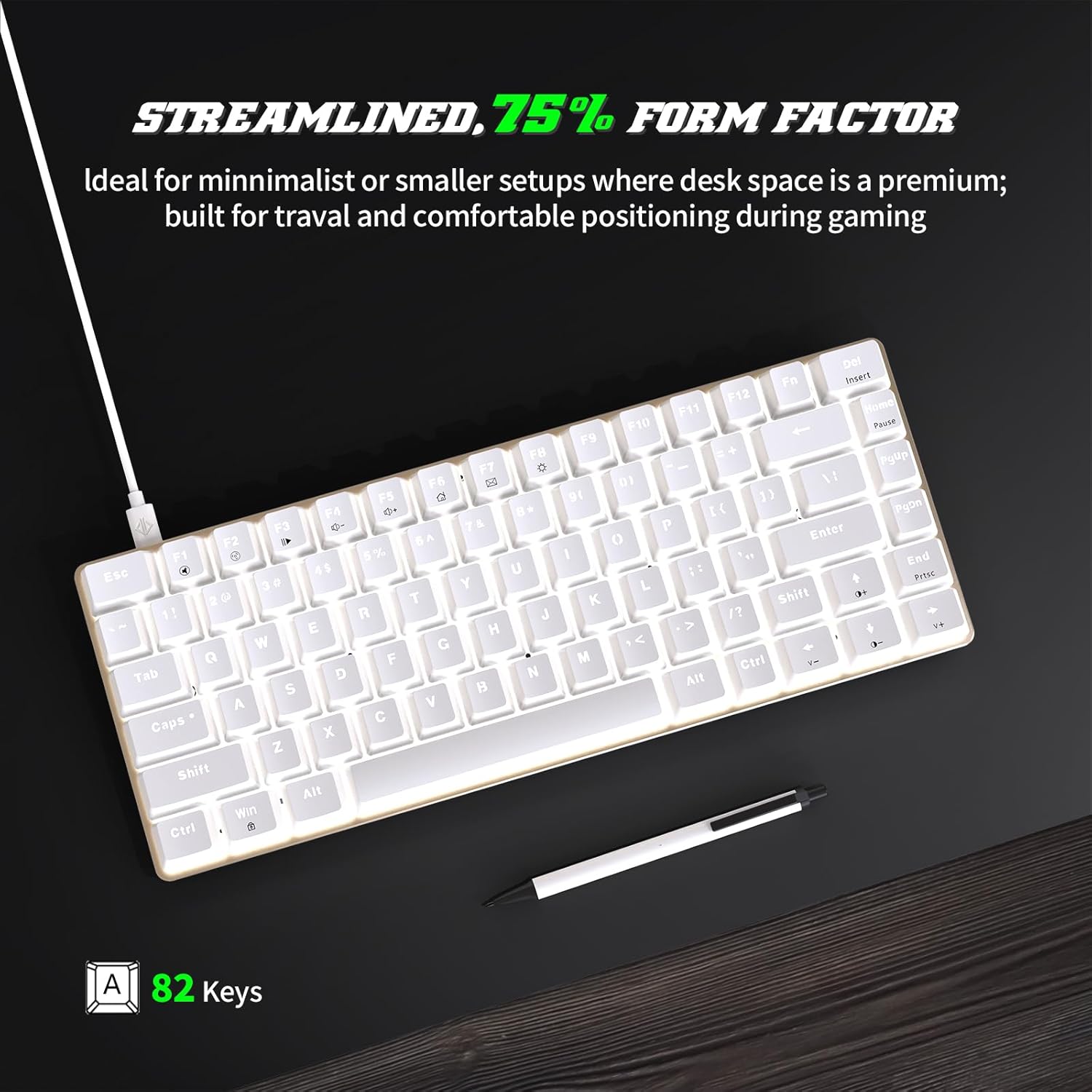
Imatge: Des de dalt view of the 82-key compact keyboard, illustrating its streamlined form factor.
- Hot-Swappable Mechanical Red Switches: The keyboard is equipped with linear red mechanical switches, providing a smooth and quiet typing experience. The PCB supports both 3-pin and 5-pin mechanical switches, allowing for switch customization.

Image: The keyboard with a close-up of a red mechanical switch, demonstrating its hot-swappable capability.
- RGB Backlight Effects: The keyboard features 8 distinct backlight effects.
- Adjust lighting speed and brightness levels using designated key combinations (refer to keyboard legends or manual for specific keys, typically Fn + arrow keys or dedicated lighting keys).
- Anti-ghosting complet: All keys are conflict-free, ensuring that multiple simultaneous key presses are registered accurately, which is crucial for gaming and fast typing.
- Tecles de drecera multimèdia: Access 12 multimedia functions using the Fn key in combination with the F1-F12 keys. These include volume control, media playback, and more.

Image: Diagram showing the 12 multimedia shortcut keys (F1-F12) and their corresponding functions when used with the Fn key.
Característiques i funcions del ratolí
- Disseny lleuger: The mouse weighs approximately 65 grams, contributing to comfortable and agile movement during use.
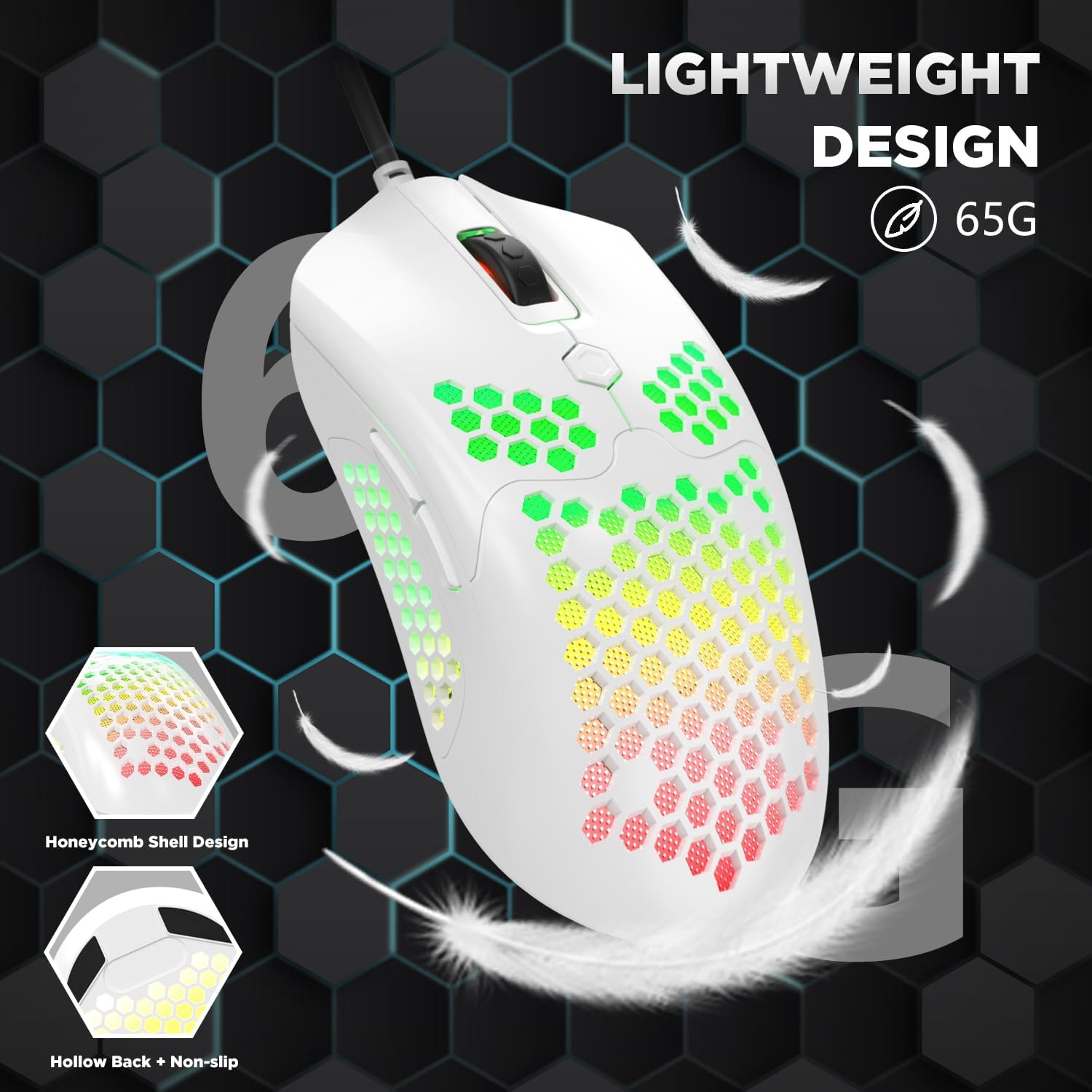
Image: The lightweight gaming mouse with honeycomb shell design, emphasizing its low weight.
- Configuració de DPI ajustable: The mouse offers 6 adjustable DPI levels, ranging from 800 to 12000 DPI. The default setting is 800 DPI.
- Cycle through DPI settings using the dedicated DPI button (typically located near the scroll wheel).
- Available DPI settings: 800, 1600, 2400, 3200, 6400, 12000.

Image: Diagram illustrating the 6 adjustable DPI levels of the mouse, from 800 to 12000.
- RGB Backlit Modes: The mouse features 26 different RGB backlight effects.
- Change backlight effects using the dedicated button on the bottom of the mouse or through the mouse driver software (if installed).

Imatge: Examples of different RGB backlight colors and patterns available on the mouse.
- Botons programables: The mouse has 7 buttons, 6 of which are programmable.
- Button functions include Left, Right, Mid, Forward, Backward, and DPI Loop +/-.
- Customization of programmable buttons requires the installation of the mouse driver software from the manufacturer's weblloc.

Image: Diagram labeling the various buttons on the gaming mouse, including Left, Right, Mid, Forward, Backward, and DPI Loop +/-.
Manteniment
- Neteja del teclat:
- Desconnecta el teclat de l'ordinador.
- Use a soft brush (often included with the product) or compressed air to remove dust and debris from between the keycaps.
- For stubborn dirt, gently remove keycaps using the provided keycap puller. Clean the switch stems and keycap interiors with a cotton swab lightly dampamb alcohol isopropílic.
- Wipe the surface of the keyboard with a soft, lint-free cloth.
- Neteja del ratolí:
- Desconnecteu el ratolí de l'ordinador.
- Wipe the exterior of the mouse with a soft, slightly damp cloth. Avoid getting moisture into the internal components, especially through the honeycomb shell.
- Use a dry cotton swab or compressed air to clean any dust or debris from the optical sensor and the honeycomb perforations.
- Atenció general:
- Eviteu exposar els dispositius a temperatures extremes, humitat o llum solar directa.
- Do not spill liquids on the keyboard or mouse. In case of accidental spills, immediately disconnect the device and allow it to dry completely before reconnecting.
- Handle the detachable Type-C cable with care to prevent damage to the connector or port.
Resolució de problemes
- Issue: Keyboard or Mouse Not Responding
- Assegureu-vos que els cables USB del teclat i del ratolí estiguin ben connectats als ports USB de l'ordinador.
- Prova de connectar els dispositius a diferents ports USB de l'ordinador.
- Reinicieu l'ordinador.
- Test the devices on another computer to determine if the issue is with the devices or your system.
- Issue: Backlight Not Working or Incorrect
- For the keyboard, ensure you are using the correct key combinations (e.g., Fn + specific keys) to cycle through backlight modes or adjust brightness.
- For the mouse, check the button on the bottom of the mouse to change RGB modes.
- Ensure no software conflicts are present if you have installed third-party lighting control software.
- Issue: Mouse Cursor Jumps or is Erratic
- Netegeu el sensor òptic de la part inferior del ratolí.
- Assegureu-vos que la superfície de la catifa del ratolí estigui neta i lliure d'obstruccions.
- Ajusteu la configuració de DPI a un valor més baix si el cursor és massa sensible.
- Issue: Driver Installation Problems (e.g., "Malware" warning)
- Ensure you are downloading drivers only from the official Ajazz weblloc.
- Temporarily disable your antivirus software during the download and installation process, then re-enable it immediately afterward.
- Verify that the downloaded driver file is for your specific model.
- If issues persist, contact Ajazz customer support for assistance.
Especificacions
| Característica | Detall |
|---|---|
| Nom del producte | Gaming Keyboard and Mouse 3in1 Gaming Set |
| Marca | Ajazz |
| Disposició del teclat | 82 Keys, Compact (75% Form Factor) |
| Interruptors de teclat | Hot-Swappable Mechanical Red Switches (3-pin/5-pin compatible PCB) |
| Il·luminació de fons del teclat | Rainbow LED Backlit (8 effects) |
| Característiques del teclat | Anti-ghosting, 12 Multimedia Shortcut Keys, Detachable Type-C Cable |
| Disseny del ratolí | Lightweight (65g), Honeycomb Shell, Ergonomic |
| DPI del ratolí | Adjustable 800-12000 DPI (6 levels) |
| Botons del ratolí | 7 Buttons (6 programmable) |
| Retroil·luminació del ratolí | RGB Backlit (26 effects) |
| Connectivitat | USB per cable |
| Compatibilitat | Win98 / 2000 / 2003 / 7 / 8 / 10 / XP / Vista / MAC, etc. |
| Dimensions del paquet | 17.13 x 6.42 x 2.44 polzades |
| Pes de l'article | 1.98 lliures |
| Fabricant | AJAZZ |
Garantia i Suport
For warranty information and technical support, please refer to the official Ajazz weblloc web o contacteu directament amb el seu servei d'atenció al client. Conserveu el rebut de compra com a comprovant de compra per a qualsevol reclamació de garantia.
Fabricant: AJAZZ
Marca: Ajazz