
1. Introducció
This manual provides instructions for the safe and effective operation of the AOPUTTRIVER T7-TC8100 Handheld Particle Counter. This device is designed to measure particulate matter (PM0.3, PM2.5, PM10), temperature, and humidity, providing essential data for monitoring indoor air quality.
2. Informació de seguretat
Si us plau, llegiu atentament tots els avisos i instruccions de seguretat abans d'utilitzar aquest producte per evitar lesions o danys al dispositiu.
- No bloquegeu l'entrada ni la sortida d'aire durant el funcionament.
- Mantingueu el dispositiu allunyat de l'aigua i d'ambients amb molta humitat.
- Eviteu exposar el dispositiu a temperatures extremes o a la llum solar directa.
- No intenteu desmuntar ni modificar el dispositiu. Encarregueu tot el manteniment a personal qualificat.
- Utilitzeu només el cable USB proporcionat per carregar.
3. Contingut del paquet
Verifiqueu que tots els elements que s'enumeren a continuació s'inclouen al vostre paquet:
- 1 x Maletí de transport
- 1 x AOPUTTRIVER T7-TC8100 Handheld Particle Counter
- 1 x cable USB
- 1 x Manual d'usuari
- 1 x Triangle Stand

Figure 3.1: Contents of the AOPUTTRIVER T7-TC8100 package, including the particle counter, carrying case, USB cable, user manual, and a mini tripod.
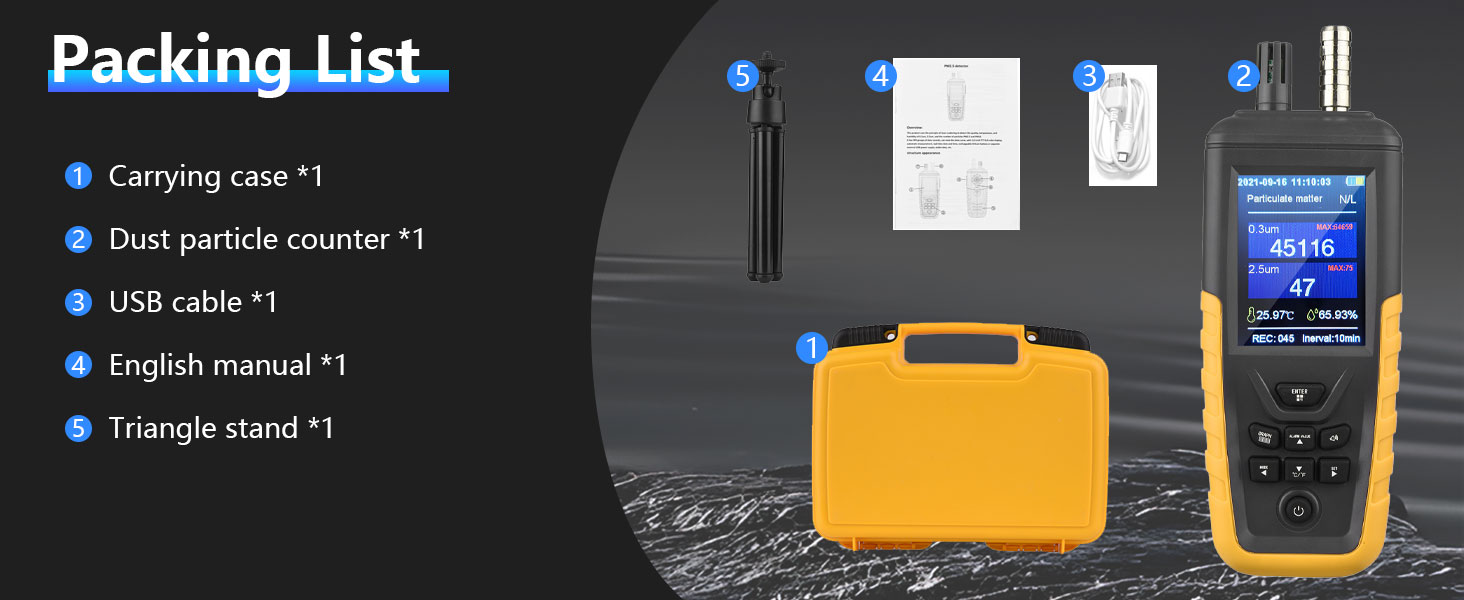
Figure 3.2: Visual representation of the packing list, showing each component with its corresponding number.
4. Producte acabatview
Familiarize yourself with the components and controls of your AOPUTTRIVER T7-TC8100 device.
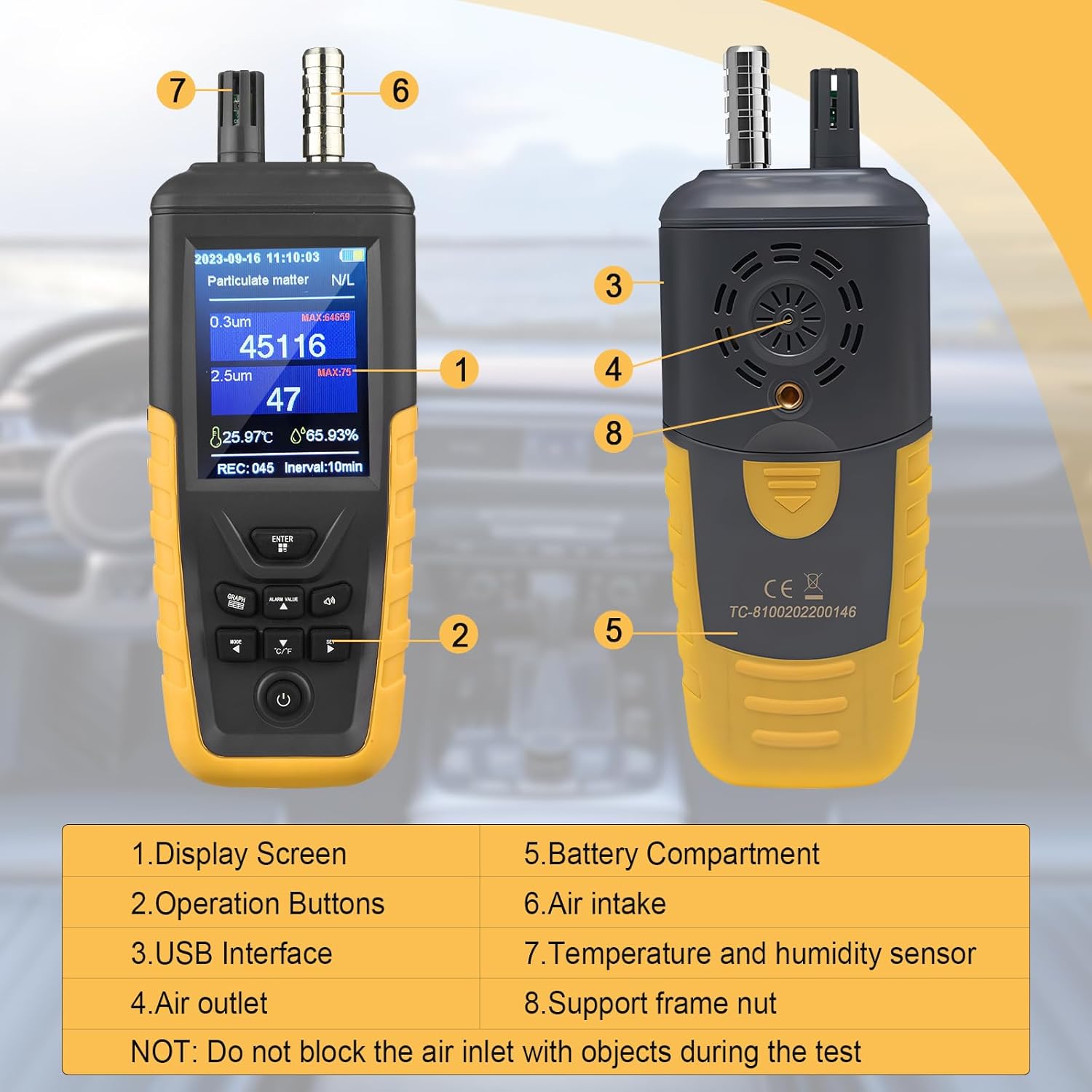
Figura 4.1: frontal i lateral view of the particle counter with numbered components.
- Pantalla de visualització: Shows measurement data, time, and battery status.
- Botons de funcionament: For navigation, power, and function selection.
- Interfície USB: Per carregar el dispositiu.
- Sortida d'aire: Where processed air exits the device.
- Compartiment de la bateria: Conté la bateria recarregable.
- Entrada d'aire: Where air samples are drawn into the device for analysis.
- Sensor de temperatura i humitat: Detects ambient temperature and humidity.
- Support Frame Nut: For attaching the triangular stand.
Note: Do not block the air intake with objects during testing to ensure accurate readings.
5. Configuració
5.1 Instal·lació i càrrega de la bateria
The device uses a 3.7V lithium battery. For first-time use, ensure the battery is properly installed and fully charged.
- Locate the battery compartment (5) on the back of the device.
- Install the 3.7V battery, ensuring correct polarity.
- Connect the provided USB cable to the USB interface (3) on the device and to a standard USB power adapter (not included) or a computer USB port.
- The battery power indicator on the display will show charging status. A full charge provides up to 9 hours of continuous operation.
- When the battery indicator shows low power, recharge the device promptly.
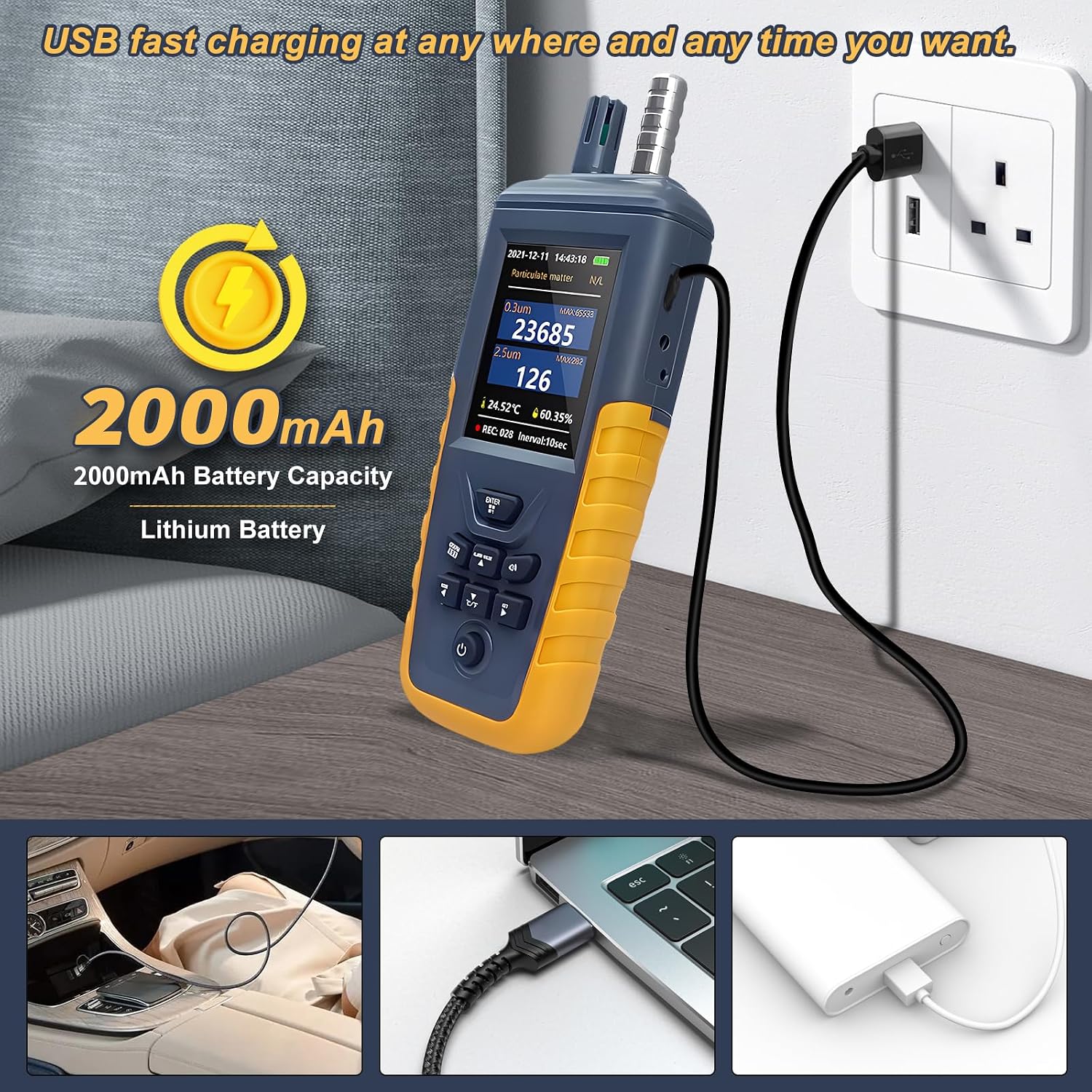
Figure 5.1: The particle counter connected to a USB power source for charging.

Figure 5.2: Instructions for installing the 3.7V battery into the device.
5.2 Attaching the Triangular Stand
For continuous monitoring or hands-free operation, attach the included triangular stand to the support frame nut (8) on the back of the device.
- Screw the triangular stand into the support frame nut until secure.
- Adjust the stand to position the device stably on a flat surface, ensuring the air intake and outlet are unobstructed.
6. Funcionament
6.1 Engegada/apagada
- To power on, press and hold the power button (usually located at the bottom of the operation buttons) until the display illuminates.
- Per apagar l'aparell, premeu i manteniu premut el botó d'engegada de nou fins que la pantalla s'apagui.
6.2 Comprensió de la pantalla
The 3.2-inch TFT full-color display provides real-time readings for various parameters.

Figure 6.1: The device display showing various air quality parameters and environmental conditions.

Figure 6.2: The display interface highlighting the different particulate matter sizes (PM0.3, PM2.5, PM10), Air Quality Index (AQI), temperature, and humidity readings.
- PM0.3, PM2.5, PM10: Real-time concentration of particulate matter in micrograms per cubic meter (µg/m³).
- Temperatura: Ambient temperature reading.
- Humitat: Relative humidity reading.
- Indicador de bateria: Mostra el nivell actual de la bateria.
- Data i hora: Data i hora actuals.
6.3 Menu Navigation and Data Recording
Use the operation buttons to navigate through the device's menu and access features like data records.
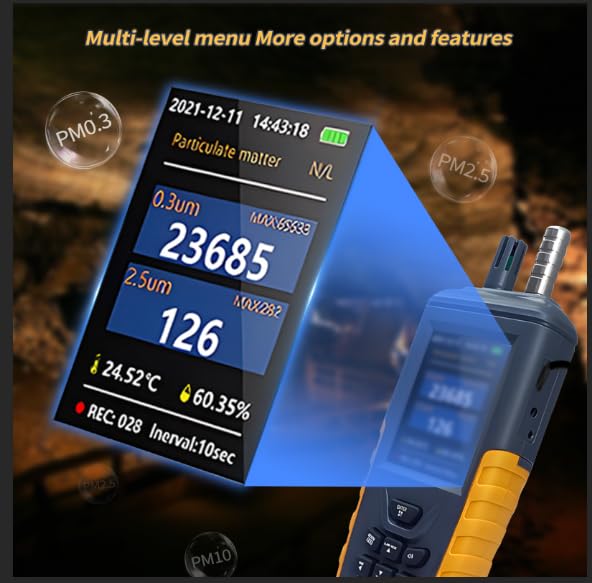
Figure 6.3: The multi-level menu interface of the particle counter, offering various options and features.
- The device supports up to 999 data records.
- Viewable data curves allow for historical analysis of air quality.
- Refer to the on-screen menu for specific instructions on accessing and managing recorded data.
7. Understanding Air Quality Readings
The device provides PM2.5 readings which can be interpreted according to established air quality standards.
Figure 7.1: A schematic diagram illustrating air quality levels based on PM2.5 average standard values over 24 hours.
| Nivell de qualitat de l'aire | PM2.5 Average Standard Value (µg/m³) |
|---|---|
| Excel·lent | 0-35 |
| Bé | 35-75 |
| Contaminació greu | > 250 |
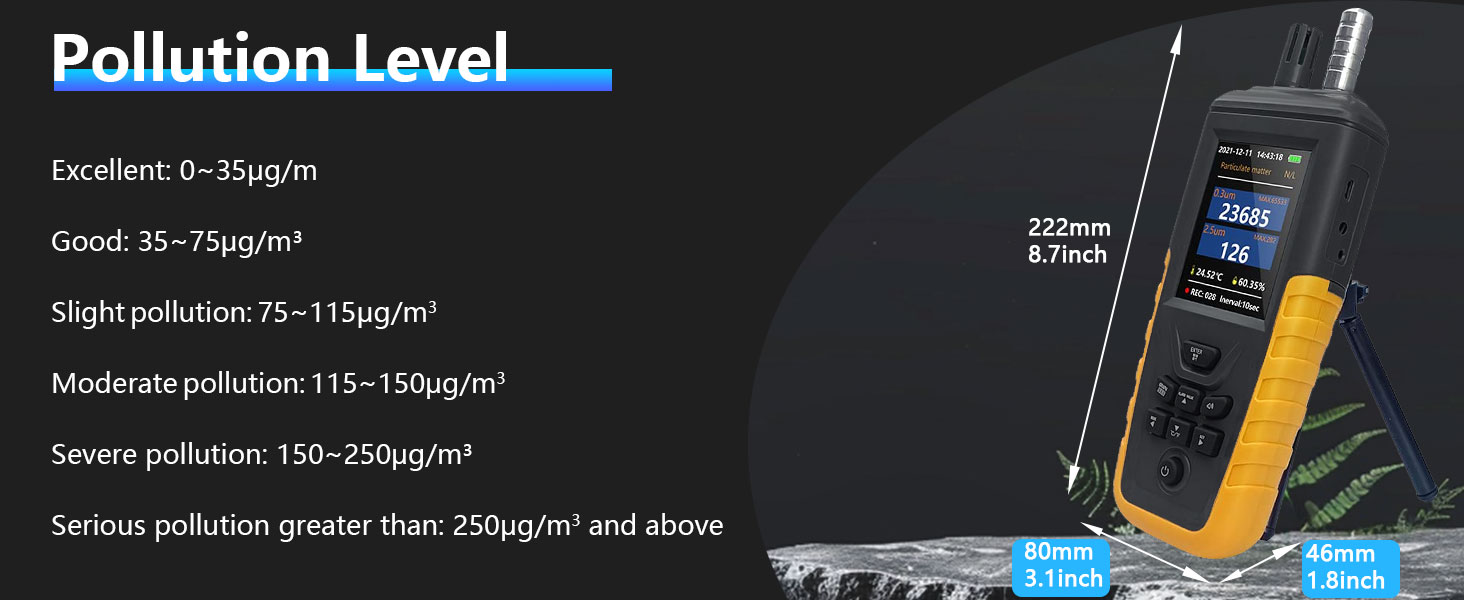
Figure 7.2: Detailed pollution level categories based on PM concentrations.
- Excel · lent: 0~35 µg/m³
- Bé: 35~75 µg/m³
- Slight Pollution: 75~115 µg/m³
- Moderate Pollution: 115~150 µg/m³
- Severe Pollution: 150~250 µg/m³
- Serious Pollution: Greater than 250 µg/m³
8. Manteniment
Proper maintenance ensures the longevity and accuracy of your device.
- Neteja: Feu servir un drap suau i sec per netejar l'exterior del dispositiu. No utilitzeu productes de neteja abrasius ni dissolvents.
- Entrada/sortida d'aire: Ensure the air intake and outlet are free from dust and debris. Do not insert objects into these openings.
- Emmagatzematge: When not in use for extended periods, store the device in its carrying case in a cool, dry place.
- Cura de la bateria: Recarrega la bateria regularment, fins i tot si el dispositiu no s'utilitza amb freqüència, per mantenir-ne l'estat.
9. Solució De Problemes
Si teniu problemes amb el dispositiu, consulteu els problemes i solucions habituals següents:
- El dispositiu no s'encén:
- Assegureu-vos que la bateria estigui instal·lada correctament.
- Charge the device for at least 30 minutes using the provided USB cable.
- Verify the USB cable and power adapter are functioning correctly.
- Lectures inexactes:
- Ensure the air intake and outlet are not blocked.
- Avoid using the device in dusty or smoky environments immediately after moving it; allow it to stabilize.
- Ensure the device has been powered on for a few minutes to stabilize its sensors.
- El dispositiu no es carrega:
- Comproveu la connexió del cable USB als dos extrems.
- Prova una font d'alimentació USB diferent.
- Ensure the battery is properly seated in its compartment.
- No companion app required:
- This device operates independently and does not require a smartphone application for its core functions. All operations and data viewing are performed directly on the device's display.
10. Especificacions
Detailed technical specifications for the AOPUTTRIVER T7-TC8100 Handheld Particle Counter.

Figure 10.1: Technical parameters including particle detection range, PM2.5 precision, and concentration resolution.

Figure 10.2: Technical parameters including temperature measurement range, humidity accuracy, battery capacity, and charging details.
| Paràmetre | Valor |
|---|---|
| Model | T7-TC8100 |
| Particle Detection Range | 0.3 ~ 10 µm |
| Measured Particle Sizes | 0.3 µm, 2.5 µm, 10 µm |
| PM2.5 Measurement Range | 0 ~ 1000 µg/m³ |
| PM2.5 Precisió | ±12 µg/m³ |
| Concentration Resolution | 1 µg/m³ |
| Resolució de temperatura | 0.01 °C |
| Precisió de la temperatura | ±3% |
| Interval de mesura de la humitat | 0 ~ 100% |
| Resolució d’humitat | 0.01 % |
| Tipus de bateria | Bateria de liti de 3.7 V |
| Font d'alimentació | 5V / USB |
| Temps de funcionament continu | > 9 hores |
| Data Record Capacity | 999 registres |
| Mostra | 3.2-inch TFT Full-Color Display |
| Dimensions | 222 x 80 x 46 mm |
| Pes | Aprox. 499 g (1.1 lliures) |
11. Garantia i Suport
AOPUTTRIVER is committed to providing quality products and customer satisfaction.
- For any questions or concerns regarding your AOPUTTRIVER T7-TC8100 Handheld Particle Counter, please contact customer service.
- Customer support is available to assist you with product inquiries, troubleshooting, and warranty claims.
- Si us plau, conserveu el rebut de compra per motius de garantia.