
1. Introducció
This manual provides essential instructions for the proper installation, operation, and maintenance of your SP CONNECT Phone Case Xtreme for Samsung S24+. Please read this manual thoroughly before using the product to ensure optimal performance and longevity.
2. Producte acabatview
The SP CONNECT Phone Case Xtreme is engineered to provide robust protection for your Samsung S24+ smartphone. It features a durable design with military-standard certification for drop tests (MIL-STD 810) and IP68 material for water and dust resistance, offering 360-degree protection. The integrated magnetic mount allows for quick and secure attachment to compatible SP CONNECT mounting systems. It also supports wireless charging and is compatible with MagSafe accessories.

Figura 2.1: posterior view of the SP CONNECT Phone Case Xtreme, highlighting the integrated magnetic mounting mechanism.

Figure 2.2: Interior of the case, indicating its MIL-STD 810 drop protection, IP68 water resistance, and 360-degree protective capabilities.
3. Configuració i instal·lació
Follow these steps to properly install your Samsung S24+ into the SP CONNECT Phone Case Xtreme:
- Obre el cas: Carefully separate the front and back sections of the phone case.
- Inseriu el telèfon: Place your Samsung S24+ into the back section of the case, ensuring it sits flush and all edges are aligned.
- Tancament segur: Align the front section with the back section and press firmly around all edges until you hear a click, indicating a secure seal. Verify that all ports and buttons are properly covered and functional.
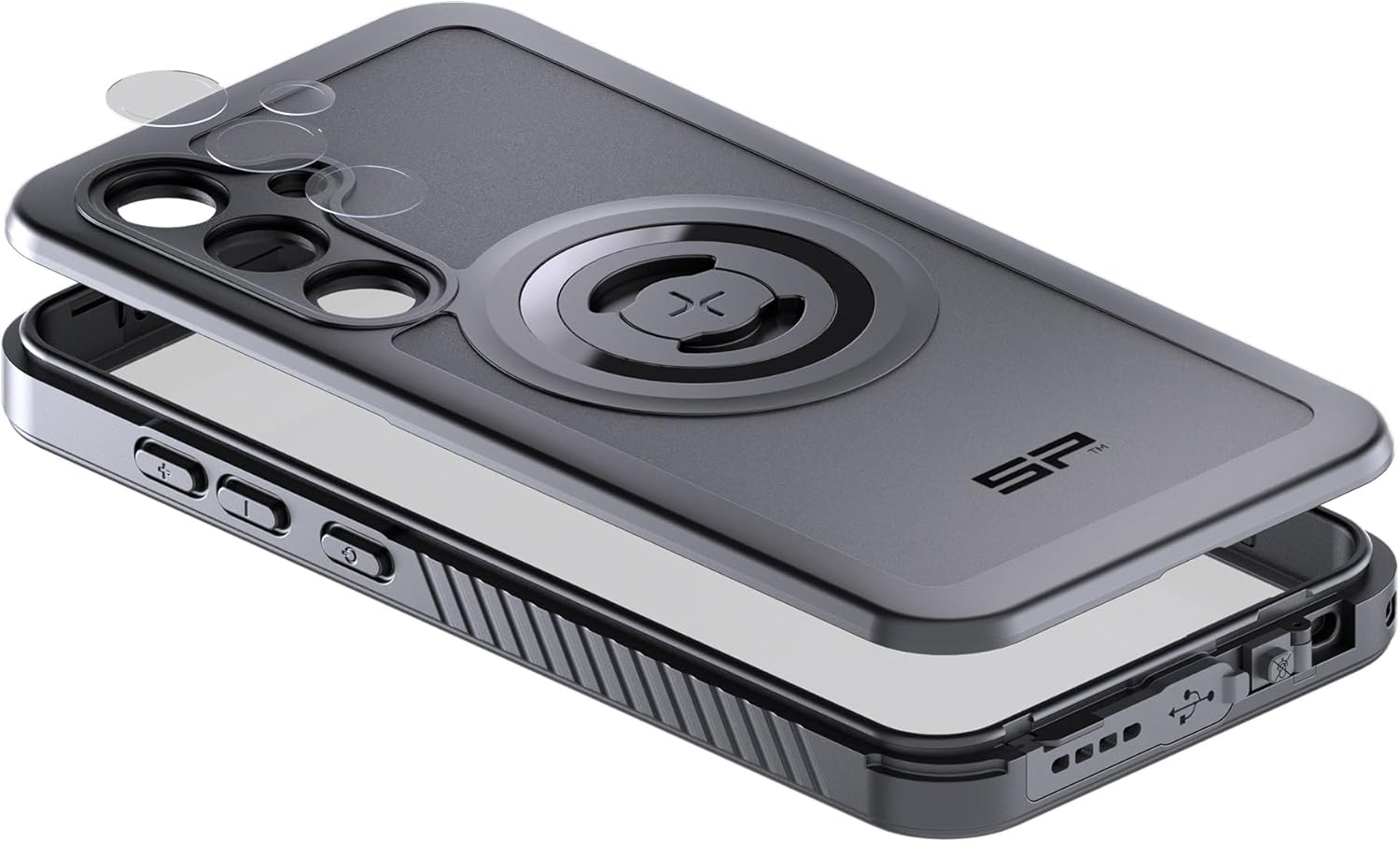
Figure 3.1: Illustration of the phone installation process, showing the two parts of the case and the phone being placed inside.
4. Funcionament
4.1 Muntatge magnètic
The integrated magnetic interface allows for quick attachment to any SP CONNECT magnetic mount. Simply align the case with the mount until it securely snaps into place. Ensure a firm connection before use, especially in dynamic environments.
4.2 Càrrega sense fil
The case is designed to be compatible with wireless charging. Place your phone, while in the case, onto a compatible wireless charging pad. Ensure proper alignment for efficient charging. Remove the phone from the case if wireless charging performance is hindered.
4.3 Compatibilitat amb MagSafe
The case supports MagSafe accessories, allowing for enhanced magnetic attachment and compatibility with MagSafe chargers and other accessories.
4.4 Button and Port Access
The case provides access to all essential buttons and ports. Ensure that the buttons operate smoothly and that the charging port is accessible when needed. The case's design maintains the waterproof integrity around the ports.
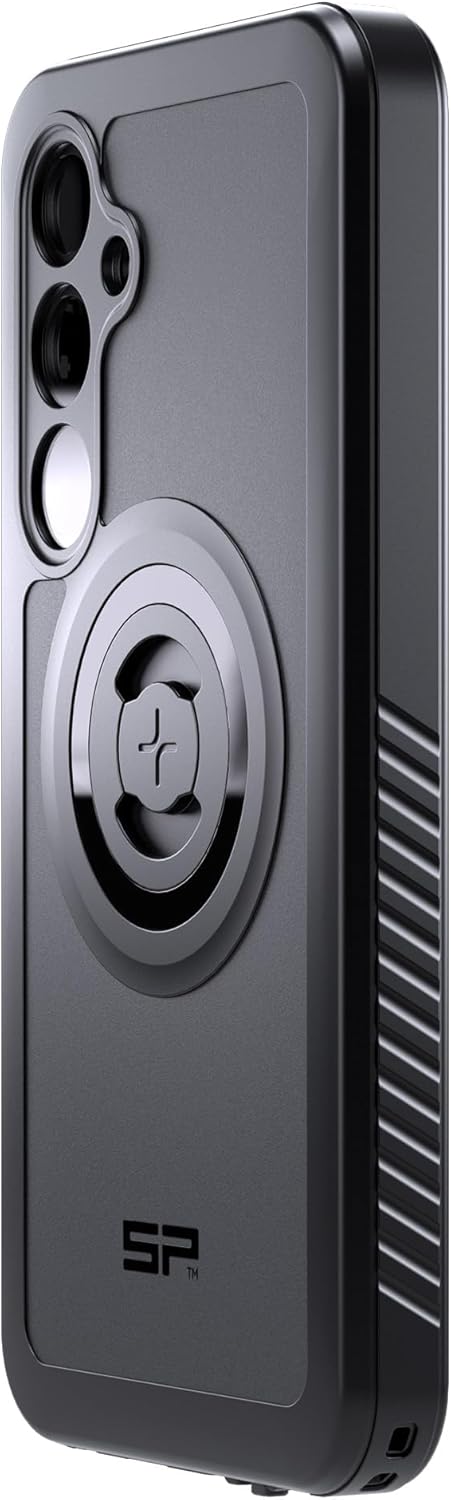
Figura 4.1: Pro lateralfile of the case, illustrating button covers and textured grip for enhanced handling.
5. Manteniment
To maintain the integrity and appearance of your SP CONNECT Phone Case Xtreme:
- Neteja: Netegeu la carcassa regularment amb un drap suauamp drap. Eviteu utilitzar productes químics agressius o netejadors abrasius, ja que poden danyar el material.
- Inspecció: Periodically inspect the case for any signs of wear, cracks, or damage, especially around the seals and ports. If significant damage is observed, replace the case to ensure continued protection.
- Emmagatzematge: Guardeu la funda en un lloc fresc i sec, allunyat de la llum solar directa quan no la feu servir.
6. Solució De Problemes
If you encounter issues with your SP CONNECT Phone Case Xtreme, consider the following:
- Dificultat amb els botons: Ensure your phone is correctly seated within the case. Re-open and re-seal the case, making sure all edges are properly aligned.
- La càrrega sense fils no funciona: Verify that your wireless charger is compatible and properly aligned with the phone's charging coil through the case. Remove any metal objects or cards from between the phone and the case.
- Problemes de muntatge: Check that the magnetic mount surface on the case and the SP CONNECT mount are clean and free of debris. Ensure the case is fully engaged with the mount.
- Entrada d'aigua: If you suspect water has entered the case, immediately remove your phone and allow both the phone and case to dry completely before reassembly. Ensure the case is properly sealed during installation to prevent future issues.
7. Especificacions
| Característica | Detall |
|---|---|
| Dimensions del producte | 3.94 x 3.94 x 3.94 polzades |
| Pes de l'article | 10.6 unces |
| Models de telèfon compatibles | Samsung S24+ |
| Material | IP68 rated material |
| Color | Negre |
| Fabricant | CONNECTE SP |
8. Garantia i Suport
For warranty information and customer support, please refer to the official SP CONNECT weblloc web o poseu-vos en contacte amb el vostre distribuïdor. Conserveu el comprovant de compra per a qualsevol reclamació de garantia.