1. Introducció
The Universal Audio SC-1 Standard Condenser Microphone is designed to capture vocals and instruments with exceptional sound quality. When paired with the Hemisphere Microphone Modeling Plug-In, it can emulate the sound and character of popular studio microphones, offering versatile recording options.

Figure 1.1: Universal Audio SC-1 Condenser Microphone (Front View)
2. Què hi ha a la caixa
Your Universal Audio SC-1 package includes the following components:
- Universal Audio SC-1 Condenser Microphone
- Maleta de transport
- Muntatge de micròfons
- 5/8" to 3/8" Thread Adapter

Figure 2.1: SC-1 Microphone with Included Stand Mount
3. Configuració
Follow these steps to set up your SC-1 microphone:
- Muntatge del micròfon: Attach the SC-1 microphone to the included microphone stand mount. If your stand requires it, use the 5/8" to 3/8" thread adapter.
- Connecting to Audio Interface: Connect the SC-1 to your audio interface or mixer using a standard XLR cable. The SC-1 requires 48V phantom power, which must be enabled on your audio interface or mixer for the microphone to function.
- Instal·lació de programari: Install the Universal Audio Hemisphere Microphone Modeling Plug-In on your computer. Refer to the software's documentation for detailed installation instructions and system requirements.
- Instal·lació del controlador: Ensure all necessary drivers for your audio interface and the SC-1 are installed and up to date.
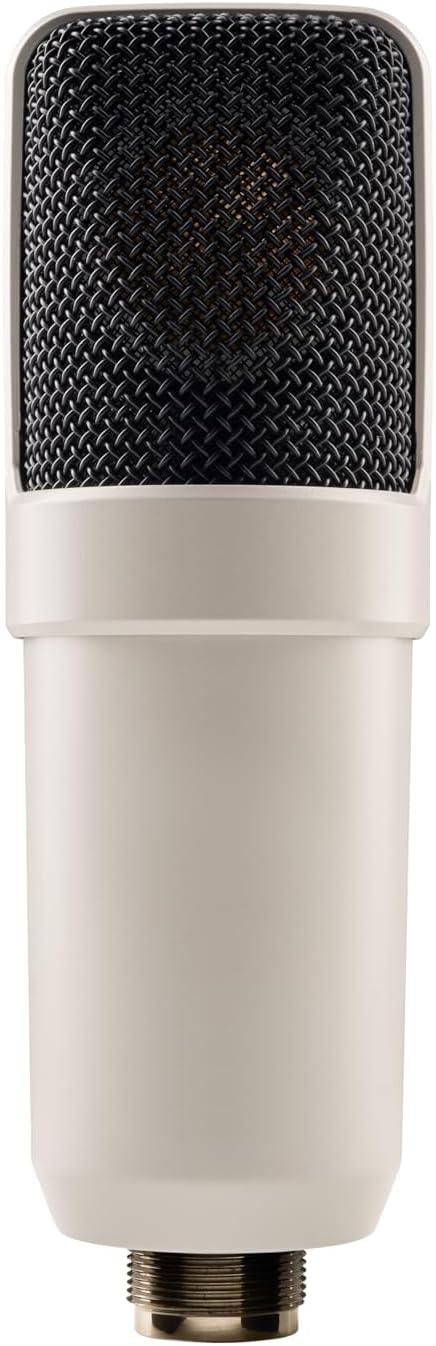
Figure 3.1: SC-1 Microphone XLR Connector
Note: Official product videos from the seller are not available for this product.
4. Operating the SC-1
The SC-1 can be used as a standard condenser microphone or enhanced with the Hemisphere modeling software.
Funcionament estàndard:
- Position the microphone appropriately for your sound source (e.g., vocals, acoustic instruments).
- Adjust the gain on your audio interface to achieve an optimal recording level, avoiding clipping.
- The SC-1 features a Unidirectional polar pattern, making it ideal for capturing sound directly in front of the microphone while minimizing off-axis noise.
Using Hemisphere Mic Modeling:
The Hemisphere Plug-In allows you to apply various microphone models and adjust parameters digitally:
- Seleccioneu el model: Choose from a range of classic condenser microphone emulations within the Hemisphere software.
- Filtre: Apply high-pass or low-pass filters to shape the microphone's frequency response.
- Proximitat: Adjust the simulated proximity effect, which alters the low-frequency response based on distance to the sound source.
- Eix: Control the simulated off-axis response, allowing for fine-tuning of the microphone's directional characteristics.
5. Manteniment
Proper care will ensure the longevity and performance of your SC-1 microphone:
- Neteja: Use a soft, dry cloth to wipe down the microphone body. Avoid using liquid cleaners or solvents, as they may damage the finish or internal components.
- Emmagatzematge: When not in use, store the microphone in its included carrying case to protect it from dust, moisture, and physical damage.
- Manipulació: Handle the microphone with care. Avoid dropping it or subjecting it to strong impacts.
6. Solució De Problemes
If you encounter issues with your SC-1 microphone, consider the following:
- Sense sortida de so:
- Assegureu-vos que l'alimentació phantom de 48 V estigui habilitada a la vostra interfície d'àudio/mesclador.
- Check all XLR cable connections for proper seating and integrity.
- Verify input gain levels on your audio interface are set correctly.
- So distorsionat:
- Reduce the input gain on your audio interface to prevent clipping.
- Ensure the microphone is not placed too close to the sound source, especially for loud signals.
- Hemisphere Software Issues:
- Verify that the Hemisphere Plug-In is correctly installed and updated.
- Check your Digital Audio Workstation (DAW) settings to ensure the plug-in is properly loaded on the microphone track.
7. Especificacions
| Característica | Detall |
|---|---|
| Marca | Àudio universal |
| Model | SC-1 |
| Factor de forma del micròfon | Diafragma gran |
| Patró polar | Unidireccional |
| Tecnologia de connectivitat | XLR |
| Tipus de connector | XLR |
| Font d'alimentació | Elèctric amb cable (cal alimentació phantom de 48 V) |
| Ràtio senyal / soroll | 78 dB |
| Nombre de canals | 1 |
| Pes de l'article | 2.75 lliures (1.25 quilograms) |
| Color | Blanc |
| Característica especial | Hemisphere Mic Modeling |
| Usos recomanats | Singing, Video Recording, Voice Recording |
8. Garantia i Suport
For detailed warranty information and technical support, please refer to the official Universal Audio weblloc web o contacteu directament amb el seu servei d'atenció al client. Conserveu el comprovant de compra per a qualsevol reclamació de garantia.
Additional protection plans may be available from your retailer. Please consult your retailer for details on extended coverage options.