
Introducció
This manual provides essential information for setting up, operating, and maintaining your Amazon Basics 24-inch FHD 1080p monitor. Please read these instructions carefully before use and retain them for future reference.

The Amazon Basics 24-inch FHD 1080p monitor, featuring a sleek design and integrated speakers.
Configuració
1. Desembalatge i comprovació de components
Traieu amb cura tots els components de l'embalatge. Assegureu-vos que hi hagi tots els elements que s'enumeren a continuació:
- Pantalla del monitor
- Base del suport del monitor
- Suport de coll per a monitor
- Adaptador d'alimentació
- Cable HDMI
- Manual d'usuari (aquest document)

Included accessories: stand base, stand neck, power adapter, and HDMI cable.
2. Muntatge de l'estand
- Attach the stand neck to the stand base. Secure it with the screw provided, usually located on the underside of the base.
- Carefully attach the assembled stand to the back of the monitor panel. Ensure it clicks securely into place or is fastened with screws if applicable.
IMPORTANT: Remove the protective film (with the date code) from the panel surface before use. This film protects against scratches during shipping.
3. Connexió a un dispositiu
The monitor supports HDMI and DisplayPort (DP) connections. It also features integrated speakers and VESA compatibility for wall mounting.
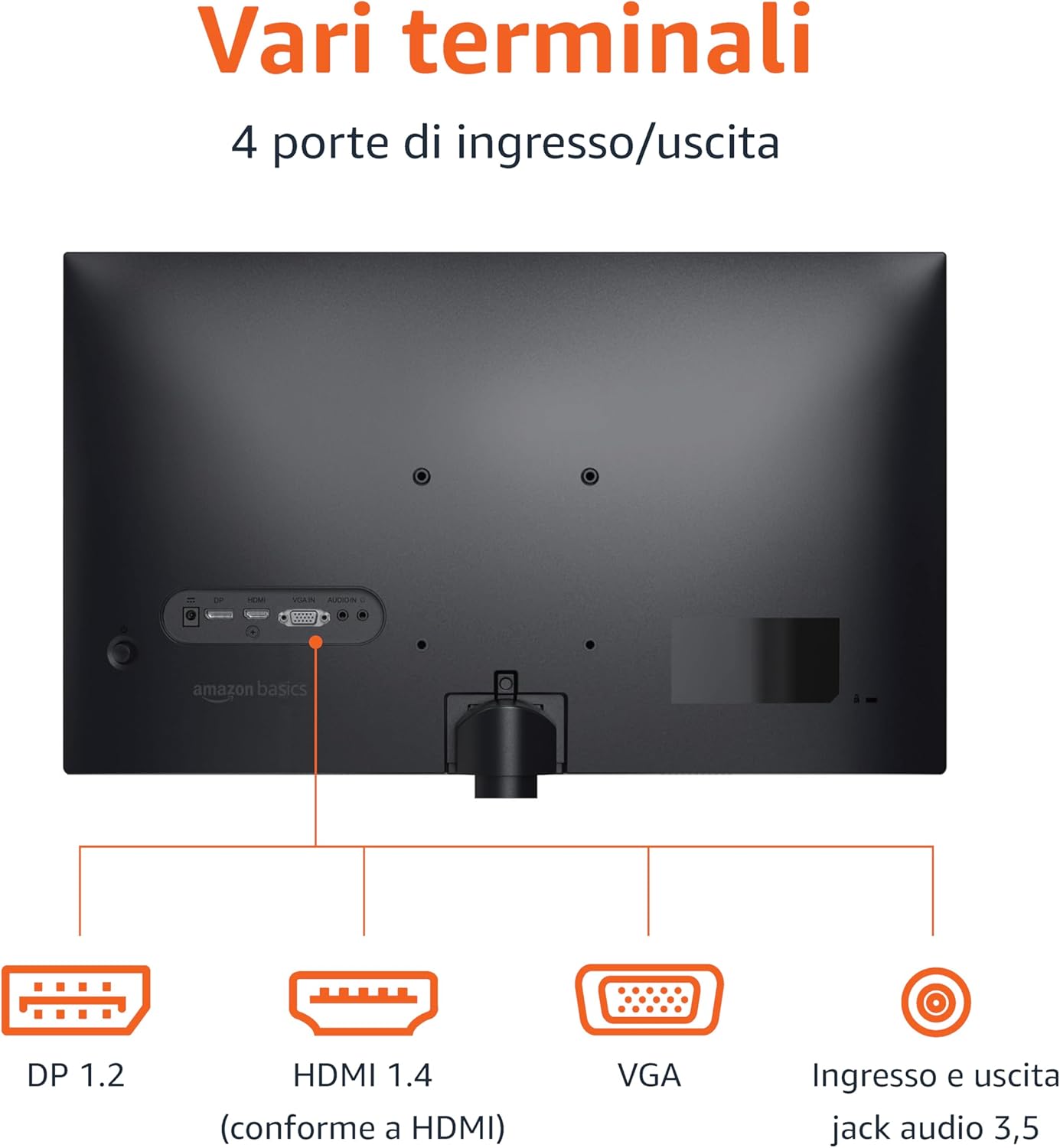
Rear panel connections: DP 1.2, HDMI 1.4, VGA, and 3.5mm audio input/output ports.
- Connexió HDMI: Connecteu un extrem del cable HDMI al port HDMI de l'ordinador o dispositiu i l'altre extrem al port HDMI 1.4 del monitor.
- Connexió DisplayPort (DP): Connect one end of the DP cable (not included) to the DP port on your computer or device and the other end to the DP 1.2 port on the monitor.
- Connexió VGA: Connect one end of the VGA cable (not included) to the VGA port on your computer or device and the other end to the VGA port on the monitor.
- Connexió d'àudio: If using a VGA connection or an external audio source, connect a 3.5mm audio cable from your device's audio output to the monitor's audio input.
- Connexió d'alimentació: Connecteu l'adaptador de corrent a l'entrada d'alimentació del monitor i, a continuació, endolleu l'adaptador a una presa de corrent.
4. Muntatge VESA (opcional)
This monitor is VESA compatible, allowing it to be mounted on a wall or an adjustable arm. Refer to your VESA mount's instructions for installation. Ensure the mount supports the monitor's weight and VESA pattern.

The monitor stand allows for tilt adjustment from -5° to 20°.
Instruccions de funcionament
1. Encendre/apagar
Premeu el botó d'engegada, que normalment es troba a la part inferior dreta o posterior del monitor, per encendre'l o apagar-lo. L'indicador lluminós d'engegada s'il·luminarà quan el monitor estigui encès.
2. Menú de visualització en pantalla (OSD).
Use the control buttons (typically located on the bottom right or rear) to navigate the OSD menu. The OSD allows you to adjust various settings:
- Brillantor/Contrast: Ajusta els nivells de luminància i contrast de la imatge.
- Configuració de color: Modifica la temperatura de color, el to i la saturació.
- Selecció d'entrada: Canvia manualment entre les entrades HDMI, DisplayPort i VGA.
- Configuració d'àudio: Controla el volum dels altaveus integrats o dels auriculars connectats.
- Mode d'imatge: Select preset display modes (e.g., Standard, Movie, Game).
- Freqüència d'actualització: Ensure your device is configured to output at 100Hz for the smoothest experience. This setting is usually adjusted in your computer's display settings.
3. Altaveus incorporats
The monitor includes integrated speakers for audio output. Adjust the volume through the OSD menu or your connected device's audio controls.
Manteniment
1. Neteja de la pantalla
- Apagueu sempre el monitor i desendolleu el cable d'alimentació abans de netejar-lo.
- Utilitzeu un drap suau i sense pelusa lleugerament dampnetejat amb aigua o amb un netejador de pantalles especialitzat.
- No ruixeu el netejador directament sobre la pantalla.
- Eviteu utilitzar netejadors abrasius, ceres o dissolvents.
2. Atenció general
- Mantingueu el monitor allunyat de la llum solar directa, de fonts de calor i de l'excés de pols.
- Assegureu-vos una ventilació adequada al voltant del monitor.
- No col·loqueu objectes pesats sobre el monitor ni els seus cables.
Resolució de problemes
| Problema | Possible solució |
|---|---|
| Sense poder |
|
| Sense senyal / Pantalla en blanc |
|
| Imatge parpellejant o distorsionada |
|
| No Audio from Built-in Speakers |
|
Especificacions
| Característica | Detall |
|---|---|
| Marca | Conceptes bàsics d'Amazon |
| Número de model | C24M2020DEU |
| Mida de la pantalla | 24 polzades |
| Resolució | Full HD 1080p (1920 x 1080) |
| Freqüència d'actualització | Màxim 100 Hz |
| Tipus de panell | IPS |
| Relació d'aspecte | 16:9 |
| Relació de contrast | 1500:1 |
| Superfície de la pantalla | brillant |
| Connectivitat | HDMI, DisplayPort (DP), VGA |
| Característiques especials | Built-in Speakers, VESA Compatible |
| Pes | 3 quilos |
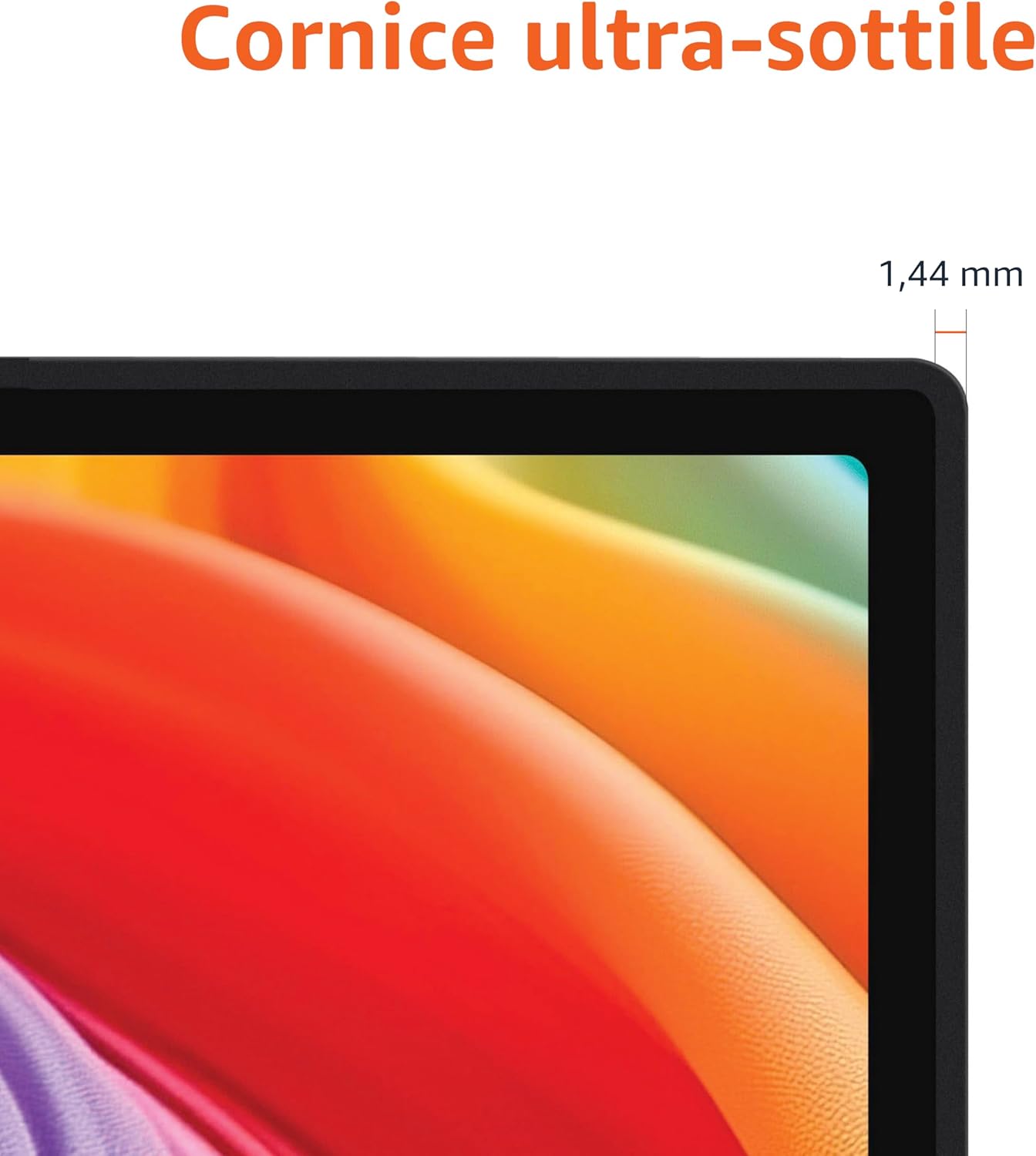
Approximate monitor dimensions (width x height x depth).
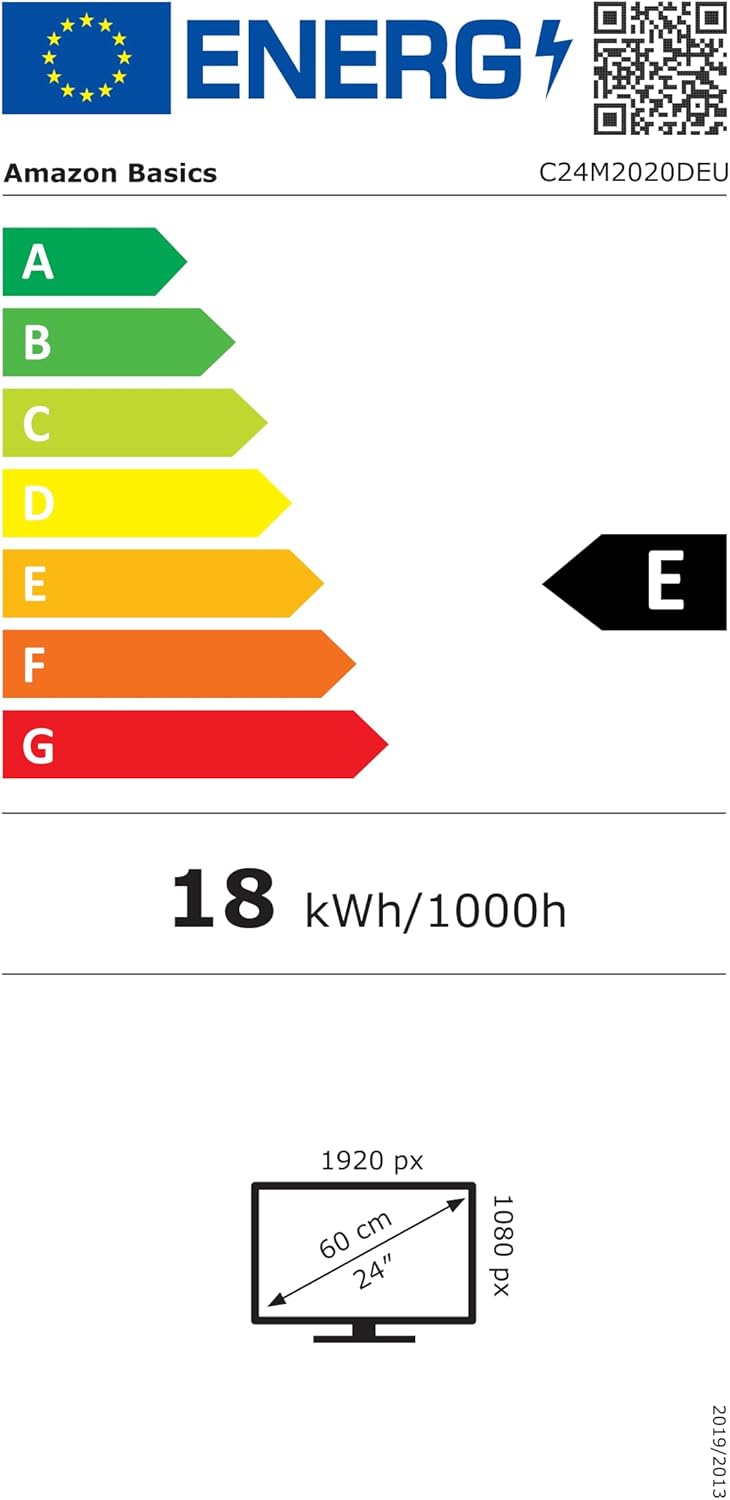
EU Energy Label for model C24M2020DEU. For more details, visit the Base de dades EPREL.
Informació de la garantia
Aquest producte ve amb un Garantia limitada d'1 any. For specific terms and conditions, please refer to the warranty documentation provided with your purchase or contact Amazon Basics customer support.
Suport
For technical assistance, troubleshooting, or warranty claims, please contact Amazon Basics customer support through the Amazon weblloc web o la vostra plataforma de compra.
You can also refer to the official Amazon Basics store for additional product information and support resources: Botiga bàsica d'Amazon