
Introducció
This manual provides detailed instructions for the installation, operation, and maintenance of your Nulaxy BT64 Bluetooth 5.3 AUX Adapter. Please read this manual thoroughly before using the product to ensure proper function and safety.
Producte acabatview
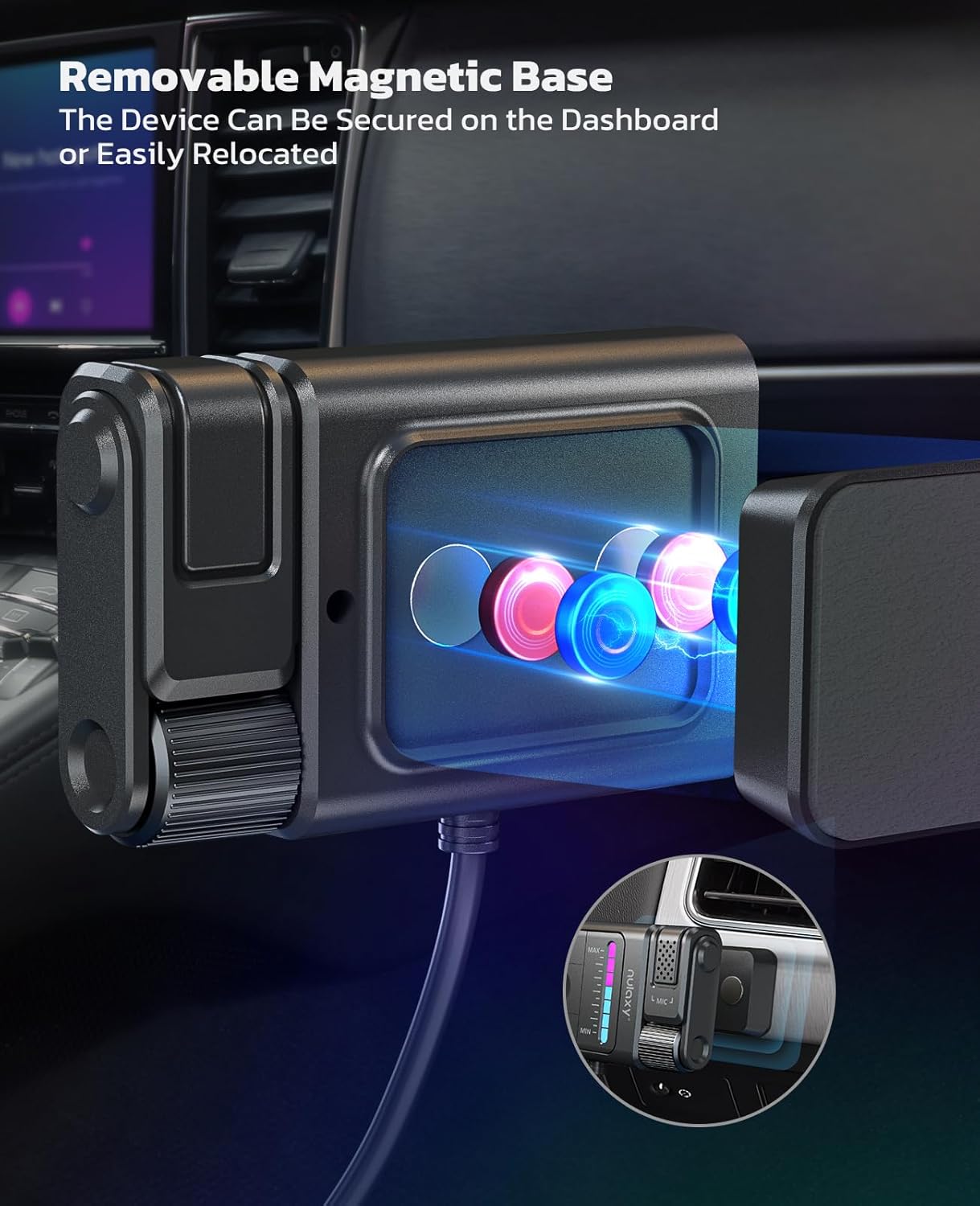
The Nulaxy BT64 is a Bluetooth 5.3 AUX adapter designed to bring wireless audio streaming and hands-free calling to your car's audio system. It features a detachable magnetic base for flexible placement and advanced noise cancellation technology.
Contingut del paquet
- 1 × Wireless Receiver (Nulaxy BT64)
- 1 × Sticker (for magnetic base installation)
- 1 × Manual d'usuari (aquest document)
Característiques clau
- Tecnologia Bluetooth 5.3: Ensures faster, more stable connections and superior stereo sound.
- Plug and Play: Easy connection via USB for power and 3.5mm AUX for audio.
- Flexible Magnetic Design: Detachable magnetic base allows for convenient and secure placement.
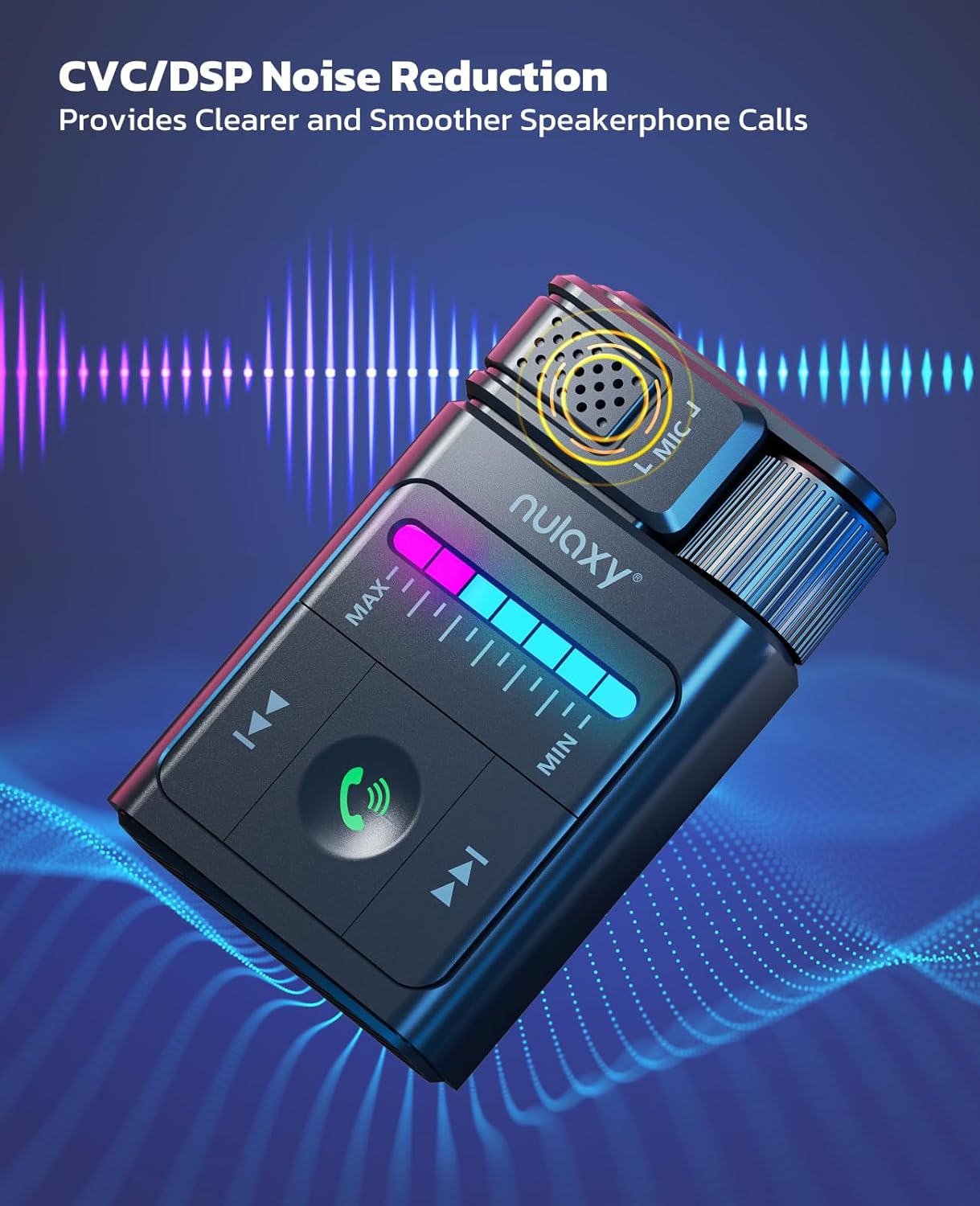
- Seamless Hands-Free Calling: CVC/DSP noise reduction and built-in filter IC for clear calls.
- Unique Lighting Effects: 7-color changing LED light for button visibility and visual feedback.
- Proteccions de seguretat múltiples: Certified by FCC, CE, RoHS, with built-in pressure, overcurrent, short circuit, and overheating protection.

Configuració i instal·lació
Installing the Magnetic Base
- Attach the adhesive sticker to the back of the magnetic base.
- Peel off the protective film from the sticker's surface.
- Affix the magnetic base to the desired location in your car where the receiver will be mounted. Ensure the surface is clean and dry for optimal adhesion.
- Attach the Nulaxy BT64 receiver to the magnetic base. This allows for easy removal and reattachment.
Easy Connection Steps
- Connexió d'alimentació: Insert the USB connector of the Nulaxy BT64 into a standard USB power source in your car. Connect the receiver's 3.5mm audio cable to your car's AUX audio input port.
Nota important: Use a standard USB port for power. Avoid quick-charging USB ports (>15W) as they can cause power incompatibilities or device malfunction due to excessive power supply.
- Emparellament Bluetooth: Activa el Bluetooth al teu telèfon mòbil. Cerca "BT64" in the list of available devices and select it to pair. Once paired, the device will automatically connect to your phone when the car starts.

Instruccions de funcionament
Reproducció de música
- Reproduir/pausa: Press the central play/pause button.
- Pista següent: Press the "Next Track" button (usually indicated by two forward arrows).
- Pista anterior: Press the "Previous Track" button (usually indicated by two backward arrows).
- Ajust de volum: Use the rotary knob on the side of the device to adjust the volume. The 7-color LED light bar will visually indicate the volume level.

Trucades mans lliures
- Respon a la trucada: Press the phone icon button to answer an incoming call.
- Finalitzar la trucada: Press the phone icon button again to end an active call.
- Rebutja la trucada: Press and hold the phone icon button to reject an incoming call.
- The built-in microphone with CVC/DSP noise reduction ensures clear communication during calls.
Activació de l'Assistent de veu
- To activate your phone's voice assistant (e.g., Siri, Google Assistant), press and hold the phone icon button briefly.

Efectes d'il·luminació LED
- The 7-color changing LED light bar assists in locating buttons in low-light conditions.
- The lights also sync with volume or bass adjustments, providing visual feedback on your operations.
Manteniment
To ensure the longevity and optimal performance of your Nulaxy BT64 AUX Adapter, follow these maintenance guidelines:
- Neteja: Use a soft, dry cloth to clean the device. Avoid using liquid cleaners or solvents, as they may damage the surface or internal components.
- Emmagatzematge: When not in use for extended periods, detach the adapter from its magnetic base and store it in a cool, dry place away from direct sunlight and extreme temperatures.
- Cura del cable: Avoid bending or twisting the USB and 3.5mm audio cables excessively to prevent internal wire damage.
Resolució de problemes
If you encounter issues with your Nulaxy BT64 AUX Adapter, please refer to the following common solutions:
- Sense alimentació/Dispositiu no s'inicia:
- Ensure the USB connector is securely plugged into a standard USB power source.
- Verify that the USB power source is active (e.g., car ignition is on).
- Avoid using quick-charging USB ports (>15W) as they can cause power incompatibilities.
- Sense connexió Bluetooth:
- Assegureu-vos que el Bluetooth estigui activat al telèfon.
- Ensure the Nulaxy BT64 is powered on.
- Check if "BT64" appears in your phone's Bluetooth device list. If it was previously paired, try forgetting the device and re-pairing.
- Move your phone closer to the adapter to ensure it's within the 10m transmission range.
- Sense sortida d'àudio:
- Confirm the 3.5mm audio cable is fully inserted into both the adapter and your car's AUX input.
- Ensure your car's audio system is set to the AUX input mode.
- Check the volume levels on both your phone, the Nulaxy BT64 adapter, and your car's audio system.
- Qualitat de trucada baixa:
- Ensure the microphone area on the adapter is not obstructed.
- Reduce background noise in the car if possible.
- Check your phone's call volume settings.
Especificacions
| Característica | Detall |
|---|---|
| Model | BT64 |
| Versió Bluetooth | V5.3 |
| Distància de transmissió | 10 m (30 peus) |
| Font d'alimentació | Font d'alimentació USB |
| Tecnologia de connectivitat | Auxiliar, Bluetooth, USB |
| Característiques especials | Built-In Microphone, Flexible Magnetic Design, Hands-Free Calls, Noise Cancellation, Plug and Play, 7-Color LED Lighting |
| Fabricant | Nulaxi |
| Pes de l'article | 2.89 unces |
| Dimensions del paquet | 5 x 3.94 x 0.94 polzades |
Garantia i Suport
Nulaxy stands behind the quality of its products.
- Garantia: This product comes with a 12-month hassle-free experience warranty.
- Atenció al client: Our dedicated customer support team is available 24/7 to provide personalized assistance. For any inquiries or support needs, please contact us through the official Nulaxy channels.