
Introducció
Thank you for choosing the LIORQUE S7509 Projection Alarm Clock. This manual provides detailed instructions for setting up and operating your new device. Please read it carefully to ensure proper use and to fully utilize all features.
Contingut del paquet
En desempaquetar, assegureu-vos que hi hagi tots els elements següents:
- LIORQUE S7509 Projection Alarm Clock
- Adaptador d'alimentació
- Cable d'alimentació USB
- Manual d'usuari

Image: The LIORQUE S7509 Projection Alarm Clock, its power adapter, USB cable, and user manual are displayed next to the product box. Product dimensions are indicated as 18cm (7.1in) width, 9.8cm (3.9in) height, and 5cm (2in) depth.
S'han acabat les característiques del producteview
The LIORQUE S7509 Projection Alarm Clock is designed to enhance your daily routine with its versatile features:
- 180° Rotatable Projection: Project the time onto your ceiling or wall with adjustable brightness.
- Pantalla LED gran: Clear time display with 4 adjustable brightness levels.
- Alarmes dobles: Configura dues alarmes separades per a diferents horaris.
- Ràdio FM: Enjoy your favorite radio stations with 15 preset memory slots and 15 adjustable volume levels.
- Funció de posposar: Provides an extra 9 minutes of sleep.
- Temporitzador de son: Automatically turns off the radio after a set duration (5-90 minutes).
- Format 12/24 hores: Easily switch between time formats.
- Bateria incorporada: Per a energia de reserva durant la sortidatages.

Image: The LIORQUE S7509 Projection Alarm Clock is shown with its digital display set to 22:30. Surrounding icons highlight key features including 12/24 hour time, adjustable brightness, FM radio, snooze function, dual alarms, time projection, built-in battery, and a sleep timer.
Instruccions de configuració
1. Connexió d'alimentació
Connect the provided USB power cable to the alarm clock and plug the adapter into a standard wall outlet. The display will light up, indicating the device is powered on.

Image: The LIORQUE S7509 Projection Alarm Clock is shown on a bedside table, connected to a wall outlet via its power adapter. The clock displays 8:30, illustrating its readiness for use after power connection.
2. Configuració inicial de l'hora
- Manteniu premut el botó HORA CONFIGURADA button (usually labeled with a clock icon) for 3 seconds to enter time setting mode.
- Utilitza el HORA i MINUT buttons (often labeled with '+' and '-' or arrows) to adjust the current time.
- Premeu HORA CONFIGURADA de nou per confirmar i sortir.
3. Format 12/24 hores
While in time setting mode, or by a dedicated button (refer to specific button labels on your device), you can toggle between 12-hour (with AM/PM indicator) and 24-hour formats.
Instruccions de funcionament
1. Configuració d'alarmes
El rellotge admet dues alarmes independents (Alarma 1 i Alarma 2).
- Manteniu premut el botó ALARMA 1 or ALARMA 2 button for 3 seconds. The alarm time will flash.
- Utilitza el HORA i MINUT botons per configurar l'hora d'alarma desitjada.
- Premeu el botó ALARMA de nou el botó per confirmar l'hora.
- You can then select the alarm sound (buzzer or FM radio) and alarm volume.
- Premeu el botó ALARMA button one more time to save settings and activate the alarm. An alarm icon will appear on the display.

Image: Two LIORQUE S7509 Projection Alarm Clocks are displayed side-by-side. One shows an alarm set for 8:30, labeled 'Workday', and the other shows 10:00, labeled 'Weekend', demonstrating the dual alarm capability.
2. Funció de projecció
The projector allows you to display the time on your ceiling or wall.
- Activar/Desactivar: Premeu el botó PROJECCIÓ button (often labeled with a projection icon) to turn the projection on or off.
- Ajusta la brillantor: Premeu repetidament el botó PROJECCIÓ button to cycle through 3 brightness levels (Low, Medium, High) or turn it off.
- Girar projecció: The projector lens can be physically rotated 180° to adjust the angle of the projected time.

Image: The LIORQUE S7509 Projection Alarm Clock is shown in a bedroom, projecting the time '22:30' onto the ceiling. Below, three smaller images illustrate the three adjustable brightness levels for the projection.

Image: The LIORQUE S7509 Projection Alarm Clock is depicted with its projection arm extended, casting the time '12:45' onto a nearby surface. This image demonstrates the adjustable angle and direction of the projection feature.
3. Brillantor de la pantalla
Adjust the main display brightness to your preference.
- Premeu el botó DIMMER button (or similar, often labeled with a sun icon) to cycle through 4 levels of display brightness.
- The levels typically range from brightest to off, allowing for comfortable viewde dia o de nit.

Image: The LIORQUE S7509 Projection Alarm Clock shows the time 22:30. Below, four distinct panels illustrate the four adjustable levels of screen brightness, ranging from completely off to maximum illumination, allowing users to select the appropriate brightness for night vision.
4. Ràdio FM
Escolta les teves emissores de ràdio FM preferides.
- Activar/Desactivar: Premeu el botó RÀDIO button to turn the FM radio on or off.
- Escaneig automàtic: Manteniu premut el botó RÀDIO button for 3 seconds to automatically scan and save up to 15 FM stations.
- Change Stations: Utilitza el ANTERIOR / SEGÜENT buttons (or '+' and '-') to switch between saved stations.
- Ajustar el volum: Utilitza el VOLUM +/- buttons to adjust the radio volume through 15 levels.

Image: The LIORQUE S7509 Projection Alarm Clock displays 'FM 7.84' on its screen, surrounded by graphic representations of radio waves indicating different FM frequencies (e.g., FM90.2, FM95.6, FM96.8, FM97.5, FM98.5). The image also highlights that the device can store 15 favorite radio stations and has 15 adjustable volume levels.
5. Funció de posposició
Quan soni una alarma, premeu la tecla gran SNOOZE / LIGHT button on top of the clock. The alarm will pause for 9 minutes and then sound again.
6. Temporitzador de son
El temporitzador de son permet que la ràdio funcioni durant un temps determinat abans d'apagar-se automàticament.
- Mentre sona la ràdio, premeu el botó DORMIR button (or similar).
- Premeu repetidament el botó DORMIR button to cycle through preset sleep times (e.g., 5, 10, 15, 30, 60, 90 minutes).
- La ràdio s'apagarà automàticament després del temps seleccionat.
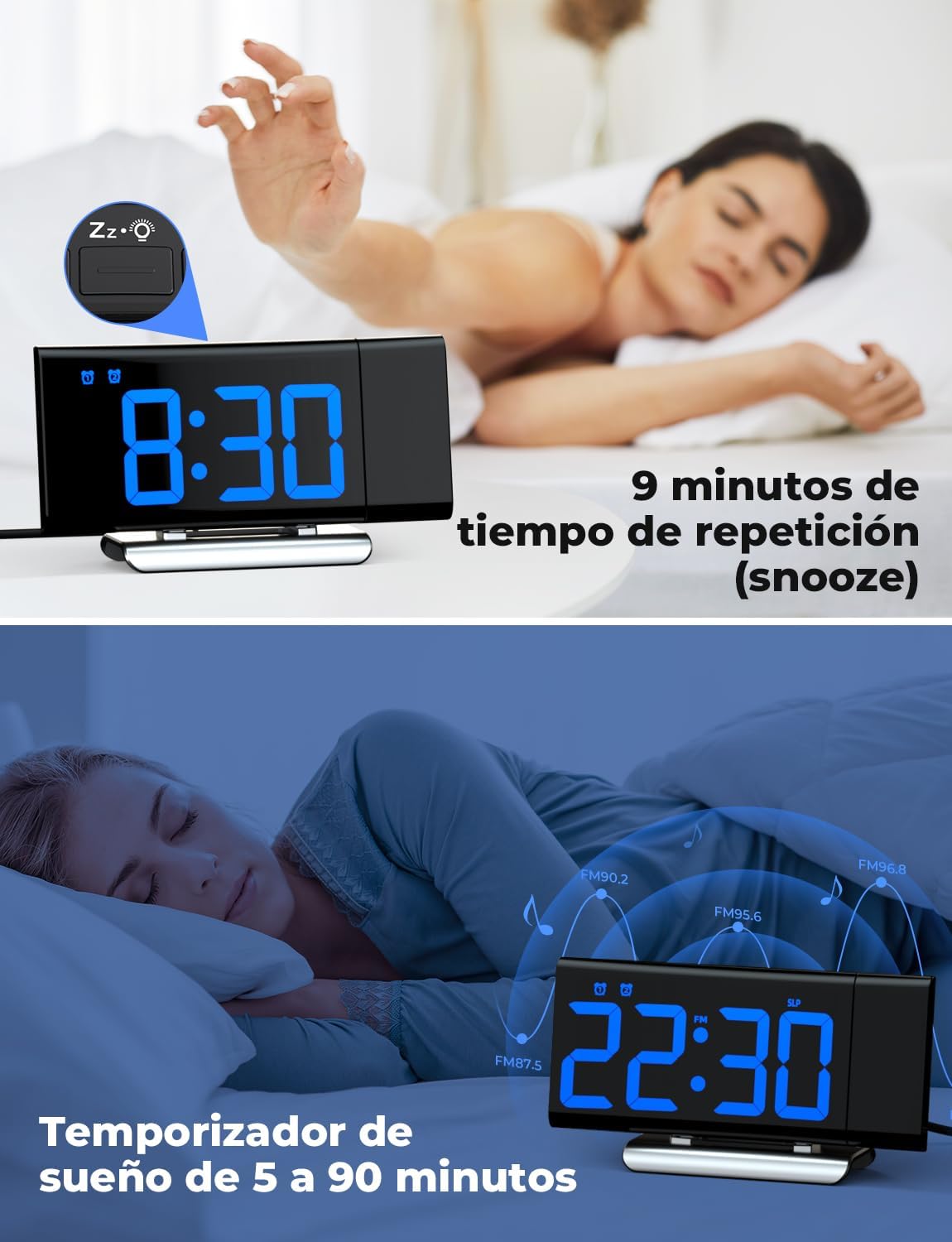
Image: The top section shows a person reaching for the snooze button on the LIORQUE S7509 Projection Alarm Clock, which displays 8:30, indicating a 9-minute snooze period. The bottom section features the clock displaying 22:30 with radio waves, illustrating the sleep timer function which can be set from 5 to 90 minutes, with a person sleeping peacefully in the background.
Manteniment
To ensure the longevity and optimal performance of your LIORQUE S7509 Projection Alarm Clock, follow these simple maintenance guidelines:
- Neteja: Use a soft, dry cloth to wipe the surface of the clock. Do not use abrasive cleaners, solvents, or chemical sprays, as these can damage the finish and electronic components.
- Eliminació de pols: Gently wipe the projector lens with a soft, lint-free cloth to maintain clear projection quality.
- Col·locació: Col·loqueu el rellotge sobre una superfície estable i plana, allunyada de la llum solar directa, de fonts de calor i d'humitat excessiva.
- Potència: Always use the provided power adapter. If the clock is not used for an extended period, you may unplug it. The built-in battery will retain settings for a short duration.
Resolució de problemes
Si teniu algun problema amb el despertador, consulteu els següents problemes i solucions habituals:
| Problema | Causa possible | Solució |
|---|---|---|
| La pantalla del rellotge està en blanc. | Sense poder ni podertage. | Ensure the power adapter is securely plugged into the clock and a working outlet. Check if the display brightness is set to 'off'. |
| La projecció és borrosa o poc clara. | Incorrect focus or distance. | Adjust the distance of the clock from the projection surface. Ensure the projector lens is clean. |
| L'alarma no sona. | L'alarma no està activada o el volum és massa baix. | Verify that the alarm icon is displayed on the screen. Check the alarm volume setting. Ensure the alarm time is correctly set. |
| Mala recepció de ràdio FM. | Weak signal or antenna position. | Extend the FM antenna fully. Reposition the clock to improve reception. |
| Els botons no responen. | Error temporal de programari. | Unplug the power adapter for a few seconds, then plug it back in to reset the device. |
Especificacions
| Característica | Detall |
|---|---|
| Dimensions del producte | 10.5 x 3.81 x 6.2 cm; 340 g |
| Número de model | S7509 |
| Marca | LIORQUE |
| Color | Blau |
| Tipus de visualització | Digital |
| Font d'alimentació | Both: Battery and AC power (with adapter) |
| Forma | Rectangular |
| Ús | Interior |
| Material del marc | Metall |
| Piles incloses | Sí |
| Tipus de muntatge | Taula |
| Rellotge despertador | Sí |
| Nombre d'articles | 1 |
Garantia i Suport
The LIORQUE S7509 Projection Alarm Clock comes with a manufacturer's warranty. For specific details regarding warranty coverage and duration, please refer to the warranty card included in your package or contact LIORQUE customer support.
If you require further assistance, have questions, or encounter issues not covered in this manual, please contact LIORQUE customer support. Contact information can typically be found on the product packaging, the official LIORQUE weblloc web o a través del vostre distribuïdor.