
glo 10189920
glo HYPER PRO Device User Manual
Model: 10189920
1. Introducció
The glo HYPER PRO is an advanced tobacco heating device designed to provide an enhanced experience. It features an EasyView LED display for monitoring device status, a TasteSelect selector for choosing between Standard and Boost modes, and HeatBoost technology for consistent intensity. The device also includes fast charging capabilities and extended battery life.
Important Safety Notice: This product is not risk-free and contains nicotine, which is addictive.
2. Advertències de seguretat
- This product, when used with its intended tobacco sticks, is not risk-free and delivers nicotine, a highly addictive substance.
- The device itself does not contain tobacco sticks, liquids, pre-filled cartridges, or refills. These must be purchased separately.
- The glo HYPER PRO operates without combustion, producing zero ash and less odor compared to traditional cigarettes.
- Always read the label, warnings, and instructions provided on the product packaging before use. Information on the packaging may differ from online descriptions.
- Mantenir fora de l'abast dels nens i mascotes.
- No exposeu el dispositiu a temperatures extremes, a la llum solar directa ni a l'aigua.
- Use only the charging cable provided or a certified USB-C cable with a compatible power adapter.
3. Contingut del paquet
Please check that your glo HYPER PRO package contains the following items:
- glo HYPER PRO Device
- Cable de càrrega USB-C
- Raspall de neteja
- Manual d'usuari (aquest document)
4. Dispositiu acabatview
Familiarize yourself with the components of your glo HYPER PRO device.
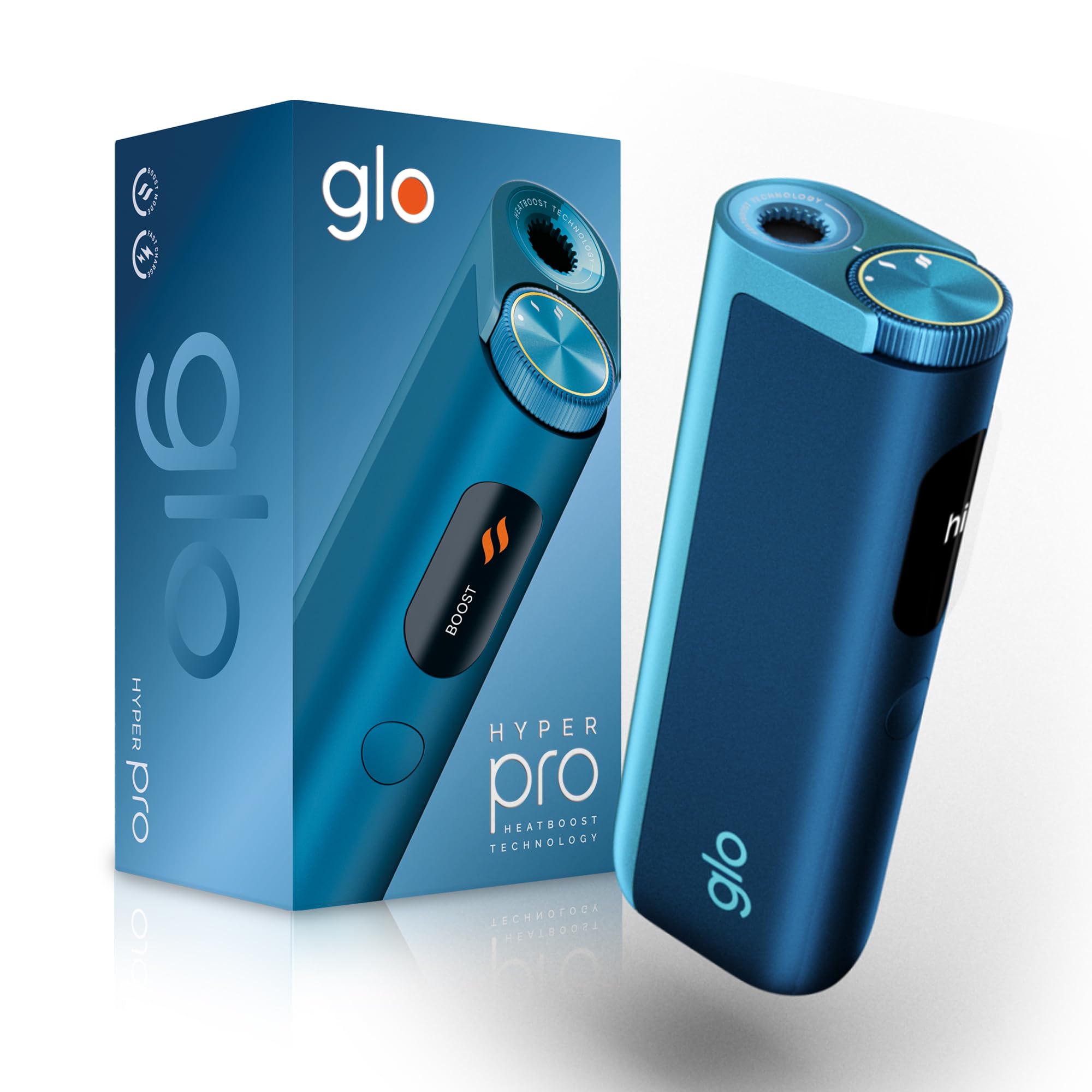
This image displays the glo HYPER PRO device in blue, highlighting its compact dimensions (96.4mm height, 36.5mm width) and weight (92 grams). Key features such as Boost Mode, EasyView Display, and Fast Charge are indicated.
- Heating Chamber: Where the tobacco stick is inserted.
- TasteSelect Selector: Button to switch between Standard and Boost modes.
- FàcilView Pantalla LED: Shows selected mode, session progress, and battery status.
- Port USB-C: Per carregar el dispositiu.
5. Configuració inicial
5.1 Càrrega del dispositiu
Before first use, fully charge your glo HYPER PRO device. The device features fast charging and extended battery life.
- Connect the USB-C charging cable to the device's USB-C port.
- Plug the other end of the cable into a compatible USB power adapter.
- El FàcilView LED display will indicate the charging progress.
- Un cop estigui completament carregat, desconnecteu el dispositiu del carregador.
5.2 Primer ús
To turn on the device for the first time:
- Press the TasteSelect button 5 times rapidly.
- The device will vibrate and the EasyView LED display will illuminate, indicating it is ready for use.
6. Funcionament del dispositiu
6.1 Inserting a Tobacco Stick
Ensure the device is clean before inserting a tobacco stick.
- Gently insert a compatible tobacco stick into the heating chamber at the top of the device.
- Do not force the stick.
6.2 Selecting a Mode (Standard or Boost)
The TasteSelect selector allows you to choose your preferred intensity.

This image illustrates two glo HYPER PRO devices, demonstrating the selection between Standard and Boost intensity modes.
- Mode estàndard: For a balanced experience. Press and hold the TasteSelect button until the device vibrates once.
- Mode boost: For superior intensity, featuring HeatBoost technology. Press and hold the TasteSelect button until the device vibrates twice.
El FàcilView LED display will show the selected mode and the heating progress.
6.3 Inici d'una sessió
- After inserting the tobacco stick and selecting your mode, the device will begin heating.
- El FàcilView LED display will show a countdown or progress indicator.
- The device will vibrate when it is ready for use.
- Once the session is complete, the device will vibrate again and the display will turn off.
6.4 Ending a Session
Després de la sessió:
- Remove the used tobacco stick from the heating chamber.
- Dispose of the used stick responsibly.
- Deixeu que el dispositiu es refredi abans de netejar o emmagatzemar.
7. Manteniment i Neteja
Regular cleaning ensures optimal performance and longevity of your glo HYPER PRO device.
7.1 Cleaning the Heating Chamber
- Ensure the device is turned off and completely cool before cleaning.
- Use the provided cleaning brush to gently remove any tobacco residue from the heating chamber.
- Avoid using water or liquid cleaners directly on the heating element.
- For stubborn residue, a dry cotton swab can be used carefully.
7.2 Neteja exterior
Wipe the exterior of the device with a soft, dry cloth as needed.
8. Solució De Problemes
If you encounter issues with your glo HYPER PRO, refer to the following common problems and solutions:
| Problema | Causa possible | Solució |
|---|---|---|
| El dispositiu no s'encén | Càrrega baixa o sense bateria | Carregueu el dispositiu completament amb el cable USB-C proporcionat. |
| El dispositiu no s'escalfa | Tobacco stick not inserted correctly; Device malfunction | Ensure the tobacco stick is fully and correctly inserted. Try restarting the device. If the issue persists, contact customer support. |
| La càrrega és lenta o no funciona | Faulty cable or adapter; Dirty charging port | Check the USB-C cable and power adapter for damage. Try a different compatible cable/adapter. Clean the charging port gently with a dry, soft brush. |
| La pantalla LED no funciona | Mal funcionament del dispositiu | Prova de reiniciar el dispositiu. Si el problema persisteix, contacta amb l'atenció al client. |
9. Especificacions
| Característica | Detall |
|---|---|
| Marca | glo |
| Número de model | 10189920 |
| Dimensions (LxWxH) | 9.6 x 3.6 x 2.1 cm |
| Pes | 150 grams |
| Capacitat de la bateria | 2580 mAh (ió de liti) |
| Port de càrrega | USB-C |
| Característica especial | Disseny compacte |
| Fabricant | Nicoventures Trading Limited |
10. Garantia i Suport
10.1 Informació de la garantia
For detailed warranty information, please refer to the warranty card included in your product packaging or visit the official glo weblloc. Els termes i condicions de la garantia poden variar segons la regió.
10.2 Atenció al client
If you have any questions, require assistance, or need to report an issue with your glo HYPER PRO device, please contact glo customer support through their official website or the contact details provided in your product documentation.
Documents relacionats10189920


Ask a question about this manual
Ask about setup, troubleshooting, compatibility, parts, safety, or missing instructions. Manuals+ will review the question and use this page’s manual context to help answer it.