
1. Introducció i finalview
Welcome to the world of aerial photography and exploration with your new Holy Stone HS360S GPS Drone. This special edition drone, celebrating Holy Stone's 10th Anniversary, features a vibrant dark green paint scheme and is designed for both beginners and experienced pilots. Weighing under 249g, it is FAA compliant, meaning no registration is needed, allowing you to focus on the joy of flight.
The HS360S is equipped with a 4K UHD camera, offering high-resolution photos (3840x2160P) and videos, an 85° FOV lens, and a 90° adjustable camera for capturing breathtaking aerial footage. Its superior 5G transmission technology provides a reliable connection up to 10,000 feet. Advanced GPS functions ensure stable flight and safe return, while intelligent flight modes like Follow Me, Tap Fly, Point of Interest, and Hand Gesture Shots enhance your flying experience.
Video: Holy Stone 10th Anniversary Special Edition Drone. This video showcases the drone's design and some of its key features in action.
Video: Holy Stone HS360S Special Edition. A detailed look at the special edition HS360S drone and its capabilities.
2. Muntatge i muntatge
2.1 Què hi ha a la caixa
- Holy Stone HS360S Drone
- Control remot
- Intelligent Flight Batteries (2 included in this version)
- USB Charging Cables (for drone and controller)
- Hélices de recanvi
- Tornavís
- Maleta de transport
- Manual d'usuari (aquest document)

Image: All components included with the Holy Stone HS360S drone, neatly arranged in its carry case.
2.2 Configuració inicial
- Càrrega de bateries: Fully charge both the drone's flight batteries and the remote controller's internal battery using the provided USB cables.
- Unfold Drone: Gently unfold the drone's arms until they click into place.
- Insereix la bateria: Insert a fully charged intelligent flight battery into the drone's battery compartment until it is securely latched.
- Preparació del comandament a distància: Extend the phone holder on the remote controller. Attach your smartphone to the holder and connect it using the appropriate data cable (USB-C, Lightning, or Micro USB).
- Descarregar l'aplicació: Download and install the 'HS Fly' app from your smartphone's app store.
3. Instruccions de funcionament
3.1 Control remot acabatview
The remote controller is your primary interface for controlling the HS360S drone. Familiarize yourself with its layout and functions:
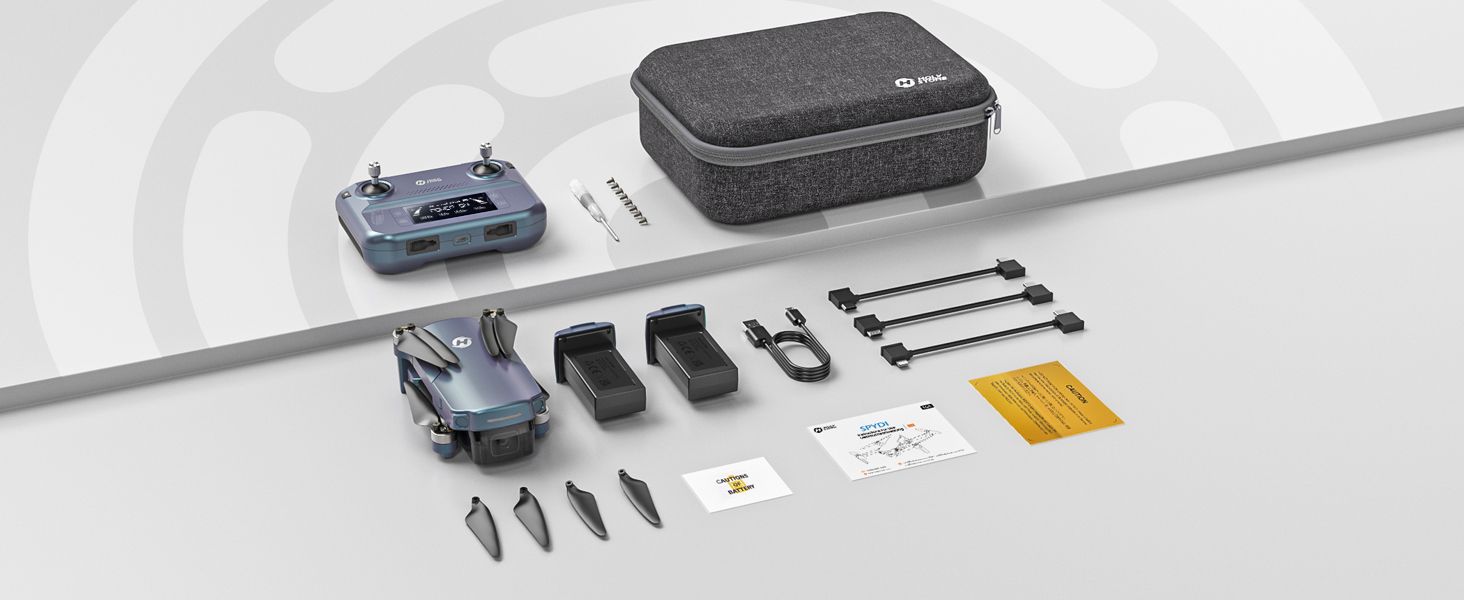
Image: Detailed diagram of the Holy Stone HS360S remote controller, highlighting all buttons and ports.
- Joystick esquerre: Controla l'altitud (amunt/avall) i la rotació (guinyar esquerra/dreta).
- Joystick dret: Controla el moviment endavant/enrere i esquerra/dreta.
- Takeoff/Landing Button: Short press for automatic takeoff/landing.
- Parada d'emergència: Long press to immediately stop motors (use only in emergencies).
- Interruptor de velocitat: Short press to cycle through speed modes (Beginner, Normal, Sport).
- Commutador GPS: Long press to toggle GPS mode.
- Tornada a casa (RTH): Initiates automatic return to the takeoff point.
- Botó de fer una foto: Captures a still image.
- Record Video Button: Inicia/atura la gravació de vídeo.
- Dial de zoom: Ajusta el zoom de la càmera.
- Dial d'ajust de la càmera: Tilts the camera up or down.
- Pantalla LCD: Displays flight information and battery status.
- Port de connexió: For connecting your smartphone.
3.2 Operacions de vol bàsiques
- Encès: Turn on the drone first, then the remote controller. Wait for them to connect (indicated by solid lights and a beep).
- Senyal GPS: Ensure the drone has acquired sufficient GPS satellites before takeoff for stable flight and RTH functionality.
- Enlairament: Place the drone on a flat, open surface. Short press the Takeoff/Landing button. The drone will automatically ascend and hover.
- Control de vol: Use the joysticks to control the drone's movement. Start with slow, gentle movements, especially in Beginner Mode.
- Aterratge: Short press the Takeoff/Landing button. The drone will automatically descend and land. Alternatively, you can manually land using the left joystick.
3.3 Modes de vol intel·ligents
The HS360S offers several intelligent flight modes to enhance your aerial photography and videography:
- Mode Segueix-me: The drone will automatically follow the remote controller (and your connected smartphone) at a set distance and altitude.
- Toca Fly: Tap a point on the map in the HS Fly app, and the drone will fly to that location.
- Punt d'interès: Select a central point, and the drone will circle around it, capturing footage.
- Hand Gesture Shots: Feu servir gestos específics amb les mans per activar la captura de fotos o vídeos.
- Auto Return (RTH): The drone will return to its takeoff point if the battery is low, connection is lost, or the RTH button is pressed.

Image: Visual representation of the drone performing various intelligent flight functions like Follow Me, Point of Interest, Trajectory Flight, and Waypoint Flight.

Image: Diagram illustrating the Smart Return Home feature, showing the drone returning to its home point due to low voltage, smart RTH activation, or failsafe RTH.
3.4 Funcionament de la càmera
The integrated 4K UHD camera allows you to capture stunning visuals:
- Captura de foto/vídeo: Use the dedicated buttons on the remote controller or the HS Fly app to take photos or start/stop video recording.
- Ajust de l'angle de la càmera: Use the camera adjustment dial on the remote to tilt the camera for different perspectives.
- Resolució: Photos are captured at 3840x2160P, and videos are recorded in 4K.

Imatge: Primer pla view of the Holy Stone HS360S drone's 4K UHD camera, highlighting its 90° remotely adjustable feature and 85° FOV.
Video: Holy Stone HS360S Green GPS 4K Drone with Camera for Adults. This video demonstrates the drone's camera capabilities and flight stability.
4. Manteniment
- Inspecció de l'hèlix: Regularly check propellers for any damage (cracks, bends). Replace damaged propellers immediately using the provided spare parts and screwdriver.
- Neteja: Mantingueu el dron i la lent de la càmera nets de pols i deixalles. Feu servir un drap suau i sec.
- Cura de la bateria: Guardeu les piles en un lloc fresc i sec. No les sobrecarregueu ni les descarregueu massa.
- Emmagatzematge: When not in use, fold the drone and store it in its carry case to protect it from damage.
5. Solució De Problemes
If you encounter any issues, please refer to the following common troubleshooting tips:
- El dron no respon: Ensure both the drone and controller are fully charged and properly paired. Re-calibrate the drone if necessary.
- Vol inestable: Ensure GPS signal is strong. Calibrate the gyroscope and compass as per the app instructions. Avoid flying in strong winds.
- No Camera Feed: Check the smartphone connection cable and ensure the HS Fly app is running correctly.
- Temps de vol curt: Assegureu-vos que les bateries estiguin completament carregades. El temps de vol es pot veure afectat per vols violents o vents forts.
For more detailed troubleshooting or persistent issues, please contact Holy Stone Customer Support.
6. Especificacions
| Característica | Especificació |
|---|---|
| Nom del model | HS Gradient Color Edition |
| Pes de l'article | 8.7 unces (249 g) |
| Resolució de captura de vídeo | 4K UHD (3840x2160P) |
| Interval màxim | 10,000 Feet (Transmission) |
| Tecnologia de connectivitat | 5G WiFi Repeater |
| Característiques especials | 4K UHD Camera, Time-lapse Photography, FPV, GPS Follow Me, Auto Return, Lightweight, No Need FAA/Remote ID |
| Composició de les cèl·lules de la bateria | Polímer de liti |
| Tipus de control | Control remot |
| Material | Plàstic |
| Dimensions de l'article (L x A x A) | 11.6 cm de llargada x 8.4 cm d'amplada x 2.2 cm d'alçada |
7. Garantia i Suport
Holy Stone is committed to providing excellent customer service. If you have any questions, concerns, or require assistance with your HS360S drone, please do not hesitate to contact our support team.
Our HS Fly App also ensures continuous improvements and updates to the drone's functions, offering an ever-improving flight experience. For further guidance, you can refer to in-app tutorials and official YouTube guidance videos.
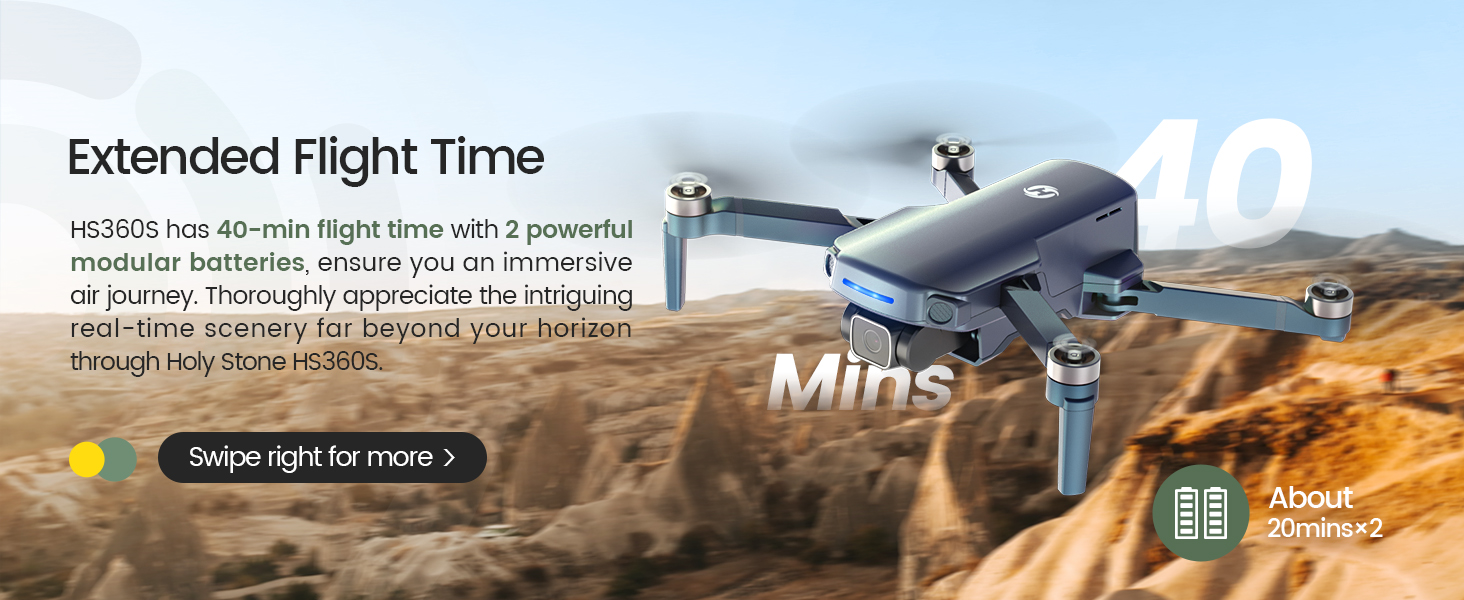
Image: A customer support representative ready to assist, symbolizing Holy Stone's commitment to flight guidance and after-sales support.
Informació de contacte: Please refer to your product packaging or the official Holy Stone weblloc web per obtenir les dades de contacte d'atenció al client més actualitzades.