
1. Introducció
The Polarduck BT1818 Bluetooth Camera Remote Control allows you to capture photos and videos wirelessly from a distance. This device is designed for convenience, enabling hands-free operation of your smartphone or tablet camera.
This manual provides detailed instructions for setting up, operating, and maintaining your remote control, along with troubleshooting tips.
2. Contingut del paquet
Verifiqueu que tots els elements siguin presents al vostre paquet:
- Bluetooth Remote Control (Battery Included) x 1
- Adjustable Wrist Strap x 1
- Manual d'usuari x 1

Image: Two black Polarduck Bluetooth remote controls are shown alongside two black adjustable wrist straps. Each remote has a single camera button and a blue LED indicator.
3. Producte acabatview
Familiarize yourself with the components of your Polarduck Bluetooth Remote Control:

Image: A diagram illustrating the Polarduck Bluetooth remote control. Key parts are labeled: LED indicator, ON/OFF switch, main button (with camera icon), battery compartment, and battery cover.
- Indicador LED: Displays pairing status and operation.
- Interruptor ON / OFF: Activa o desactiva el comandament a distància.
- Botó: Triggers the camera shutter or video recording.
- Compartiment de la bateria: Conté la pila CR2032.
- Tapa de la bateria: Protegeix la bateria.

Image: A hand holds the compact Polarduck Bluetooth remote control, highlighting its small size and portability.
4. Setup: Pairing with Your Device
Follow these steps to pair your Polarduck Bluetooth Remote Control with your smartphone or tablet:
- Turn On the Remote: Locate the ON/OFF switch on the side of the remote control and slide it to the "ON" position. The LED indicator will begin to flash, indicating it is in pairing mode.
- Activa el Bluetooth al teu dispositiu: On your smartphone or tablet, go to your device's settings and enable Bluetooth.
- Cerca Dispositius: Your device will scan for available Bluetooth devices. Look for "AB Shutter3" or the model number "BT1818" in the list of devices.
- Connectar: Select "AB Shutter3" or "BT1818" to connect. Once successfully paired, the LED indicator on the remote will stop flashing or turn solid blue (depending on the remote version), and your device will show it as "Connected".
- Open Camera App: Open your device's native camera application.
Nota: The remote only needs to be paired once. It will automatically connect to your device on subsequent uses if Bluetooth is enabled on your device and the remote is turned on.
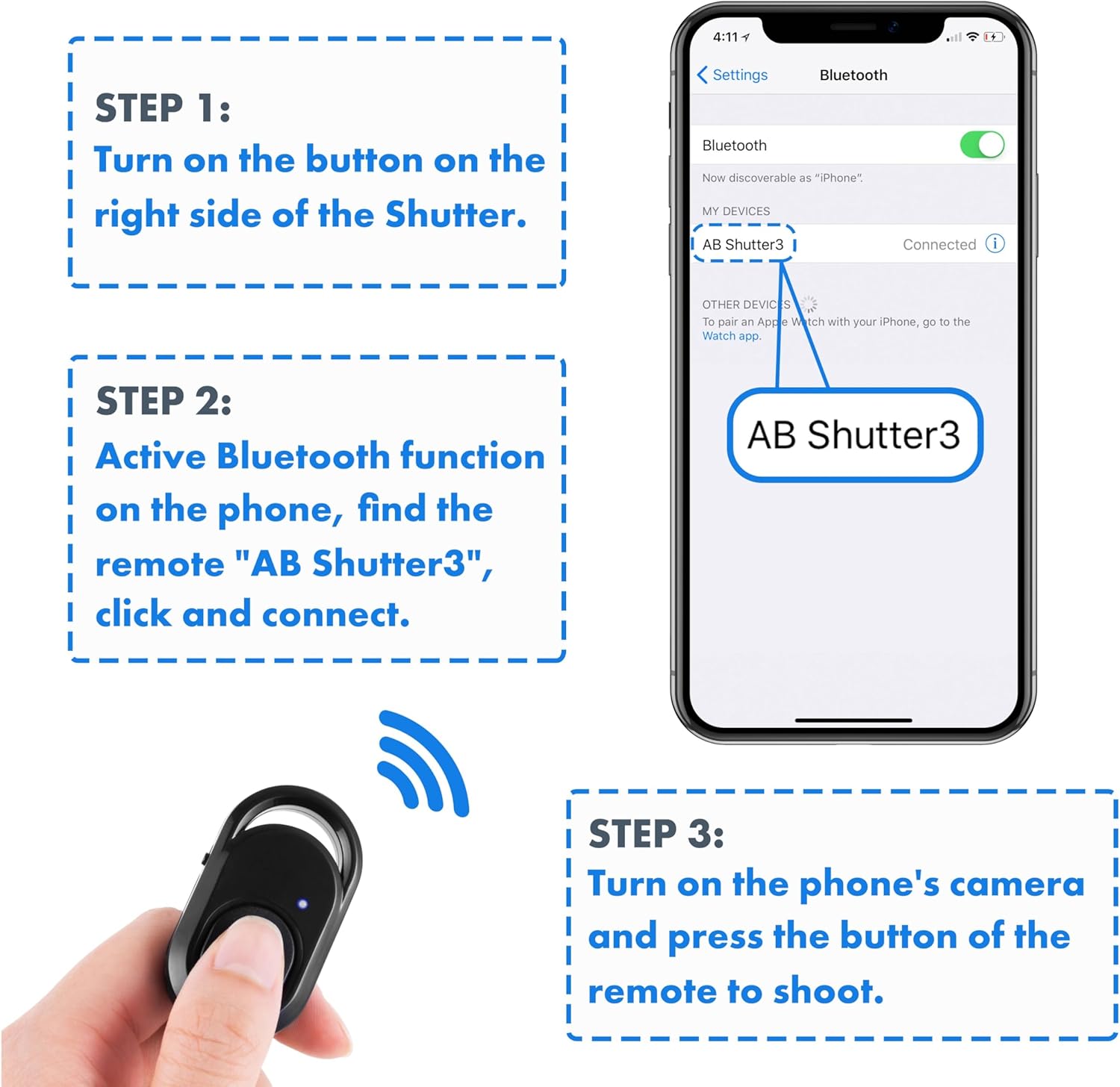
Image: A visual guide showing three steps for pairing: 1. Turn on the remote. 2. Activate Bluetooth and connect to "AB Shutter3". 3. Open the camera app and press the remote button to shoot.
5. Instruccions de funcionament
Once paired, using your Polarduck Bluetooth Remote Control is straightforward:
- Fent fotos: With your camera app open, simply press the main button on the remote control to capture a photo.
- Gravació de vídeos:
- For iPhone and Most Android Phones: Switch your native camera app to video mode. Press the remote button once to start recording, and press it again to stop recording.
- For Samsung Android Phones or Other Android Phones with Volume Key Functionality: If the remote does not initiate video recording directly, go to your camera settings and set the "Volume keys function" to "Record video". This will allow the remote to control video recording.
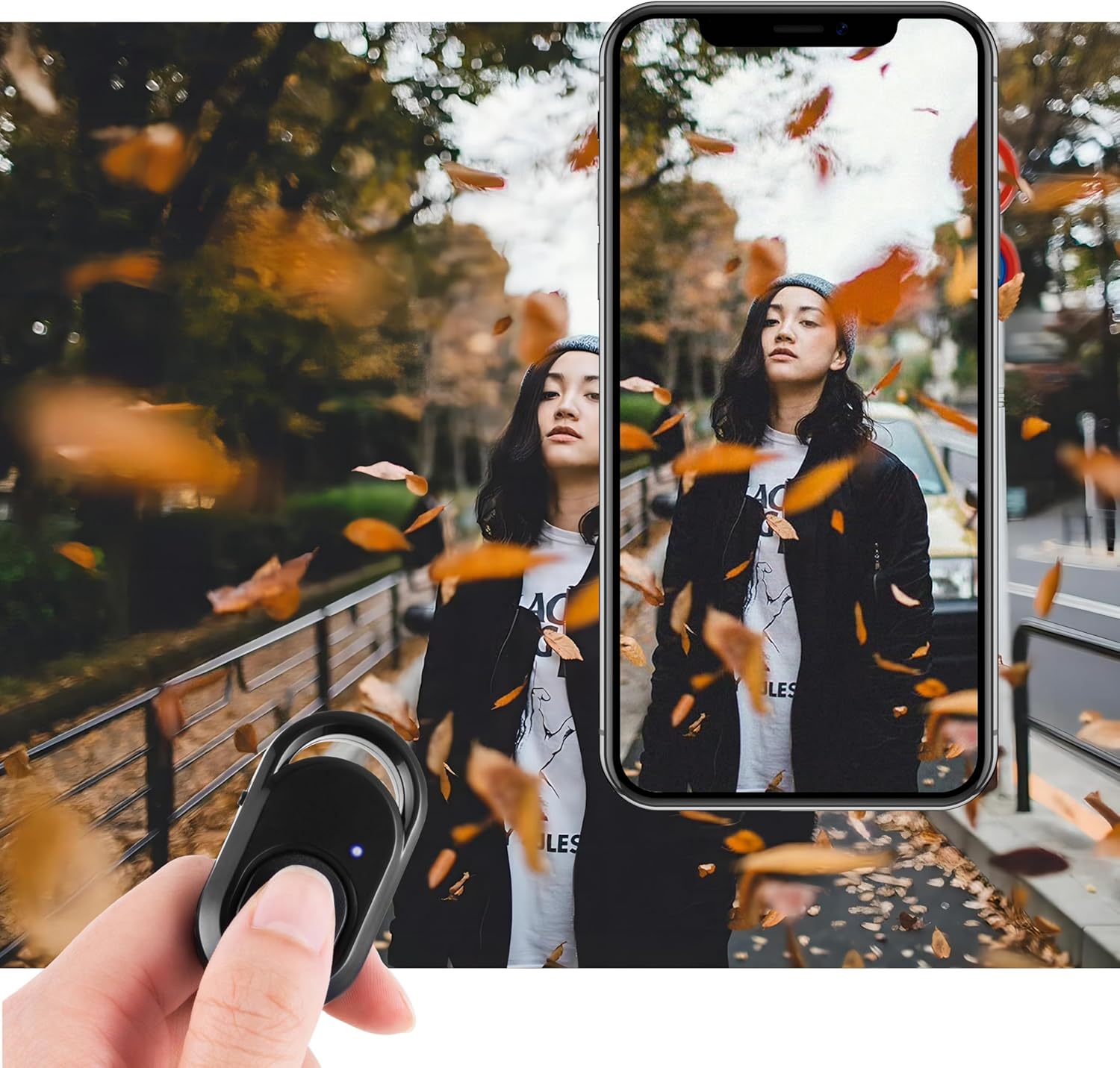
Image: A hand holds the remote control, with a finger pressing the button, while a smartphone screen displays a photo being taken, demonstrating the remote's function.
6. Compatibilitat
The Polarduck BT1818 Bluetooth Remote Control is compatible with a wide range of devices:
- Sistemes operatius:
- Apple iOS 8.0 and up
- Android 7.0 OS and up
- Dispositius compatibles inclouen:
- iPhone models (e.g., 15 Pro Max, 15 Pro, 15, 14, 13, 12, 11, X, 9, 8)
- iPad models (e.g., Pro, Air, Mini)
- Samsung Galaxy models (e.g., S23 Ultra, S23+, S23, S23 FE, S22, S21, S20)
- HUAWEI models (e.g., Mate 60 RS, Mate 60 Pro+, Mate 60, P60 Pro, P60, nova 11)
- Other Android devices from brands like Xiaomi, OnePlus, BLU, etc.

Image: Four different types of selfie equipment (tripods and selfie sticks) are shown with smartphones attached, indicating the remote's broad compatibility with such accessories.
7. Especificacions
| Característica | Detall |
|---|---|
| Comunicació | Bluetooth |
| Dimensions | 48 mm x 30 mm x 10 mm (2 x 1.2 x 0.4 polzades) |
| Pes | 8 g (0.634 unces) |
| Interval màxim | 30 peus (10 m) |
| Freqüència | 2.4 GHz–2.4835 GHz |
| Tipus de bateria | CR2032 (inclòs) |
| Durada aproximada de la bateria | 6 months (based on 10 uses/day) |
| Número de model | BT1818 |

Image: A technical drawing showing the precise dimensions of the Polarduck Bluetooth remote control in both centimeters and inches.
8. Solució De Problemes
Si teniu problemes amb el comandament a distància, consulteu les solucions habituals següents:
- El comandament a distància no s'està emparellant:
- Ensure the remote's ON/OFF switch is in the "ON" position.
- Verify Bluetooth is enabled on your smartphone or tablet.
- Check if the remote appears as "AB Shutter3" or "BT1818" in your device's Bluetooth settings. If you previously paired it with another device, you might need to "forget" it on the old device first.
- Restart both the remote (turn off and on) and your device's Bluetooth.
- Remote Not Taking Photos/Videos:
- Confirm the remote is successfully paired and connected to your device.
- Ensure your native camera app is open and active.
- For video recording on certain Android phones (e.g., Samsung), adjust the camera settings to assign "Record video" to the volume keys function.
- Check the remote's battery level.
- Interval limitat:
- Ensure there are no significant obstructions between the remote and your device.
- Eviteu entorns amb fortes interferències electromagnètiques.
- The maximum effective range is approximately 30 feet (10m).
9. Manteniment
To ensure optimal performance and longevity of your remote control:
- Substitució de la bateria: The remote uses a CR2032 coin cell battery. When the remote's performance degrades or the LED indicator does not light up, it may be time to replace the battery. Carefully open the battery cover (refer to the Product Overview diagram) and insert a new CR2032 battery with the correct polarity.
- Neteja: Netegeu el comandament amb un drap suau i sec. Eviteu utilitzar productes químics o materials abrasius.
- Emmagatzematge: Guardeu el comandament a distància en un lloc fresc i sec, allunyat de la llum solar directa i de temperatures extremes.
10. Garantia i Suport
For warranty information or technical support, please refer to the contact details provided with your purchase or visit the official Polarduck weblloc web. Conserveu el rebut de compra com a comprovant de compra.